Skip to content
| Marketplace
Sign in
Visual Studio Code>Data Science>Semantic Model ViewerNew to Visual Studio Code? Get it now.
Semantic Model Viewer

Semantic Model Viewer

MrPerfectH

| (0) | Free
Explore Power BI semantic models: tables and relationships, measure dependencies and DAX, and Power Query lineage. Save interactive HTML snapshots for offline sharing.
Installation
Launch VS Code Quick Open (Ctrl+P), paste the following command, and press enter.
Copied to clipboard
More Info

Semantic Model Viewer for VS Code

Explore your measures, model relationships, and Power Query flow in one place.

Open local TMDL / PBIP files or model.bim in VS Code. Trace a measure through its DAX, build a focused table canvas, and see how queries feed your tables. No Power BI Desktop, Fabric connection, or Python is required.

Try the live demo before installing. The screenshots below use only the synthetic Contoso Retail demo. Select an image to open it at full size.

Measures

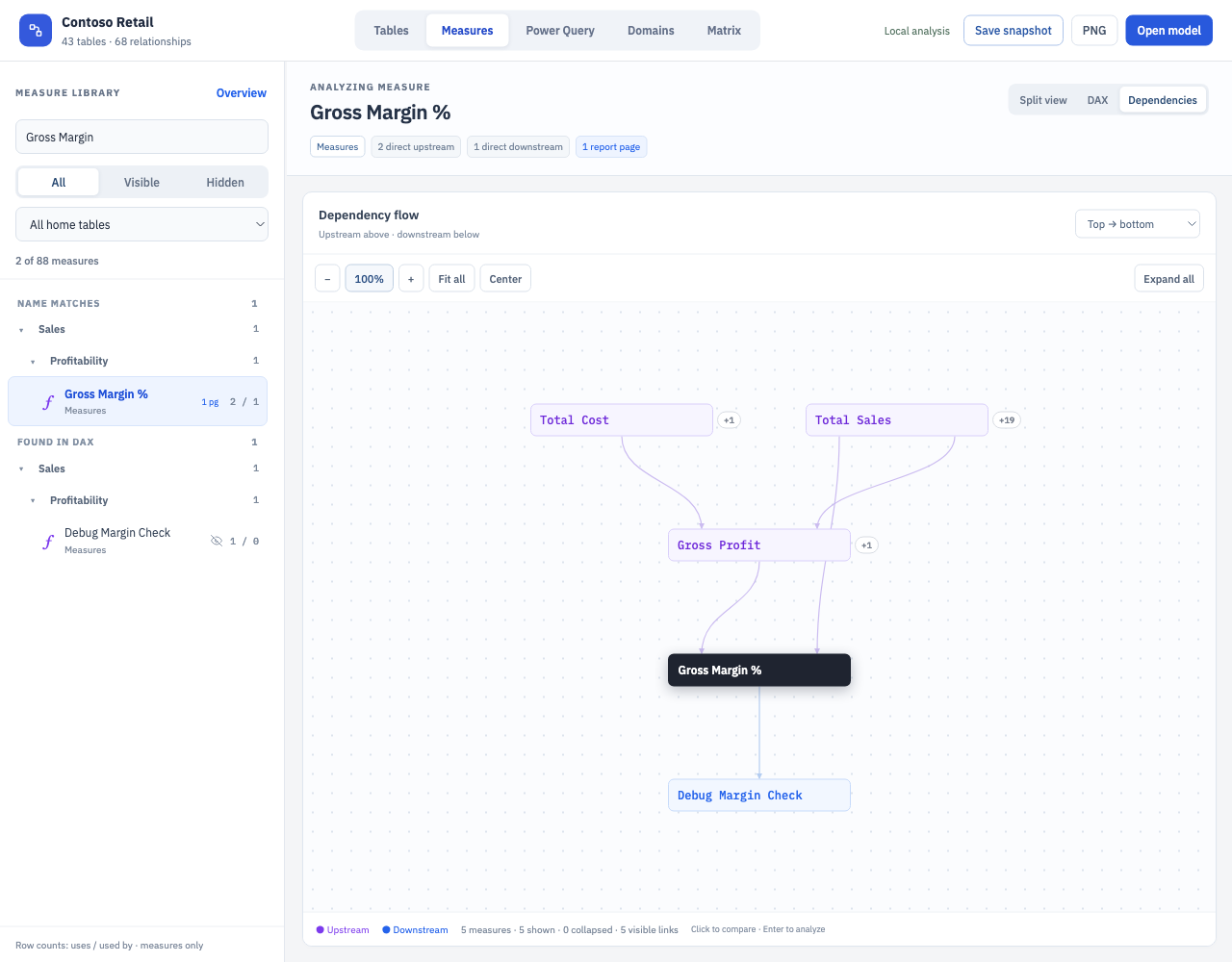
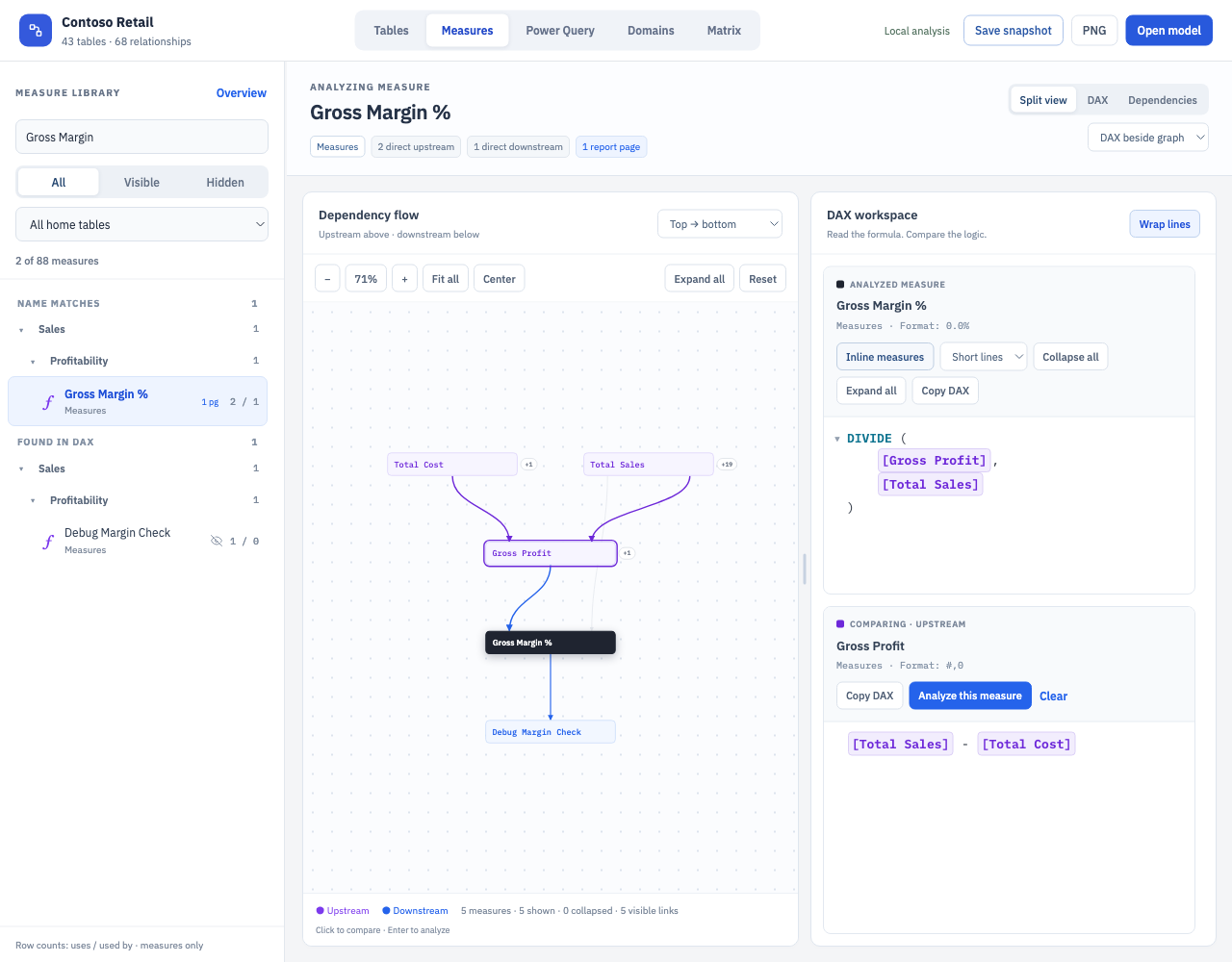
Follow the logic behind a measure. Trace what feeds it and what depends on it, then compare the DAX without losing your place.

  • Search by name, folder, home table, or DAX; spot hidden measures and report usage.
  • Switch between dependencies, DAX, and split view. Select a related measure to compare formulas.
Dependency flow DAX comparison
Gross Margin % dependency flow at 100% zoom, with upstream measures in purple and a downstream measure in blue Gross Margin % and Gross Profit formulas beside their dependency graph

Tables

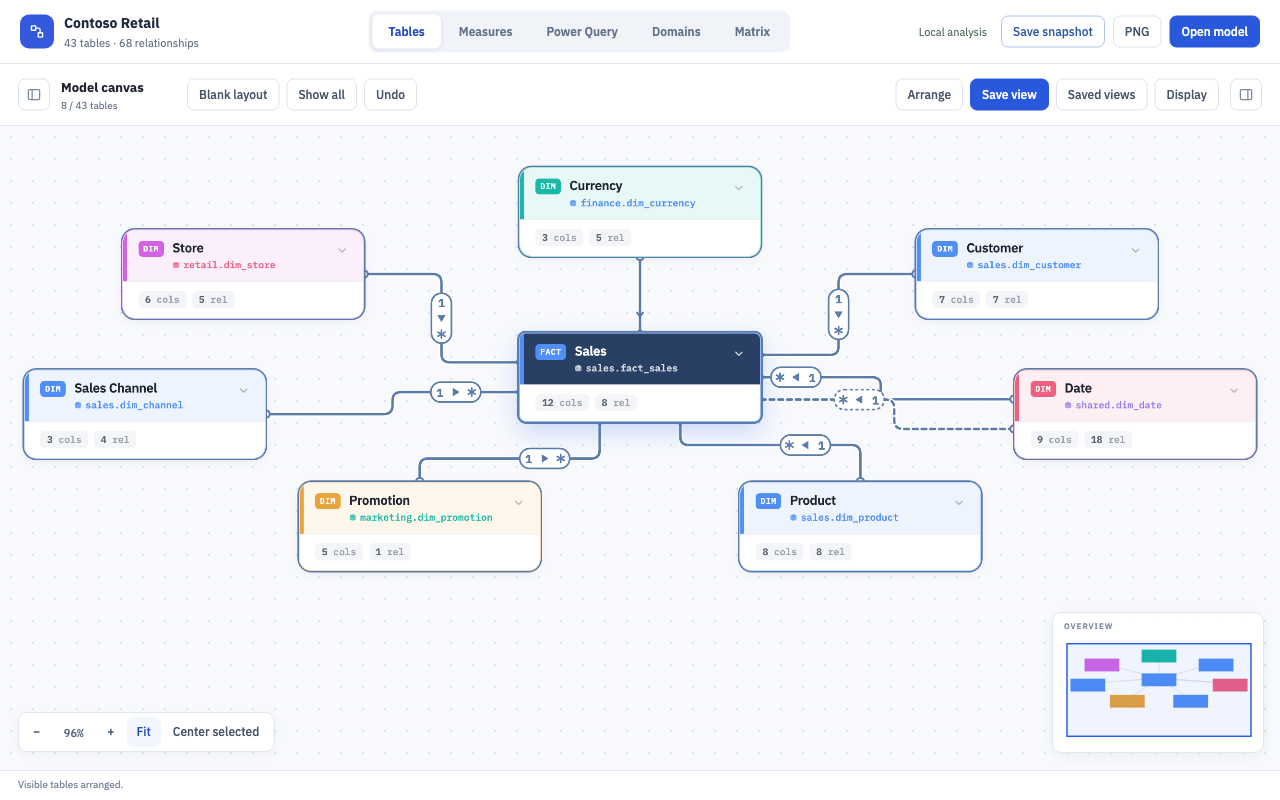
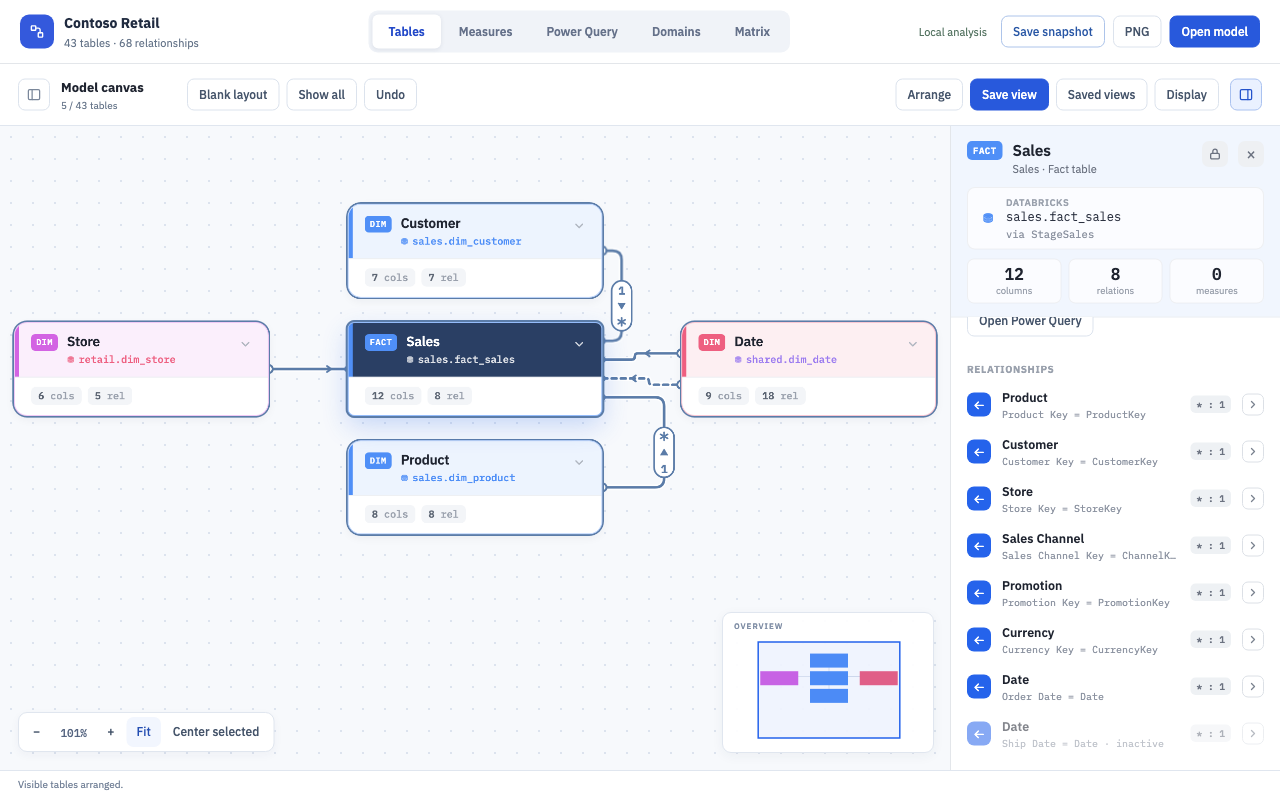
Build a canvas around the tables you care about. Read cardinality and filter direction on the relationship lines, and inspect the selected table beside the diagram.

  • Add tables from the library or follow direct and indirect filter paths to related tables.
  • Arrange, focus, and pin tables; save named views and navigate with the minimap.
Relationship canvas Table inspector
Sales and seven dimensions with cardinality pills, filter arrows, and a dashed inactive Date relationship A closer Sales neighborhood with the table source and relationship details in the inspector

Power Query

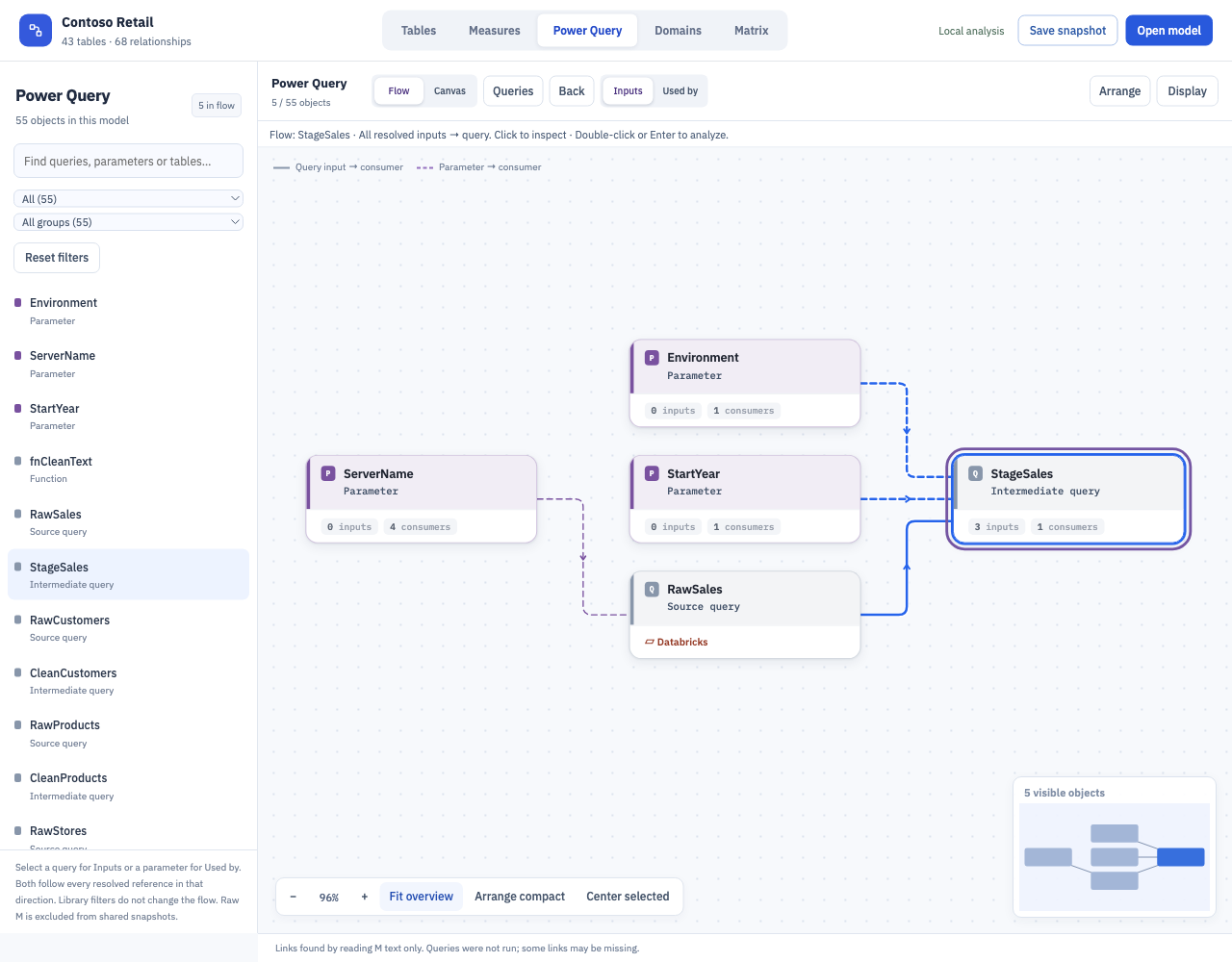
See how queries, parameters, functions, and table partitions feed each other. Follow a flow from input to consumer and read the M behind it.

  • Select a query for Inputs or a parameter for Used by. Inspect references and use Back to return.
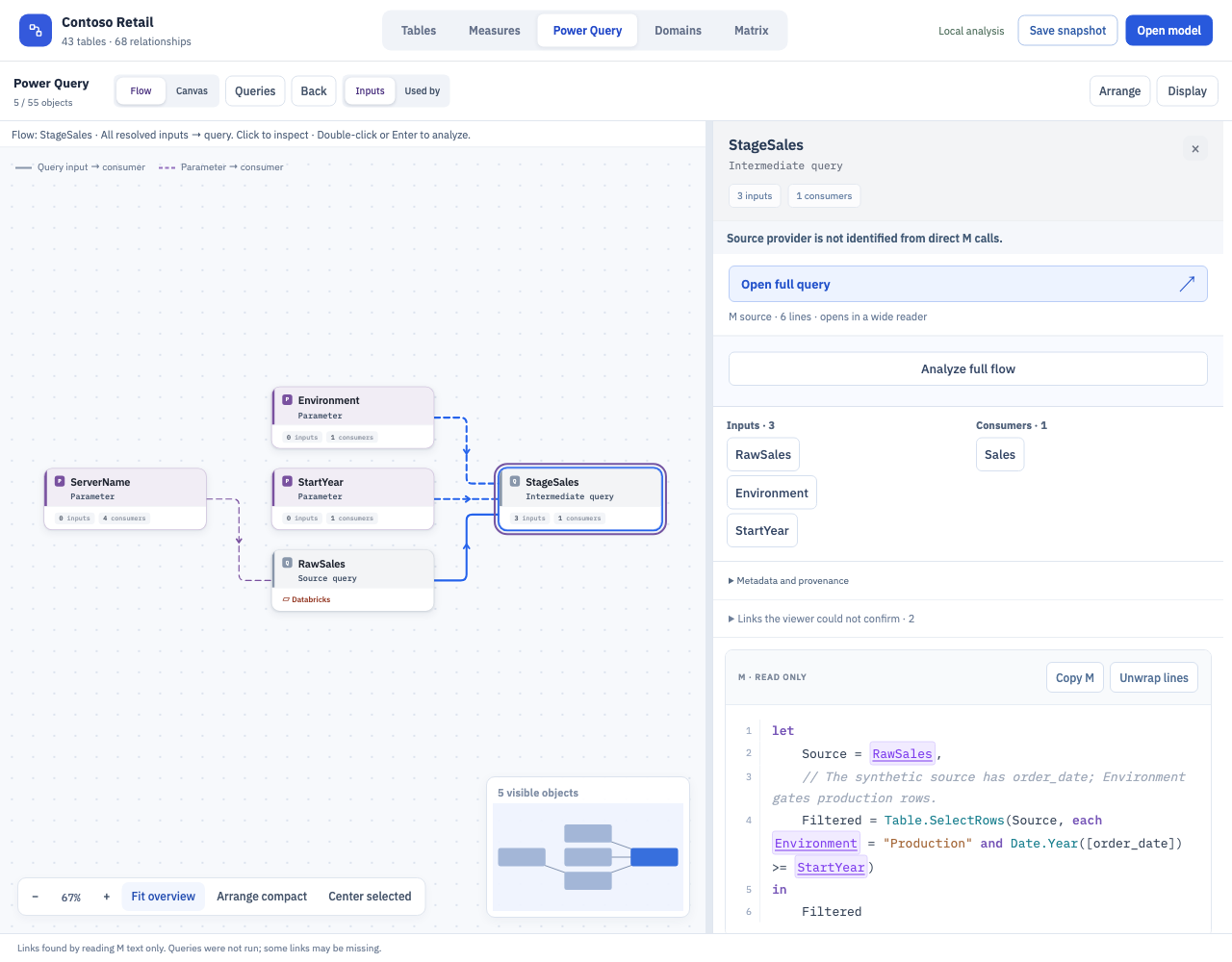
  • Read line-numbered M beside the flow, jump through highlighted references, or use Open full query and Copy M.
Input flow M and query details
Environment, StartYear, and RawSales feed StageSales, with ServerName upstream of RawSales StageSales input flow beside its inputs, consumer, and complete read-only M expression

Links come from static analysis of M. No query runs and no source data is read. Unconfirmed links remain explicit; raw M is excluded from shared snapshots.

Additional (Domains and Matrix)

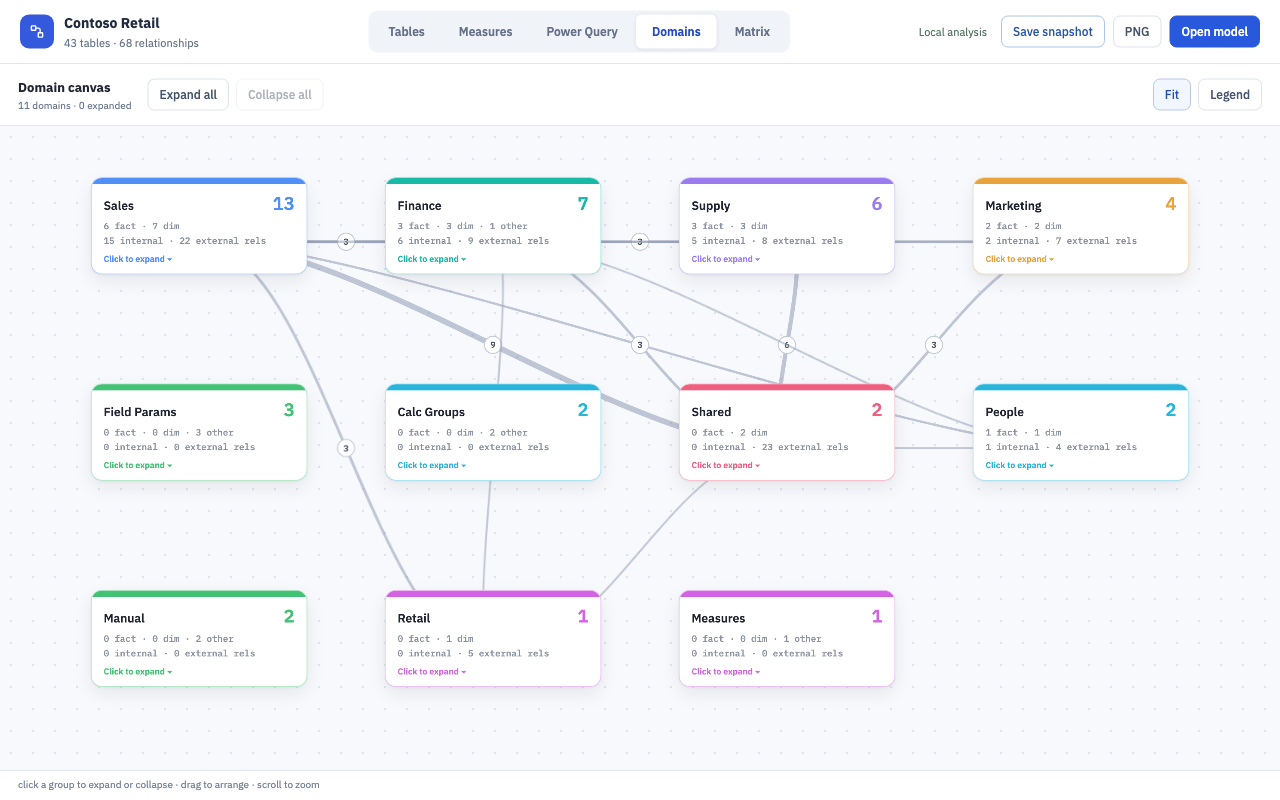
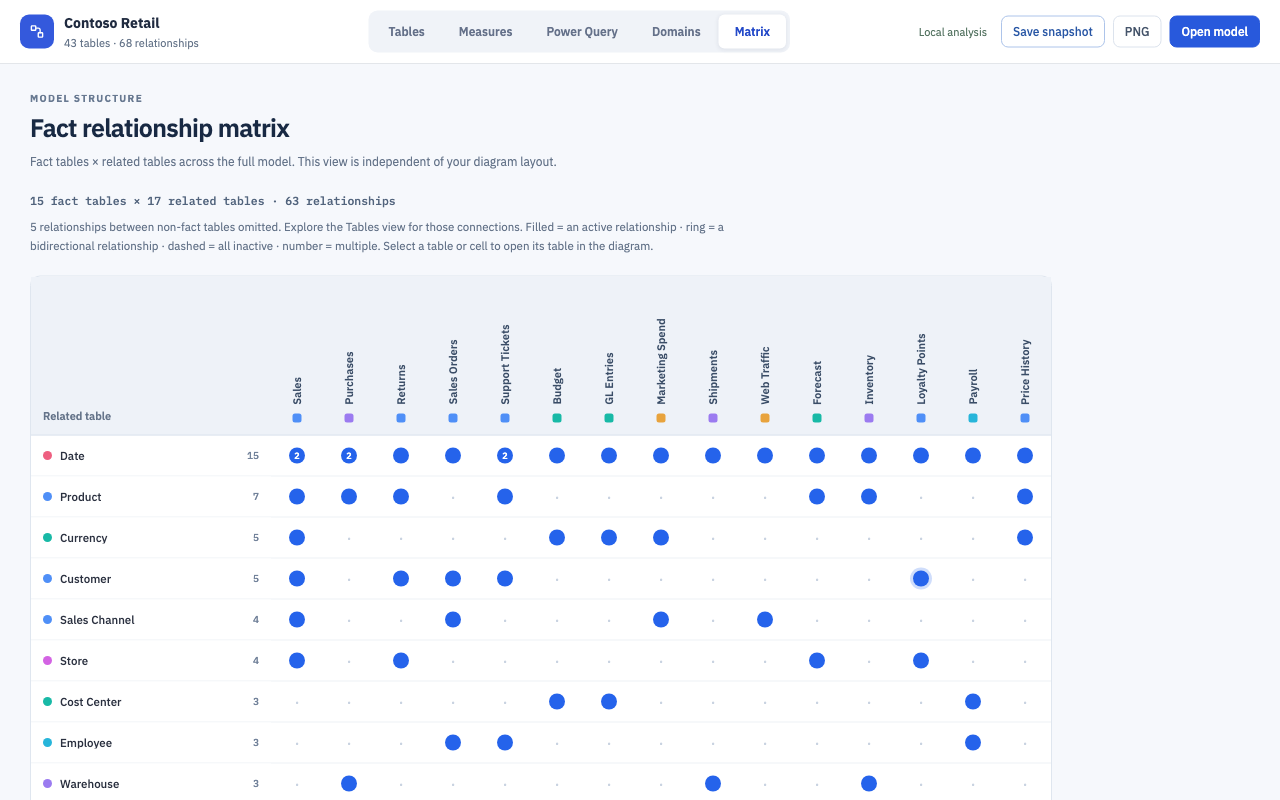
Step back to see the model as a whole. Domains groups related tables into a map you can expand; Matrix compares fact tables with their related tables across the model.

Domains Fact relationship matrix
All eleven Contoso Retail domains with table counts and connections between domains Fact tables across the matrix with related tables down the rows and active, bidirectional, and multiple relationship indicators

Open a model

  1. Open a workspace containing a *.SemanticModel folder or model.bim.
  2. Select a model in the Semantic Models Activity Bar view. You can also run Semantic Model Viewer: Open Model…, or right-click a model folder or model.bim and choose Open in Semantic Model Viewer.
  3. Use the viewer's model menu to switch between models in the workspace.

The extension refreshes models when their definition files change. Layouts and viewer settings are saved in VS Code workspace state; table workspaces and saved views belong to their model.

Share an interactive snapshot

Use Save snapshot to create one self-contained HTML file with the model metadata, DAX, and current workspace and view. The recipient opens it in a browser without VS Code, the repository, or a model connection. Changes in an opened snapshot remain in that tab; save another snapshot to keep them.

Snapshots include analytical names, schema information, and DAX. They omit source connection endpoints, raw partition queries, and repository handles. Review the model metadata and formulas before sharing: DAX can itself contain sensitive text. Snapshot files make no network requests. The extension package includes no sample business model or report-usage dataset.

Settings

Setting Default Meaning
semanticModelViewer.defaultModel "" Model folder or model.bim path, absolute or relative to the workspace.
semanticModelViewer.exclude [] Additional model-discovery glob exclusions, such as **/Archive/**. Hidden folders and node_modules are skipped.

The command palette also provides Refresh Model and Refresh Model List. PNG export is unavailable in the VS Code webview; use an interactive HTML snapshot to share a view.

Development and local packaging

Use Node.js 22 or later for the packaging tools. From the repository root:

cd vscode-extension
npm ci
npm test
npm run package

The package is semantic-model-viewer-<version>.vsix. This command builds locally; it does not publish or install the extension. Pushing a vX.Y.Z tag (matching package.json) makes the GitHub release workflow build, test and attach the .vsix to a GitHub Release for manual installation.

To test interactively, open either the repository root or vscode-extension/ in VS Code and press F5 using Run Semantic Model Viewer extension. The pre-launch task syncs the viewer and the development host opens tests/fixtures. To install a package manually, use Extensions: Install from VSIX… and select the generated file.

The canonical viewer is Models/tools/viewer/ at the repository root. npm run sync-viewer copies its HTML, CSS, and JavaScript into generated, ignored vscode-extension/media/. It includes host-vscode.js and snapshot.js; model JSON, usage JSON, Python scripts, and fixtures are excluded. npm run check-viewer verifies exact runtime file contents and rejects missing or unexpected files. npm test syncs and checks these assets, then runs the shared viewer and extension regressions.

The extension host is plain CommonJS in src/. Its VS Code adapter connects the shared viewer to workspace discovery, model reading, persistence, and export. Edit the canonical viewer rather than generated media/.

Provenance

Version 0.2.0 integrates the VS Code extension work recovered from origin/claude/model-viewer-vsc-plugin-dfmn8c with the current shared viewer. It supersedes the earlier 0.1.0 package, which targeted the former viewer/ source directory.

  • Contact us
  • Jobs
  • Privacy
  • Manage cookies
  • Terms of use
  • Trademarks
  • Your Privacy Choices
  • Consumer Health Privacy
© 2026 Microsoft