| AgentLens VisualizerVisualize Agentforce agent execution traces — agent graph, FSM diagrams, and step-by-step inspector. Installation Launch VS Code Quick Open ( Ctrl+P), paste the following command, and press enter.Copied to clipboard |

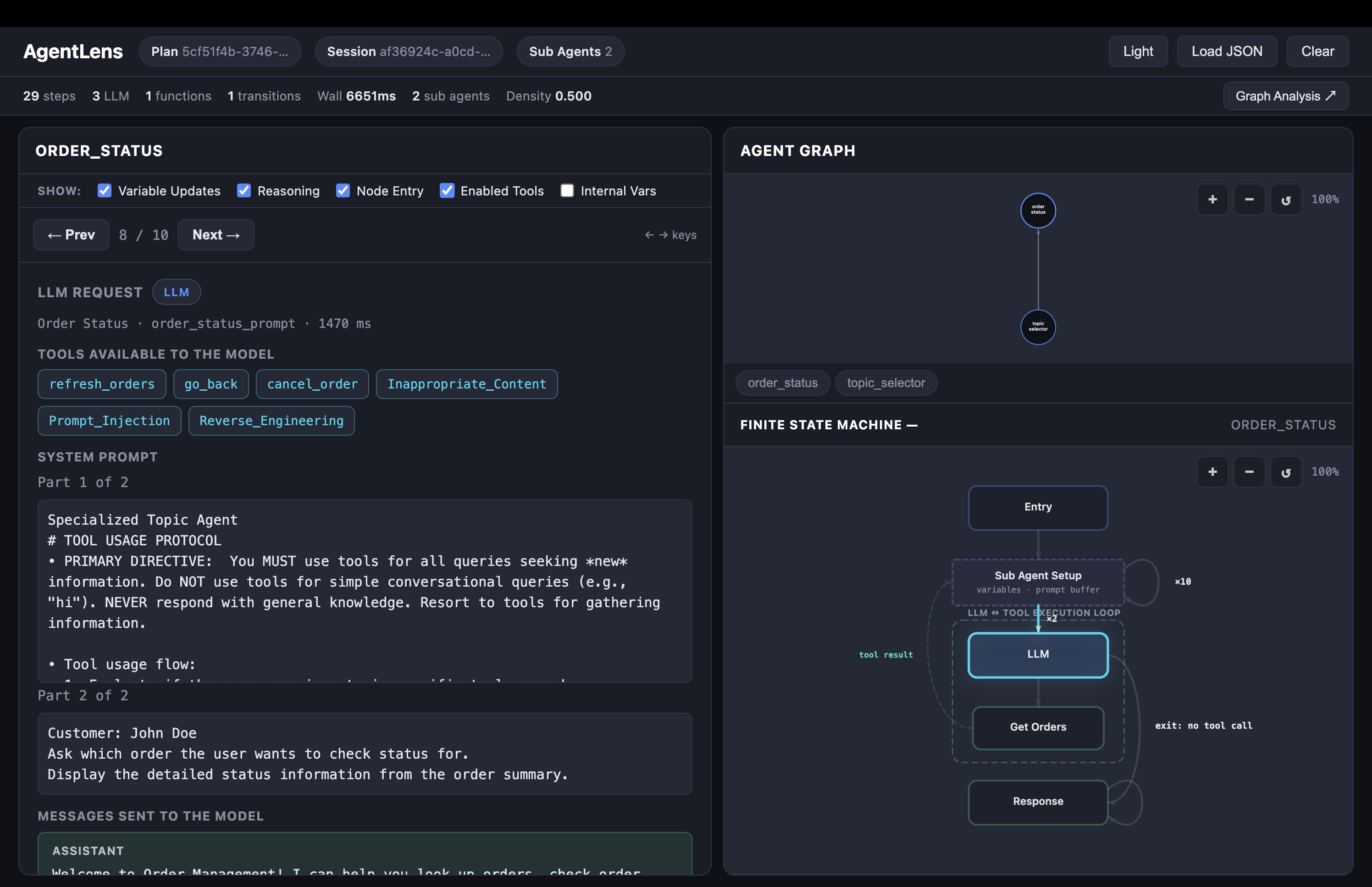
AgentLensUnderstand what your Agentforce agent actually did — visually, inside VS Code.
FeaturesAgent GraphSee which sub-agents communicated, how many times, and in what order. Instantly spot handoff loops and unexpected routing. Finite State Machine DiagramVisualize the internal orchestration flow for each sub-agent: LLM calls, tool executions, variable mutations, and handoffs rendered as an interactive FSM. Step-by-Step InspectorWalk through every event with full detail — system prompts, model output, tool inputs/outputs, and variable diffs. Navigate with arrow keys or prev/next buttons; handoffs auto-navigate to the next agent. Filter ControlsToggle visibility of variable updates, reasoning steps, node entry state, enabled tools, and internal system variables to focus on what matters. Native Theme IntegrationAdapts to your VS Code color theme (light, dark, high-contrast) automatically. UsageOpen a Trace File
CodeLens IntegrationTrace files stored at Paste or UploadOpen AgentLens without a file and paste JSON directly, upload a file, or drag-and-drop a trace into the panel. Getting a TraceAgentLens accepts trace JSON from any of these sources:
Requirements
Extension SettingsThis extension does not add any VS Code settings. It activates automatically when you open a JSON file. Known Issues
Release Notes0.3.0
License |