
Codebrief
[ ]
]

Review AI code - the smart way
Codebrief explains the intent behind your AI-generated code changes by gaining context from your coding session — grouping them logically so you can review with ease.

The Codebrief review panel showing intent-based grouping
Quick Start
# Install in VS Code
code --install-extension MoNazim.codebrief

# Or Cursor
cursor --install-extension MoNazim.codebrief
Then: Cmd/Ctrl+Shift+P → "Codebrief: Generate Review"
The Problem: Reviewing AI Output is Hard
AI coding agents (Claude Code, Codex, Copilot, etc.) can make changes across 20+ files in seconds.
But then when it comes time to code-review you're left staring at a massive diff wondering things like:
- Why did it change this file?
- What's the relationship between these changes?
- Did it do what I actually asked?
Standard git diffs show files alphabetically. The intent is completely hidden. You have to mentally reconstruct the story by jumping between files, burning cognitive energy on detective work instead of actual code review.
The Solution: AI Explains Its Changes For You
Unlike tools that just read the diff, Codebrief gains context from your coding session to understand why changes were made. It then explains them back to you — the way a senior engineer would in a PR review.

Codebrief explaining a multi-file refactor from Claude Code
How it determines intent:
- Captures your current git diff (staged or unstaged changes)
- Gains context from your coding session — including recent commits, branch name, and git history
- AI analyzes the full context to understand the goal behind the changes
- Groups changes by logical purpose and generates explanations
Codebrief knows the story behind your changes.
Each group includes:
- What changed (actions)
- Why it changed (intent)
Features
| Feature |
Why It Matters |
| Intent-based grouping |
See why files changed, not just what changed |
| Session-aware analysis |
Knows the context behind your changes, not just the code |
| Streaming updates |
Watch the analysis build in real-time |
| Selective staging |
Accept/reject entire intent groups or individual files |
| Commit message suggestions |
Get a summary of your changes ready to commit |
| Local & private |
Uses what you use, your code and session data never leave your machine |
Works With Your AI Agent
Codebrief integrates with the AI tools you already use:
- Claude Code
- OpenCode
- Codex
More providers coming as demand grows.
Usage
After Your AI Agent Finishes
- Let your AI agent (Claude, Codex, etc.) make changes
- Run "Codebrief: Generate Review" from Command Palette
- Review the intent-grouped explanation
- Stage/unstage groups or files as needed
- Commit with the AI-suggested message
Available Commands
| Command |
When to Use |
Generate Review |
After AI makes changes — understand what happened |
Change AI Provider |
Switch between Claude Code, OpenCode, or Codex |
Open Log Directory |
Debug issues or report bugs |
Reset Configuration |
Start fresh with settings |
Logs & Debugging
| Platform |
Log Location |
| macOS/Linux |
~/.local/share/codebrief/logs/ |
| Windows |
%APPDATA%\Codebrief\logs\ |
Open logs: Cmd/Ctrl+Shift+P → "Codebrief: Open Log Directory"
Configuration
{
  "aiCodeReview.logLevel": "info",
  "aiCodeReview.enableFileLogging": true,
  "aiCodeReview.preserveAnalysisJson": true
}
YouTube Demo
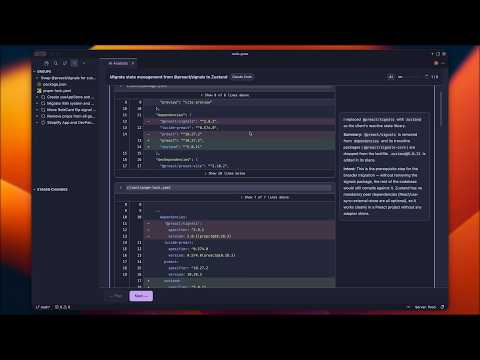
▶️ Watch the full demo on YouTube
Development
npm install
npm run compile
# F5 in VS Code to launch Extension Development Host
License
MIT

