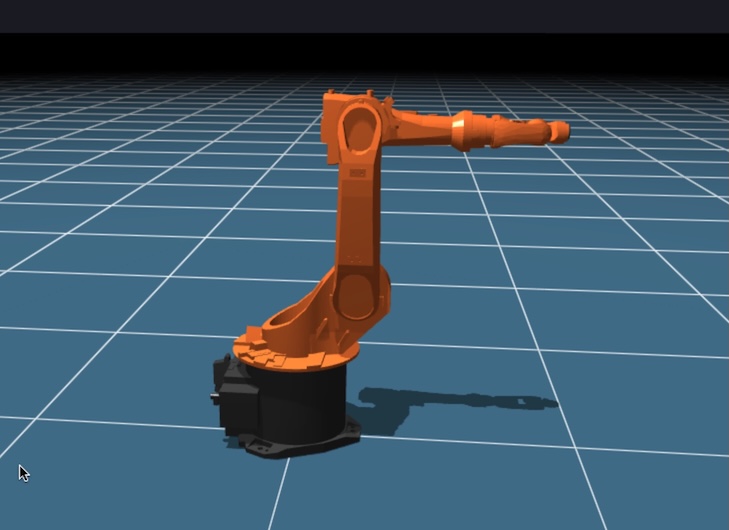
BabaCAD Robotics API ExtensionVS Code extension for BabaCAD Robotics API Installation Launch VS Code Quick Open ( Ctrl+P), paste the following command, and press enter.Copied to clipboard |

babacad-robotics-extension READMEbabacad-robotics-extension adds auto-complete feature when coding your plugin for BabaCAD Robotics Web project. Features
RequirementsAfter you finished writing your BabaCAD Robotics Web plugin, copy your plugin file (ex. babacad-robotics-plugin.js) to your brw project workspace folder on your local computer or create empty folder (ex. Documents/brw) and put plugin there if creating a new project. Import workspace by clicking "import workspace" icon in BabaCAD Robotics Web simulator and choose project workspace folder (ex. Documents/brw). BabaCAD Robotics web simulator online: https://www.babacad.com/robotics/web Release Notes1.0.1Initial release of babacad-robotics-extension 1.0.3Auto-complete feature added for a new BabaCAD Robotics Web API. 1.0.4Added auto-complete for a new functions in v2.3 API (pickWorkspaceObject, dropWorkspaceObject, addRobotPosture...) 1.0.6API functions added and existing functions updated for v3.0 multiple robot arms feature 1.0.8API updated for BRW v3.1, include a new tooling feature, linear and rotary table external axes, posture movement types, singularity detection and more 1.0.9API for BRW 4.0 , include collision avoidance, AI assistant etc.. |