Skip to content
| Marketplace
Sign in
Visual Studio Code>Programming Languages>Miracle Engine Material SyntaxNew to Visual Studio Code? Get it now.
Miracle Engine Material Syntax

Miracle Engine Material Syntax

Miracle Engine

|
10 installs
| (0) | Free
Syntax highlighting for Miracle Material / template files
Installation
Launch VS Code Quick Open (Ctrl+P), paste the following command, and press enter.
Copied to clipboard
More Info

Miracle Engine Material Support for VS Code

Professional language support for material files used in graphics programming.

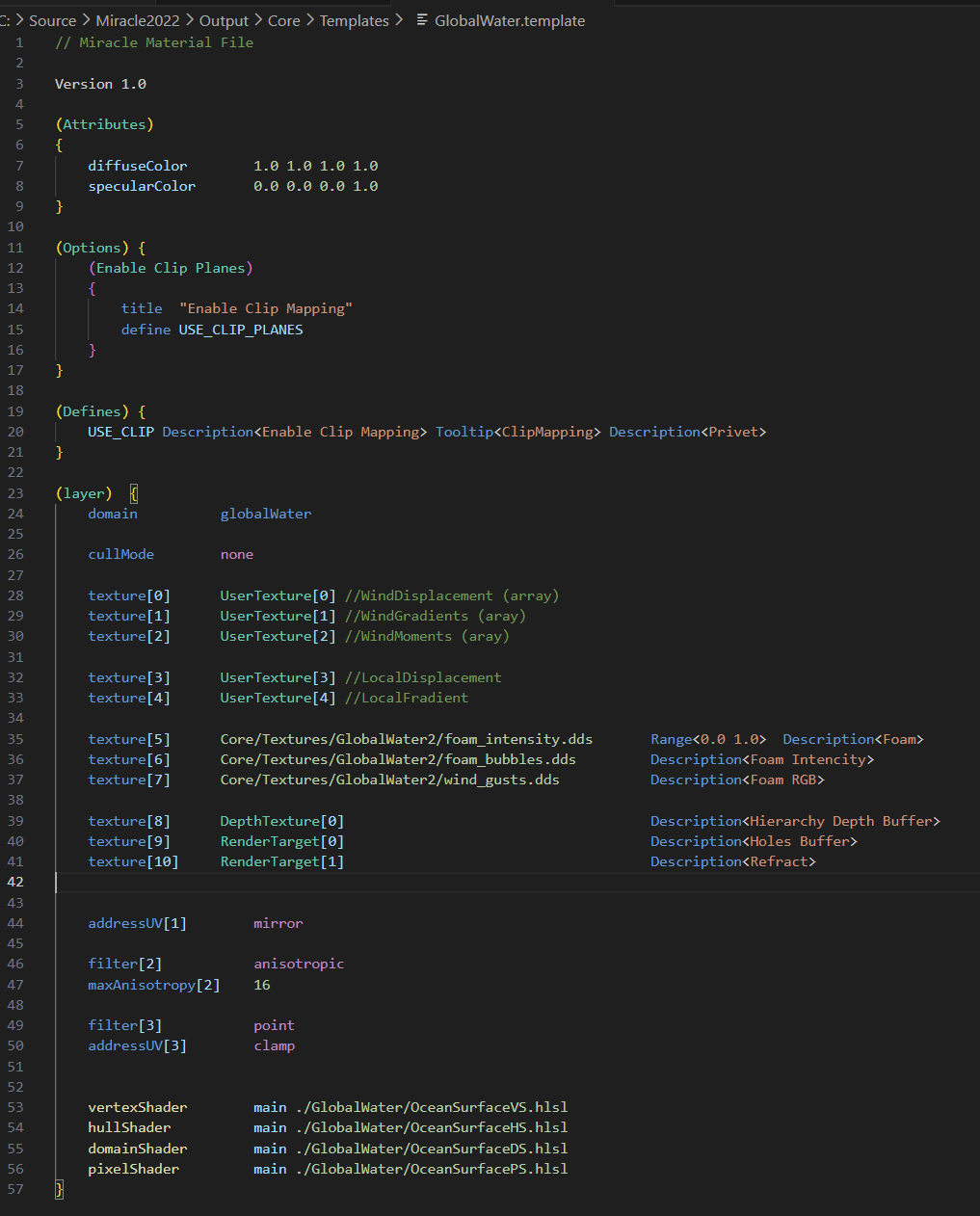
1. Full File Example

Shows syntax highlighting for a complete material file:

Complete .myformat file example

Features

  • Syntax Highlighting: Full support for MyFormat syntax with DirectX/HLSL-inspired colors
  • IntelliSense: Smart autocompletion for parameters, values, and texture types
  • Snippets: Quick templates for common structures
  • File Support: Works with .template, and .mat files

Usage

  1. Open any MyFormat file
  2. Enjoy syntax highlighting and autocompletion
  3. Use snippets by typing prefixes:
    • texture - Add texture parameter
    • domain - Set domain type
    • shader - Add shader reference
    • block - Create a new block
  • Contact us
  • Jobs
  • Privacy
  • Manage cookies
  • Terms of use
  • Trademarks
© 2026 Microsoft