
Mindify Cortex for VS Code
An AI coding companion that reads, edits, and runs code right inside your editor.
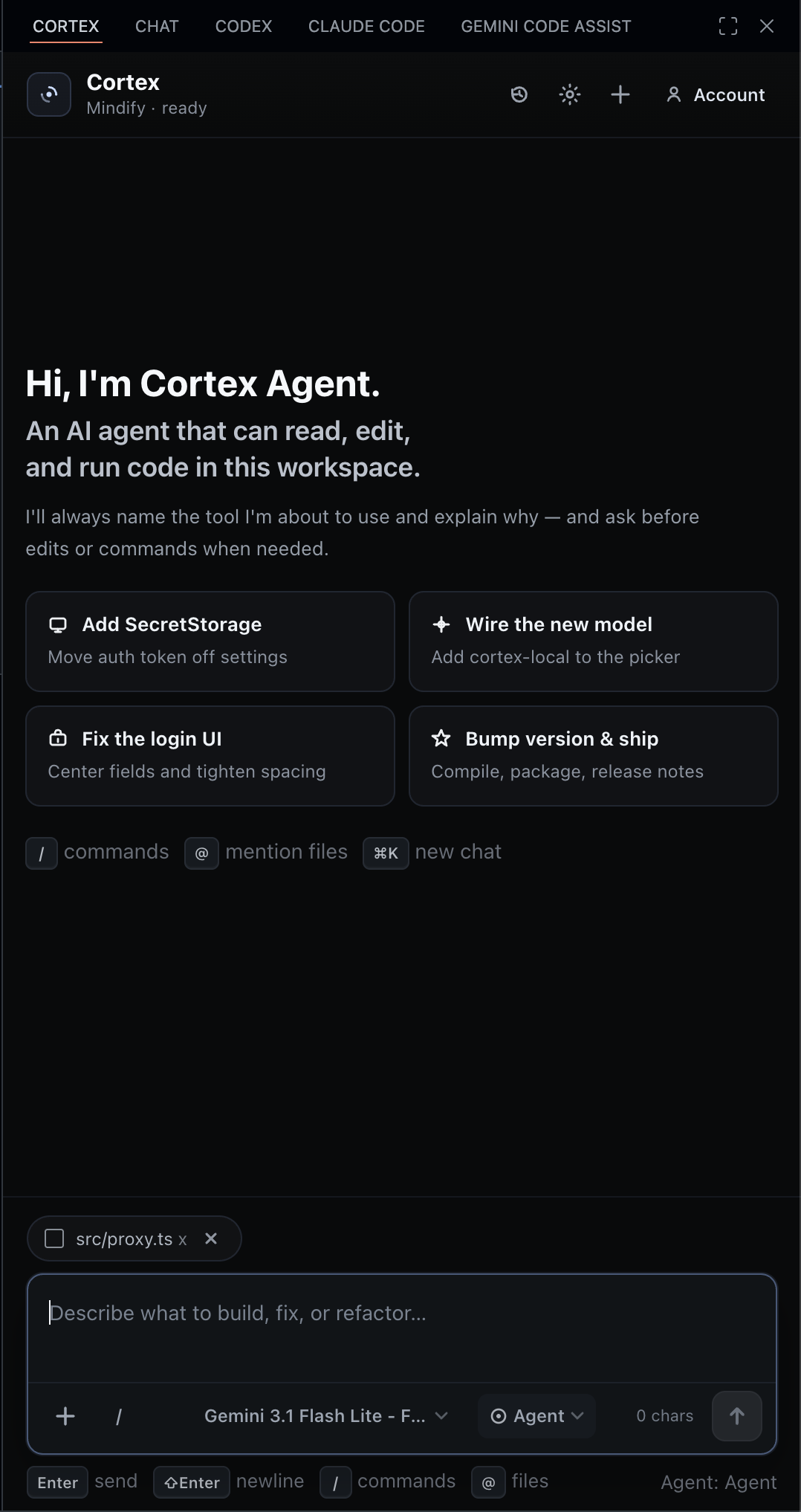
Chat, Ask, Plan, and Agent — four focused modes backed by the Cortex platform, with an optional fully-local agent harness for power users.
Install · Sign in · Modes · Models · Configuration · Commands
Why Cortex?
- Sidebar-native. Lives in the VS Code Activity Bar — no context switch to a browser tab.
- Four modes, one prompt box. Chat for conversation, Ask to read, Plan to research, Agent to edit and run.
- Workspace-aware by default. Your selection, the open file, its errors, and your project instructions attach themselves — every one shown as a chip you can remove.
- Multi-provider. Anthropic, OpenAI, and Google Gemini models behind a single picker.
- Nothing sent invisibly. Everything that goes into a prompt is listed above the composer before you press Enter, with its token cost. Turn it off entirely with
mindifyCortex.autoContext: "off".
- Optional local Agent. Drop in an Anthropic API key and Agent mode runs locally through the Pi agent harness — full workspace tools, approval prompts, no round-trip to the server.
Sign in
A single browser round-trip pairs the extension with your Cortex workspace and stores the session in VS Code's secret storage. The extension auto-recovers a stale token without prompting you again.
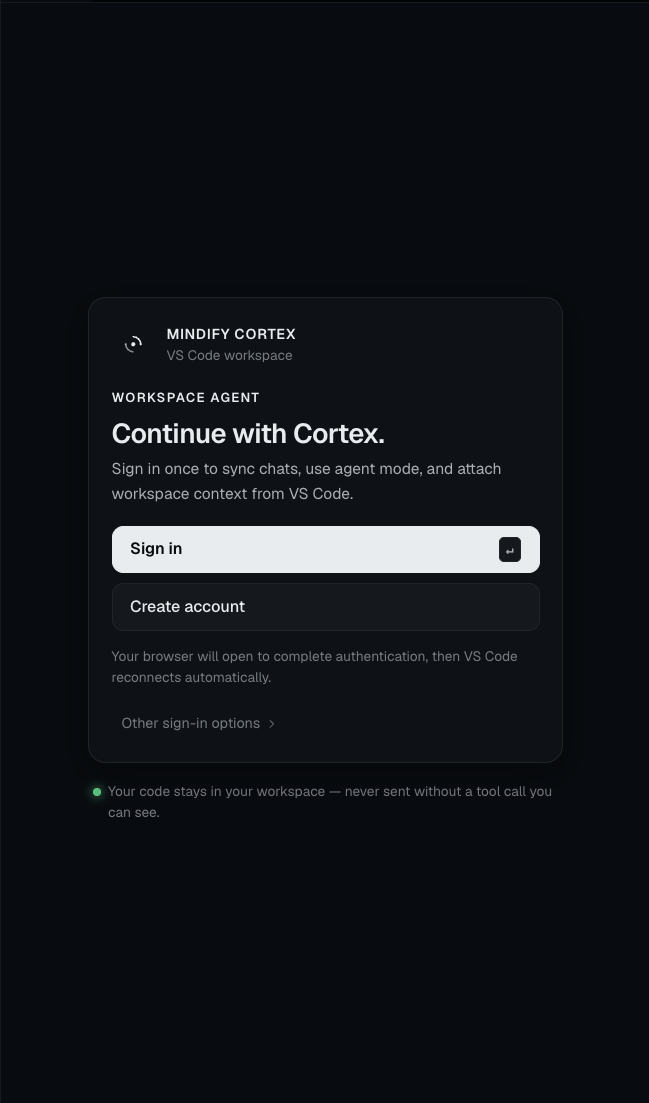
Cortex sends only what the chips above the composer show, plus what a tool call you approve reads.
Modes
Cortex keeps four focused choices in the mode picker beside the model selector: Chat, Ask, Plan, and Agent.
Chat
A direct coding partner for explanations, debugging, reviews, and learning. Your open file and selection come along automatically, so you can just ask. Chat has no tools — it answers from that context alone, and will tell you when it needs a file it wasn't given.
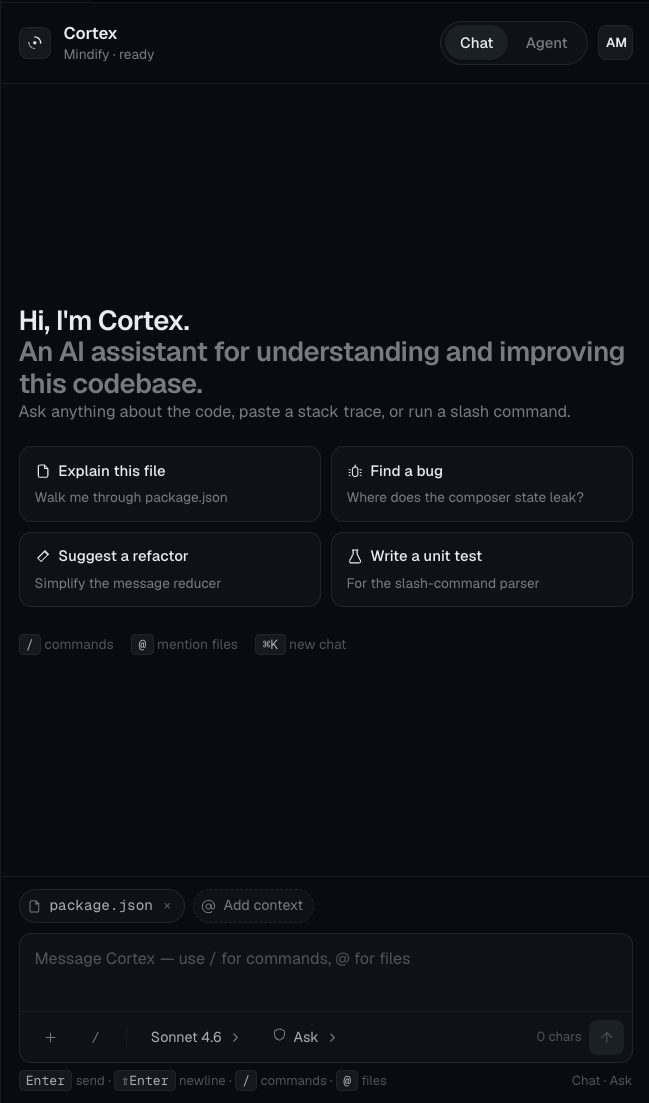
/ for slash commands (skills) · @ to mention files · ⌘K to start a new chat- Quick-start prompts adapt to the file you have open
- Mermaid diagrams and syntax-highlighted code blocks render inline
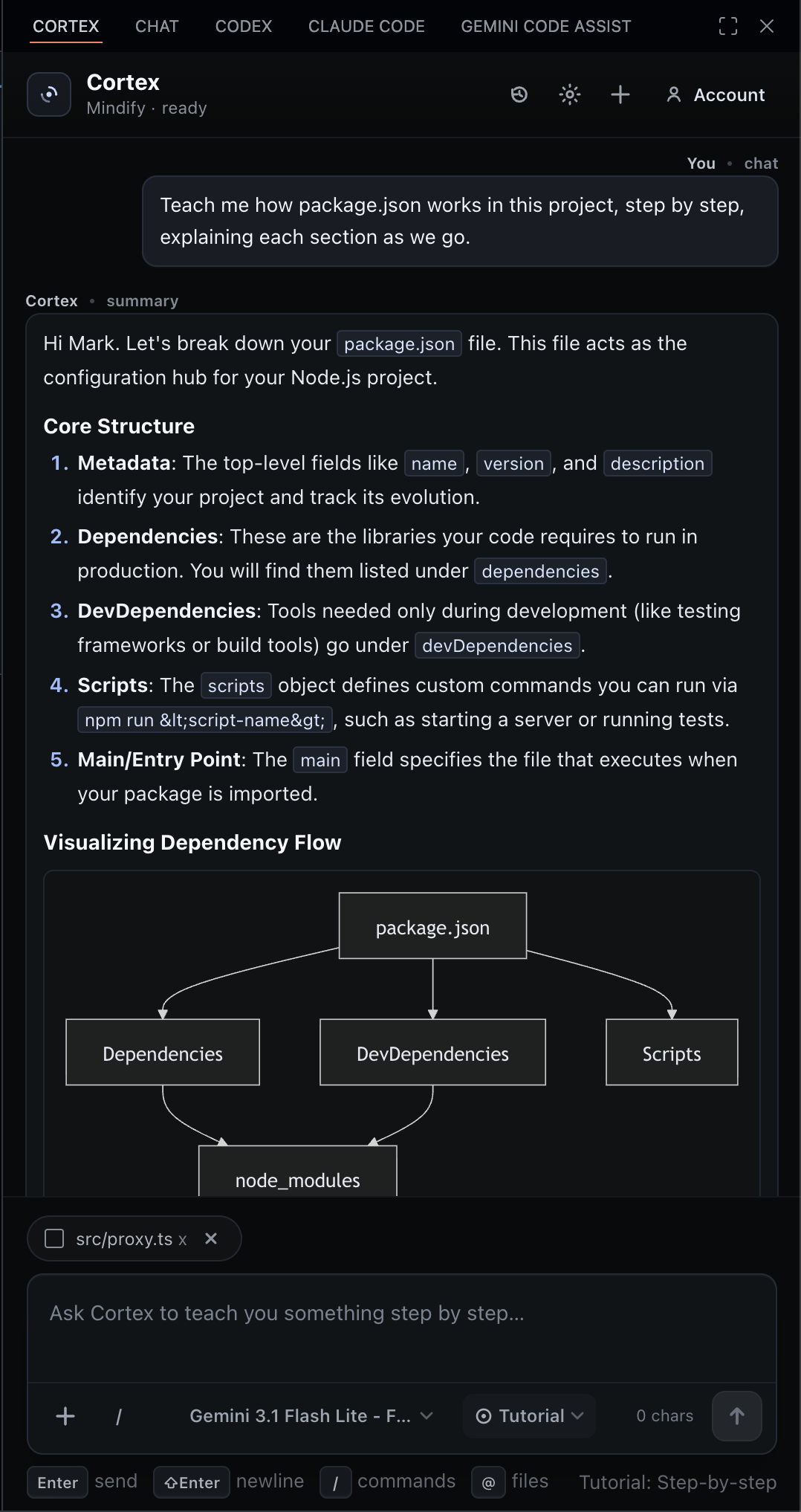
Ask, Plan, Agent
The three workspace-aware modes each carry their own guardrails:
| Submode |
What it does |
Can read files? |
Can edit files? |
Can run commands? |
| Ask |
Workspace-aware Q&A — reads the codebase to answer |
yes |
– |
– |
| Plan |
Investigates, then outlines the change |
yes |
– |
– |
| Agent |
Everything Ask can do, plus replace_in_file, write_file, run_command |
yes |
yes |
yes |
Chat and Ask are both read-only, but they are not the same: Chat has no tools at all and answers purely from attached context, while Ask reads the codebase to answer you. The mode picker shows each mode's effective capability as a badge, so a readOnly permission setting is visible from every mode rather than silently applying everywhere.
How Cortex reads your codebase
Ask, Plan, and Agent share the same read-only toolset. It leans on the language servers you already have installed, so questions about symbols are answered by resolution rather than by pattern matching:
| Tool |
What it answers |
find_symbol |
"Where is X defined?" — via the workspace symbol index, so it finds the declaration regardless of how it was written |
find_references |
"What uses X?" — real references with scope resolution, not every line that happens to contain the string |
file_outline |
"What's in this file?" — the classes, functions, and methods with their line ranges, without spending context on the body |
read_file |
The file, with line numbers, and a line range when you only need part of it |
search_files |
Regex across the workspace, grouped by file with surrounding lines |
find_files |
Files by name or glob |
list_files |
One directory |
Two things follow from this that are worth knowing. Every result carries real line numbers, so the path:line references Cortex cites are the ones your editor will actually jump to. And read_file states its own bounds — when it returns part of a large file it says so and says how to fetch the rest, rather than quietly handing over a prefix.
Files that look like they hold credentials — .env and its variants, *.pem, *.key, id_rsa, anything under .ssh/ or .aws/ — are excluded from every one of these paths, and from the @ mention menu and repo map too. .env.example and friends stay readable, since they document variables without carrying values.
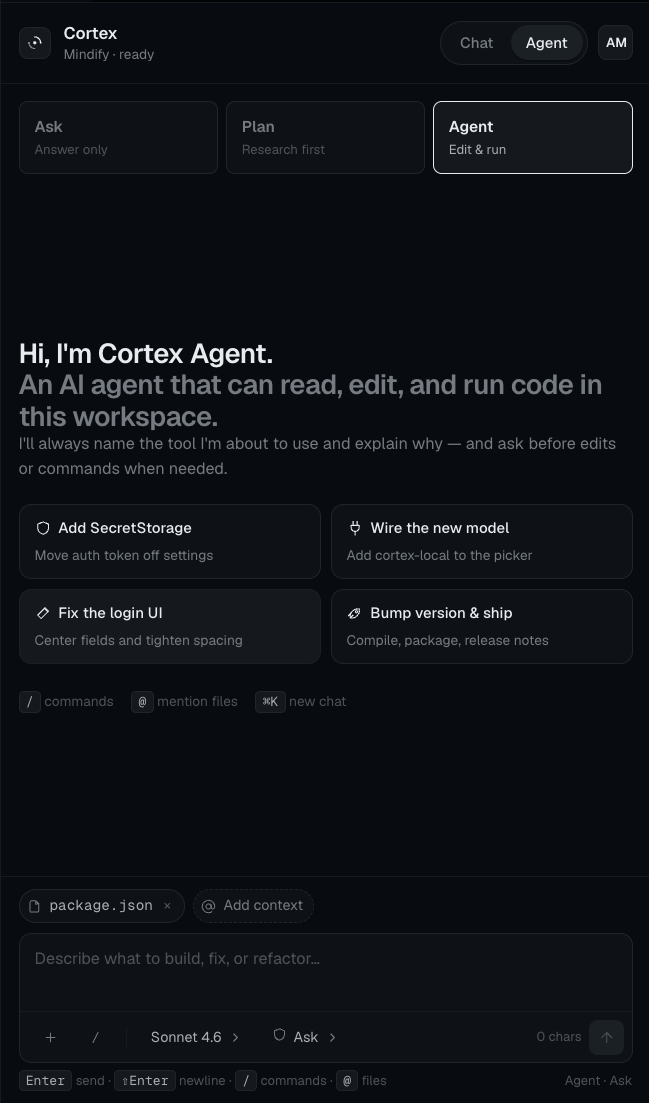
Cortex Agent always names the tool it's about to use and explains why — and asks for approval on writes and shell commands. Approval behavior is configurable: ask, alwaysAllow, or readOnly.
Multi-provider model picker
Switch models without leaving the sidebar. The picker exposes Anthropic, OpenAI, and Google Gemini models — including Claude Opus 4.7, GPT-5.4, and Gemini 3.0 Pro — and remembers your choice per workspace.
Context
Cortex reads your editor so you don't have to describe it.
Attached automatically, and always shown as a removable chip above the composer:
- Your selection, padded with the surrounding lines so it arrives with its imports and enclosing signature
- The open file, windowed around the cursor when it's too large to send whole
- Errors and warnings reported for that file
- Your project instructions —
AGENTS.md, CLAUDE.md, .cursorrules, or .github/copilot-instructions.md
Every request also carries an ambient block: active file and language, cursor position, selection and visible ranges, open tabs, git branch and working-tree status, and workspace problem counts.
Tune it with mindifyCortex.autoContext:
| Value |
Attaches |
full (default) |
selection, open file, problems, project instructions |
minimal |
selection and problems only |
off |
nothing — you attach everything yourself |
Attach it yourself from the composer, the editor's right-click menu, or the explorer:
- @ mentions — type
@ to fuzzy-search every file in the workspace, not just the ones you have open
- Use Selection / Use Current File / Use Workspace from the
+ menu
- Explain Selection and Add to Cortex from the editor context menu
- Upload files or paste images — multimodal context attached to the message
- Skills — type
/ to invoke a workspace skill or slash command
Everything is budgeted together rather than capped file-by-file. When attachments won't all fit, lower-priority items degrade — whole file, then a window, then a summary, then just the filename — and the chip tells you which. Your prompt is never the thing that gets cut.
Install
The latest packaged build lives in dist/. Install it from VS Code:
Command Palette → "Extensions: Install from VSIX..." → dist/mindify-cortex-vscode-0.8.3.vsix
Or from the terminal:
code --install-extension dist/mindify-cortex-vscode-0.8.3.vsix
The Cortex icon will appear in your Activity Bar.
Configuration
Configure via the Settings UI or settings.json:
{
  "mindifyCortex.autoContext": "full",
  "mindifyCortex.baseUrl": "https://cortex.mindifyai.dev",
  "mindifyCortex.chatEndpoint": "/api/mobile/chat",
  "mindifyCortex.agentEndpoint": "/api/mobile/chat",
  "mindifyCortex.requestTimeoutMs": 240000,
  "mindifyCortex.agentMaxIterations": 200,
  "mindifyCortex.anthropicApiKey": "",
  "mindifyCortex.agentModel": "claude-sonnet-4-6",
  "mindifyCortex.permissionMode": "ask",
  "mindifyCortex.allowFileWrites": true,
  "mindifyCortex.allowCommandExecution": true,
  "mindifyCortex.allowedTools": [
    "search_files",
    "find_symbol",
    "read_file",
    "file_outline",
    "find_references",
    "find_files",
    "list_files",
    "replace_in_file",
    "write_file",
    "run_command"
  ]
}
| Setting |
What it does |
autoContext |
How much editor context attaches on its own — full, minimal, or off |
baseUrl |
Cortex backend URL (defaults to https://cortex.mindifyai.dev) |
chatEndpoint / agentEndpoint |
Override the request paths if you're self-hosting |
requestTimeoutMs |
Max time per request — bump it if you're using slow models |
agentMaxIterations |
Max tool-call steps the remote Agent mode tool loop takes in one turn (default 200) before pausing and asking you to send "Continue". Raise this for long-running autonomous tasks. Chat and Agent run independently, so a long Agent run never blocks Chat mode |
anthropicApiKey |
When set, Agent mode runs locally through the Pi agent harness against your workspace |
agentModel |
Default model used by the local Pi agent harness (e.g. claude-sonnet-4-6) |
permissionMode |
ask (prompt before risky actions), alwaysAllow, or readOnly |
allowFileWrites |
Master switch for replace_in_file / write_file (and Pi equivalents) |
allowCommandExecution |
Master switch for run_command / Pi bash |
allowedTools |
Tool allowlist — accepts both remote and Pi tool names |
Advanced users can still set mindifyCortex.authToken or mindifyCortex.apiKey manually for self-hosted or service-account setups, but browser sign-in is the default flow.
Commands
| Command |
What it does |
Mindify Cortex: Open Chat |
Focus the Cortex sidebar |
Mindify Cortex: Clear Conversation |
Reset the current thread |
Mindify Cortex: Explain Selection |
Attach the selection and ask about it (also on the editor right-click menu) |
Mindify Cortex: Add Selection to Cortex |
Attach the selection as context |
Mindify Cortex: Add File to Cortex |
Attach a file as context (also on the explorer right-click menu) |
Keyboard shortcuts:
Enter send · Shift+Enter newline · ⌘/Ctrl+Enter send from anywhere⌘/Ctrl+K new chat · Esc stop the current run, or close the open menu↑ on an empty composer edits your last message/ for commands · @ to mention any workspace file
Threads & history
Up to 50 threads per mode are kept locally and synced with the Cortex backend when you're signed in. Switch threads from the sidebar header, or hit ⌘K to start fresh — the previous thread is preserved.
Local development
cd vscode-extension
npm install
npm run compile
Then press F5 in VS Code to launch an Extension Development Host.
Packaging
npm i -g @vscode/vsce
cd vscode-extension
vsce package

