Paradox Language Features for Visual Studio Code
Origin
This is a fork of cwtools/cwtools-vscode. The original extension wrapped an F# language server from cwtools/cwtools. This fork ships the Rust engine from this repository's engine/ workspace.
Disclaimer
This extension is still in preview, it may not work, it may stop working at any time.
Make backups of your mod files.
Pre-release builds
Every push to main is published as a pre-release. Switch to it from the
extension's page in VS Code — Switch to Pre-Release Version — and VS Code
keeps you on that channel; the same builds are on Open VSX. Pre-releases take
the odd minor above the current stable one, so 3.5.x is the pre-release line
for stable 3.4.x.
The same builds are also attached to the
GitHub prereleases
for Linux, macOS, and Windows. Download the VSIX for your platform, then run
Extensions: Install from VSIX... in VS Code. The universal VSIX carries
every server binary.
Pre-releases are test builds and may break.
Supported games
- Stellaris
- Hearts of Iron IV
- Europa Universalis IV
- Europa Universalis V - in progress, help needed
- Imperator: Rome - outdated, help needed
- Crusader Kings II - partial
- Crusader Kings III - in progress, help needed
- Victoria 2 - in progress, help needed
- Victoria 3 - in progress, help needed
Features
- Immediate highlighting of syntax errors
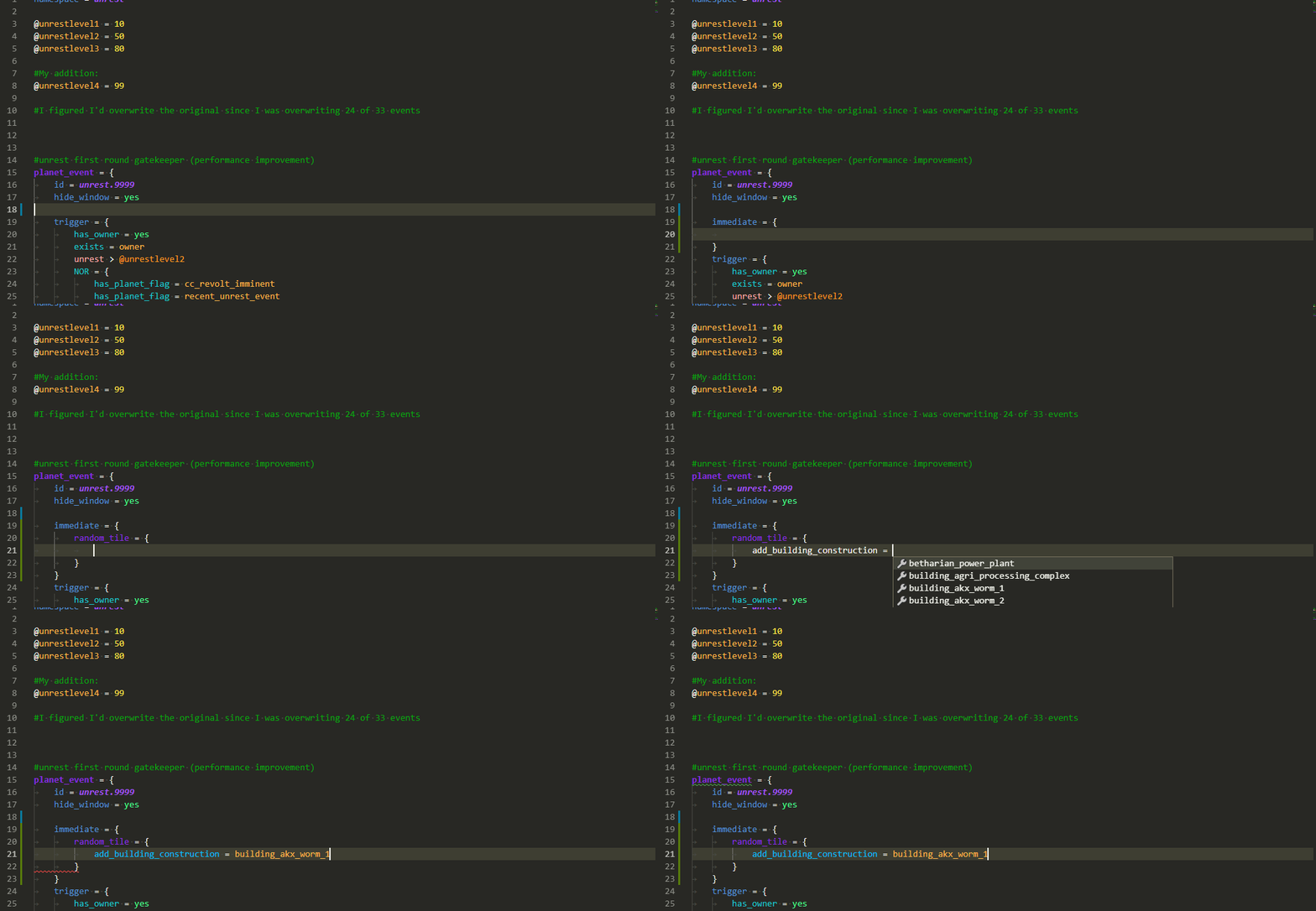
- Autocomplete while you type, providing descriptions when available
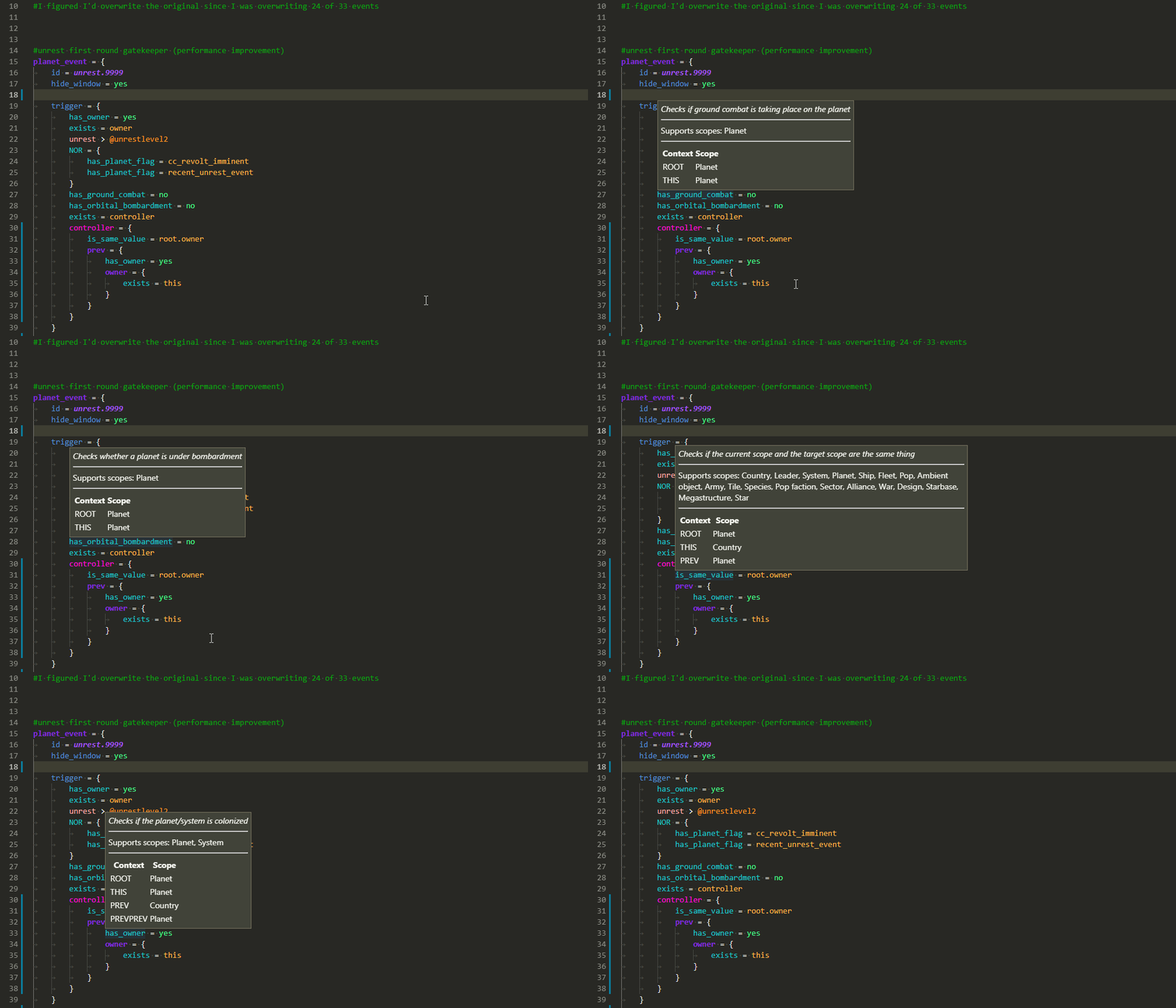
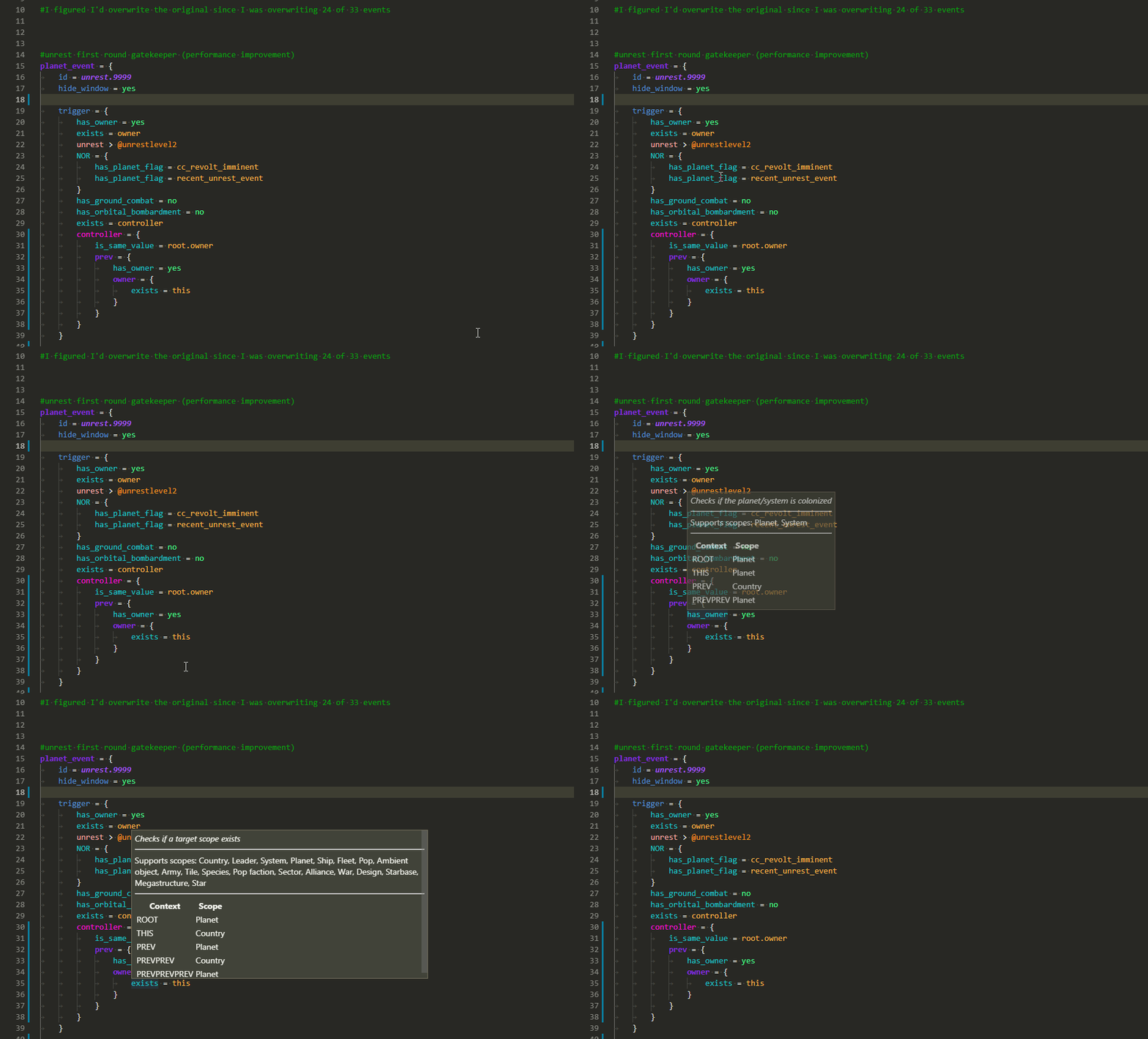
- Tooltips on hover showing:
- Related localisation
- Documentation for that element
- Scope context at that position
- A wide range of validators for common, interface, and events, checking
- That required localisation keys are defined
- Existence of effects/triggers/modifiers
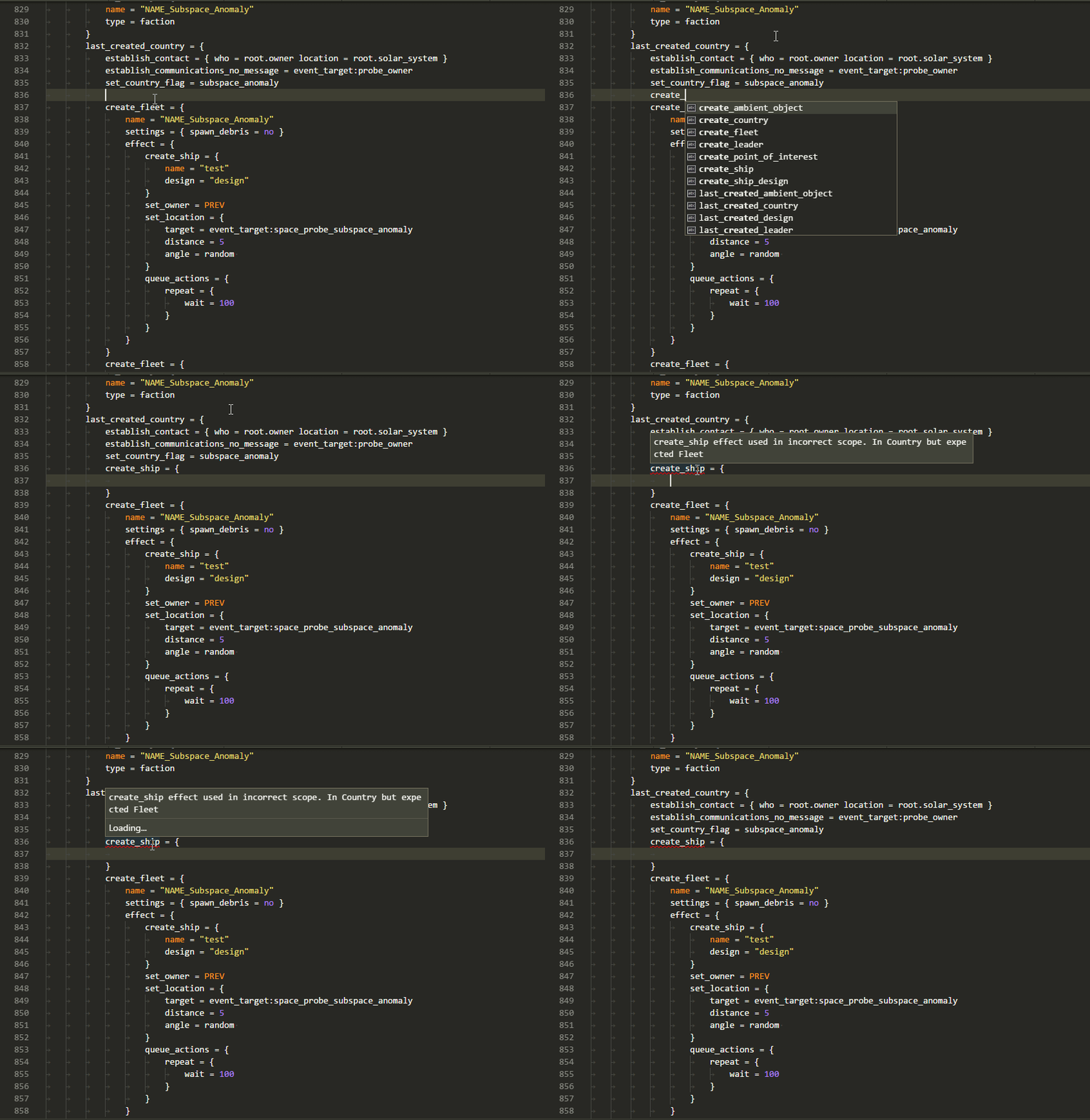
- Scope context for used effects/triggers/modifiers
- Usage of scripted effects/triggers
- Correct entries for weights/AI_chance/etc
- That event_targets are saved before they're used
- That referenced sprites and graphics files exist
- and a number of other specific validators
Usage
CWTools starts only when an opened workspace folder contains a descriptor.mod
file at its root. Descriptors inside nested folders (including test fixtures) do
not count. Standalone files, metadata-only mods, and vanilla folders do not start
the server. If you add a descriptor after activation, reload the VS Code window.
- Install this extension
- Open your mod folder directly. The usual game mod layout also supplies a game-name hint:
C:\Users\name\Documents\Paradox Interactive\Stellaris\mod\your_mod
- Set the
cwtools.cache.<game> setting (e.g. cwtools.cache.hoi4) to the game's install folder
- Edit files and watch syntax errors show up when you make mistakes
- Wait up to a minute for the extension to scan your mod and find errors
Game detection checks the fixed content markers first (for
example, common/ai_strategy selects HOI4), then names. In the
<game>/mod/<mod> and <game>/game layouts the recognized game folder names
the game, ahead of any keyword in the opened folder's own name. Otherwise the
opened folder's name is the hint; unrelated ancestor names are ignored. Conflicting
content markers use this order: Stellaris, HOI4, EU4, CK3. Content takes
precedence over conflicting names, and overlapping names prefer the newer
game (CK3 before CK2, EU5 before EU4). The shared common/dynasties marker
selects CK2 when that name hint is CK2; otherwise it
defaults to CK3. Earlier content markers, including HOI4, still take precedence.
If neither content nor names identify a game, detection checks supported game
executables before using generic Paradox mode. Detection does not recursively scan content for hints.
Submods
To work on a submod, open the submod's folder and list the mods it builds on in
cwtools.parentMods, in load order, as absolute paths:
"cwtools.parentMods": ["C:/Users/name/Documents/Paradox Interactive/Hearts of Iron IV/mod/Millennium-Dawn"]
The parent mods' definitions, variables and localisation then resolve in the
submod, layered between the base game and the submod. A submod file at the same
path as a parent file, or under a replace_path in the submod's
descriptor.mod, replaces the parent's copy, as it does in game. Parent files
are indexed but never validated. Edits to a parent mod are picked up on the next
reindex, not live. Reload the window after changing the setting.
When the setting is empty, the server falls back to the mods named in the
dependencies of the submod's descriptor.mod, matched by exact name against
the launcher's .mod files.
The server scans only the first workspace folder, so adding a parent mod as a
second folder of a multi-root workspace does not make its definitions visible.
Plaintext game scripts are automatically promoted to the Paradox language only
inside the selected descriptor-bearing mod, its effective parent mods, and the
base-game install used by the server, either configured through
cwtools.cache.<game> or auto-discovered from Steam. The server reports its
resolved parent and install roots after scanning, including canonical paths when
symlinks are used, then already-open parent and vanilla scripts are rechecked.
Parent mods overlapping the selected mod are excluded, matching the server's
startup rules. Directory hints are checked relative to these roots; unrelated
workspace folders, external files, and scratch buffers keep their language. This
applies to both documents already open at activation and documents opened later.
Changes to these root settings require reloading the window, as they do for
server indexing.
If you want to browse vanilla files, you can use the "CWTOOLS LOADED FILES" section in the Explorer tab.
Completion
Scope errors
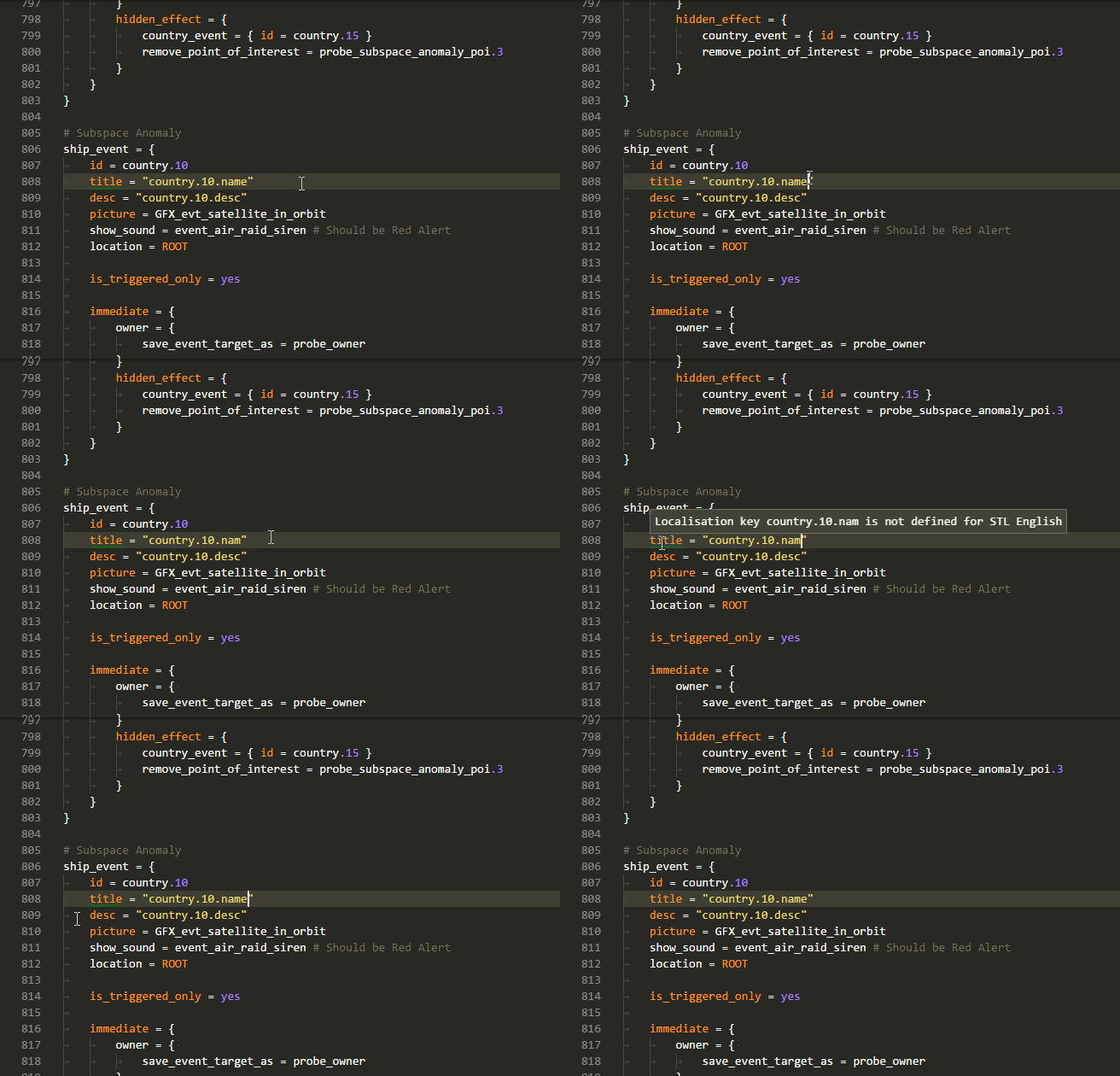
Localisation error
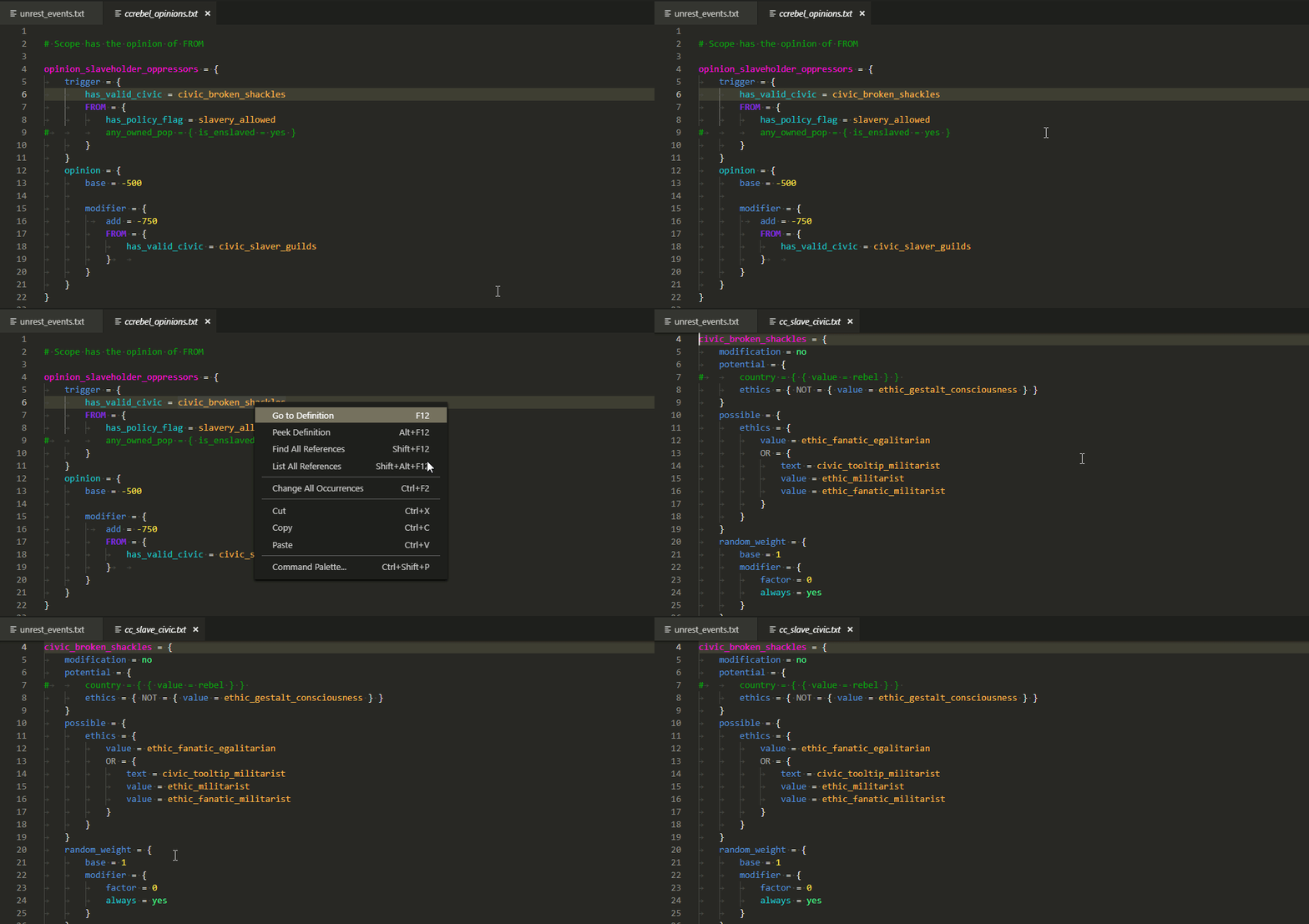
Go to definition
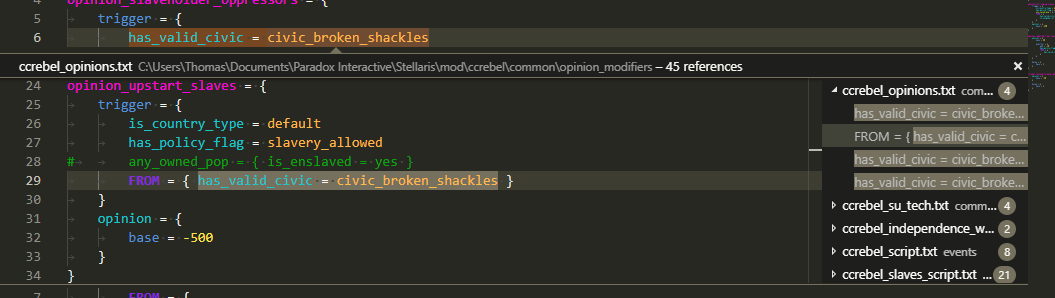
Find all references
Background reindex
The extension periodically re-scans the whole workspace in the background, so files changed outside the editor and definitions moved between files don't go stale until you reload the window. The rescan is idle-gated: it waits until you stop typing before running. To force one immediately, run cwtools: Re-index workspace from the command palette. cwtools.backgroundReindex.intervalMinutes controls the interval (default 30; 0 disables the automatic pass) and cwtools.backgroundReindex.idleSeconds how long you have to be idle before a pass may start (default 15).
cwtools.diagnostics.workspaceWide controls whether scans publish diagnostics
for closed files (default true; every closed file is published). Set it
to false to keep the Problems panel focused on open files; workspace indexing
and validation summaries still cover the full workspace. Changing the setting
takes effect immediately.
Graph view
The graph view draws entity references as a node graph you can pan, zoom, and click through to the source. cwtools: Show graph loads graph data from the bundled server, Set graph depth controls how many reference hops are included, and cwtools: Recreate graph from json opens a saved export. The live commands appear only when the running server advertises graph support.
Reporting a slow session
If the editor feels slow, turn on cwtools.profiling, reload the window, reproduce the slowdown, then run cwtools: Export profiling log and attach the file to an issue. It records per-phase timing and memory for the language server. Leave it off the rest of the time.
Theming
The extension ships its own TextMate grammar for the supported games, so syntax highlighting works out of the box. No second extension to install.
The grammars are vendored from cwtools/paradox-syntax (see scripts/sync_paradox_syntax.py to refresh them); the .cwt rules grammar is owned here. Themes live under extension/package/themes/. Every theme paints the full scope set from both grammars (game scripts and .cwt rule files) plus a generic baseline, so coloring is consistent whatever file you're in. Pick one with the Color Theme picker:
Highlighting runs off a single merged paradox grammar, with each game's keywords folded into it, so there are no separate per-game grammar files to keep in sync.
Themes also carry a semantic token layer from the language server, which paints the tokens a static grammar can't disambiguate. See Adding a theme for how to build a theme and what that layer covers.
Credits
The TextMate grammars under extension/package/syntaxes/ are vendored from the cwtools/paradox-syntax extension (Copyright (c) 2018 Thomas Boby, MIT). Original authors and contributors:
The bundled themes draw on the following:
cwtools-md-edition itself is a fork of
cwtools/cwtools-vscode maintained
by the Millennium Dawn mod team. The Rust
language server it drives began as
MillenniumDawn/cwtools, itself a
fork of cwtools/cwtools, and now lives in
this repo under engine/.
Links

