MailPal: the honest API client for VS Code
Collections, variables, unlimited history, a beautiful native editor, and a bundled MCP server so AI agents can drive your requests. Built for developers who are tired of finding their own request history behind a paywall.
Our pricing promise
This is the reason this extension exists, so it goes first:
- The free tier is fully usable for a single user, forever.
- Unlimited requests, unlimited collections, unlimited local history. No trial clocks, no counters.
- Pro adds new value (AI request generation, MCP write tools, upcoming team features). It never gates access to your own data.
- If a license expires, Pro features stop. Everything else keeps working exactly as before.
How it compares
The most installed REST client on this marketplace has 7.4 million installs and a 2.39 star rating across 751 reviews (checked 2026-08-15). Its own users say it best: "You must pay to look at a request you did in the past."
MailPal is the opposite bet:
| MailPal free tier |
|
| Request history |
Unlimited, local, forever |
| Collections and requests |
Unlimited, plain JSON in your git repo |
| Account or cloud |
Never required, everything works offline |
| Your data |
Your workspace and your OS keychain, nowhere else |
| MCP server for AI agents |
Built in, free read/run tools |
Features (free)
- Full request builder: all HTTP methods, headers, query params, JSON/text/form/multipart/binary bodies, Bearer/Basic/API key auth
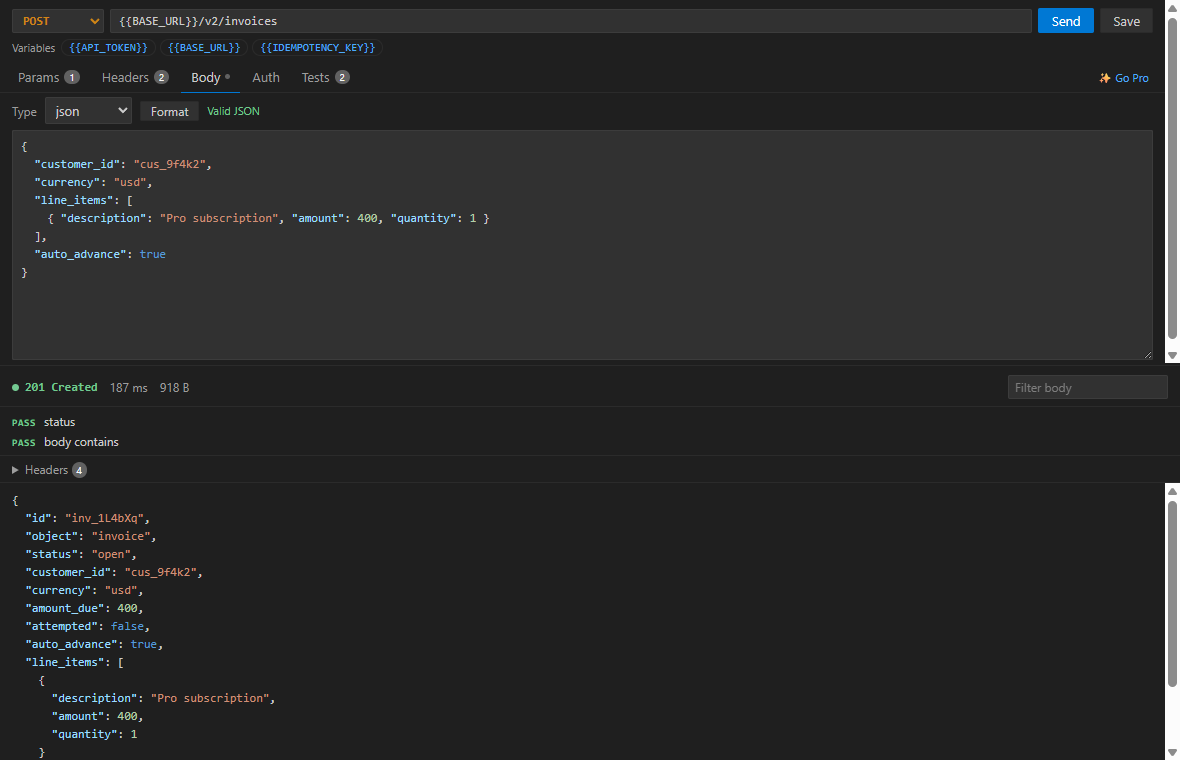
- A Postman-style editor that stays out of your way: auto-growing key/value rows, common-header autocomplete, color-coded JSON editing with one-click Format and live validation
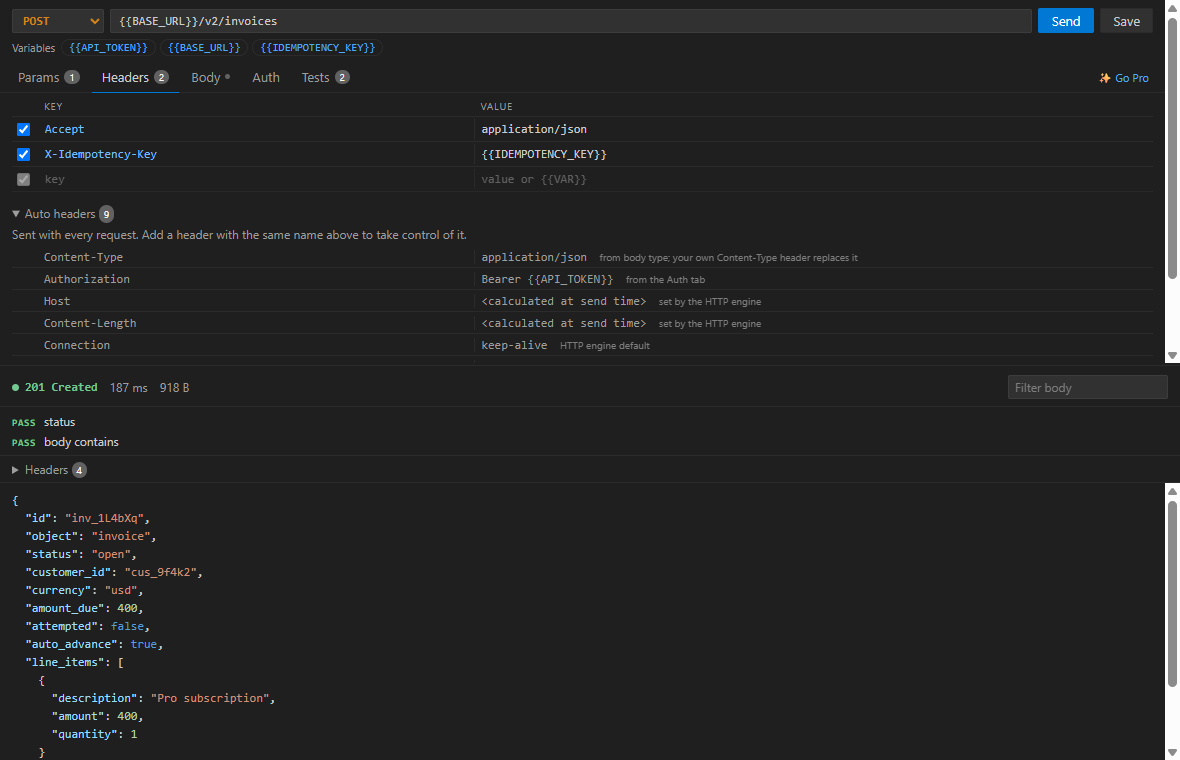
- Auto headers surfaced in the Headers tab, so you see exactly what goes on the wire and can override any of it
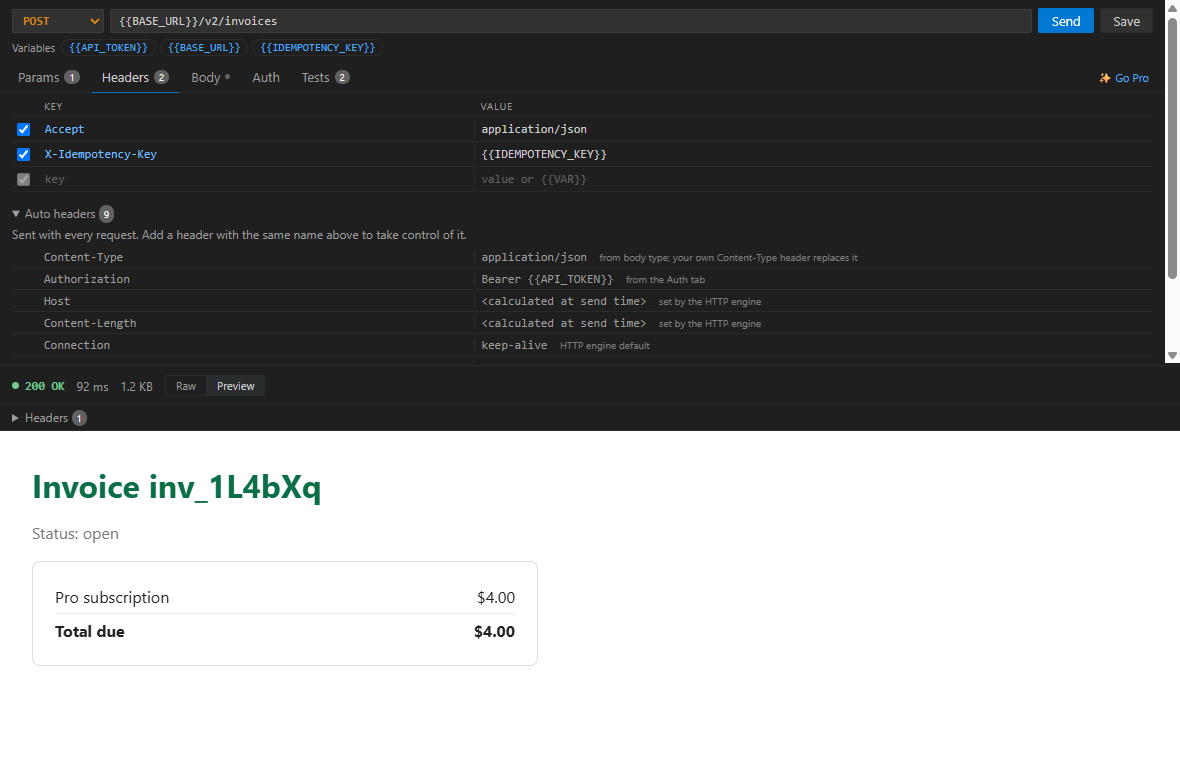
- Syntax-highlighted responses (JSON and XML), an HTML raw/preview toggle with a fully sandboxed preview, response filtering, and a resizable request/response split
- Collections and folders, stored as plain JSON in your workspace under
.mailpal/. Diff it, review it, share it through git.
- Per-collection variables with
{{VAR}} placeholders, managed in their own sidebar section. Secret values live in VS Code SecretStorage (your OS keychain), never in files.
- Unlimited local request history with one-click re-send
- Import: Postman v2.1, Thunder Client, OpenAPI 3.x, curl. Export: Postman v2.1, copy as curl.
- Simple assertions per request (status code, body contains) with pass/fail shown on every send
- MCP server with read/run tools, registered automatically for VS Code agent mode
MCP server: let your AI agent do the clicking
MailPal ships the only MCP server built into a VS Code REST client. It registers with VS Code agent mode automatically: open the tools picker in chat and enable "mailpal".
- Free tools:
list_collections, get_request, run_request, get_history_recent, list_variables
- Pro tools:
create_collection, create_or_update_request, set_collection_variable, generate_tests, scaffold_test_suite
Ask your agent to "run the Create invoice request and check the response", and it can.
For Claude Code, Cursor, or any other MCP client, the same server ships standalone on npm as mailpal-mcp:
claude mcp add mailpal -- npx -y mailpal-mcp
| Variable |
Meaning |
Default |
MAILPAL_WORKSPACE |
Folder containing .mailpal/ |
current directory |
MAILPAL_HISTORY_DIR |
Where run history is written |
~/.mailpal/history |
MAILPAL_LICENSE_FILE |
License mirror written by the extension |
unset (free) |
MAILPAL_SECRET_<NAME> |
Value for the secret NAME |
unset |
Secret values are resolved when a request runs and are never returned by any tool.
Pro
Pricing is provisional while in preview: $4/month or $70 lifetime.
- AI request generation: describe a request in plain English, get it built (uses your GitHub Copilot models, or your own Anthropic API key as a fallback)
- MCP write tools: agents can create collections, upsert requests, set non-secret variables, and scaffold test suites
Upgrade opens a hosted checkout in your browser; the license key from your purchase email activates with "MailPal: Enter License Key". Keys work on up to 3 machines and validation survives 14 days offline.
Quickstart
- Open a folder (collections live in the workspace).
- Open the MailPal view in the activity bar, create a collection and a request.
- Type a URL and hit Send.
- Optional: add variables to the collection in the Variables section, reference
{{BASE_URL}} in requests, and keep tokens safe with "Add Secret Variable".
Where is my data?
- Collections and variables: plain JSON in
.mailpal/ inside your workspace. Yours, in git, forever.
- History: JSONL plus response bodies in VS Code's global storage for this extension (personal, not shared through the repo).
- Secrets and license: VS Code SecretStorage (your OS keychain).
FAQ
Why is the free tier so generous? Because the paid tier competes on added value, not on holding your data hostage. That is the product.
Does AI generation send my data anywhere? Only when you use it: the prompt you type goes to your Copilot model or to Anthropic with your own key. Sends themselves never touch any third party.
Team features? Team sharing through git is free by design. Cloud sync and team workspaces are on the roadmap as Pro features.
Found a bug? Open an issue, it gets read.
| |

