Tags for ProjectsAn extension to manage projects in Azure DevOps with tags. Supports filtering projects by tags. Tags can be visible for all users of an organization or user specific. |

Project management with Tags - Azure DevOps ExtensionTags for Projects is an Azure DevOps Extension which enables filtering projects by custom tags. With a growing number of projects in your Azure DevOps organization, finding them quickly in the Projects View on the organization home page becomes harder. This extension tries to solve this by allowing to assign tags to projects and filter the project list with tags. InstallThe extension can be installed from the marketplace. It required the "Project and team (read)" permission to get all projects of the user. Assigned tags are saved as extension settings. If the images in the project list don't load you might need to allow third-party cookies for dev.azure.com in your browser. How to useTwo types of tags are supported:
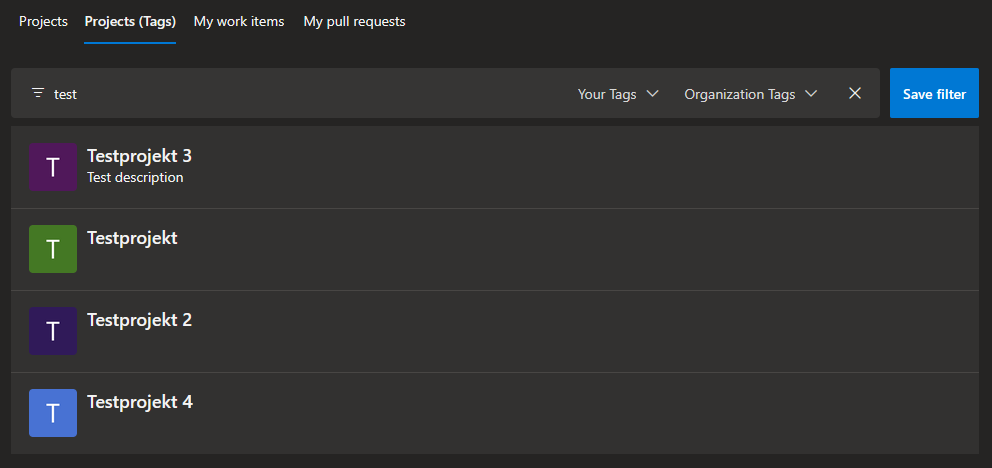
Filtering projectsThe extension adds a tab "Projects (Tabs)" to the home page of the organization.
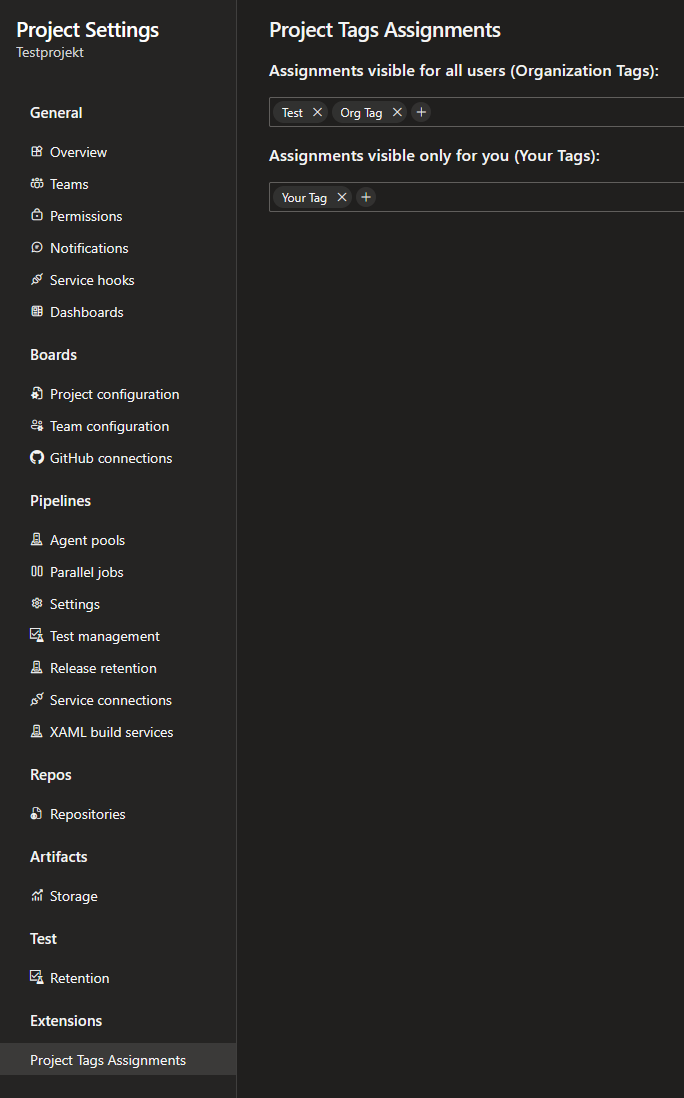
You can use the filterbar to filter the projects by name, user tags or organization tags. The "Save filter" button saves the current filter which will then be applied everytime you open or reload the "Projects (Tags)" tab. Assigning tags to projectsTags can be assigned to projects in the project settings:
ContributingFeedback, ideas, and contributions are welcome. If you discover a bug, have a suggestion, or miss a feature, please open an issue. LicenseThis extension is licensed under the MIT license. |