SkillTree
See every Claude Code skill on your machine, find new ones on GitHub, and, if you turn it on, see which
skills Claude actually uses. SkillTree reads real SKILL.md files, works offline, and does not need
Claude Code to be running.
Getting started
- Click SkillTree in the Activity Bar or in the status bar.
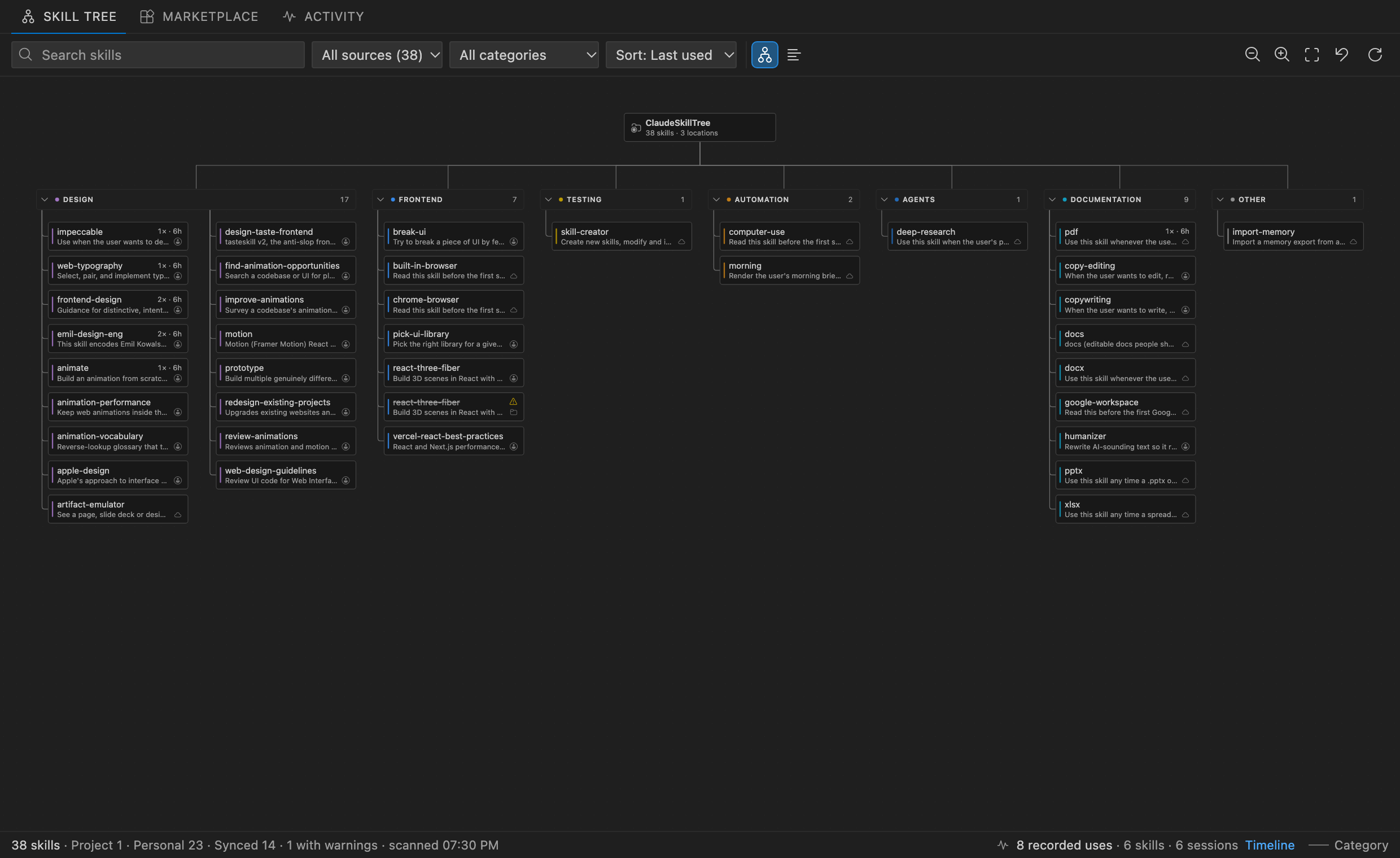
- Open the Skill Tree to see your skills as a map, or switch to the list view.
- Open the Marketplace to browse and install skills from GitHub.
- Optional: turn on usage tracking and Claude suggestions (both off until you enable them).
The SkillTree: Get Started walkthrough covers each step.
Your skills
The Skill Tree groups skills by category (Workspace → Category → Skill). Select a skill to read its
SKILL.md and see its files; double-click or press Enter to open it. Search, filter by source or
category, sort by name, last use or most use, collapse categories and drag nodes.
| Source |
Location |
Editable |
| Project |
<workspace folder>/.claude/skills/<name>/SKILL.md |
yes |
| Nested |
<workspace folder>/<subdir>/.claude/skills/<name>/SKILL.md |
yes |
| Personal |
~/.claude/skills/<name>/SKILL.md |
yes |
| Synced from claude.ai |
~/.claude/skills/synced/…/<name>/SKILL.md |
read-only |
| Managed (enterprise) |
managed settings directory /.claude/skills |
read-only |
When names collide, SkillTree marks the skill Claude Code will not run (managed > personal > project).
Categories and node positions are stored in VS Code's extension storage. SkillTree never edits your
SKILL.md files, and categories it assigns automatically are labeled "auto".
Marketplace
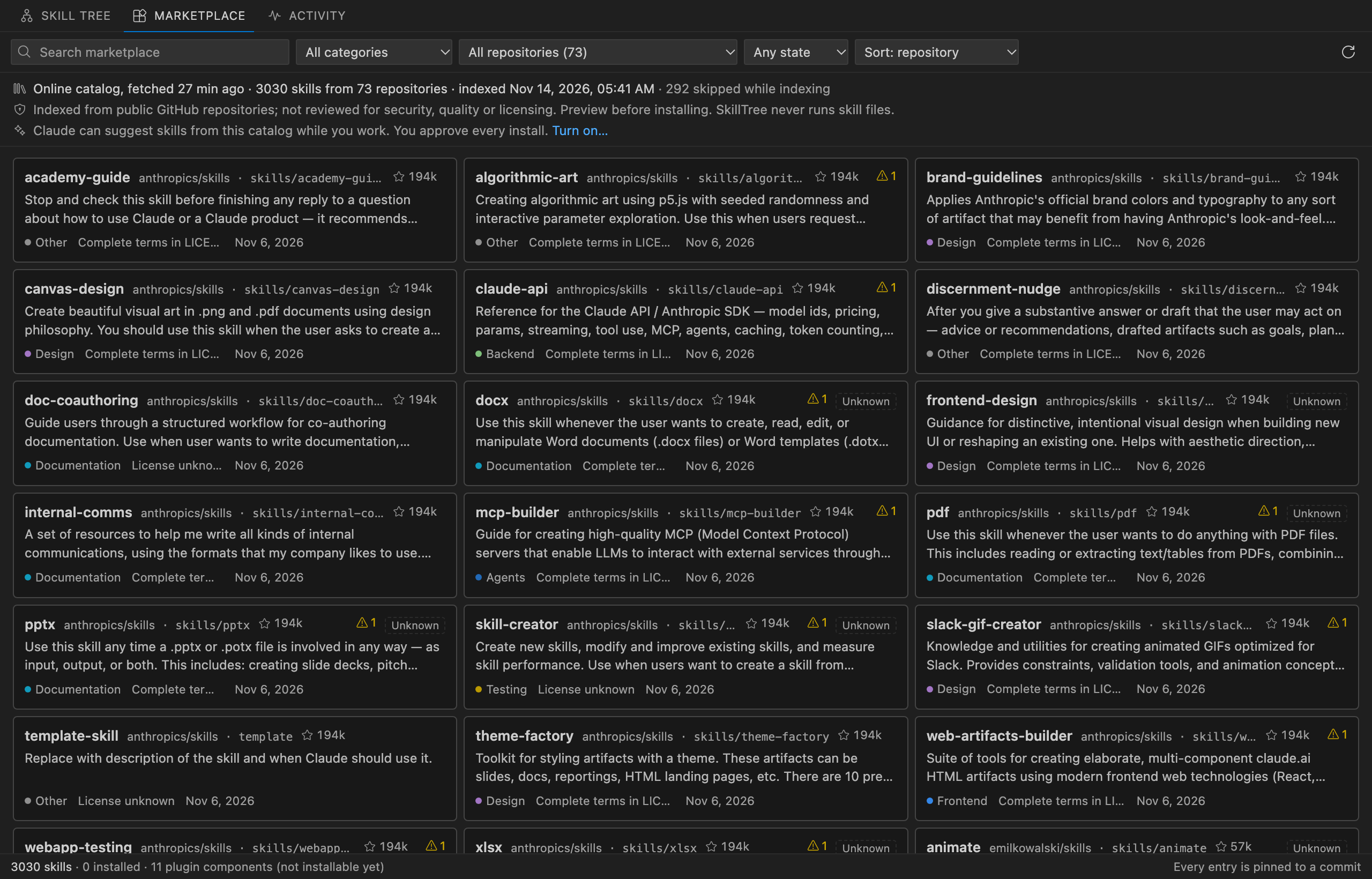
The Marketplace lists public skills indexed from GitHub repositories (about 3,000 skills from 73 repositories
on Nov 14, 2026). The catalog is rebuilt daily and cached for offline use. When it cannot be reached,
SkillTree shows the last copy it downloaded, or else the snapshot bundled with the extension.
- For this project suggests skills that fit the open folder, based on its file names and dependency
manifests such as
package.json, requirements.txt, Cargo.toml and go.mod. They are read locally.
- For you suggests skills from the repositories and category of the skills usage tracking recorded
you using.
- Preview shows the complete
SKILL.md and file list before anything is installed.
- Install copies the files into this project (
.claude/skills/) or your personal skills
(~/.claude/skills/) after you confirm. Each file is checked against the pinned commit, nothing is
overwritten without a second confirmation, and a failed install is rolled back. SkillTree never runs
skill files.
Indexed skills are not reviewed for security, quality or licensing. Read the preview before installing.
Usage tracking (opt-in)
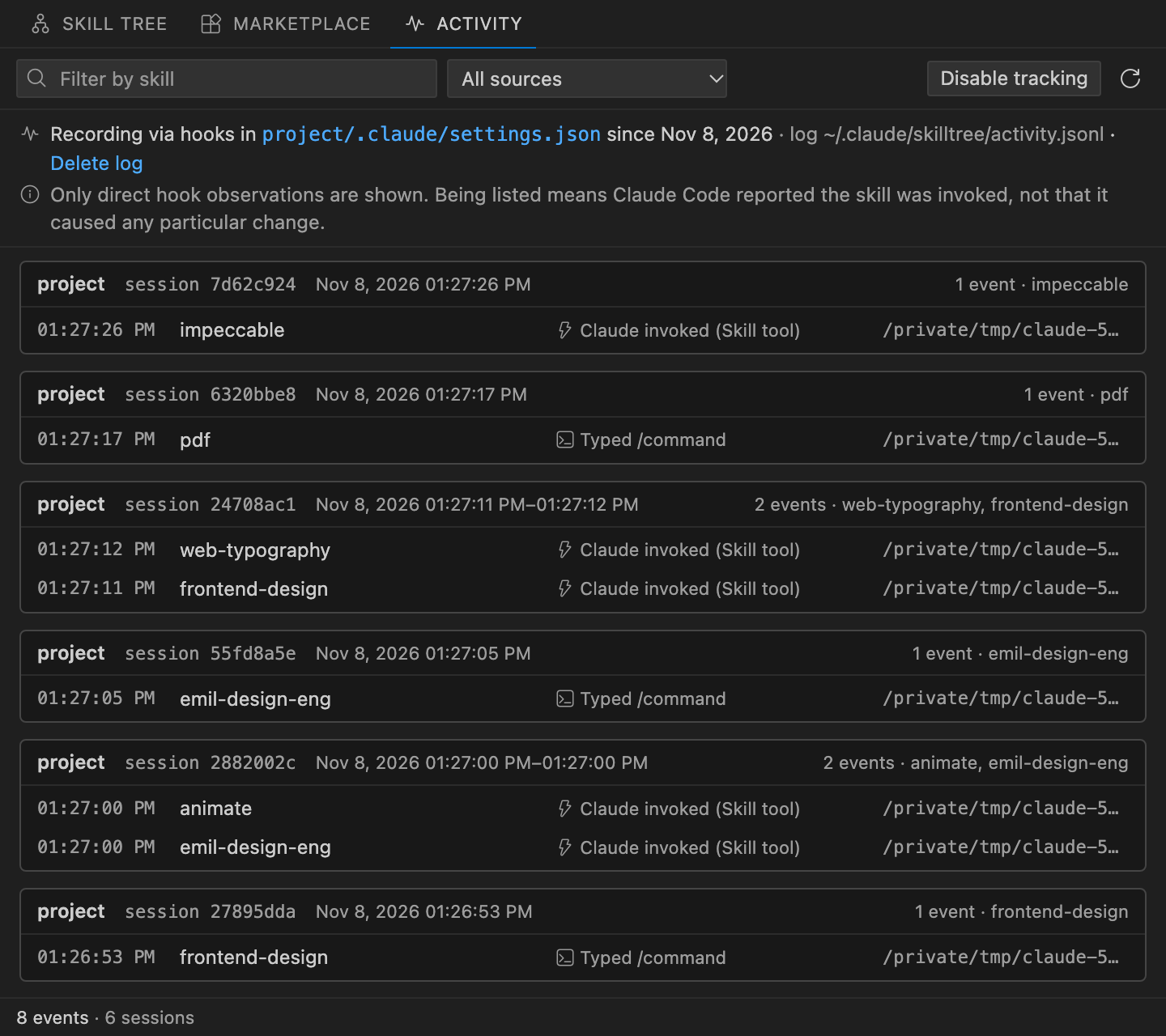
SkillTree: Enable Activity Tracking… asks first, backs up your Claude Code settings file, and adds
three hooks: PreToolUse for the Skill tool (Claude or a subagent invokes a skill), UserPromptExpansion
(you type a /skill) and SessionEnd. A small local recorder appends the time, skill name, how it was
invoked, session id and working directory to ~/.claude/skilltree/activity.jsonl. Prompt text and
command arguments are never recorded.
You get use counts on the Skill Tree, the last skill used in the status bar, a live list of sessions
using skills, and a timeline in Activity. A skill counts as used only when a hook recorded it;
having a skill installed says nothing about whether it is used.
SkillTree: Disable Activity Tracking restores your settings file, or removes only SkillTree's hooks if
the file changed since.
Claude suggestions (opt-in)
SkillTree: Let Claude Suggest Skills… registers a local MCP server with Claude Code (claude mcp add)
that lets Claude search the catalog and ask to install a skill, and adds a hook that compares each
prompt's keywords with the catalog on your machine. When a skill you don't have clearly fits, VS Code
shows a small suggestion. Prompts are never stored or sent anywhere, and every install opens a
confirmation dialog with the files, source commit and Claude's reason.
Settings
| Setting |
Default |
|
skilltree.catalogUrl |
the daily hosted catalog |
Set to an empty string to use only the bundled snapshot. |
skilltree.projectSuggestions |
true |
Show For this project suggestions in the Marketplace. |
skilltree.statusBar |
true |
Show SkillTree in the status bar. |
Requirements
- Desktop VS Code 1.95 or later.
- Claude Code, for usage tracking and Claude suggestions.
- Node.js on your
PATH, for the tracking recorder and the suggestions server.
Privacy
SkillTree runs no scripts from skill folders. It connects to the network only for the Marketplace: to
fetch the catalog from the configured URL and, when you preview or install, files from
raw.githubusercontent.com at a pinned commit. Activity data stays on your machine.
Feedback
SkillTree is a preview. Report problems or ideas at
github.com/michaelbobov/ClaudeSkillTree/issues.

