devradar
See which teammates have the same git repo open and are coding right now — and chat with them 1-to-1 inside VS Code. Identity is auto-derived from your git config, the "room" from the repo's remote URL. No login, no token, no setup.
Works alongside the matching JetBrains plugin and Visual Studio extension — your teammates can be on VS Code, any IntelliJ-based IDE (Rider, IntelliJ, PyCharm, GoLand, …), or Visual Studio, and you'll all land in the same room as long as you have the same git repo cloned.
What you get
Live "who's online" count in the status bar, with a click-popup that lists every teammate and which file they're editing.

Click any peer in the popup to open a chat tab with them — beside your editor, with optimistic send, banners for offline / disconnected states.
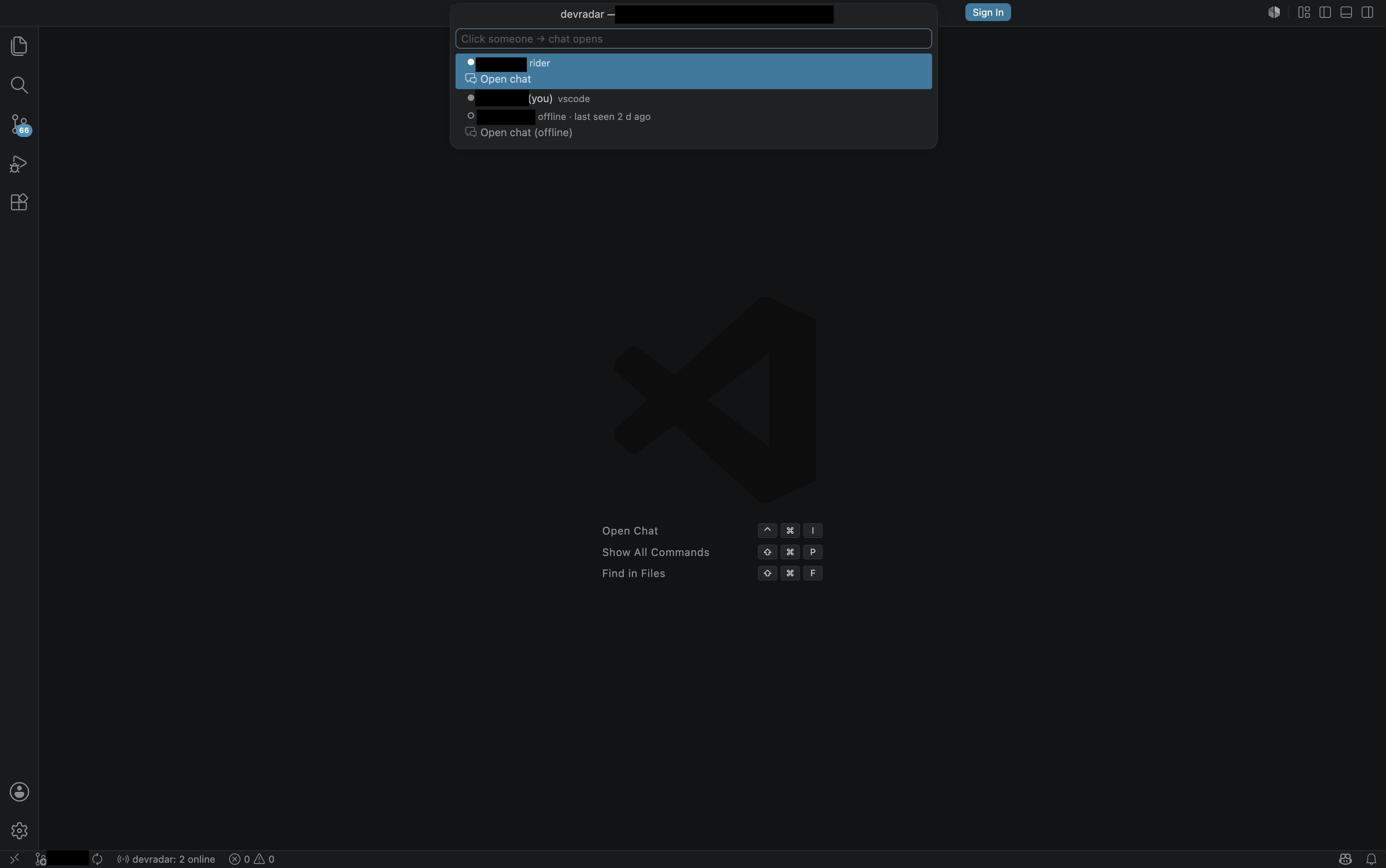
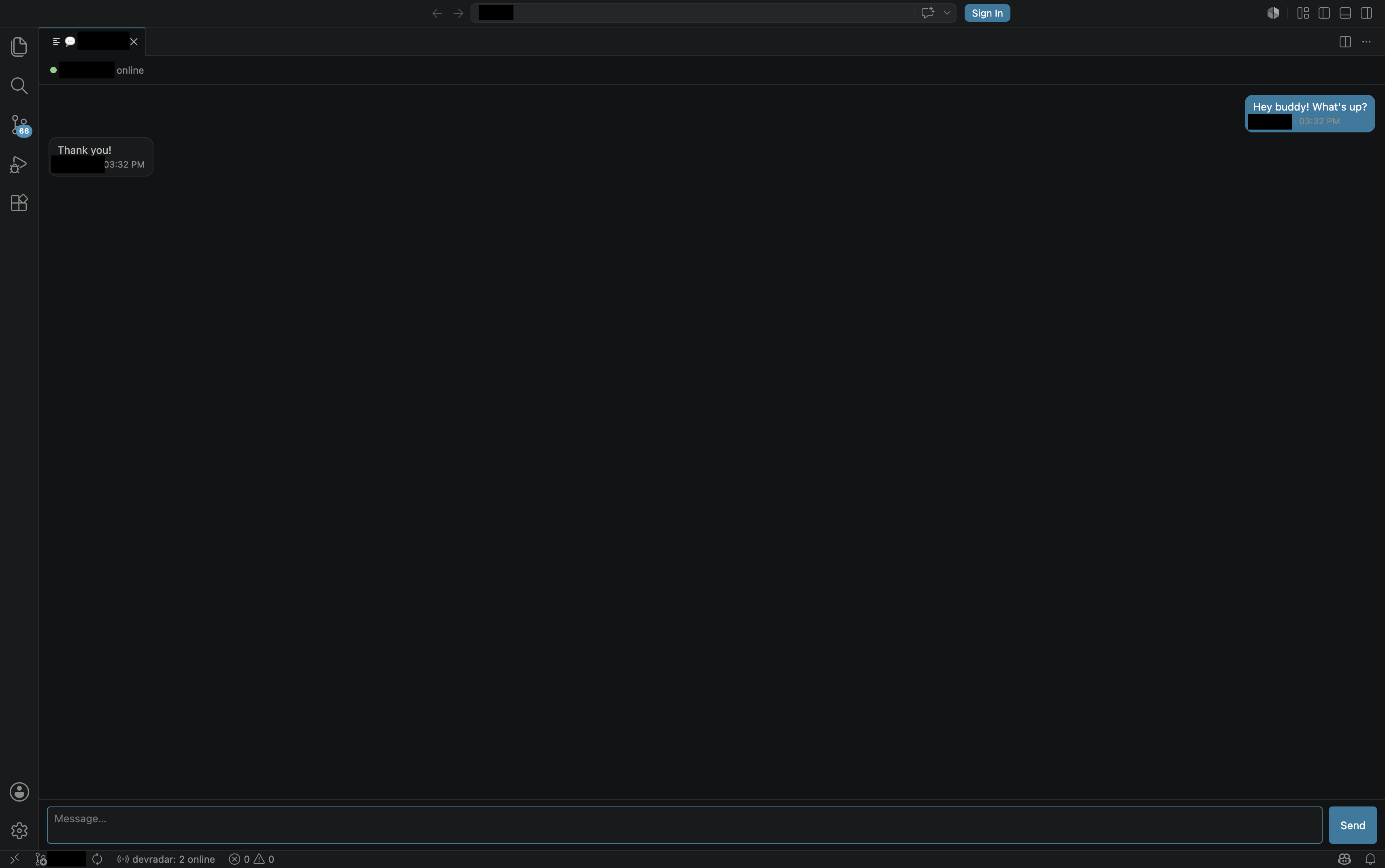
1-to-1 realtime chat in a dedicated tab, with online / offline status, "last seen N minutes ago" for offline peers, and the same chat sessions visible across VS Code, Rider/IntelliJ, and Visual Studio teammates.
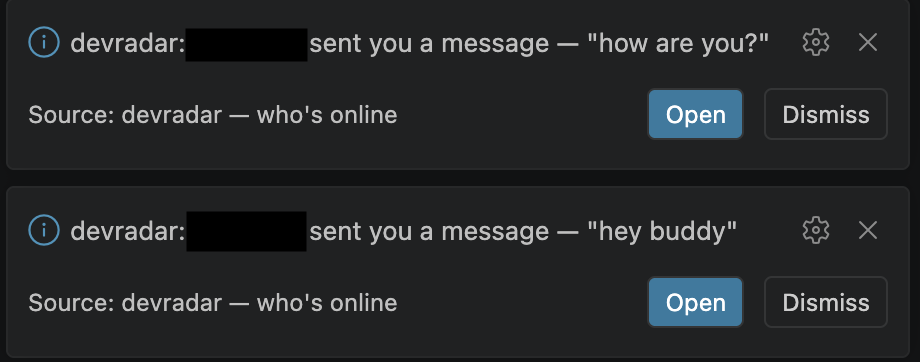
Toast notifications when a teammate messages you and the chat tab isn't open yet — click "Open" to jump straight into the conversation with their message replayed.
How it works
The extension reads your workspace's git config remote.origin.url, hashes it into a room key, and connects to the devradar server over a WebSocket. Anyone else with that same repo cloned and a devradar client installed (VS Code, JetBrains, or Visual Studio) lands in the same room. Your identity comes from git config user.email (a stable SHA prefix — tied to you, not your laptop) and user.name (display name).
Folders without a git remote silently disable the extension.
Settings
| Setting |
Default |
Description |
devradar.serverUrl |
wss://devradar.mrt-kntt53.workers.dev/ws |
Presence server URL. Change this if you run your own. |
devradar.displayName |
(empty) |
Override the displayed name. Falls back to git user.name. |
devradar.teamKey |
(empty) |
Optional shared phrase. If everyone in the same repo enters the same value, outsiders who know the repo URL cannot join the room. |
Commands
- devradar: Who's online? — list everyone in this repo and where they are
- devradar: Open chat — open a chat with someone in the same repo
- devradar: Reconnect — force a fresh WebSocket connection
What's intentionally missing
This is presence + quick coordination, not a full chat product. Intentionally not included:
- Read receipts
- Typing indicators
- Message persistence (closing the IDE clears the buffer; offline messages are not delivered)
- Group chats, file sharing, reactions
Run your own server
The presence server is open source (Cloudflare Workers + Durable Objects): https://github.com/mertkont/devradar
License
GPL-3.0-or-later

