devradar
See which teammates have the same git repo open and are coding right now — and chat with them 1-to-1 inside Visual Studio. Identity is auto-derived from your git config, the "room" from the repo's remote URL. No login, no token, no setup.
Works alongside the matching VS Code extension and JetBrains plugin — your teammates can be on Visual Studio, VS Code, or any IntelliJ-based IDE (Rider, IntelliJ, PyCharm, GoLand, …) and you'll all land in the same room as long as you have the same git repo cloned.
What you get
- A "devradar" tool window under
View → Other Windows → devradar. The top half lists peers in the same git repo (● online / ○ offline + "last seen 5 min ago"). The bottom half is a 1-to-1 chat panel with whichever peer you've selected.
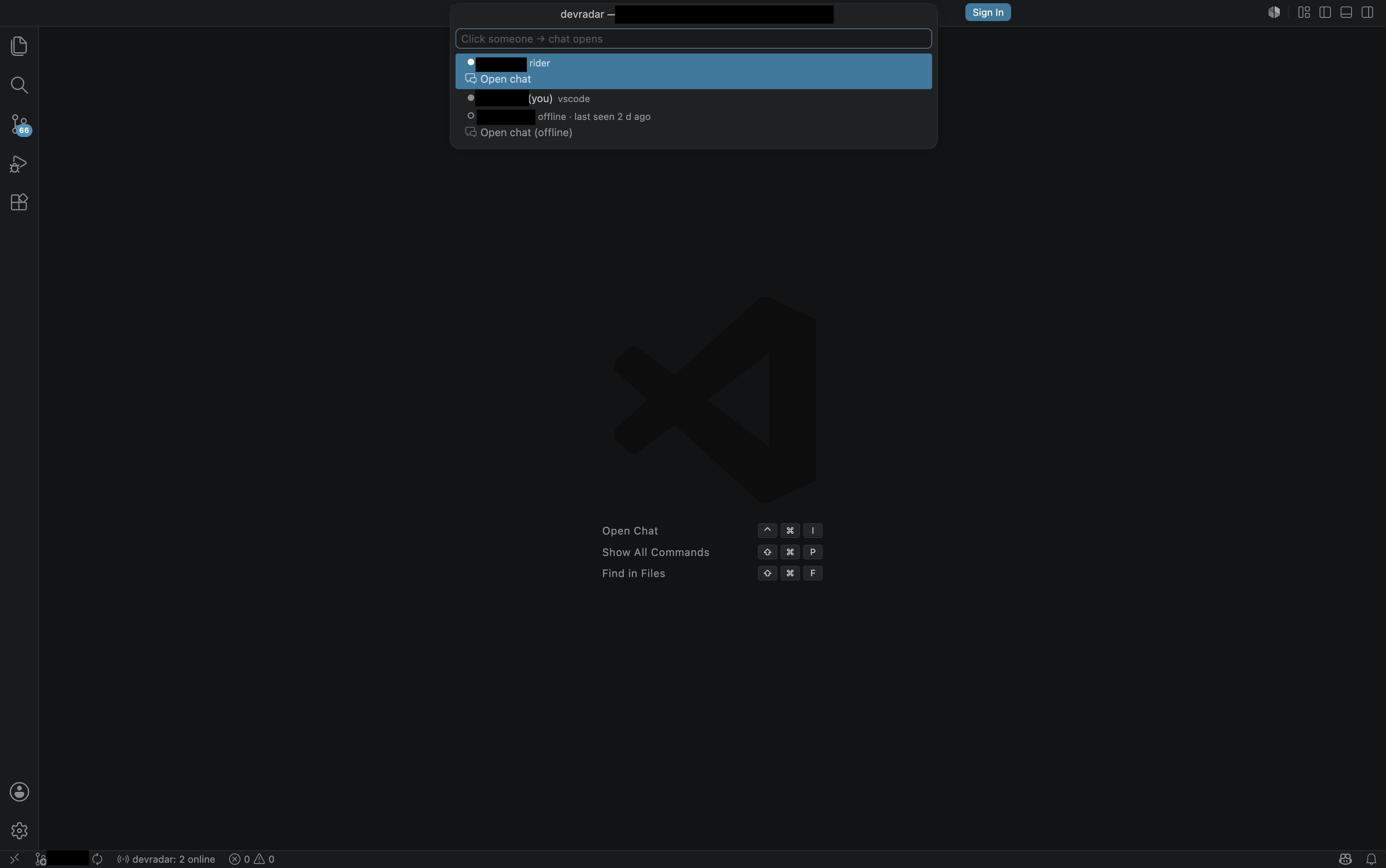
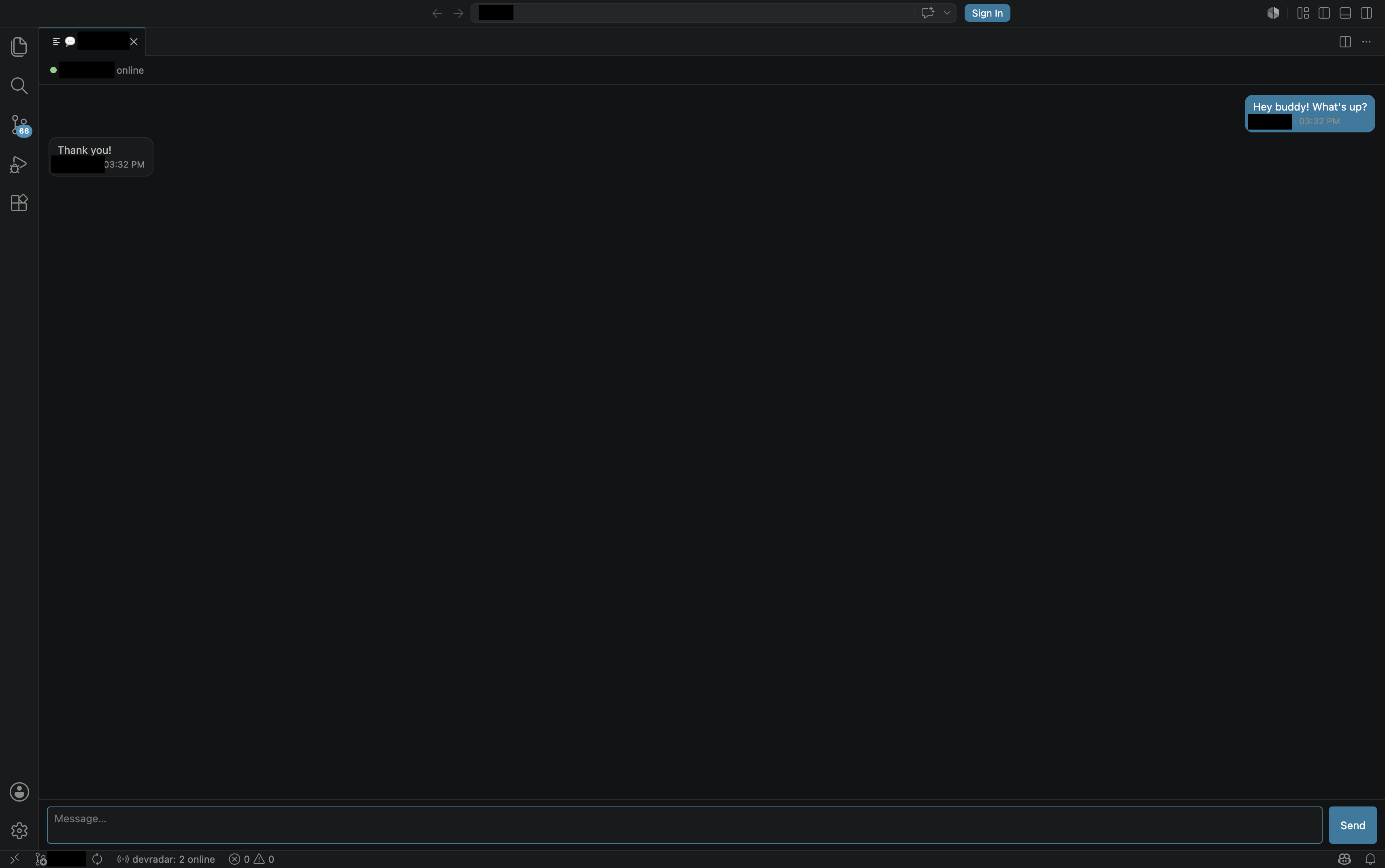
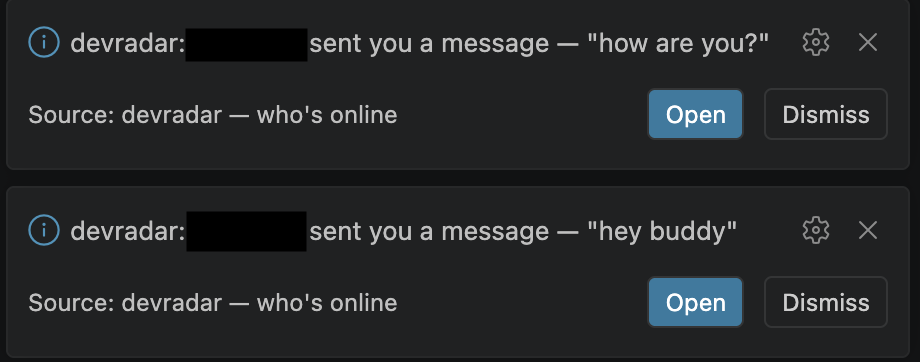
- Toast notifications when a teammate messages you and the chat tab isn't open yet — click "Open" to jump straight into the conversation.
- Live online count always visible in the status bar.

An options page at Tools → Options → devradar → General for an optional custom server URL, display-name override, and a privacy "team key".
Auto-start as soon as you open a solution — no need to open the tool window first for teammates to see you online.
The screenshots above were captured in the matching VS Code extension; the Visual Studio version uses the same wire protocol and the same UX patterns in a tool window form.
How it works
The extension reads your solution's git config remote.origin.url, hashes it into a room key, and connects to the devradar server over a WebSocket. Anyone else with that same repo cloned and a devradar client installed (Visual Studio, VS Code, or JetBrains) lands in the same room. Your identity comes from git config user.email (a stable SHA prefix — tied to you, not your laptop) and user.name (display name).
Solutions without a git remote silently disable the extension.
Zero-config, but configurable
| Setting |
Default |
What it does |
| Server URL |
wss://devradar.mrt-kntt53.workers.dev/ws |
Presence server. Change to point at your own deployment if you've forked the server. |
| Display name |
(empty → git user.name) |
Override the name shown to teammates. |
| Team key |
(empty) |
A shared phrase mixed into the room key. If everyone in the same repo enters the same value, outsiders who happen to know the repo URL cannot join the room. |
Chat features (and what's intentionally missing)
- 1-to-1 messages with anyone in the same repo, with a 100-message in-memory buffer per session
- Server-side rate-limiting and anti-spoofing (sender identity is stamped from the WebSocket attachment, not trusted from the client)
- Warning banners when the recipient is offline or the connection is down
Intentionally not included (this is presence + quick coordination, not a full chat product):
- Read receipts
- Typing indicators
- Message persistence (closing the IDE clears the buffer; offline messages are not delivered)
- Group chats, file sharing, reactions
Server
The presence server is open source — Cloudflare Workers + a single SQLite-backed Durable Object: https://github.com/mertkont/devradar
License
GPL-3.0-or-later

