
Half-MoonHalf-Moon for VS Code: Dark Moon (deep black backgrounds, orange accent) and Light Moon (light variant). Installation Launch VS Code Quick Open ( Ctrl+P), paste the following command, and press enter.Copied to clipboard |

Half-MoonA pair of themes for Visual Studio Code, derived from Dracula,
with layered backgrounds and a warm orange accent (
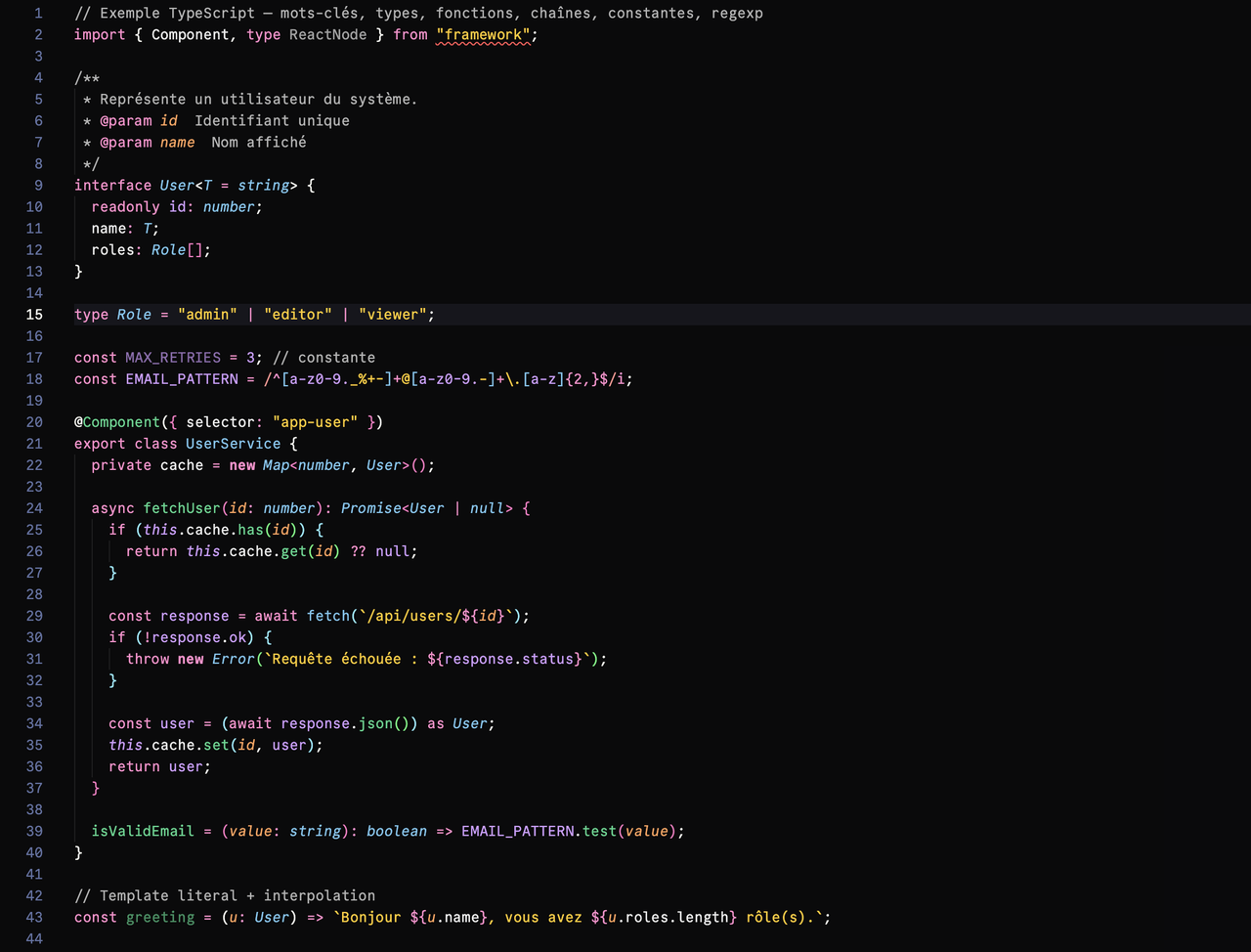
PreviewDark Moon
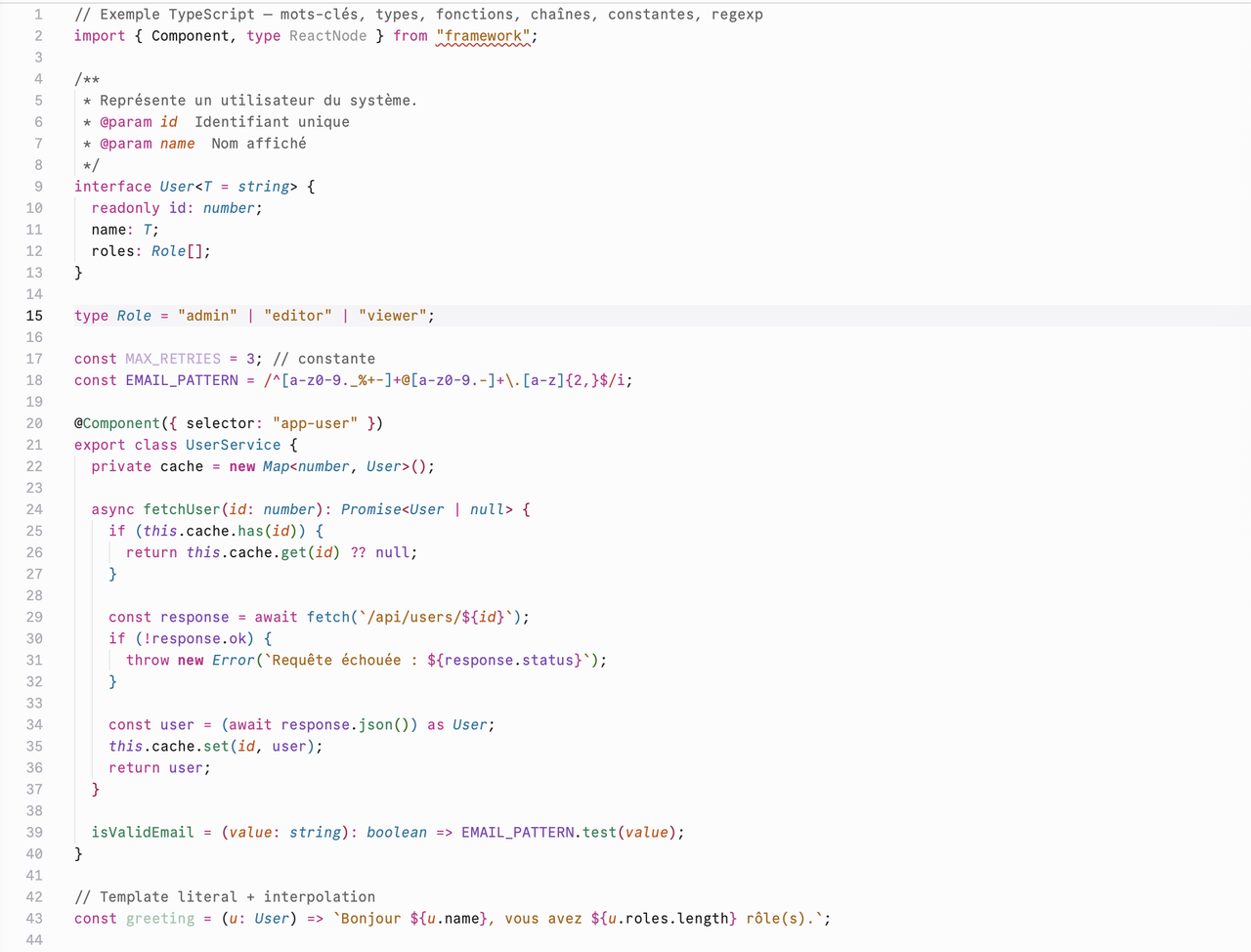
Light Moon
InstallationFrom source (development)
Package a
|
| Level | Color |
|---|---|
| Editor (deepest) | #0A0A0C |
| Chrome (sidebar, status bar) | #0C0C0F |
| Widgets / menus | #17171C |
| Hovers / active line | #1D1D22 |
| Borders | #191A21 |
Backgrounds — Light Moon
| Level | Color |
|---|---|
| Editor (focal) | #FCFCFC |
| Chrome (sidebar, status bar) | #F9F9F9 |
| Widgets / menus | #F9F9F9 |
| Hovers / active line | #ECECEF |
| Borders | #D9D9D9 |
Syntax
Both themes share a parallel syntax palette: each role has its dark hue and an equivalent light hue, for consistent contrast from one mode to the other.
| Role | Dark Moon | Light Moon |
|---|---|---|
| Text, variables, punctuation | #EEEEEE |
#202020 |
| Comments | #B4B4B4 |
#646464 |
| Keywords, tags, storage | #FF8DCC |
#C2298A |
| Types, classes, links | #75C7F0 |
#00749E |
| Functions, attributes | #3DD68C |
#218358 |
| Strings | #FFCA16 |
#AB6400 |
Constants, this |
#D19DFF |
#8145B5 |
| Parameters, modified values | #FFA057 |
#CC4E00 |
| Errors, deletions | #FF9592 |
#CE2C31 |
The examples/ folder contains files in several languages to see these colors
in context; see examples/legend.md.
Credits
These themes are derived from Dracula by Zeno Rocha and its contributors, under the MIT license. Huge thanks to them: Half-Moon wouldn't exist without their work. Half-Moon reuses Dracula's scope structure, but applies its own syntax palette as well as its own backgrounds and accent.
The syntax palette and accent are built on Radix Colors by WorkOS (Radix UI), under the MIT license — color scales designed for accessibility and contrast, available in both light and dark modes.
Half-Moon is also inspired by GitHub Dark 2026, whose approach to deep layered backgrounds influenced the interface structure of both themes.
License
MIT © 2026 Melvin.Design.
Half-Moon includes portions of Dracula (© 2016 Dracula Theme, MIT) and color values from Radix Colors (© WorkOS, MIT). GitHub Dark 2026 is cited as inspiration only — no code or assets are reused from it. See LICENSE for the full text of third-party licenses.