Overview Version History Q & A Rating & Review
A plain-text scratchpad that supports sandboxed embedded JavaScript and inline math evaluation. No cells, kernels, or execution state. Only vscode and pure text file.
It's recommended to disable suggestions if you don't use it. Put this in your vscode config file:
"[melosp]": {
  "editor.wordBasedSuggestions": "off",
  "editor.quickSuggestions": {
    "strings": "off",
    "comments": "off",
    "other": "off"
  },
  "editor.suggestOnTriggerCharacters": false
}
Features
Summary
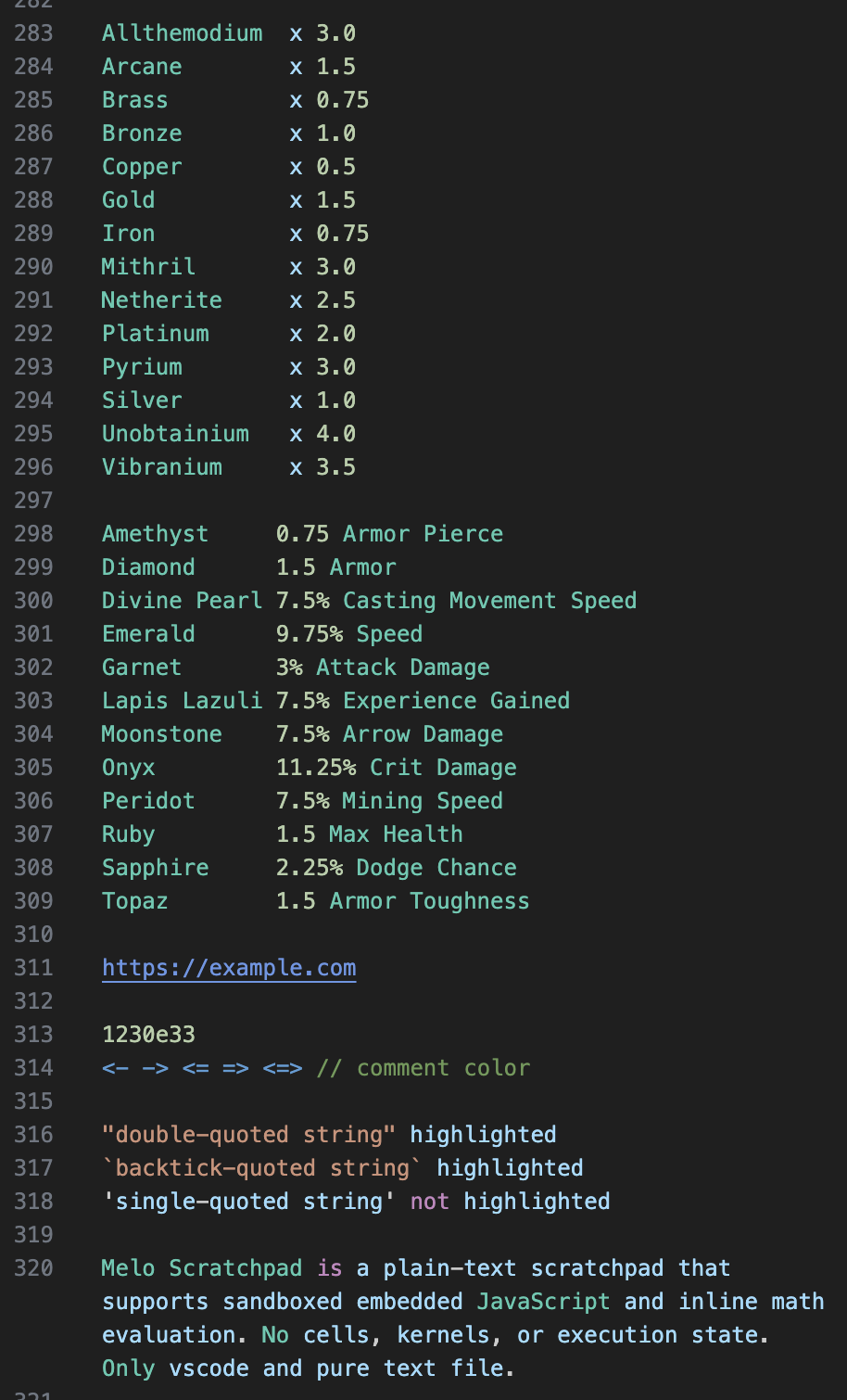
Generic text syntax highlighting.
If you like programming language highlighting on plain text but it keeps throwing syntax error, this is probably what you're looking for.
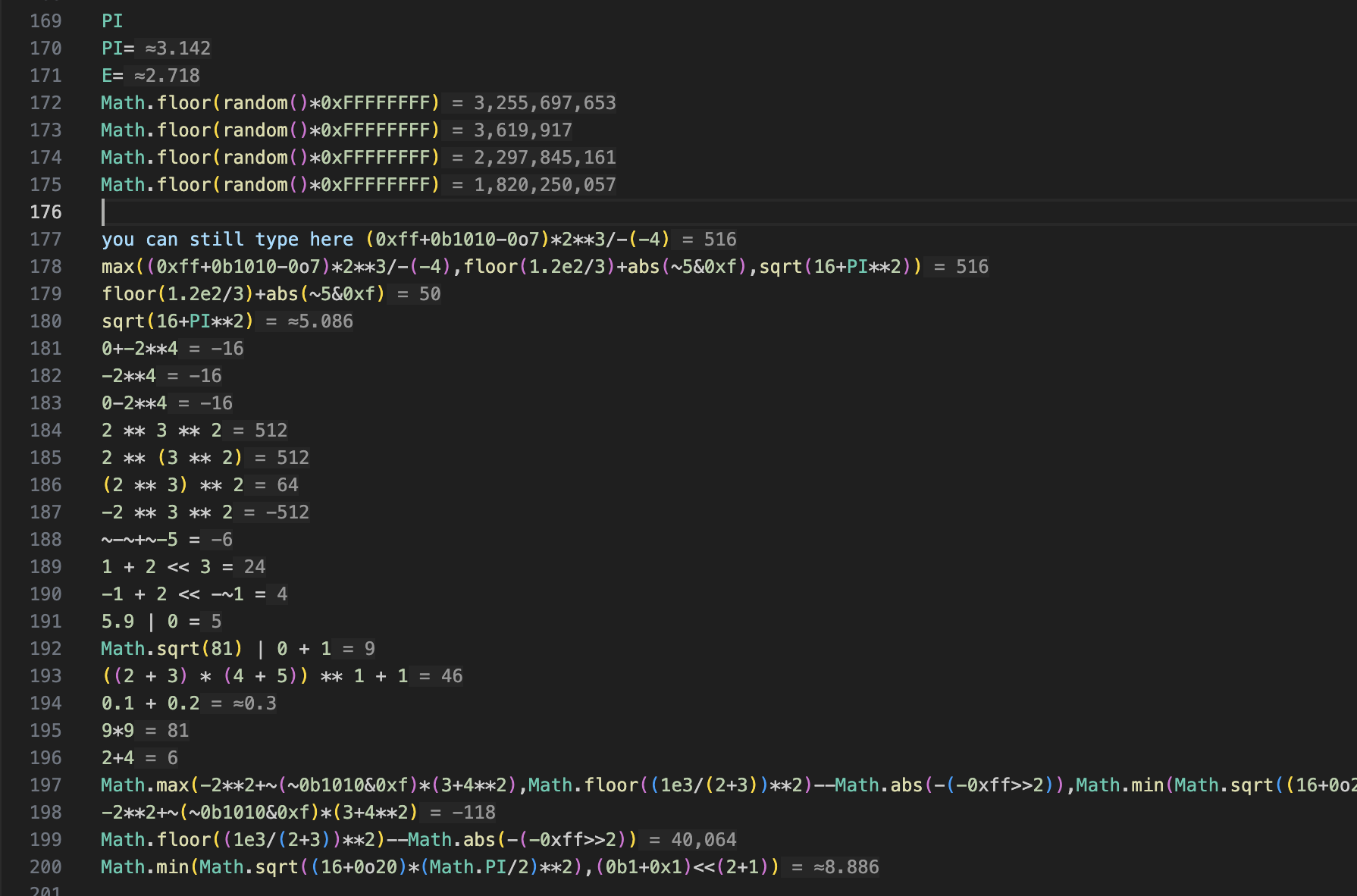
Math expression detection and inlay evaluation result.
Insert = after an expression to trigger explicit detection.
Shows detected expression and full value when hovered.
Available operators:
+: Addition-: Subtraction*: Multiplication/: Division%: Remainder**: Exponent&: Bitwise AND|: Bitwise OR^: Bitwise XOR<<: Bitwise left shift>>: Bitwise right shift>>>: Bitwise unsigned right shift
Every variable and function that exists in Javascript Math object can be used without the Math namespace.
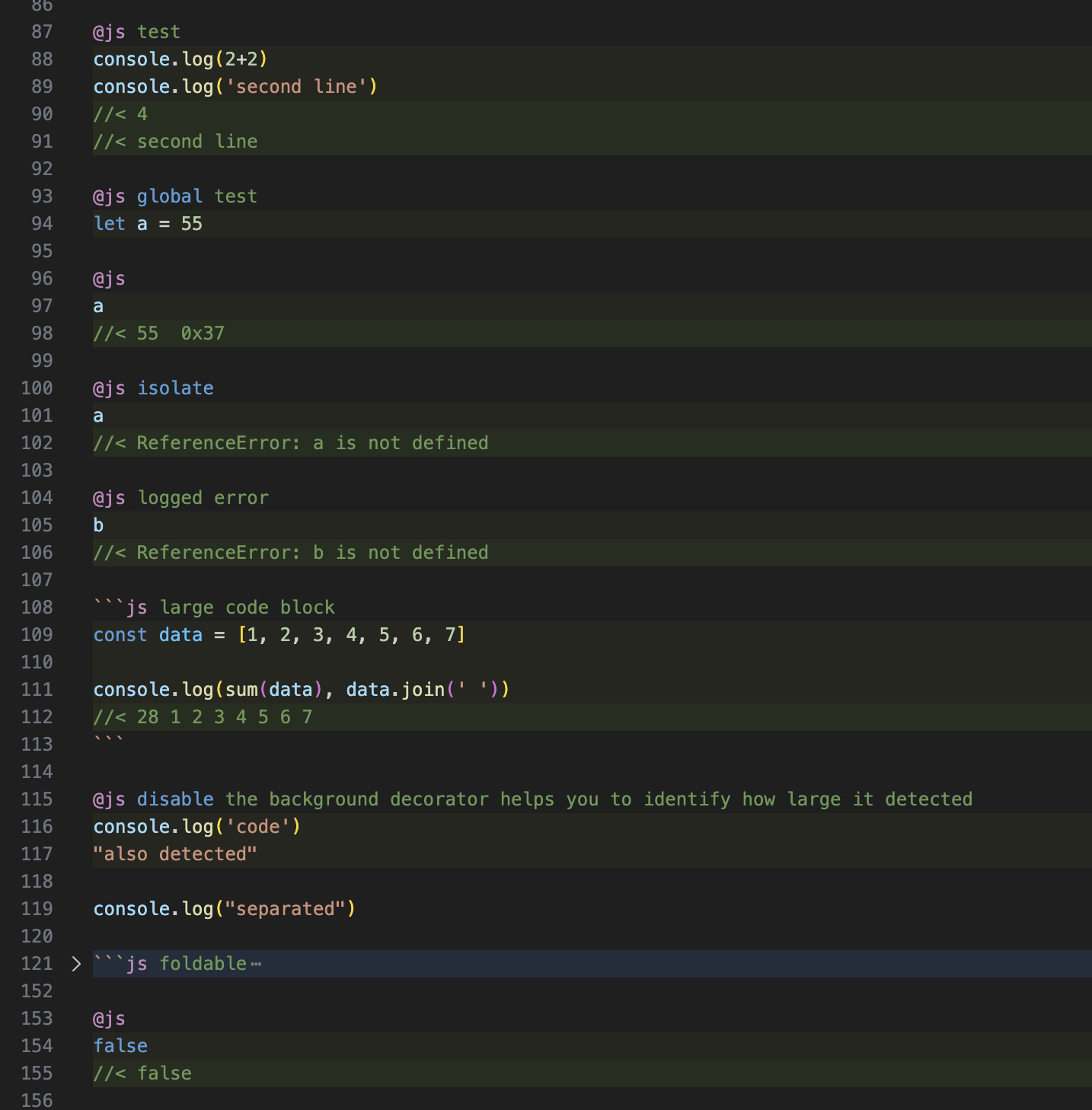
Embedded Javascript codeblocks, auto runs in sandboxed environment on manual file save.
Use ```js and ``` or @js. See image below for example.
Each codeblock runs in individual vm with global code on top.
Last value will be printed if no console.log output.
Context does NOT cross between files, global codeblocks will only apply codes in the same file.
Available flags:
global: It will be evaluated before other codeblock.isolate: It is isolated from any other codeblock. Overwrites global flag.disable: It is disabled and will be excluded by auto run. Still eligible for js syntax highlighting.
Extra global methods:
tls(n: number): string: Alias for toLocaleString.sum(arr: number[]): number: Sums the given array.sumtls(arr: number[]): string: Same as tls(sum(arr)).
Images
Generic text syntax highlighting:
Math expression detection and inlay evaluation result:
Embedded Javascript codeblocks: