Mathlog for VS Code (Unofficial)
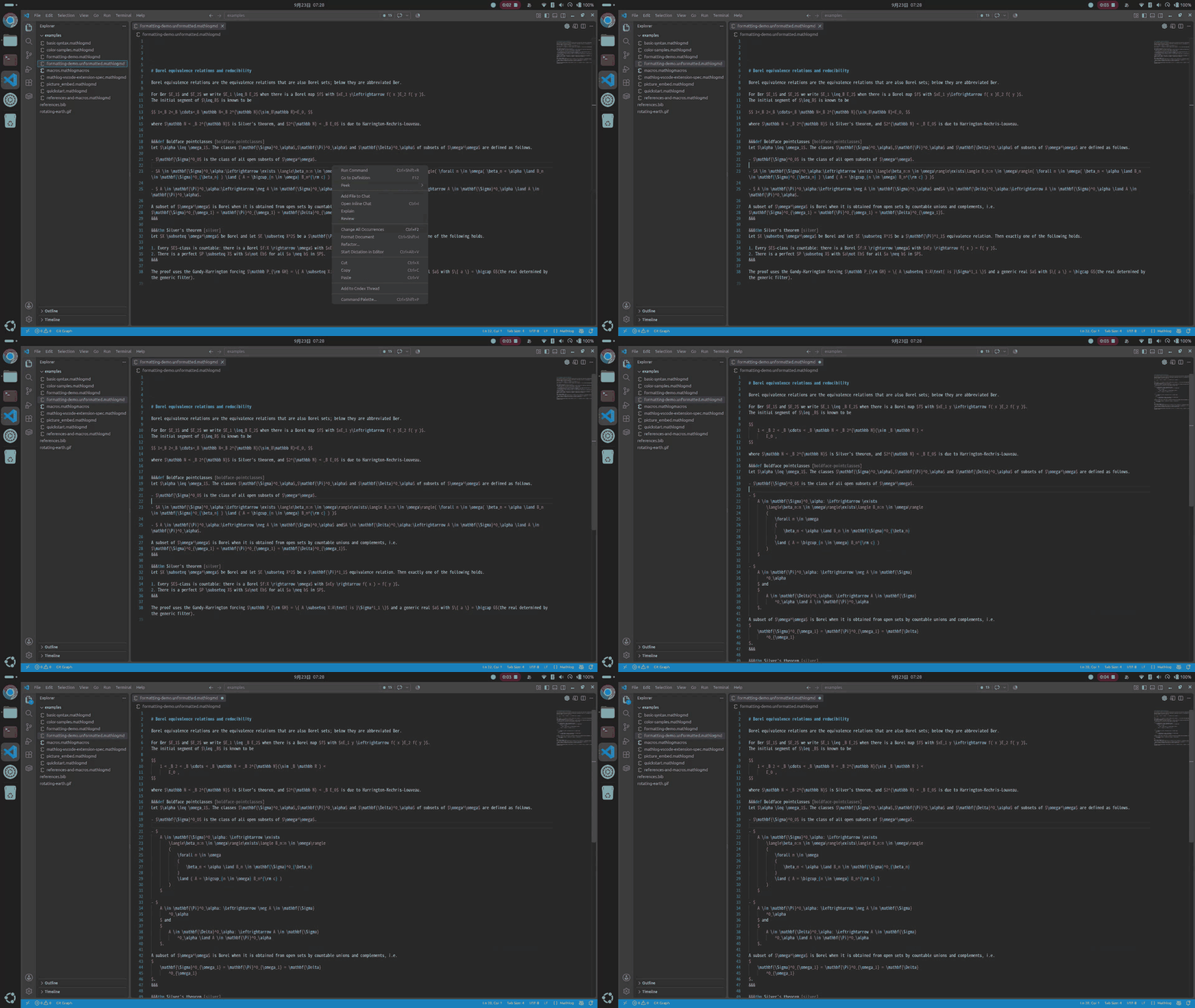
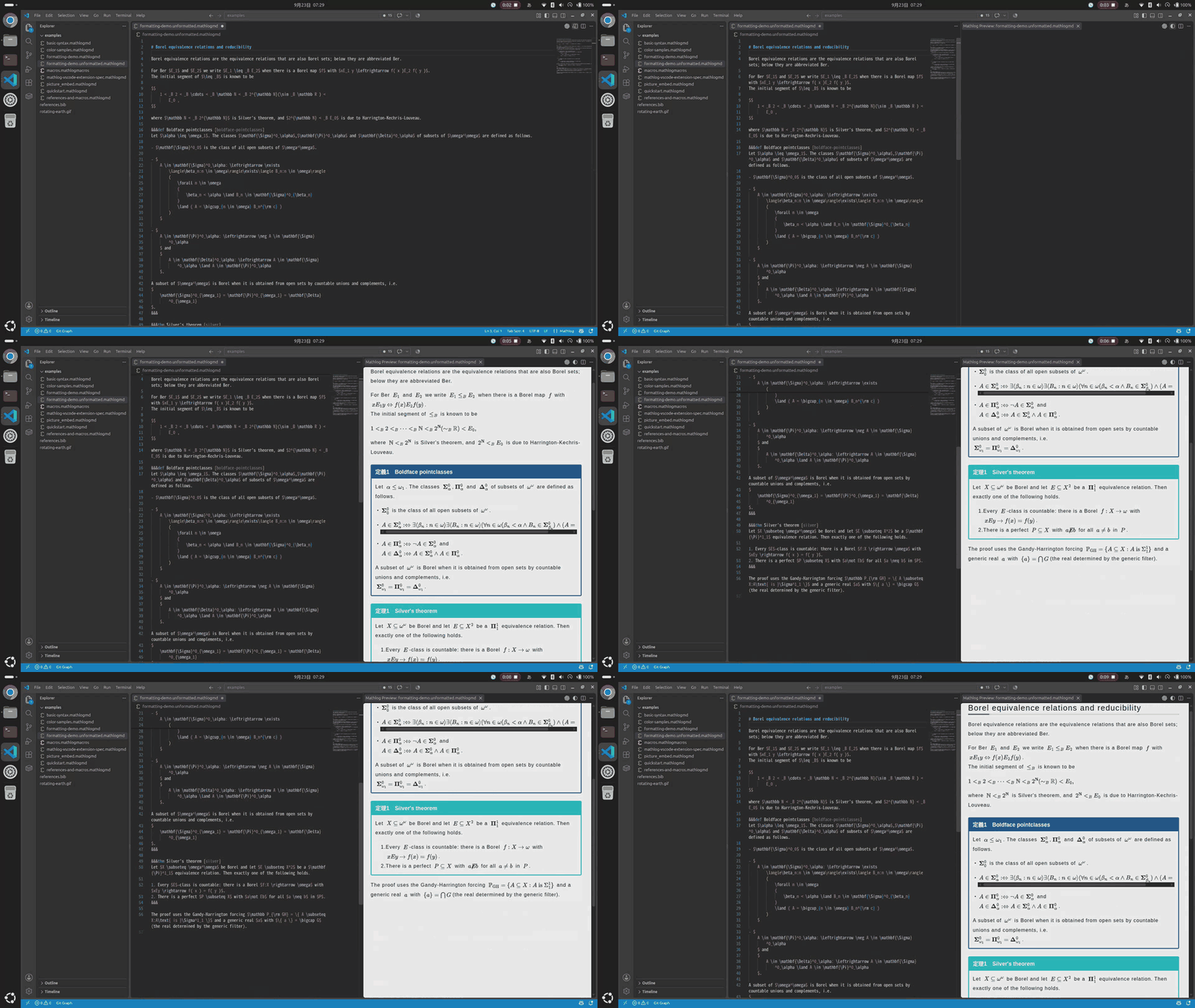
An unofficial VS Code extension for writing Mathlog articles. It provides Mathlog syntax highlighting, snippets, formatting, diagnostics, and a local preview.
This is a personal project and is not affiliated with the Mathlog team. It does not post or sync articles.
Disclaimer
This extension is unofficial and provided as-is, without warranty. Read the following before installing it.
- Obfuscated bundle. The code inside the VSIX is obfuscated by
tools/obfuscate-extension.cjs. The original TypeScript source is not published; src/, docs/, and tools/ are not part of the VSIX.
- Approximate preview. The preview does not reproduce Mathlog's rendering exactly, and known differences remain. Mathlog's own rendering is authoritative. See Limitations.
- Runs offline. MathJax is bundled, the extension makes no network requests of its own, and it sends no telemetry. There is no intentional backdoor in the code, but nothing is guaranteed: read the source and use the extension at your own risk.
- Noncommercial license. The extension's original code is under the PolyForm Noncommercial License 1.0.0. Commercial use requires separate permission.
Features
- Mathlog syntax highlighting for headings, math, formal blocks, references, lists, quotes, tables, images, links, HTML, and code
- Snippets for formal blocks and automatic closing of math delimiters and backticks
- Document formatting for math spacing, bracket expansion, line wrapping, LaTeX environments, tables, and full-width look-alike characters
- Local preview with bundled MathJax, formal-block numbering, label references, workspace-local images, themes, and scroll synchronization
- Diagnostics for undefined labels, macros, bibliography keys, unclosed regions, and invalid formatter annotations
- Workspace macro and BibTeX resource files for completion, diagnostics, and preview rendering
Installation
Install it from the Marketplace, or install a downloaded .vsix file from the VS Code Extensions view with Install from VSIX....
The extension requires VS Code 1.136.0 or later. MathJax is bundled, so the extension does not contact an external CDN at runtime.
Usage
- Create or open a
.mathlogmd file.
- Use snippets such as
def, thm, prf, axm, cor, lem, conj, prop, fml, ex, exc, rem, or block.
- Run Format Document to format the document.
- Open Mathlog: Open Preview from the Command Palette or the editor title bar.
The examples/ directory contains sample articles, macros, bibliography data, and an image-embedding example.
Commands
| Command |
Description |
Mathlog: Open Preview |
Open a preview of the current document |
Mathlog: Select Preview Theme |
Select editor, light, or dark preview colors |
Mathlog: Add Formatter Annotation |
Add a formatter annotation to the selection |
Mathlog: Exit Empty List |
Remove an empty list marker |
Mathlog: Show Extension Status |
Check that the extension is active |
Settings
mathlog.formatting.mathLineLimit: target line length for wrapping math; default 80mathlog.formatting.mathBracketOpeningStyle: nextLine or sameLine; default nextLinemathlog.formatting.mathSmallScopePointLimit: bracket scope threshold; default 10mathlog.formatting.additionalInfixSymbols: additional infix symbols to spacemathlog.formatting.fullWidthNormalization: control full-width character normalizationmathlog.preview.colorTheme: editor, light, or dark; default editormathlog.preview.updateDelay: preview update delay in milliseconds; default 200mathlog.highlighting.disabledDecorations: categories whose colors are disabledmathlog.highlighting.insideFormalBlocks: apply decorations inside formal-block bodiesmathlog.resources.macros: workspace macro file pathsmathlog.resources.bibliography: workspace bibliography file paths
Limitations
- The preview approximates Mathlog's rendering and may differ in fonts and browser layout.
- XyJax, TikZ, and unregistered Mathlog macros are not supported.
- Workspace-local images are supported in the preview, but must be uploaded and changed to URLs before pasting an article into Mathlog.
- Posting, syncing, authentication, collaboration, and automatic publishing are out of scope.
File icons
The extension includes an optional file icon theme for .mathlogmd and .mathlogmacros files. To enable it, open Preferences: File Icon Theme and select Mathlog File Icons. VS Code does not allow an extension to force a global file icon theme automatically.
License
The extension's original code is provided under the PolyForm Noncommercial License 1.0.0 (see LICENSE.txt in the installed extension). Commercial use requires separate permission. MathJax, markdown-it, Prettier, and other bundled dependencies remain under their respective licenses.
Mathlog and its service belong to their respective owners. This extension is unofficial and is not related to the Mathlog team.
| |

