MCP Server Inspector & Spec Auditor for VS Code
Inspect, validate and audit Model Context Protocol (MCP) servers without leaving your editor.
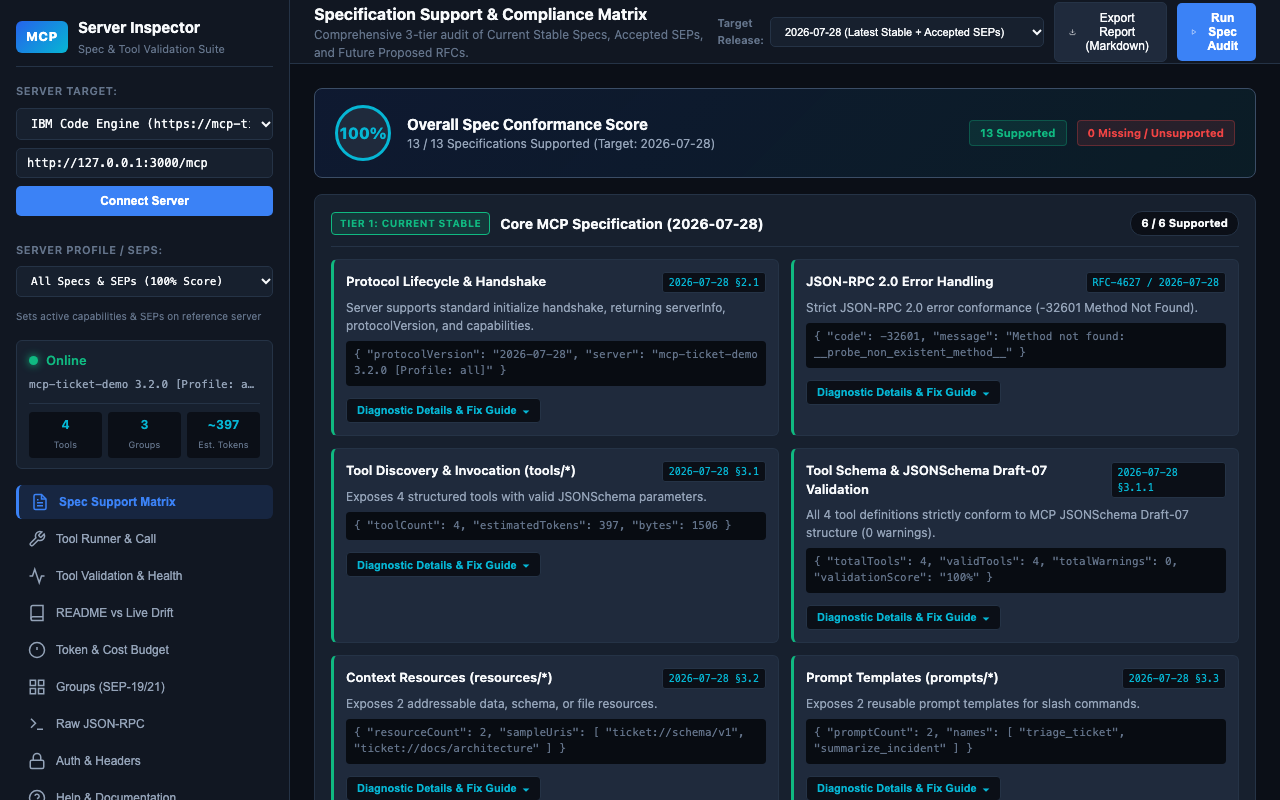
This is the VS Code edition of the MCP Server Inspector Chrome extension and runs the same workbench.




An IDE-native layout
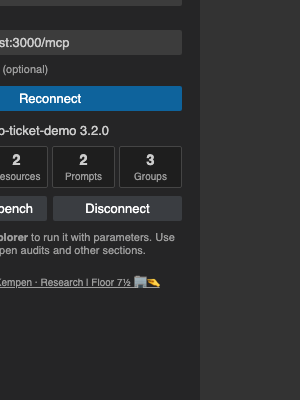
Click the MCP Inspector icon in the Activity Bar. The side panel has three views:
| View |
What it does |
| Server |
Pick a preset or enter an endpoint, optionally add an Authorization header / API key, and connect. Shows the server name and Tools / Resources / Prompts / Groups counts. |
| Explorer |
A native tree of the connected server's Tools, Resources, Prompts and Groups. Click a tool to run it, click a resource to read it. |
| Workbench |
The workbench's navigation (Spec Support Matrix, Tool Runner, Validation & Health, README Drift, Token Budget, Groups, Raw JSON-RPC, Auth & Headers, Help). Each entry opens that section in an editor tab. |
- Connect in the Server view.
- In Explorer, click a tool (or use the inline play button, or run MCP Inspector: Run Tool…).
- An arguments editor opens: a JSONC file generated from the tool's
inputSchema. Required parameters are pre-filled with typed placeholders and documented in comments; optional ones are listed as commented lines you can uncomment.
- Edit the arguments and click the Run CodeLens at the top of the file (or the play button in the editor title bar).
- The result opens in a read-only JSON editor beside it: tool, arguments,
isError, duration, approximate token count and the full result. Running again refreshes the same editor. JSON-RPC errors are shown there too.
Tools without parameters run immediately.
Local dev server
No MCP server at hand? The extension bundles a sample MCP server (tools, resources, prompts and groups, with full SEP support) for trying things out:
- Click Start local dev server in the Server view, use the Start local dev server link in the empty Explorer, or run MCP Inspector: Start Local Dev Server.
- It listens on 127.0.0.1 only (default port
3000, see the setting below) and the shared session connects to it automatically.
- Stop it from the same button or MCP Inspector: Stop Local Dev Server. It also stops when VS Code closes the extension.
More ways to launch
- the search-check icon in the editor title toolbar,
- the MCP Inspector button in the status bar (bottom left),
- the Command Palette: MCP Inspector: Open Workbench.
Features
- 3-tier specification audit with a 0-100% compliance score and Markdown export (Workbench → Spec Support Matrix).
- JSONSchema Draft-07 validation of every tool contract, plus SEP-1850 safety annotation checks.
- Native tool runner with schema-based argument templates and results in an editor.
- Batch dry-run tests, README drift analysis and a progressive disclosure groups explorer.
- Raw JSON-RPC console with Streamable HTTP / SSE support.
Settings
| Setting |
Default |
Description |
mcpInspector.requestTimeoutMs |
60000 |
Timeout for each request sent to an MCP server. |
mcpInspector.devServer.port |
3000 |
Port of the bundled local dev MCP server (127.0.0.1 only, 1024-65535). |
Privacy and security
- No telemetry or analytics.
- Requests go only to the server URLs you enter, and are made by the extension host (http/https only).
- Endpoint URLs are kept in VS Code global state. Authorization headers, API keys, session IDs and custom headers are stored in VS Code SecretStorage, not in plain settings.
- The webview runs with a strict Content-Security-Policy and has no direct network access.
Author
Author: Markus van Kempen
Research | Floor 7½ 🏢🤏
License
Licensed under the Apache License 2.0.
| |

