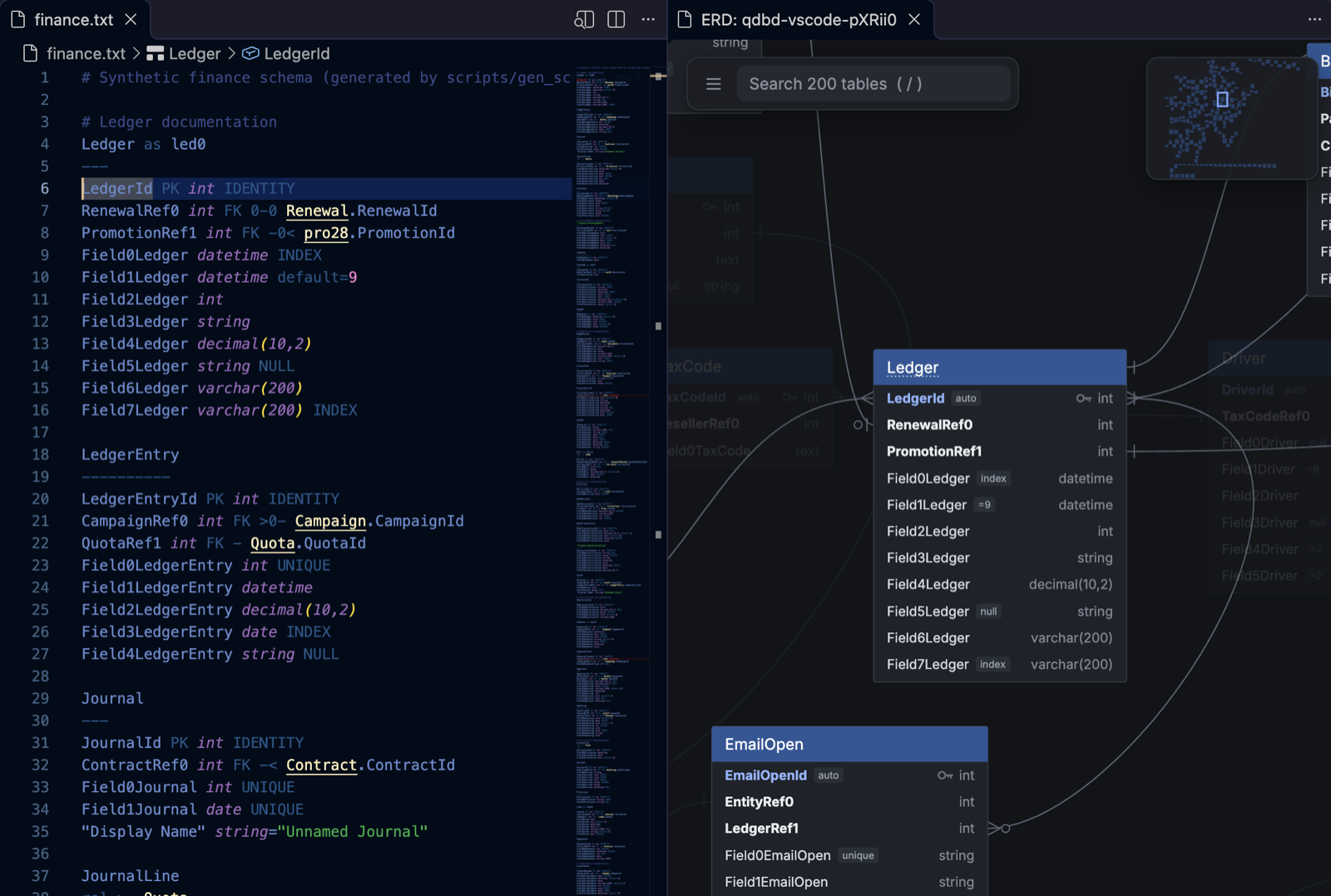
QuickDBD schema files in VS Code: highlighting, live errors, outline, go to definition, the interactive ER diagram beside your editor, git diffs, dbt import, export and sharing. No terminal needed.
Installation
Launch VS Code Quick Open (Ctrl+P), paste the following command, and press enter.
Edit QuickDBD schema files with the interactive ER diagram beside you. Powered by the qdbd CLI, so what you see matches qdbd check, qdbd build and QuickDBD itself.
Features
Highlighting for tables, columns, types, keys, relationships and comments.
Errors as you type: squiggles and the Problems panel, with QuickDBD's own error messages. Unsaved text is checked against the rest of the schema.
Outline and go to definition: tables and columns in the Outline view and breadcrumbs; F12 on Customer.CustomerId jumps to it, across files.
The diagram beside the editor: Cmd/Ctrl+K V. It follows your cursor, updates on save, and follows your theme. Double-click a table to jump to it; drag to arrange (saved to the layout file).
Export: PNG, SVG, editable draw.io, or the interactive diagram as one HTML page.
Share: a secret gist link, signed in with VS Code's GitHub account.
Compare with git: the diagram coloured by what changed since a branch, tag or commit, updating as you save.
Import dbt: schema files from a dbt project's target/manifest.json, opened with their diagram.
Requirements
None to install by hand: the extension runs the qdbd CLI (0.1.17 or later), and when it's missing, Install qdbd sets it up in a Python environment of the extension's own. That needs Python 3.11+ or uv on the machine.
If you already have qdbd (uv tool install quickdbd-cli), the extension uses it: the quickdbd.qdbdPath setting, else the workspace's .venv, else the newer of its own install and the one on your PATH.
Which files
QuickDBD files are .txt. A .txt file opens as QuickDBD when it has a table with a PK, FK or rel line, or a qdbd.layout.json / <name>.layout.json next to it. files.associations works too.