MarkLens Extension

Welcome to MarkLens ✨!
This is a VS Code extension that gives you a beautiful, GitHub-style Markdown preview.
1. How to Test It Locally
- Inside VS Code, make sure this
MarkLens folder is open.
- Press
F5 on your keyboard.
- A new "Extension Development Host" window will open.
- In that new window, open any
.md file (like this README.md).
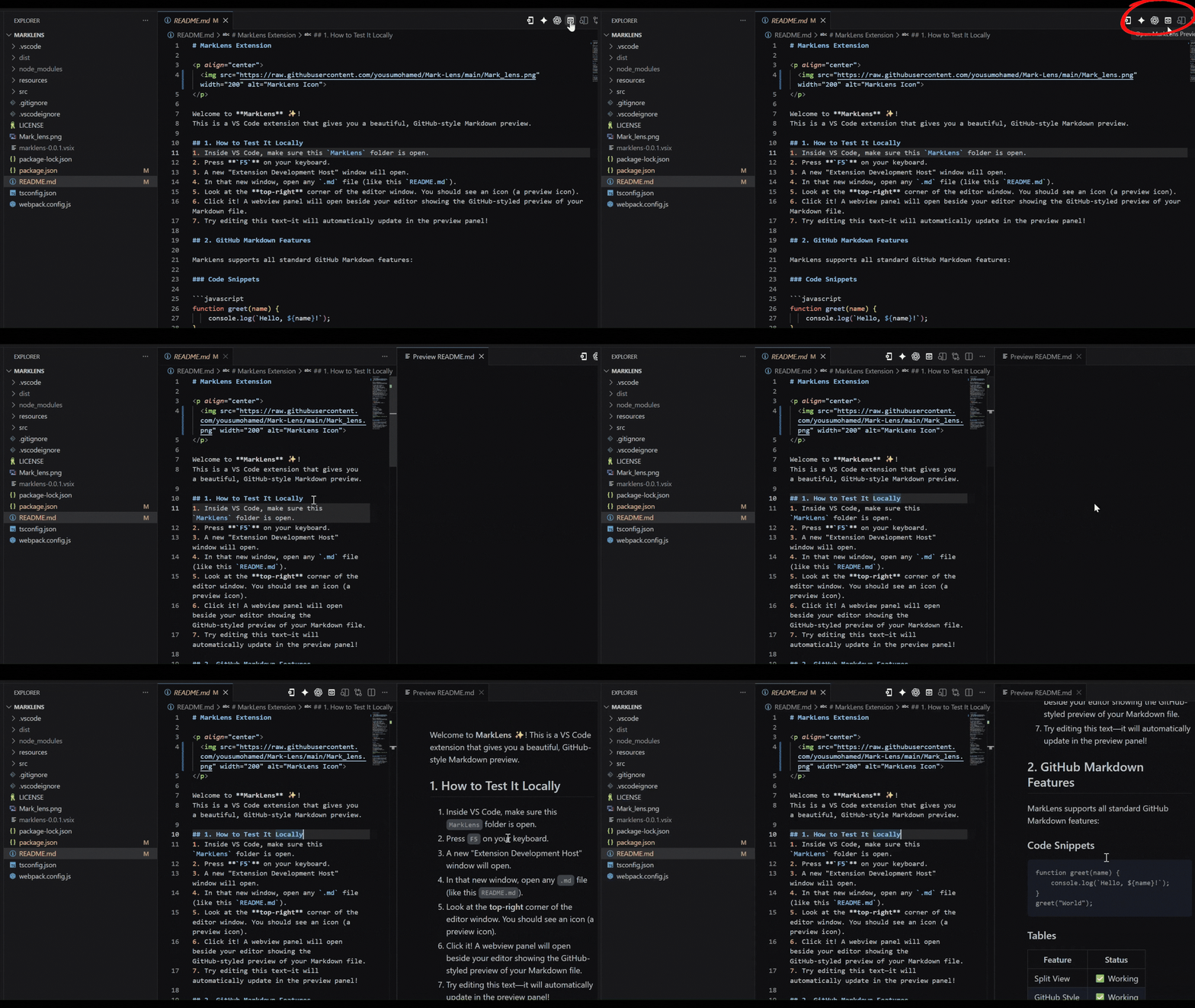
- Look at the top-right corner of the editor window. You should see an icon (a preview icon).
- Click it! A webview panel will open beside your editor showing the GitHub-styled preview of your Markdown file.
- Try editing this text—it will automatically update in the preview panel!
2. GitHub Markdown Features
MarkLens supports all standard GitHub Markdown features:
Code Snippets
function greet(name) {
    console.log(`Hello, ${name}!`);
}
greet("World");
Tables
| Feature |
Status |
| Split View |
✅ Working |
| GitHub Style |
✅ Working |
| Auto Update |
✅ Working |
Lists and Tasks
- [x] Scaffold the extension
- [x] Add GitHub custom CSS
- [x] Package into a VSIX file for distribution
Blockquotes
This is a blockquote. It looks just like GitHub's!
3. How to Package (Create a file for Marketplace/Sharing)
To share this extension with your friends or install it normally on your machine:
- Run
npx @vscode/vsce package in your terminal.
- This generates a
.vsix file.
- To install it, open the Extensions view in VS Code (
Ctrl+Shift+X), click the ... menu at the top right, and select "Install from VSIX...".
Enjoy using MarkLens!
| |

