Jira Release AssistantPlan and run Jira-backed local Git release cherry-picks with Bitbucket context. Installation Launch VS Code Quick Open ( Ctrl+P), paste the following command, and press enter.Copied to clipboard |

Jira Release AssistantJira Release Assistant is a local-first VS Code extension for planning and running release cherry-picks from Jira release boards and Bitbucket-linked work. It helps release managers collect Jira tickets, map them to development work, review what will be included, group related tickets, cherry-pick locally, handle conflicts, and generate a release summary. The extension is designed for teams that prepare release branches from an existing local Git workspace. What It Does
Safety ModelThe extension works against your local repository only.
You stay responsible for reviewing the final branch, running tests, pushing, and opening the pull request through your normal release process. Typical Flow
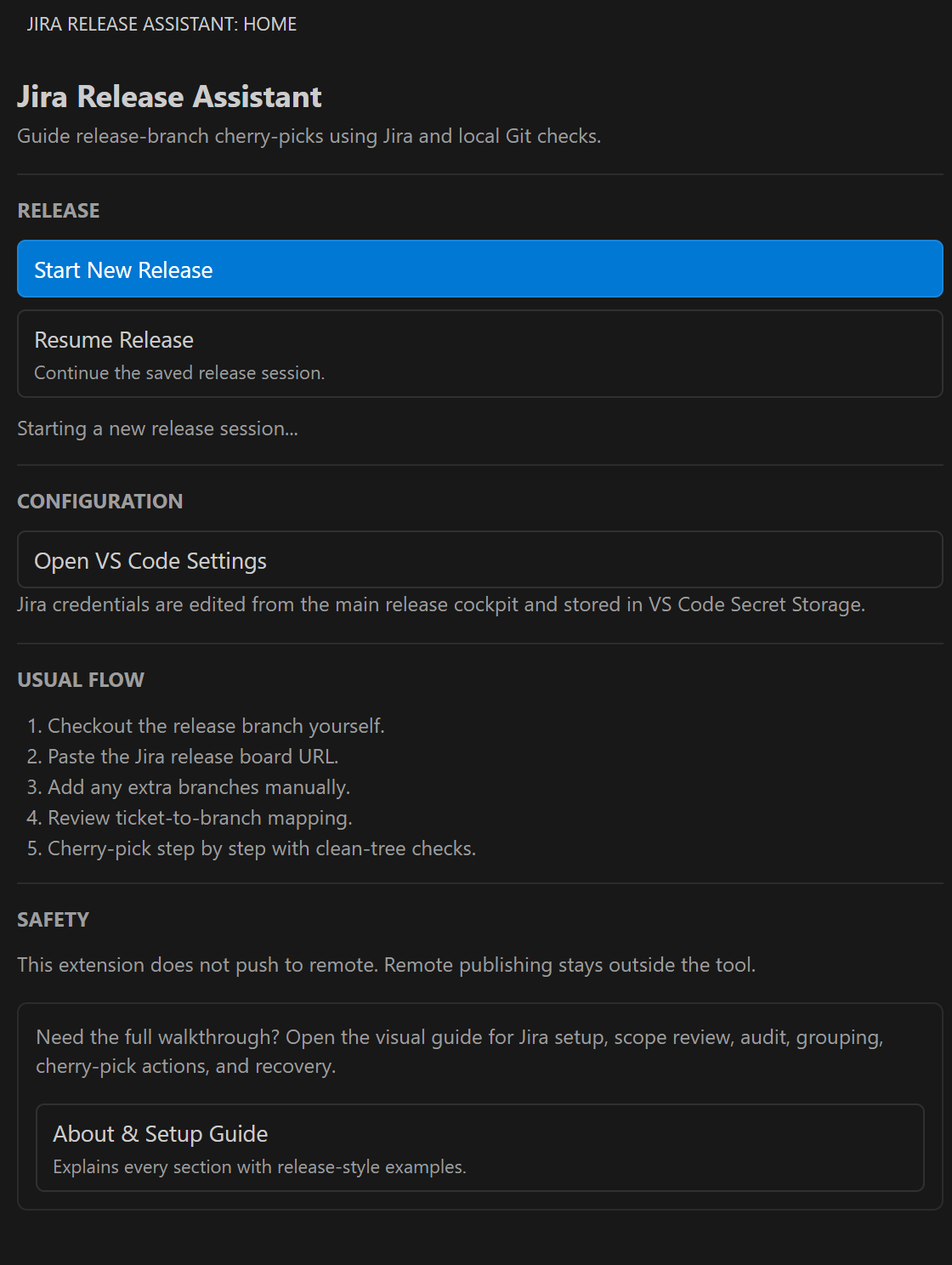
WalkthroughStart From The Assistant HomeOpen Jira Release Assistant from the Activity Bar. From the home screen you can start a new release, resume an active release session, or open the setup guide.
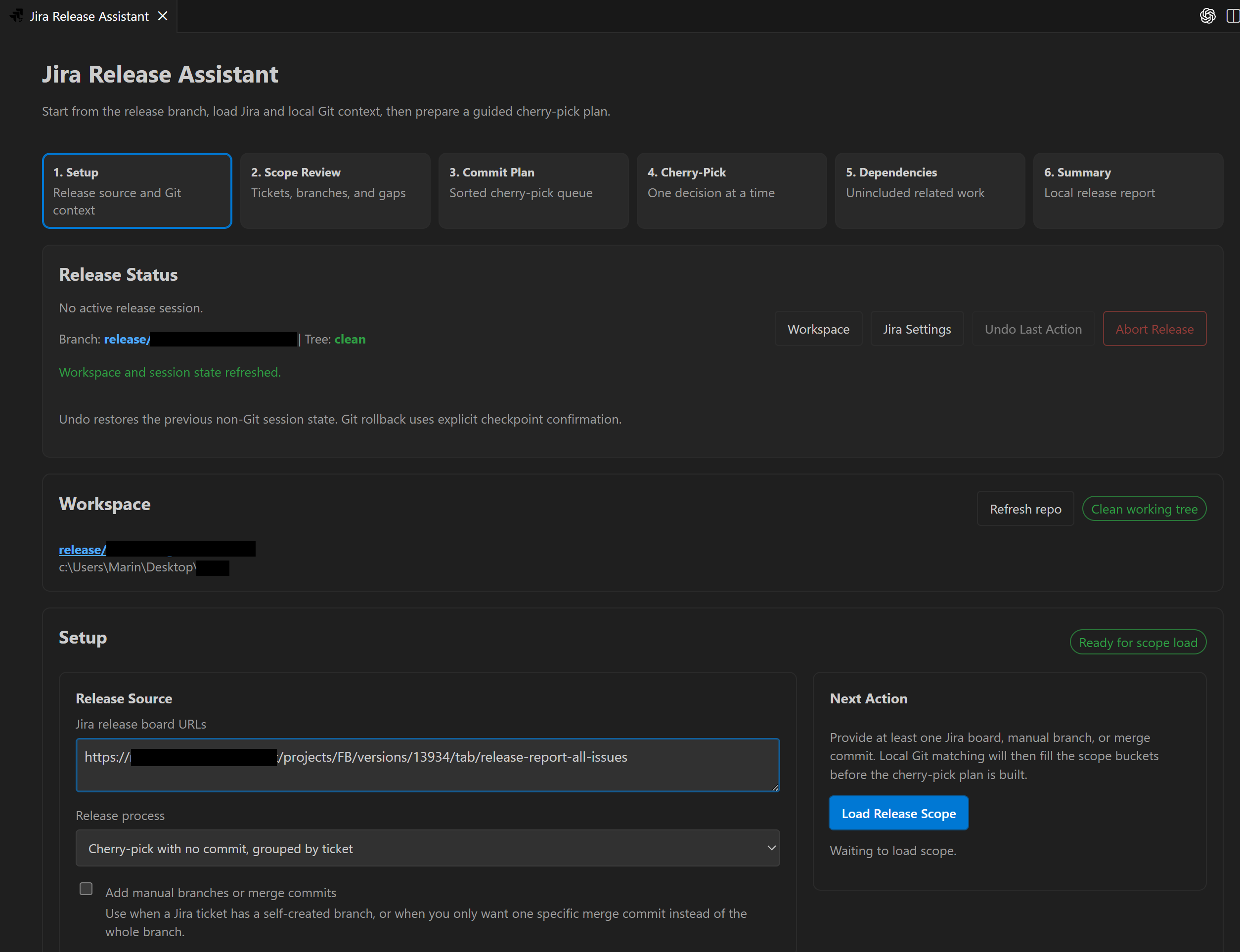
Configure The Release SourcePaste one or more Jira release board URLs, or use manual branches and commits when a release item is not discoverable from Jira. Select the development branch, destination branch, and optional scan settings before loading the scope.
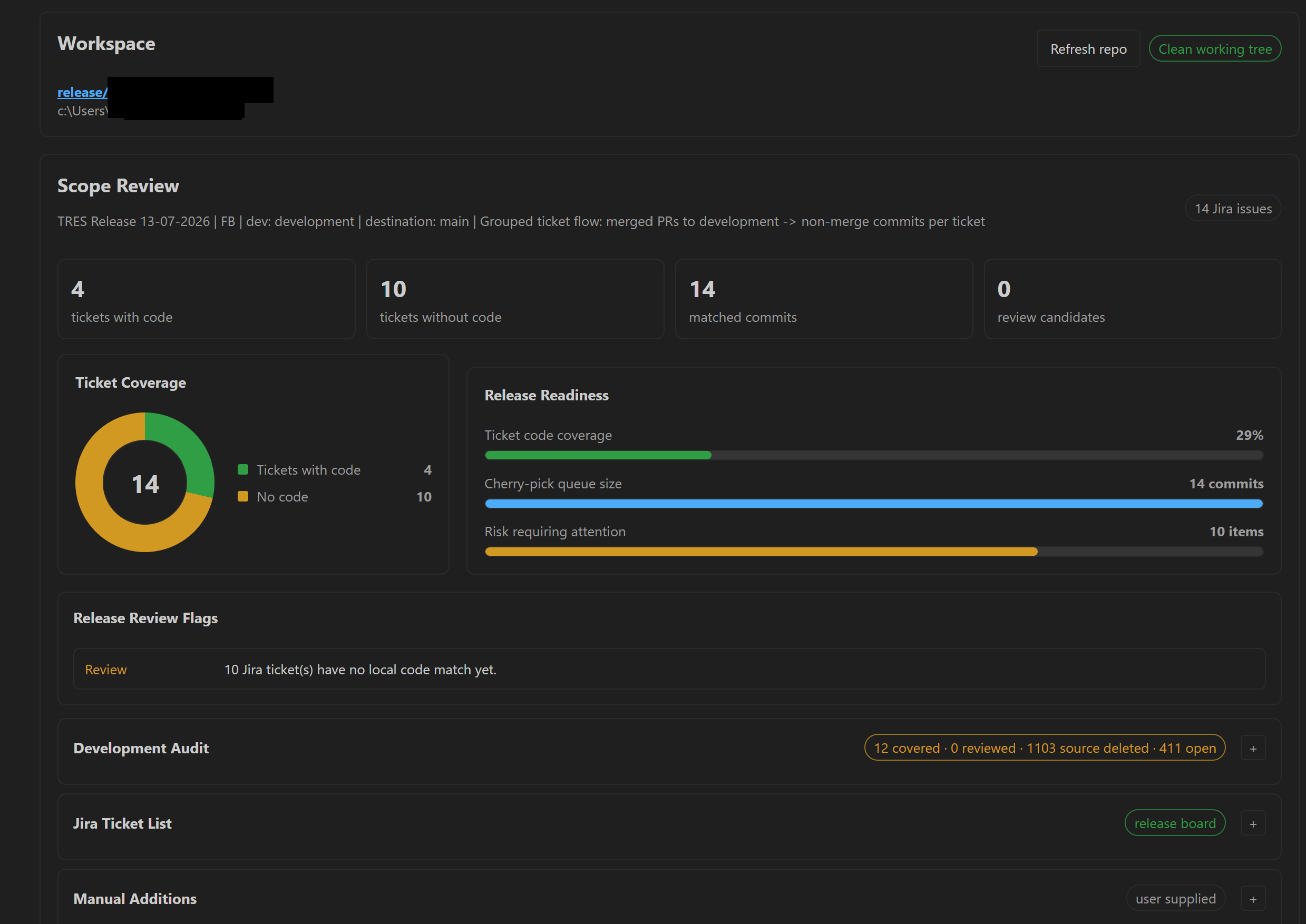
Review The Release ScopeThe scope review shows the loaded Jira tickets, development audit, manually added work, and the release readiness summary. This is the release-manager pass for checking whether the planned release matches the work you expect.
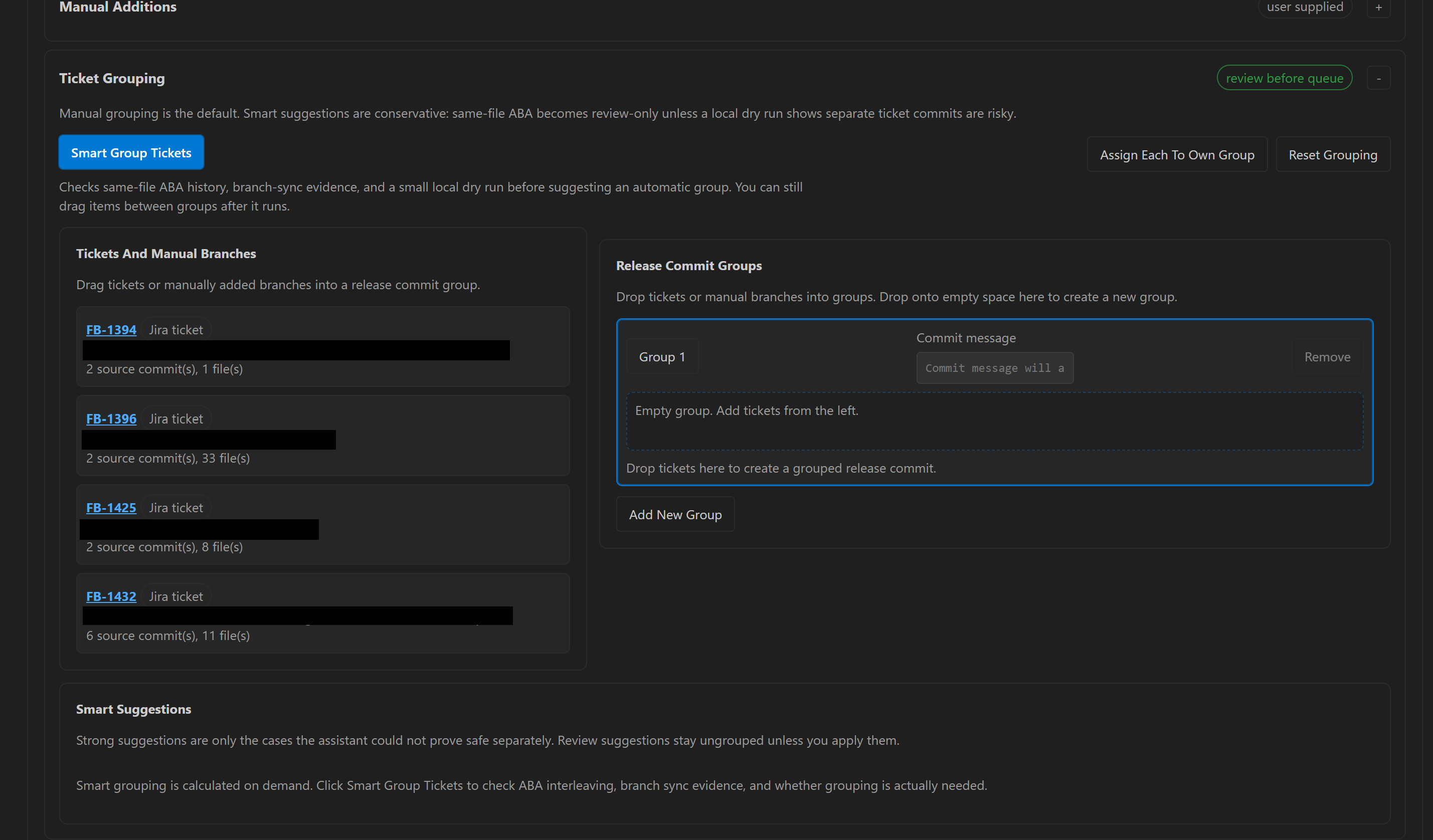
Group Related TicketsManual grouping is the default. Keep tickets separate unless they need to move together, or use smart grouping suggestions to review same-file dependency candidates before building the cherry-pick plan.
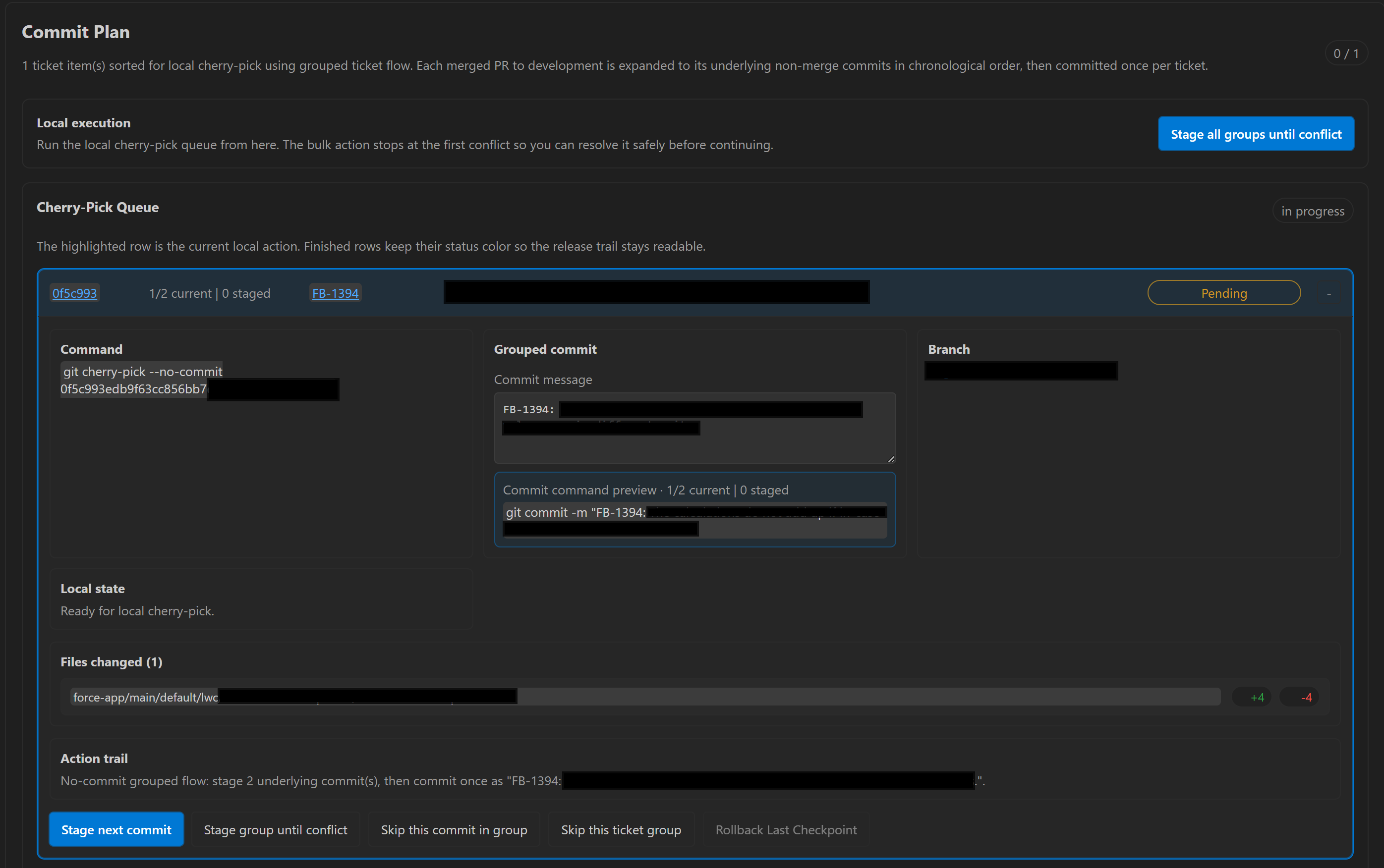
Run The Cherry-Pick QueueThe commit plan gives you a focused local execution queue. Cherry-pick one item at a time, stage a group until conflict, or stage all groups until the first conflict. Conflict handling stays local and visible.
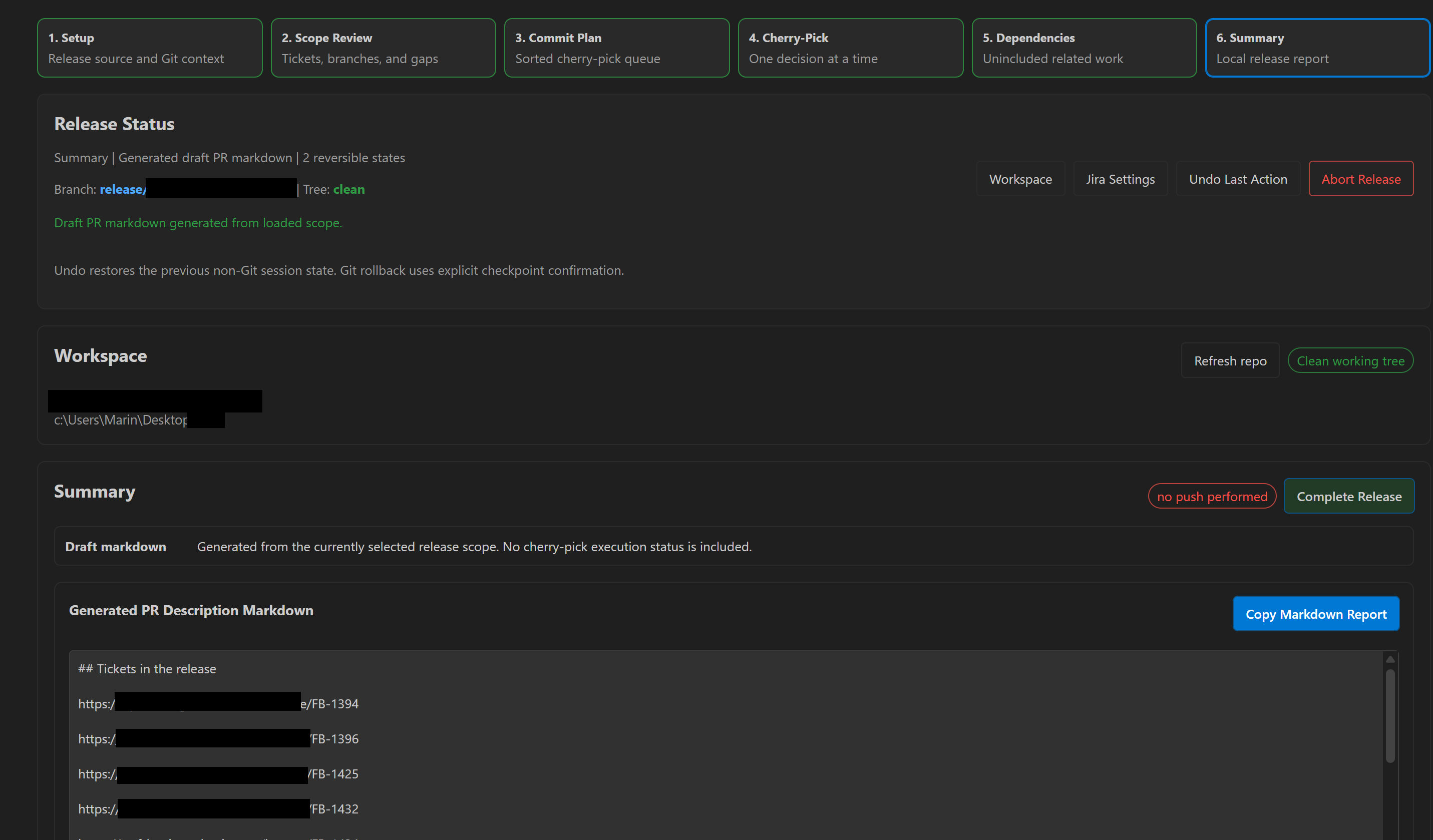
Generate The Release SummaryAt the end of the run, generate PR markdown with included tickets, release placeholders, and branch cleanup notes. Complete Release resets the assistant state after the local release work is done.
Release ProcessesGrouped No-Commit FlowThis is the default flow. The assistant collects non-merge commits from approved pull request anchors, applies them with no commit, and commits each release group together. You can keep each ticket separate or group related tickets into one release commit. Legacy Merge-Commit FlowThis flow keeps the older process of cherry-picking merge commits from the development branch one by one. It is useful for teams that release by replaying approved merge anchors directly. Requirements
Extension Settings
Privacy
Known Limitations
LicenseThis extension is released under the MIT License. |