M2 Theme
A modern ultra-dark VS Code theme with vibrant, eye-friendly syntax colors.
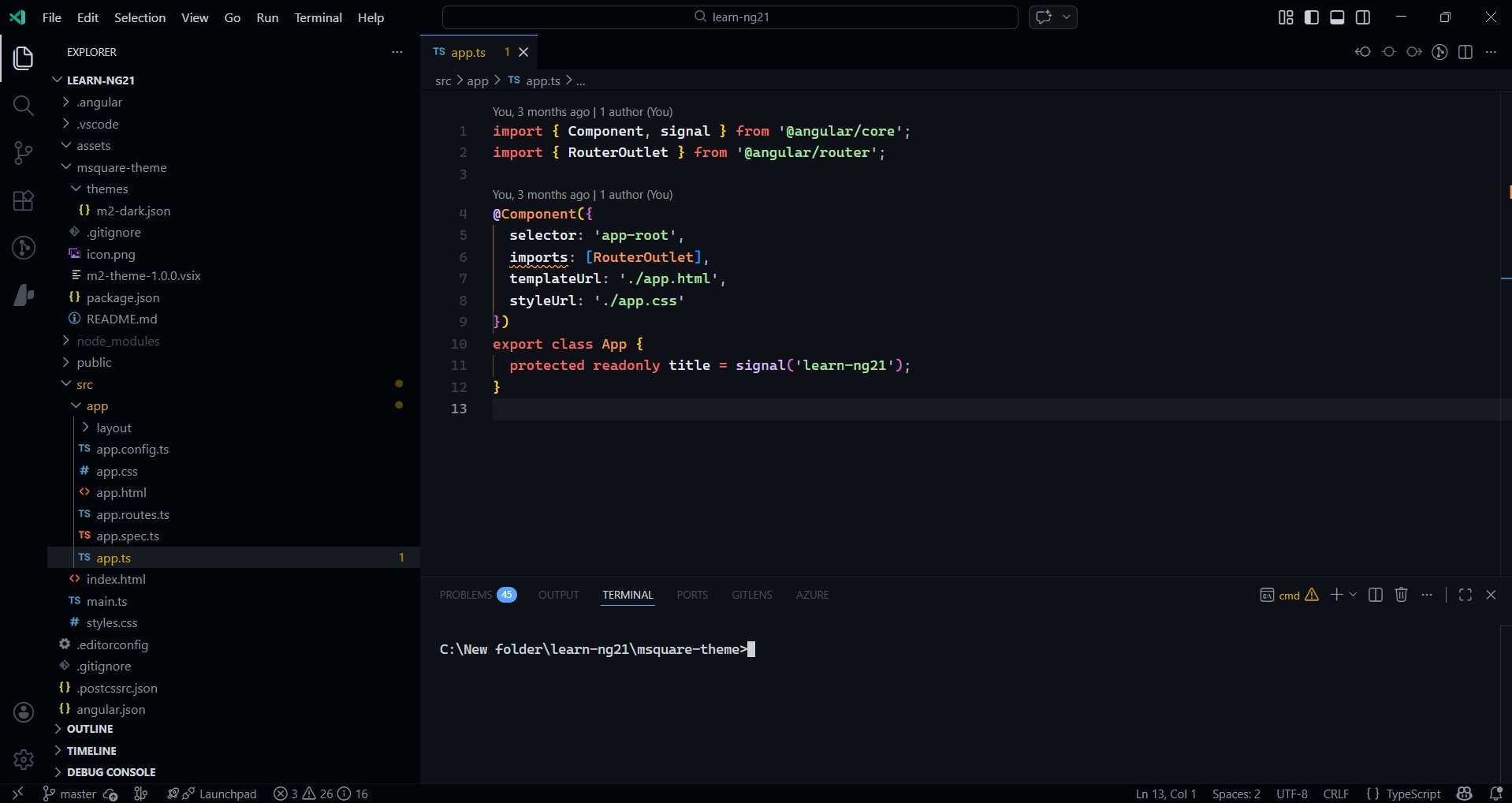
Features
- Ultra-dark UI — Near-black backgrounds for a sleek, modern look
- Eye-friendly syntax — Carefully chosen colors that are bright and readable without strain
- Full coverage — Styled editor, sidebar, tabs, menus, panels, terminal, notifications, git decorations, and more
- Semantic highlighting — Supports VS Code semantic token colors for precise TypeScript/JavaScript coloring
Color Palette
| Element |
Color |
Description |
| Keywords |
#f47067 |
Coral Red |
| Functions |
#dcbdfb |
Lavender |
| Strings |
#a8e6a1 |
Soft Green |
| Types/Classes |
#f69d50 |
Warm Orange |
| Numbers |
#b4d8fd |
Sky Blue |
| Variables |
#e6edf3 |
Bright White |
| Comments |
#7d8590 |
Muted Grey |
| Tags |
#8ddb8c |
Mint Green |
| Accent |
#58a6ff |
Vivid Blue |
Install as Local Extension
Create a symlink from this folder to the VS Code extensions directory:
# For VS Code Insiders
New-Item -ItemType Junction -Path "$env:USERPROFILE\.vscode-insiders\extensions\m2-theme" -Target "$(Get-Location)\m2-theme"

# For VS Code Stable
New-Item -ItemType Junction -Path "$env:USERPROFILE\.vscode\extensions\m2-theme" -Target "$(Get-Location)\m2-theme"
Restart VS Code
Open Command Palette (Ctrl+Shift+P) → "Color Theme" → Select "MSquare Dark"
Package as VSIX (optional)
npm install -g @vscode/vsce
cd m2-theme
vsce package
Then install the .vsix via Extensions → ... → Install from VSIX.
License
MIT
| |

