Claude Skills Graph
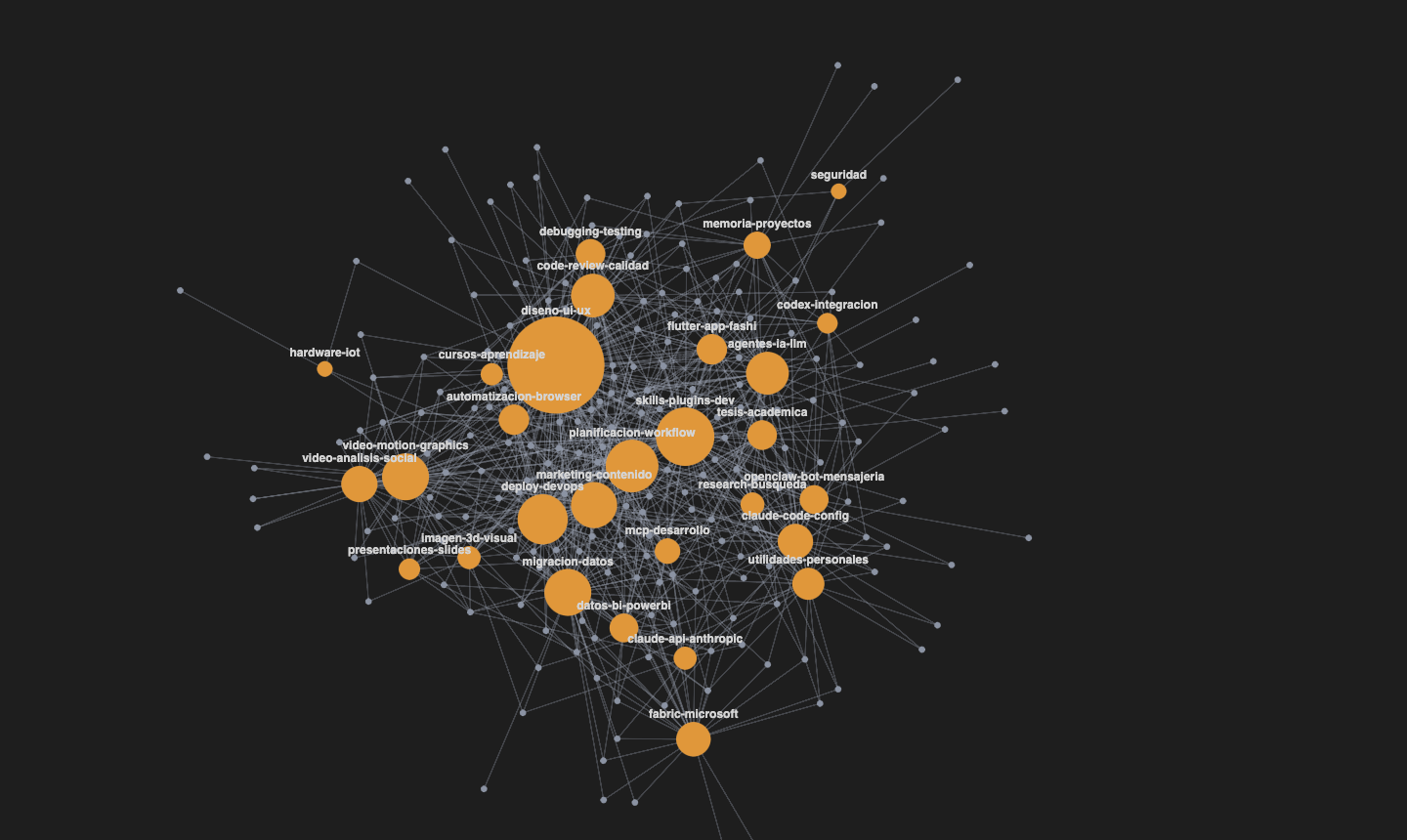
Visualize your Claude Code skills as an interactive skill↔tag graph rendered in WebGL, right inside VS Code.
It scans your skill directories, groups them by a tag vocabulary, and draws them as a force-directed graph where you can search, filter, inspect and use any skill without leaving the editor.
Features
WebGL graph — crisp SDF-circle nodes + anti-aliased edges, a force-directed layout (d3-force) that settles on its own.
Ranked search — search names, descriptions, tags and purpose sections. Optional local multilingual E5 search combines semantic and lexical rankings; results show their source. With Filter on search enabled, the graph shows exactly the listed skills, enlarged, with derived links between pairs sharing categories. Select a skill to see which categories each connection represents; these links are not execution dependencies. Disable it to see the full graph with category context; category labels begin with #. Click either a node or its label to inspect it. Clear with × or Esc.
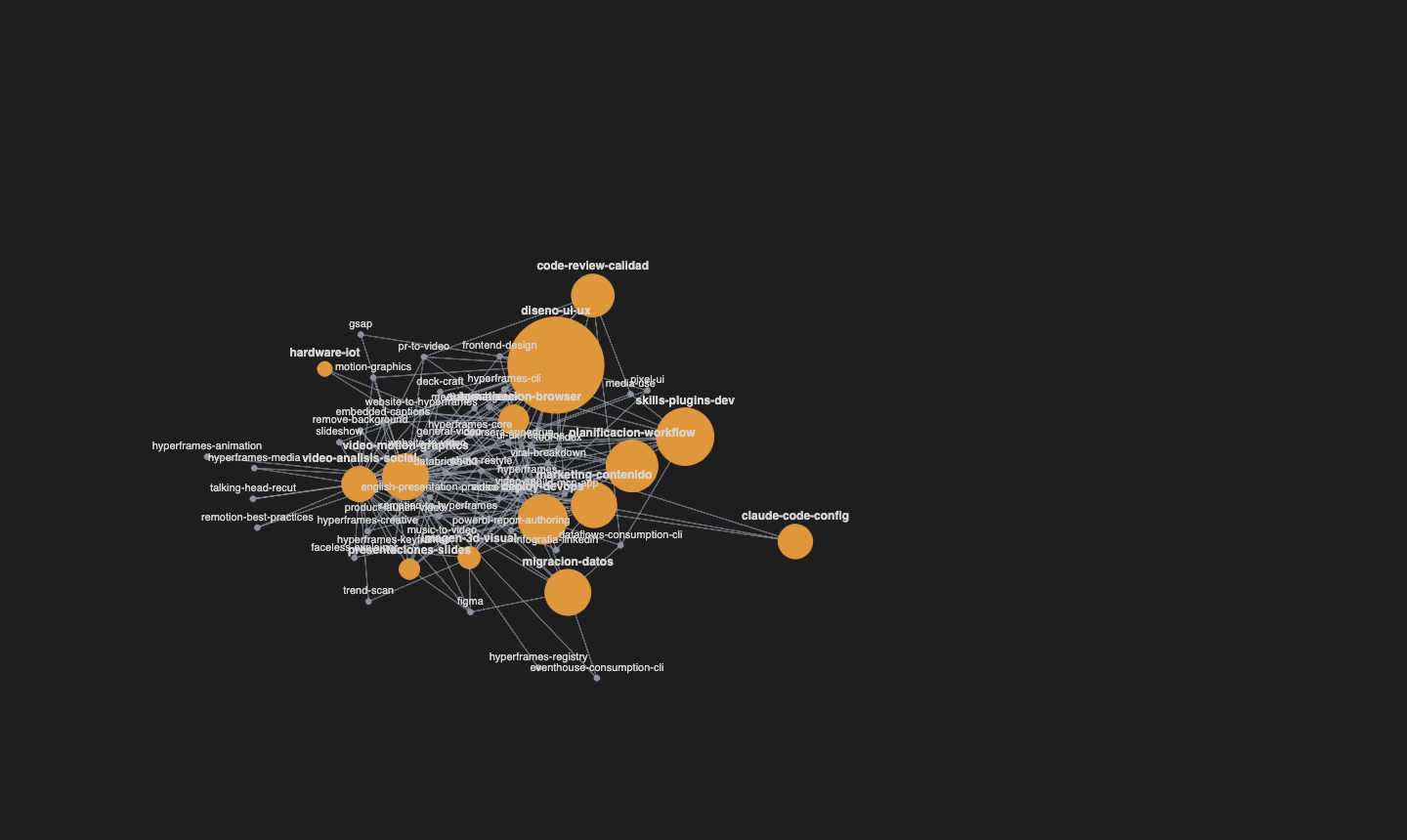
Select a node — highlights its local neighborhood and dims the rest; shows a preview panel with the description, tags and related skills (ranked).
Open — jump straight to the skill's SKILL.md in the editor.
Use — choose a terminal and insert a valid slash invocation without executing it. Plugin namespaces are preserved; ambiguous or non-invocable skills have no Use action.
Navigation — a "Back" button to move between connected skills.
Physics panel — Obsidian-style sliders: center force, repel, link, distance, node size, line thickness.
Complete discovery — follows directory symlinks with cycle guards, discovers enabled Claude plugins and workspace skills, and keeps distinct same-name skills.
Incremental catalog — filesystem watchers plus a lightweight five-minute check while visible. Unchanged skills reuse cached vectors. Full source validation happens daily at the next refresh; closed VS Code catches up when opened.
Diagnostics — shows unavailable sources, broken links and recovered legacy metadata. Refresh forces validation. These checks use no LLM calls or billed tokens.
Usage
Open the command palette (Cmd/Ctrl+Shift+P) and run Claude Skills Graph: Open.
- Click a node → select it and see its preview.
- Click the background → deselect.
- Drag nodes · scroll to zoom · drag the background to pan.
Local semantic search
Click Enable local E5 to download the pinned int8 multilingual-e5-small model (approximately 118 MB plus tokenizer files, about 129 MB cached here). Queries and skill text stay on your computer; no API key, Ollama, GPU or personal index repository is required. Cancel stops the worker; lexical search remains usable after a download or inference failure. Model and vector caches live under the extension global storage directory.
This release includes native CPU runtime assets and produces an approximately 107 MB installer. Native inference was validated on macOS Apple Silicon. Windows and Linux assets are included but execution is not yet validated; macOS Intel has no compatible native asset in the pinned runtime and falls back to lexical search.
Settings
| Setting |
Description |
skillGraph.skillDirs |
Root directories that contain folders with a SKILL.md. |
skillGraph.seedPath |
Optional curated seed; empty by default. |
skillGraph.overlayPath |
Optional curated overlay; empty by default. |
skillGraph.discoverPlugins |
Discover enabled Claude plugins and workspace skills; default true. |
skillGraph.pollIntervalMs |
Metadata check interval while visible; default 300000, zero disables polling. |
skillGraph.semantic.enabled |
Local E5 search; default false until explicitly enabled. |
Development
npm install
npm run build      # host, webview and local embedding worker
npm test           # vitest
npm run package    # package built bundles into .vsix
Then press F5 in VS Code to launch the Extension Development Host.
License
MIT
Validation
57 automated tests pass. On a local 259-skill catalog, 15 engineer-authored retrieval cases improved Recall@5 from 11/15 lexical to 13/15 hybrid. Human relevance review is pending; this is an initial retrieval evaluation. Warm queries took 9–36 ms; the evaluation process used about 576 MiB RSS. See docs/evaluation/e5-results.json.

