TAO Template Language Support
A Visual Studio Code extension that adds language support for the TAO template engine. Node-tao is a Nodejs template engine that focuses on performance, security, and developer experience.
This extension provides a typescript language service giving partial validation, hovering information, autocompletion inside the template (wip).
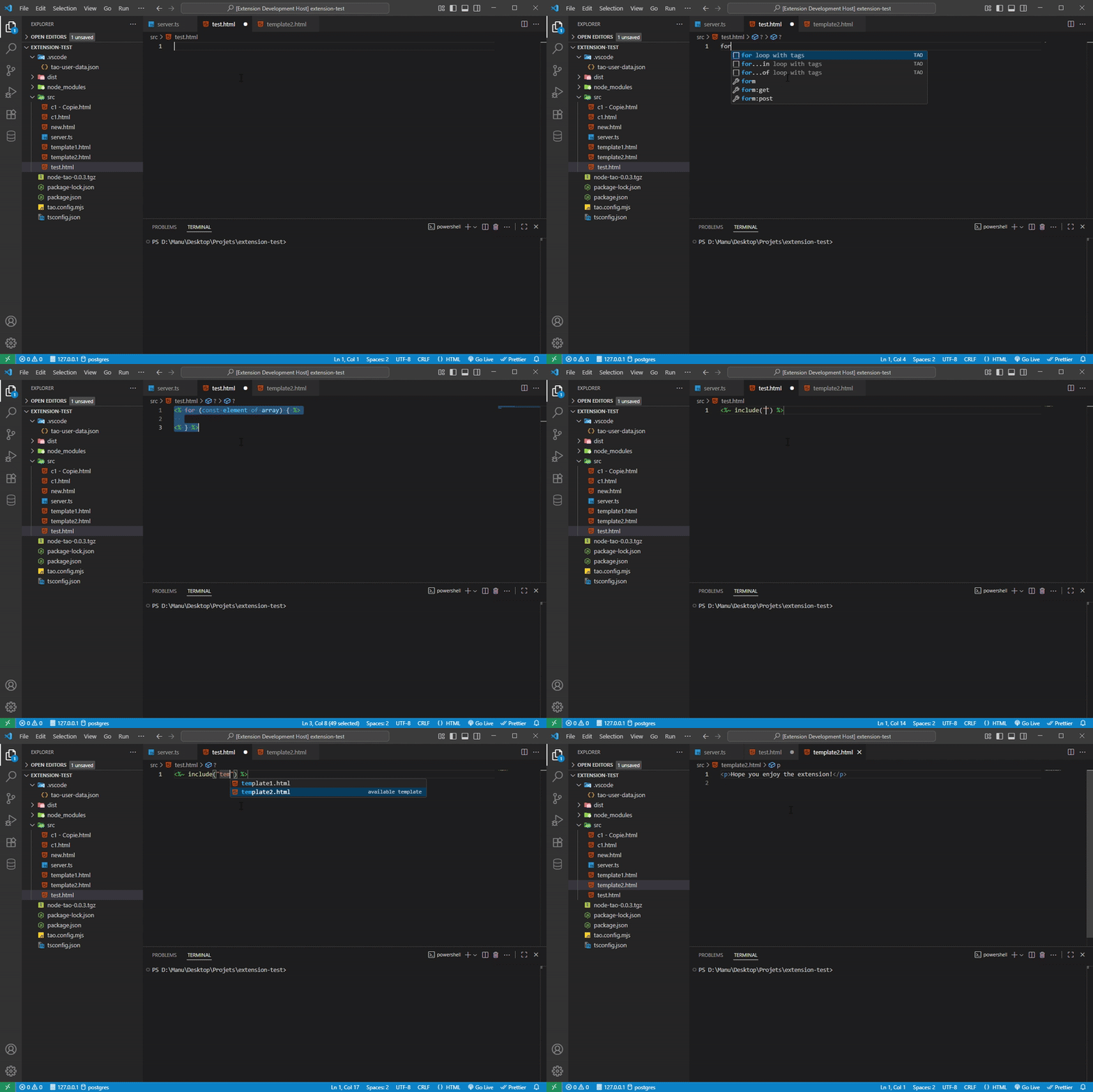
✨ Features
- Language Service – Typescript validation, hovering information, autocompletion available inside a template.
- Formatting – Basic formatter covering html and node-tao native tags.
- Tag completion – Autocompletion for TAO template tags.
- Include support – Suggestions and signature help for
include(...).
- Control structures – Snippets and completions for
if, for, for-in, and for-of with tags with syntax colors for html files.
- Template names provider – An
include will suggest child templates of your project.
- Template navigation – Go to the file definition for an embedded child template in an
include, hover to get the complete filepath.
📂 Configuration
If you want to override the default options, create a tao.config.mjs file at the root of your project and export your configuration as the default.
/**
 * @type {import('tao-vscode-extension').Options}
 * These are the default options.
 */
const options = {
  extension: 'html', // extension of your template files
  parse: { exec: '', interpolate: '=', raw: '~' }, // parse configuration
  tags: { opening: '<%', closing: '%>' }, // tags configuration
  views: 'src', // folder where template files are stored
  format: true, // enable the built-in TAO template formatter
};

export default options;
format (default: true) — When true, the extension formats your templates on save and on "Format Document" (Shift+Alt+F). Select the tao extension as default formatter by right clicking on your template and click on format document with.
If you wish to change the colors of the tags, provide the following configuration in the settings.json file in the settings of vscode.
"editor.tokenColorCustomizations": {
  "textMateRules": [
    {
      "scope": "punctuation.section.embedded.begin.tao",
      "settings": { "foreground": "#4faf43" }
    },
    {
      "scope": "punctuation.section.embedded.end.tao",
      "settings": { "foreground": "#4faf43" }
    }
  ]
}
🔧 Contributing
Issues and pull requests are welcome!
👉 GitHub repository
📄 License
MIT

