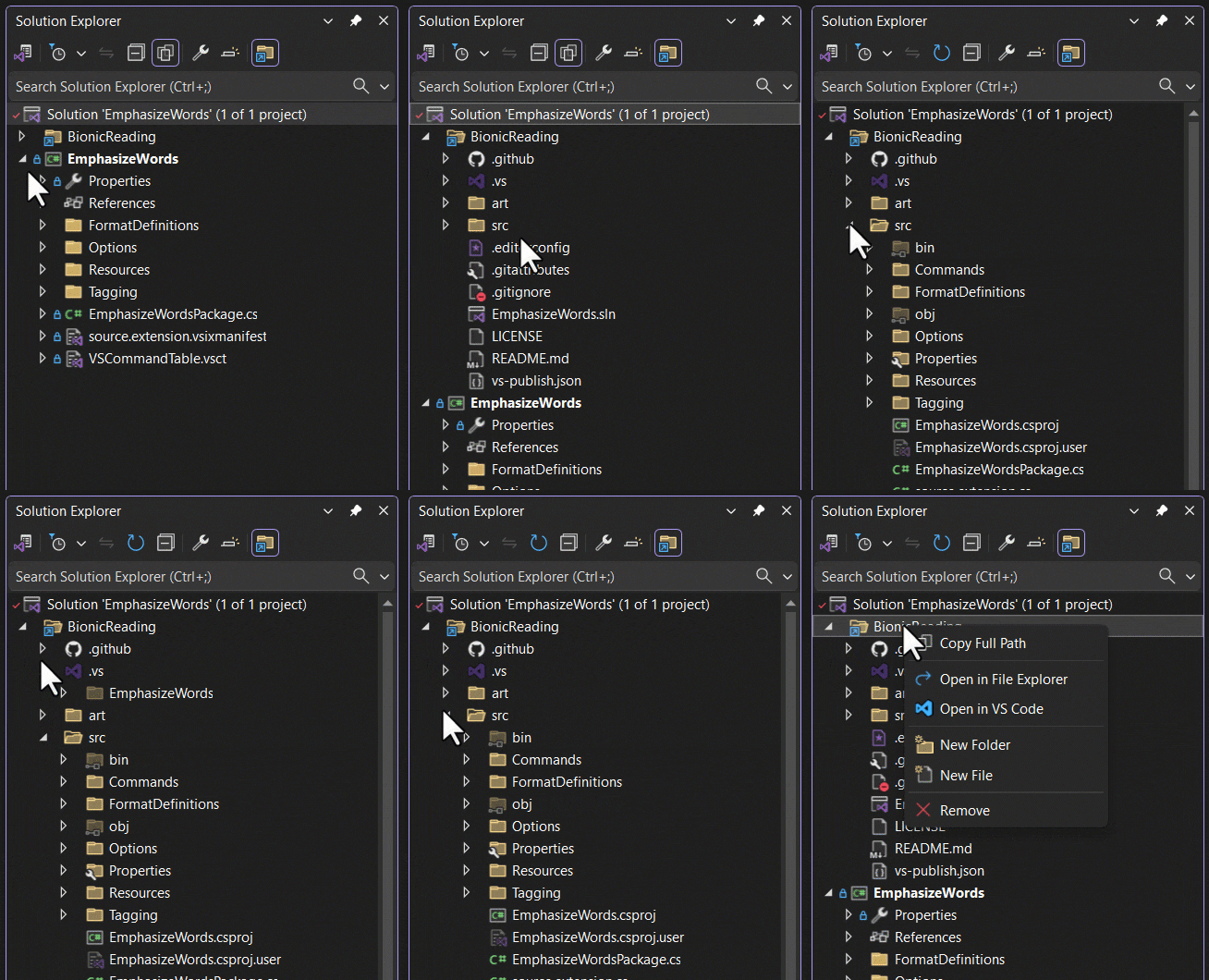
File ExplorerGives access to all files and folders from the file system under the repo- or solution root folder. All in the same Solution Explorer view. |

File Explorer for Visual Studio
Download this extension from the Visual Studio Marketplace or get the CI build. Access all your files without leaving Solution Explorer. File Explorer brings the full file system into Visual Studio, so you never have to switch to Windows Explorer again.
✨ Key Features at a Glance
Why File Explorer?
Working with files outside your project can be frustrating in Visual Studio:
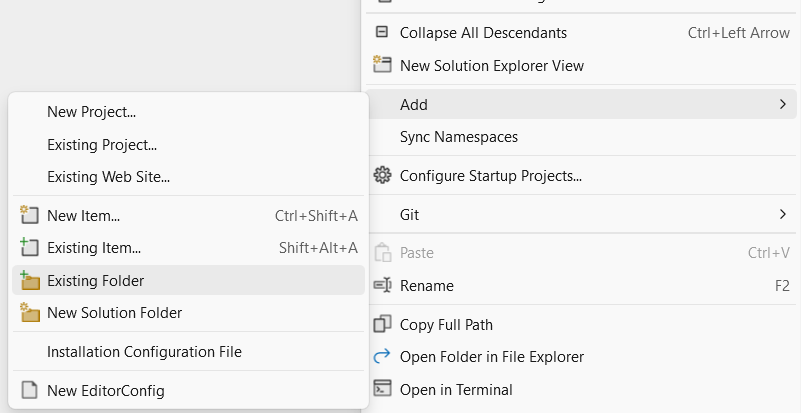
File Explorer solves these problems by giving you access to all files and folders from the file system under the repo or solution root folder—all within the Solution Explorer view. FeaturesAdd Physical FoldersRight-click the solution node and select Add > Existing Folder to add any folder from your file system.
.gitignore SupportFiles and folders matching a pattern in the Image Hover PreviewHovering over image files shows a preview tooltip of the image—no need to open files just to see what they contain. Open With...Right-click any file and select Open With... to choose from the available Visual Studio editors. This is useful when you want to open the same file in a different editor (for example, source view, designer view, or XML editor) without leaving Solution Explorer. Customizable FiltersControl which files and folders are displayed by going to Tools > Options > File Explorer and configuring the filters to match your workflow. How can I help?If you enjoy using the extension, please give it a ★★★★★ rating on the Visual Studio Marketplace. It only takes a few seconds but makes a huge difference! Found a bug or have a feature idea? Head over to the GitHub repo to open an issue if one doesn't already exist. Pull requests are enthusiastically welcomed! As this is a personal passion project maintained in my spare time, I can't always address every issue promptly. Your contributions help keep this extension vibrant and reliable for everyone. If you find this extension saves you time or improves your workflow, please consider sponsoring me on GitHub. Even a small donation helps ensure continued development and support. Your sponsorship directly enables me to dedicate more time to this and other free extensions for the community. Thank you for your support! |