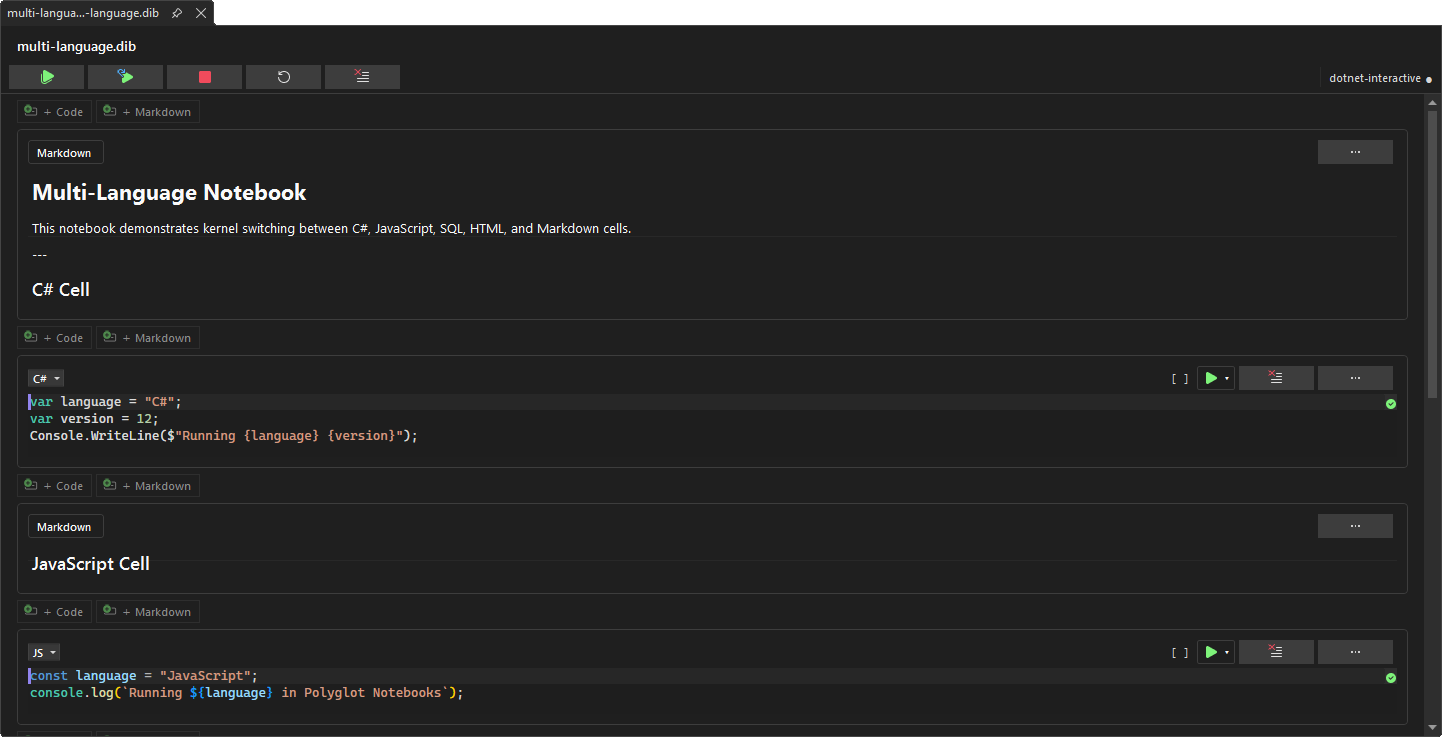
Interactive NotebooksInteractive notebook experience for Visual Studio. Execute C#, JavaScript, and SQL code in cells with rich output, IntelliSense, and cross-language variable sharing. Powered by .NET Interactive. |

Polyglot Notebooks for Visual Studio
Download this extension from the Visual Studio Marketplace or get the latest CI build from Open VSIX Gallery. Write and run C#, JavaScript, SQL, and more — right inside Visual Studio. Polyglot Notebooks brings an interactive notebook experience to the IDE you already know, powered by .NET Interactive. Mix languages in a single document, share variables across cells, and see rich output instantly.
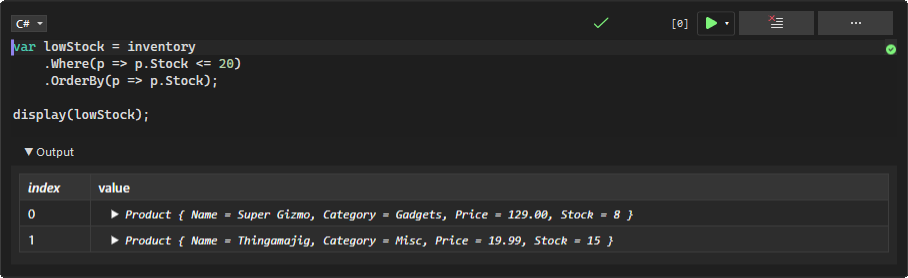
📖 Read the full documentation — getting started guide, feature walkthroughs, keyboard shortcuts, and troubleshooting. What You GetMulti-language cells - Write C#, JavaScript, and SQL side by side in one notebook. Switch languages per cell with a dropdown or Standard notebook formats - Open and save Rich output - See HTML, images, tables, and formatted text rendered directly below each cell. No console window needed. IntelliSense everywhere - Get completions, signature help, and diagnostics in every code cell — the same editing experience you expect from Visual Studio. Cell-level debugging - Debug C# and F# cells with the full Visual Studio debugger. Step through your cell code line by line, inspect variables, and hit breakpoints — right from the notebook editor. Cross-language variable sharing - Define a variable in C# and use it in JavaScript. The kernel handles the data transfer automatically. Variable Explorer Document Outline - See the structure of your notebook at a glance in the standard Document Outline window. Markdown headings group related code cells into a navigable tree. Zero setup - The extension detects and installs Workspace-aware references - Notebooks that belong to a project in your solution automatically get access to the project's types and NuGet packages — no Item template - Create new Getting StartedCreate a New NotebookRight-click a project or folder in Solution Explorer and select Add > New Item. Search for Polyglot Notebook in the template list. The template creates a Open a NotebookDouble-click any Write and Run CodeType code in any cell and press Shift+Enter to execute. Output appears directly below the cell. Use the ▶ button or the run dropdown for more options like Run Cells Above, Run Cell and Below, and Debug Cell.
Switch LanguagesEach cell has a language selector in its toolbar. Pick C#, JavaScript, SQL, or another available kernel. You can also type Inspect VariablesOpen View > Variable Explorer to see every variable across all kernels. Click any row to see its full value in the detail pane. Hit Refresh after running cells to update. Navigate with Document OutlineOpen View > Other Windows > Document Outline to see a tree view of your notebook. Markdown cells act as section headings with code cells nested beneath them. Click any item to jump straight to that cell. Manage the NotebookThe toolbar at the top of the editor gives you quick access to common actions:
Use Your Project's Types in NotebooksWhen a notebook file ( This only activates when the notebook is included in a project via Solution Explorer. Standalone notebooks opened from File > Open are not affected. Projects must target modern .NET (
Organize CellsUse the cell menu (···) to insert, move, or delete cells. Drag-and-drop reordering keeps your notebook tidy. Keyboard Shortcuts
Example NotebooksThe
How It WorksPolyglot Notebooks uses dotnet-interactive as its execution engine. When you open a notebook, the extension starts a kernel process in the background. Each cell's code is sent to the appropriate language kernel, and results stream back as rich output. If ContributeFor build instructions, architecture overview, and PR guidelines, see CONTRIBUTING.md. Issues, ideas, and pull requests are welcome. License |