Skip to content
| Marketplace
Sign in
Visual Studio>Tools>Output Window Filter
Output Window Filter

Output Window Filter

Mads Kristensen

madsk.net
|
4,667 installs
| (5) | Free
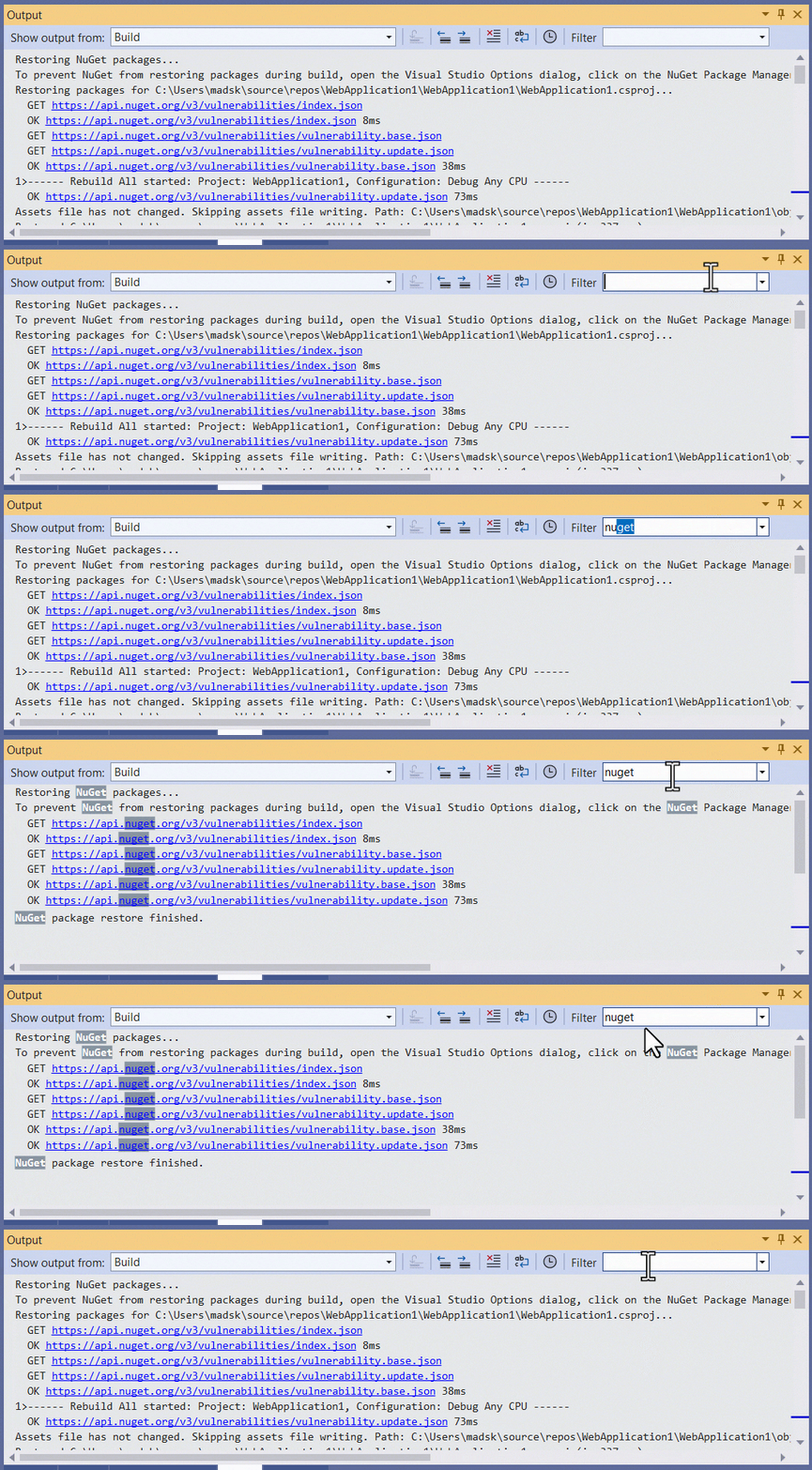
Adds a filter textbox to the Output Window that lets you filter the output based on text matches and regular expressions
Download

Output Window Filter for Visual Studio

Build

Download this extension from the Visual Studio Marketplace or get the CI build.


Adds a filter textbox to the Output Window that lets you filter the output based on text matches and regular expressions.

screenshot

Features

  • Real-time filtering - Filter output as you type
  • Regular expression support - Use regex patterns for advanced filtering
  • Match highlighting - Matching text is highlighted for easy identification
  • Filter history - Previously used filters are saved in a dropdown for quick access
  • Works with all output panes - Build, Debug, Test, and any other output

How to Use

  1. Open the Output Window (View → Output or Ctrl+Alt+O)
  2. Type your filter text in the Filter textbox in the Output Window toolbar
  3. Press Enter to apply the filter
  4. Only lines containing matches will be visible; matching text is highlighted
  5. Clear the filter text to show all output again

Filter Examples

Filter Description
error Shows lines containing "error" (case-insensitive)
warning\|error Shows lines containing "warning" OR "error"
^Build Shows lines starting with "Build"
failed$ Shows lines ending with "failed"
CS\d{4} Shows lines with C# compiler codes (e.g., CS0246)

Customization

You can customize the highlight color in Tools → Options → Environment → Fonts and Colors. Search for "Output Filter - Match Highlight" to change the background and foreground colors.

How can I help?

If you enjoy using the extension, please give it a ★★★★★ rating on the Visual Studio Marketplace.

Should you encounter bugs or if you have feature requests, head on over to the GitHub repo to open an issue if one doesn't already exist.

Pull requests are also very welcome, since I can't always get around to fixing all bugs myself. This is a personal passion project, so my time is limited.

Another way to help out is to sponsor me on GitHub.

  • Contact us
  • Jobs
  • Privacy
  • Manage cookies
  • Terms of use
  • Trademarks
© 2026 Microsoft