

Download this extension from the Visual Studio Marketplace
or get the CI build.
Overview
Hubitat Publish Tools is a Visual Studio extension that streamlines the development and publishing of Groovy-based drivers, apps, and libraries for the Hubitat Elevation platform. Manage hub connections, classify Groovy source files, and publish drivers, apps, or libraries directly from Visual Studio.
✨ Features
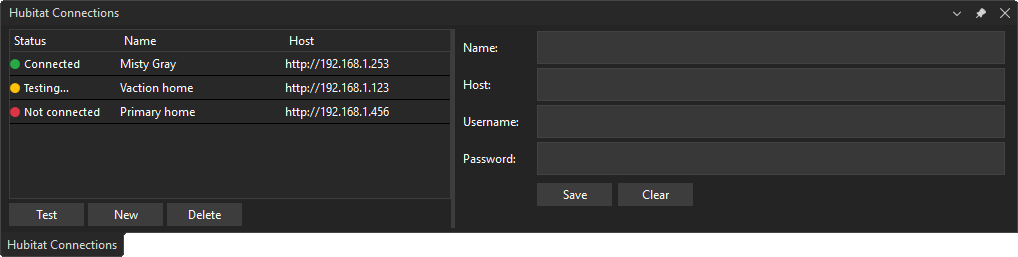
- Hub Connection Management — Configure and manage Hubitat hub connections from the Tools menu
- Groovy Source Classification — Detect whether a
.groovy file is a Hubitat driver, app, or library from its source structure
- One-Click Publishing — Publish drivers, apps, and libraries directly to your Hubitat hub
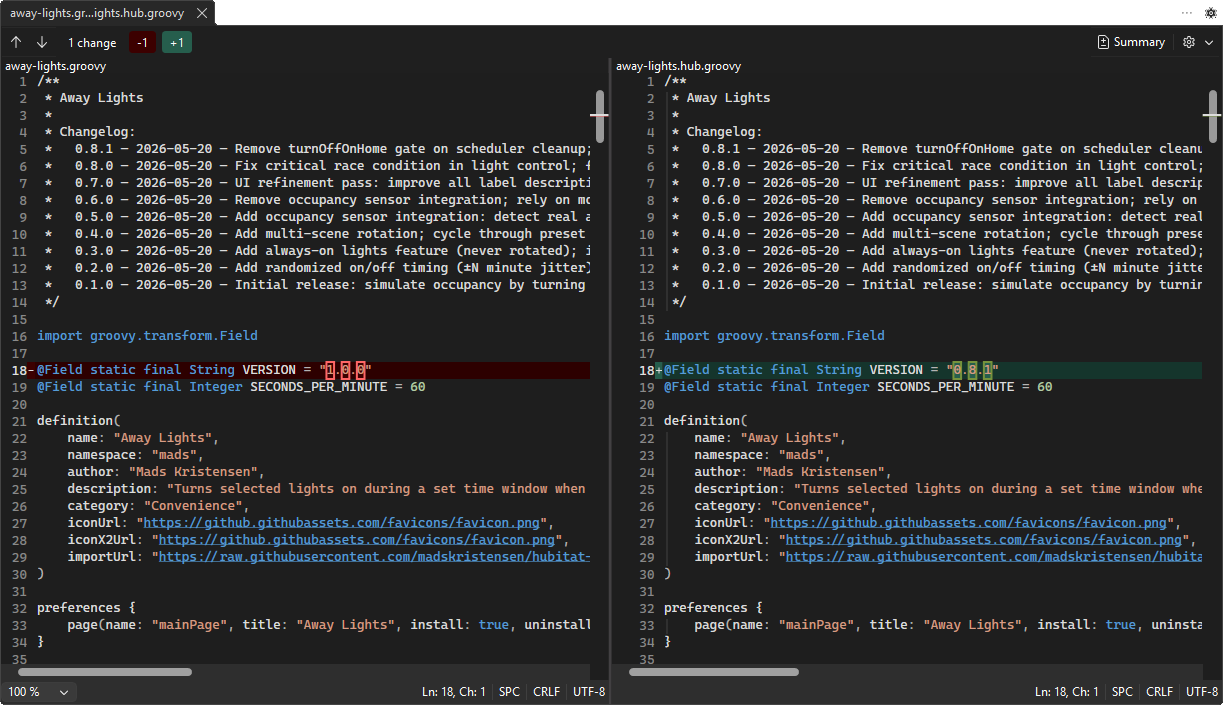
- Compare with Hub — Diff your local Groovy file against the version currently on the hub using Visual Studio's built-in diff viewer
- Replace with Hub Version — Overwrite your local file with the hub's version as a single undo-able edit in the editor
- Connection Validation — Verify hub connectivity before publishing
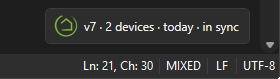
- Editor Adornment Status — View connected hub publish state directly in the editor (in sync, differs, or not published)
- Publish on Save (Optional) — Toggle automatic publishing from the editor adornment context menu
- Secure Credential Storage — Hub passwords are stored in Windows Credential Manager, not in settings JSON
- Build Integration — Seamlessly integrated commands for Groovy projects
Getting Started
- Install the extension from the Visual Studio Marketplace
- Go to Tools > Hubitat > Hub Connections to configure your hub settings
- Enter your hub IP address, maker API token, and authenticate
- Right-click on a Hubitat
.groovy file or use commands to publish it to your hub
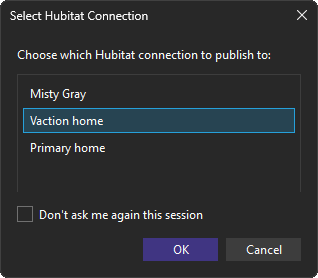
If you have more than one connection defined, a dialog shows when you want to publish your driver or app, asking you to chose your connection.
Editor adornment
When you open a Hubitat .groovy file, an editor adornment appears in the bottom-right corner and shows publish status for connected hubs, so you can quickly see whether the local file is in sync with the hub version.
Compare with hub version
Right-click a Hubitat .groovy file in Solution Explorer and select Compare with hub version to diff your local file against the version currently deployed on the hub. Visual Studio's built-in diff viewer opens with the local file on the left and the hub version on the right, making it easy to review what has changed since your last publish.
The driver or app must have been published to the hub at least once before comparing.
Support
For bug reports and feature requests, visit the GitHub repository.
Pull requests are welcome!

