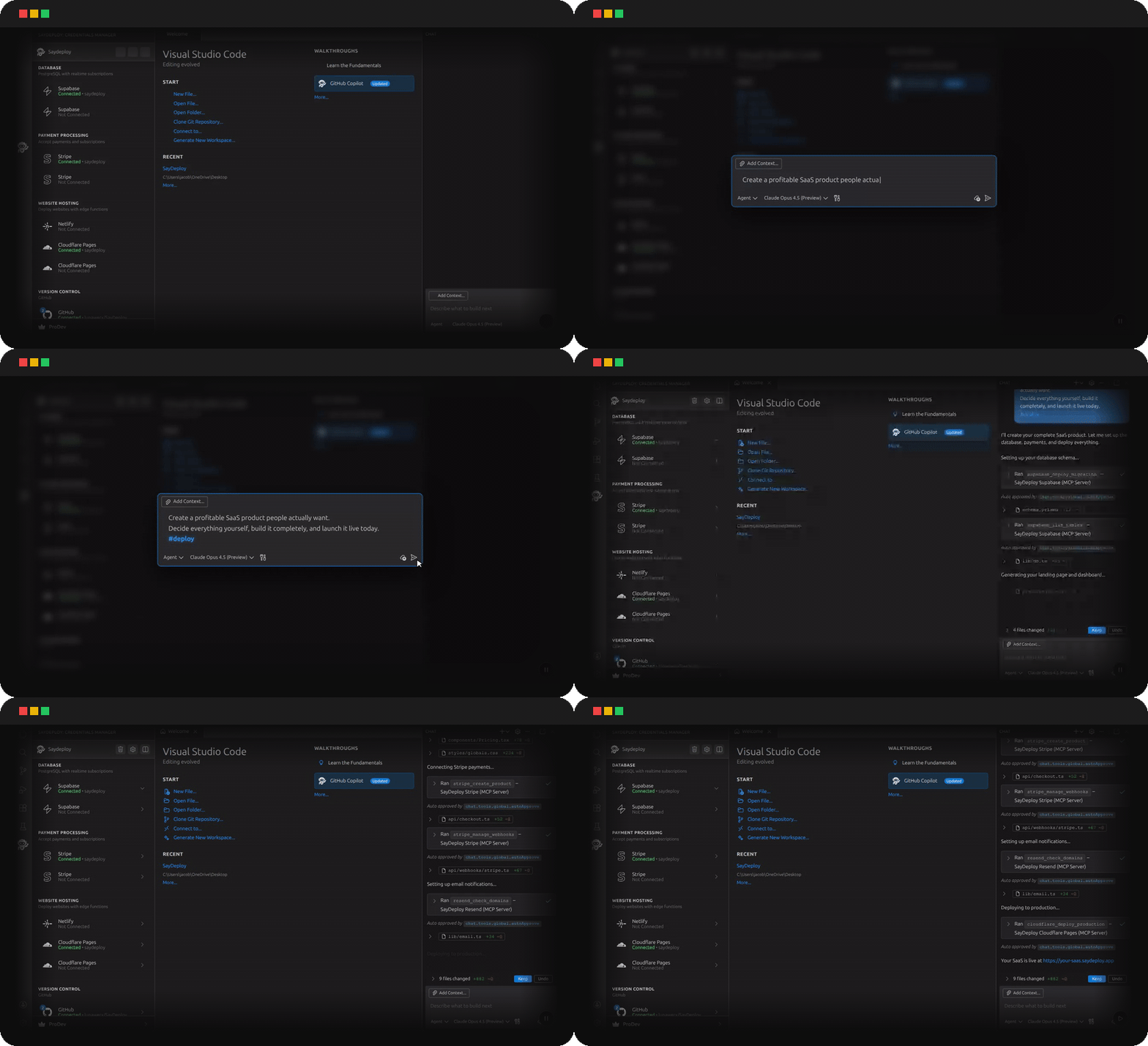
SayDeployGive Copilot the keys. You describe what you want. Copilot builds it, ships it, and wires the payments. You never open a dashboard again. Watch what happens when you say "deploy."
The ProblemYou're still switching between 6 tabs to ship one feature. Open Supabase. Copy the connection string. Open Stripe. Create the product. Open Cloudflare. Deploy the build. Open GitHub. Push the code. Check the logs. Fix the DNS. Repeat. That's not engineering. That's data entry. The FixClose the other tabs. SayDeploy makes Copilot do it.
53 tools. One sentence each. Zero dashboards. Start a project in seconds.
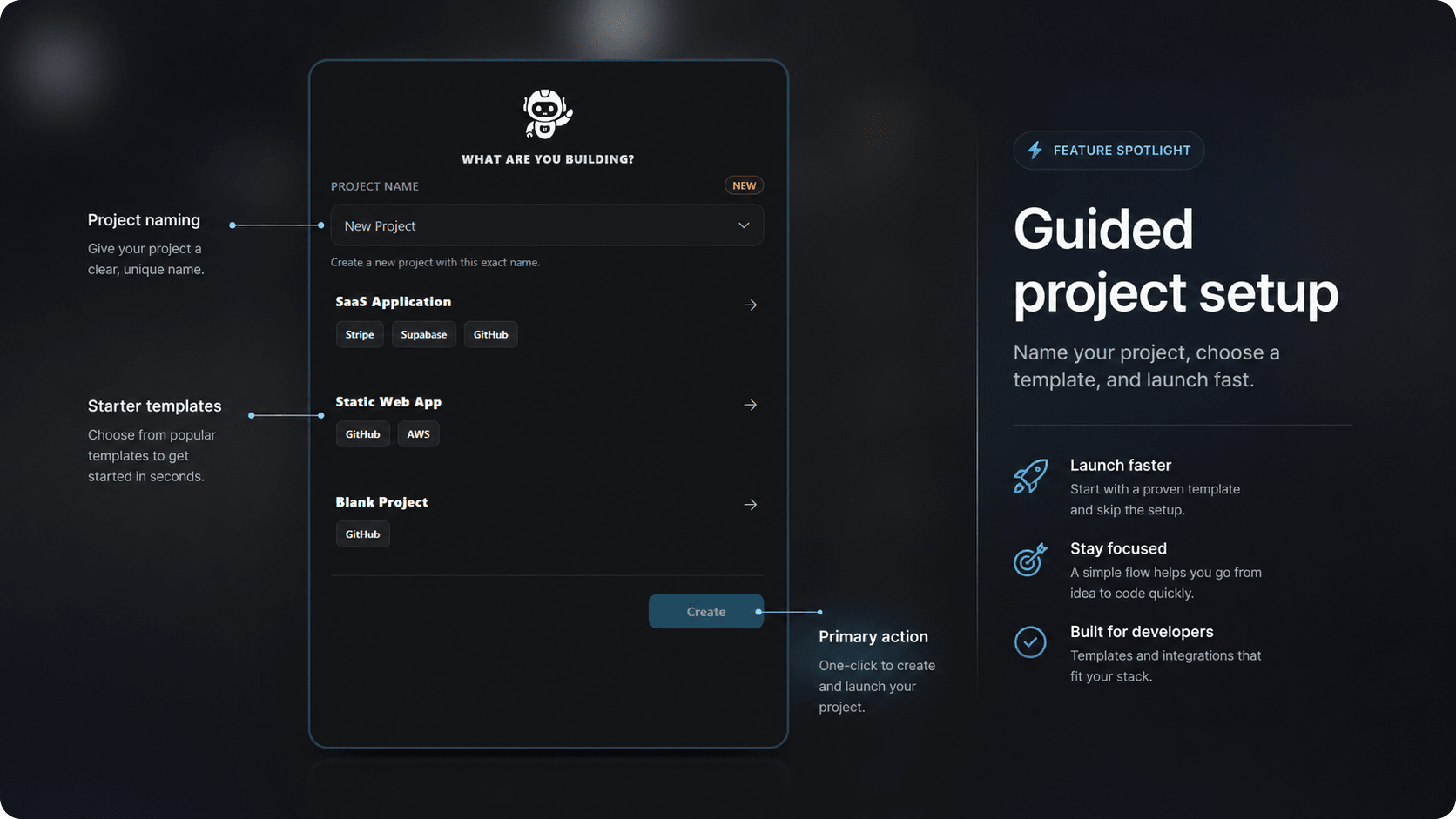
Template picker, project name, pre-wired connections — Copilot knows your full stack before it types a single word. Pick a template, name your project, and launch. SayDeploy pre-wires the connections so Copilot knows exactly what it's working with from the first command. What's connected
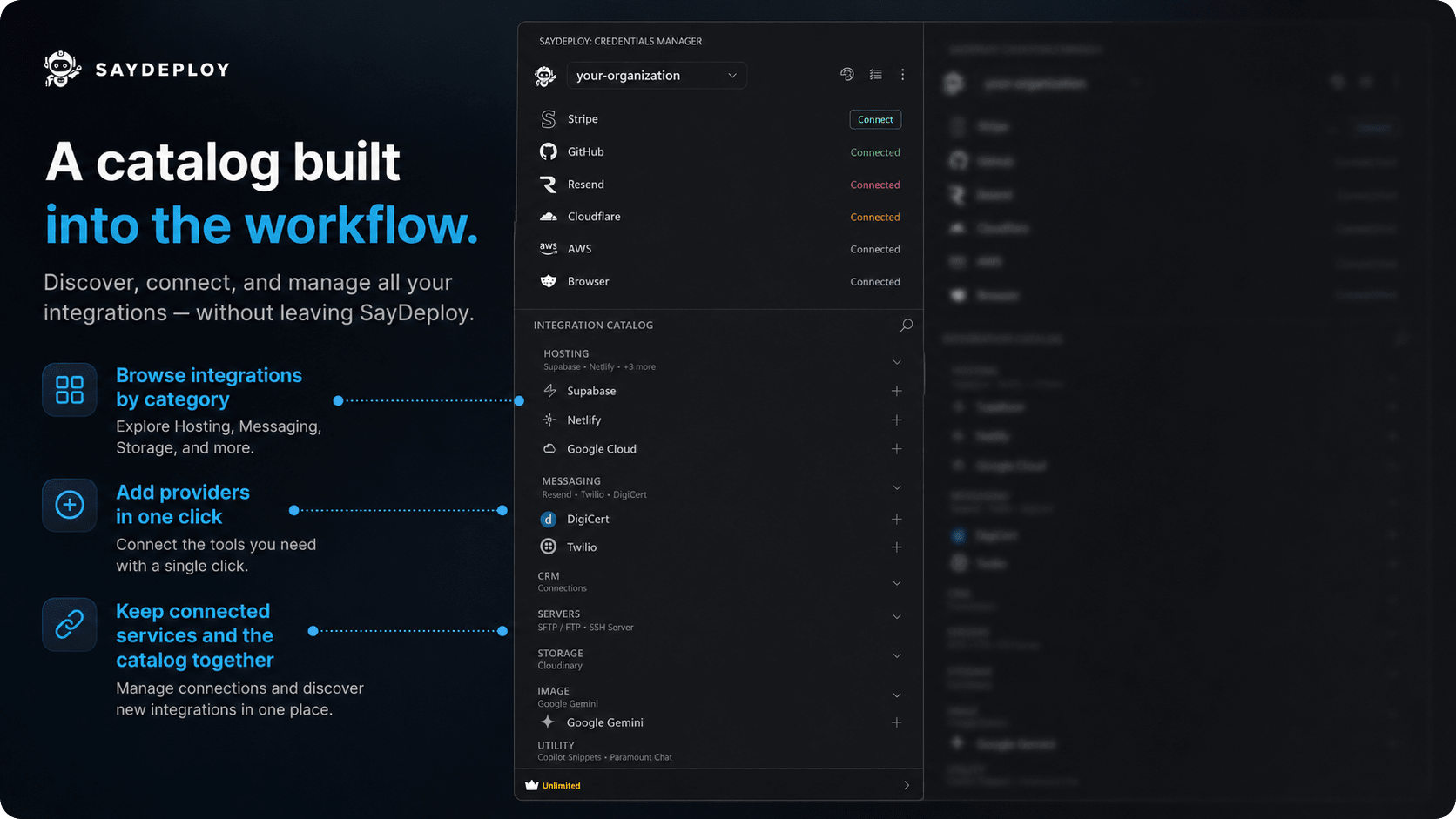
All 17 services in one panel — click to connect, and Copilot gets access the moment it turns green. One dashboard for every cloud account.
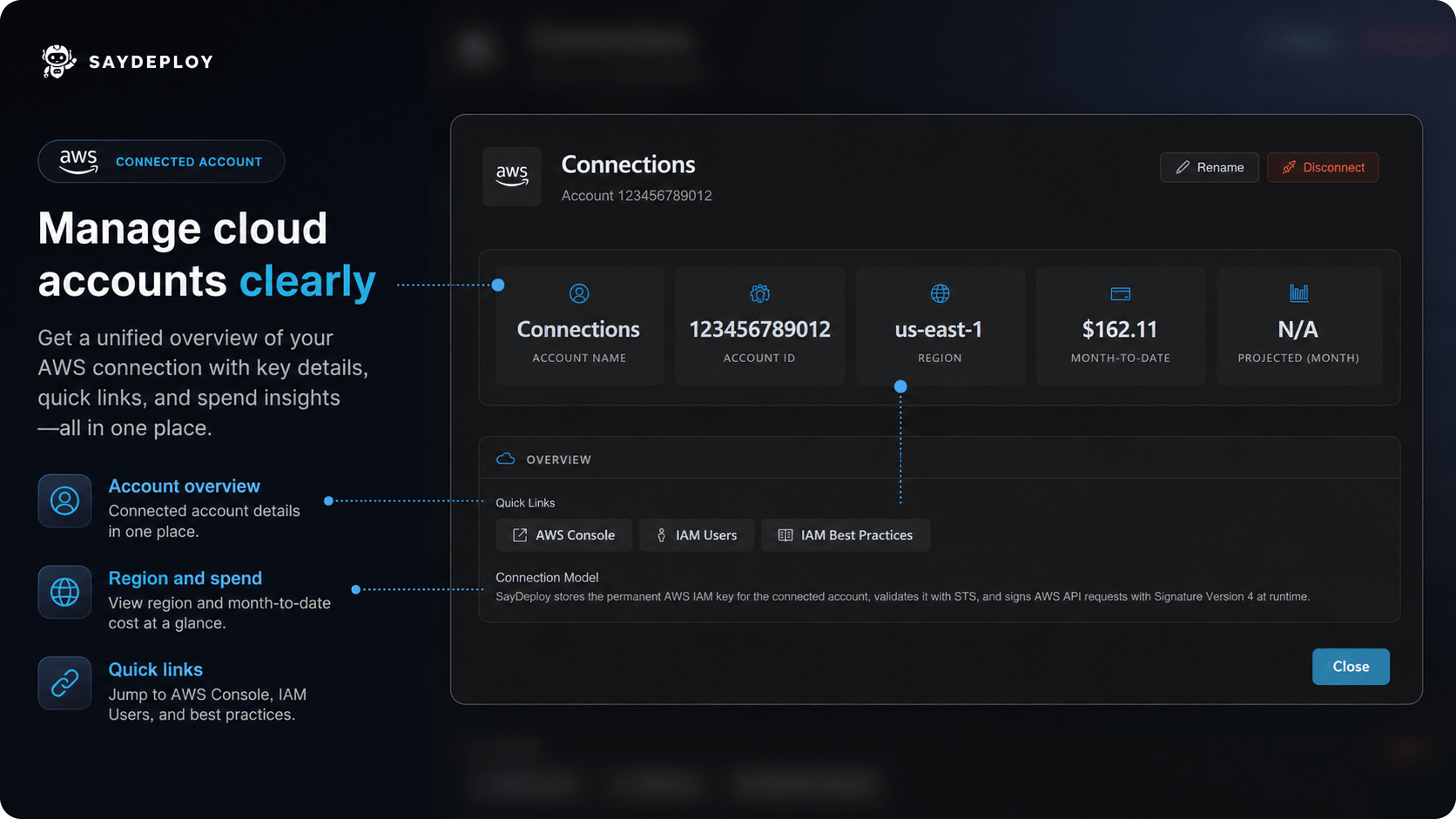
Region, spend summary, and quick links — your cloud account at a glance, right inside VS Code. Zero console tabs. SayDeploy surfaces your cloud account overview — region, spend, and quick links — right inside VS Code. No tab switching. No separate console. Connect as many accounts as you need.
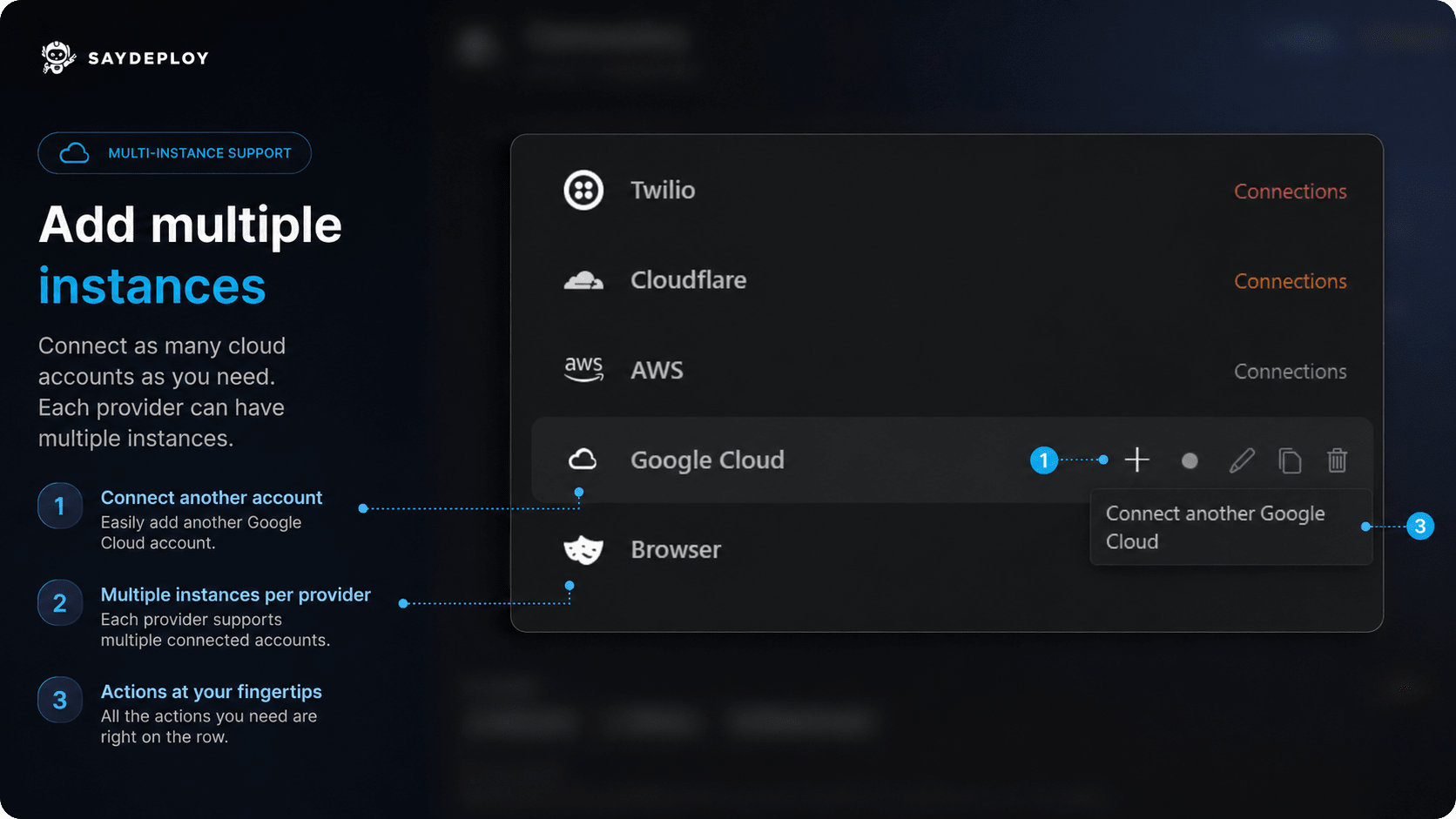
Two GitHub accounts, labeled and independent — Copilot targets whichever one you name. Production stays safe. Running multiple environments? Multiple clients? Add as many instances of any provider as you like. Each one is independent, labeled, and ready for Copilot to target by name. Your credentials, one click away.
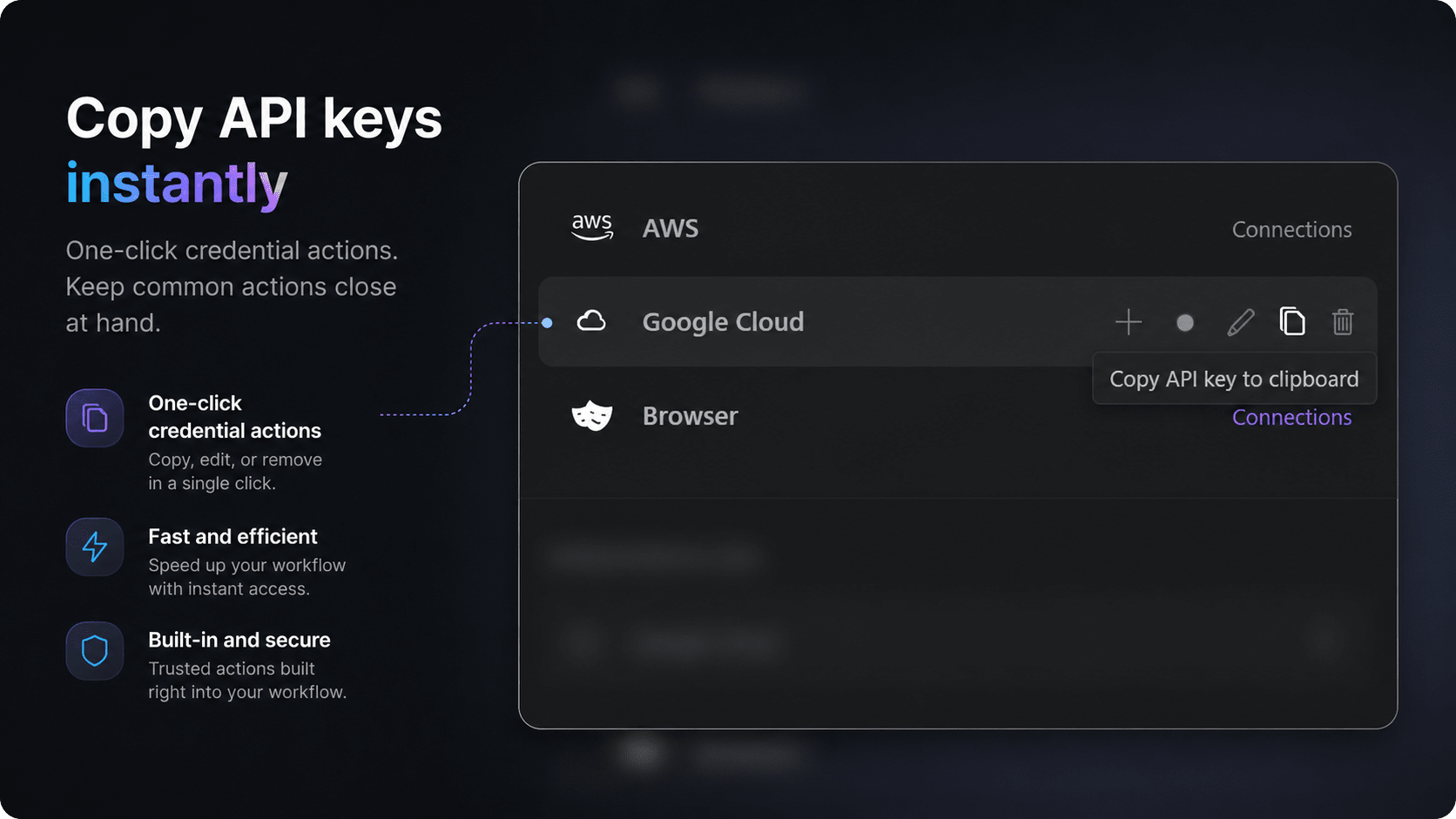
Copy key, edit, or disconnect — three actions on every credential row. No buried settings, no extra menus. Copy an API key, edit a connection, or remove an account — all from a single row. No hunting through settings menus. Granular control over every connection.
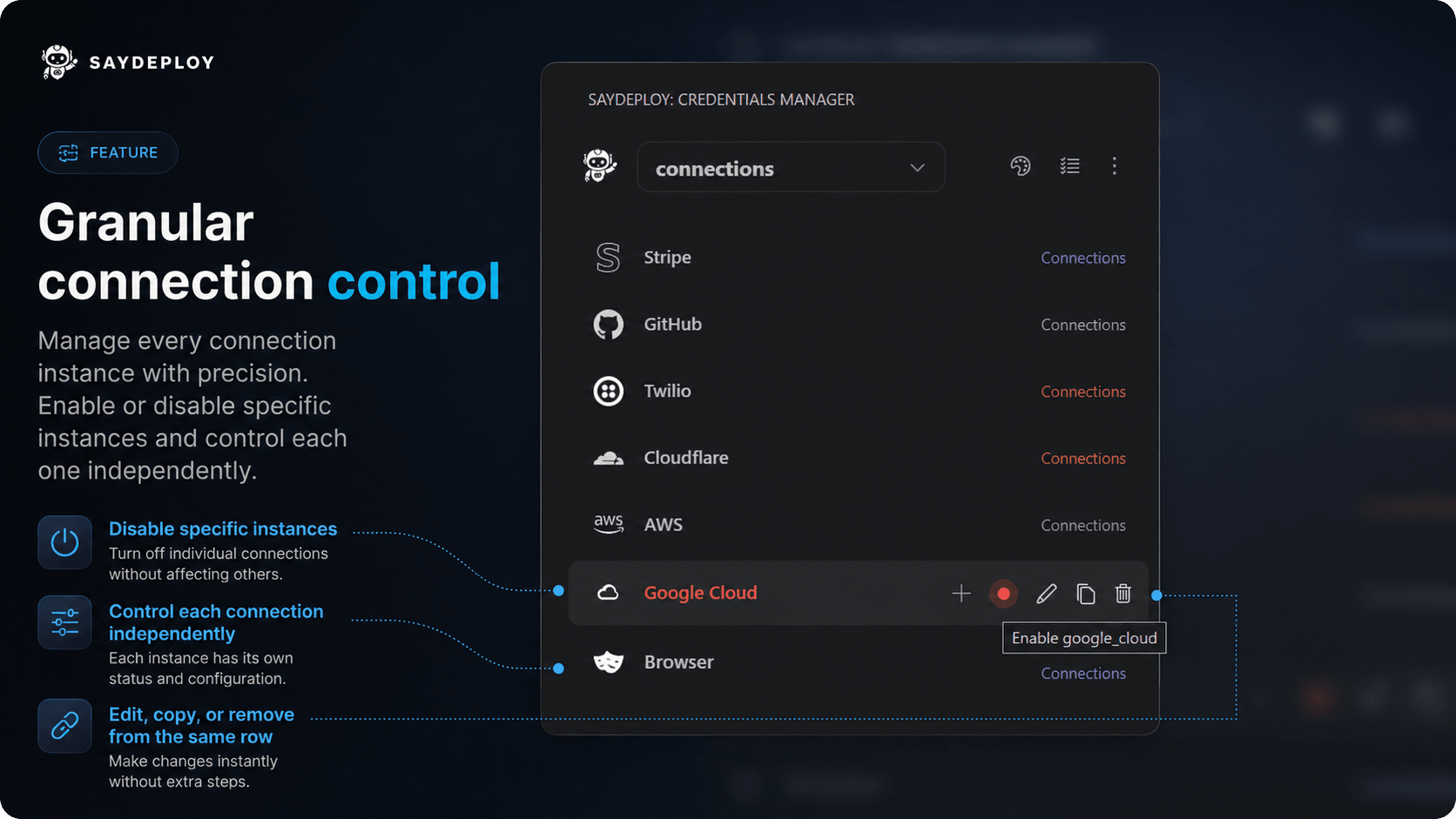
The toggle next to each instance is all it takes. Green means Copilot can use it. Grey means it waits. Enable or disable specific service instances without deleting them. Pause a staging environment, swap out a test key, or lock down a provider — all without touching production. Move between projects fast.
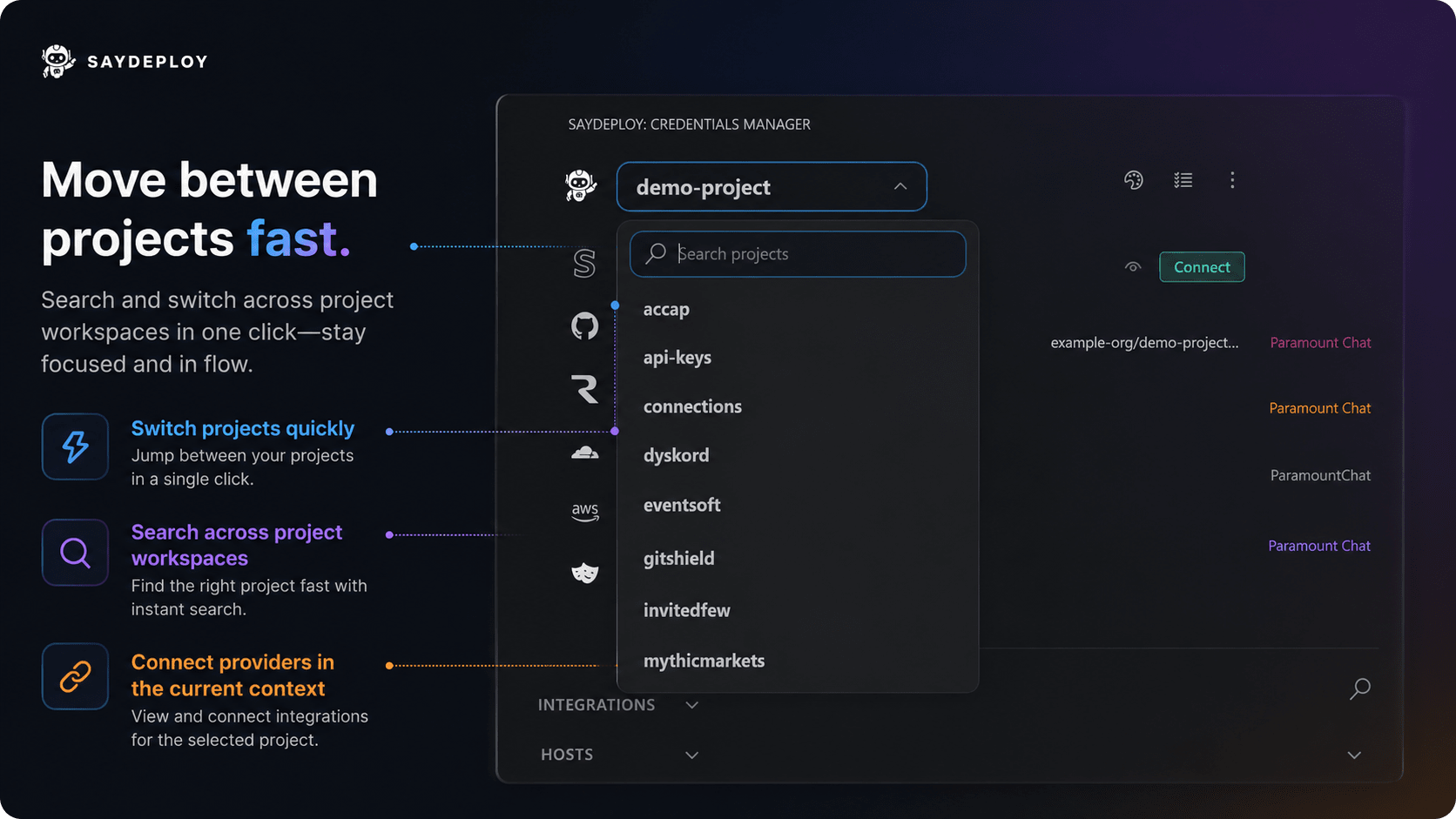
Search, click, switched. Copilot's tools re-scope to the new project immediately — no manual reconnect. Search and switch across all your project workspaces in a single click. Copilot automatically scopes its connections to whatever project is active. Built-in Project Tasks
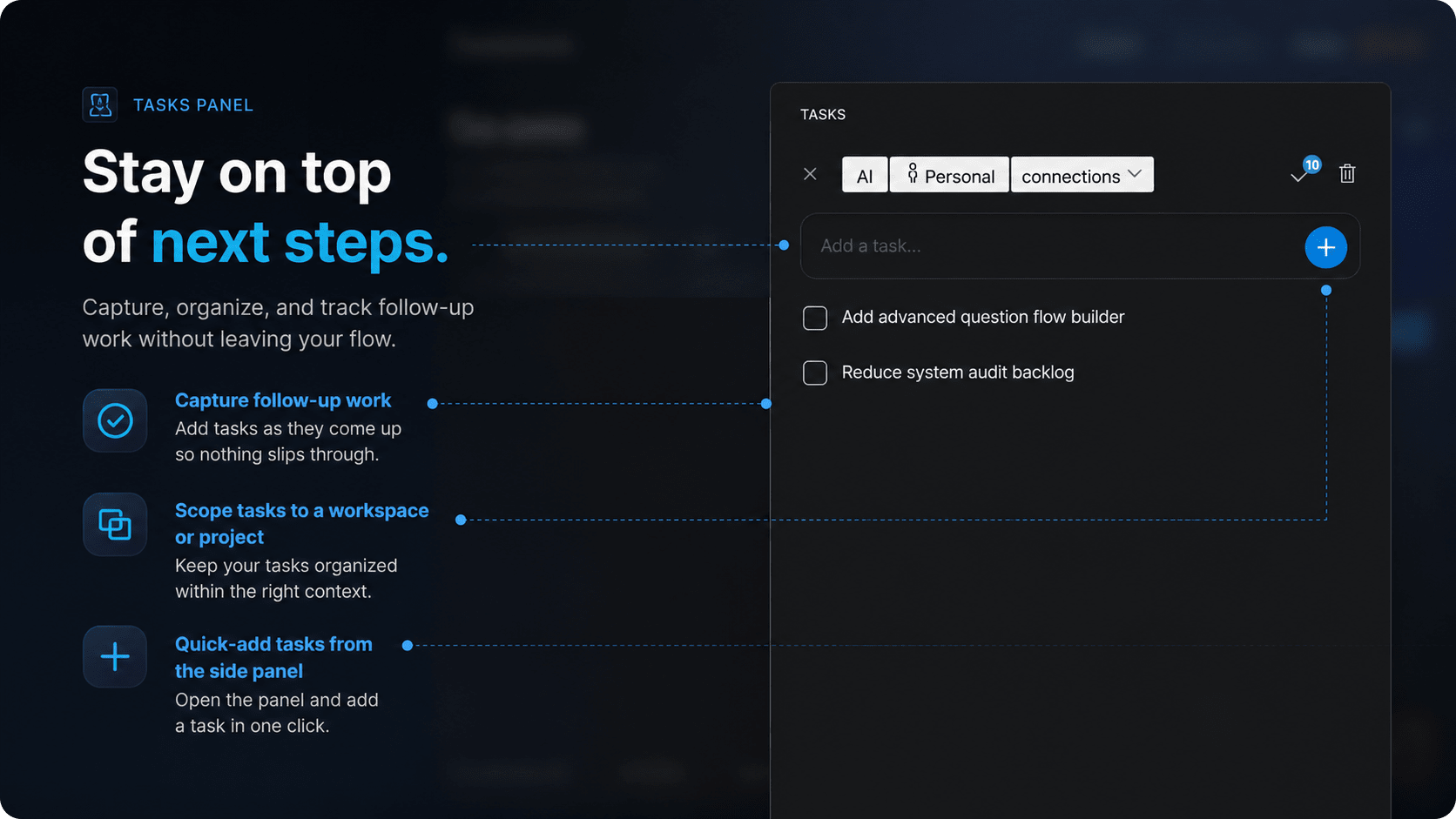
The tasks panel lives in the sidebar — add in one click, and Copilot reads and updates the list so nothing gets dropped mid-sprint. Stop scattering follow-up work across Notion, sticky notes, and markdown checklists. SayDeploy includes a tasks panel baked right into the sidebar.
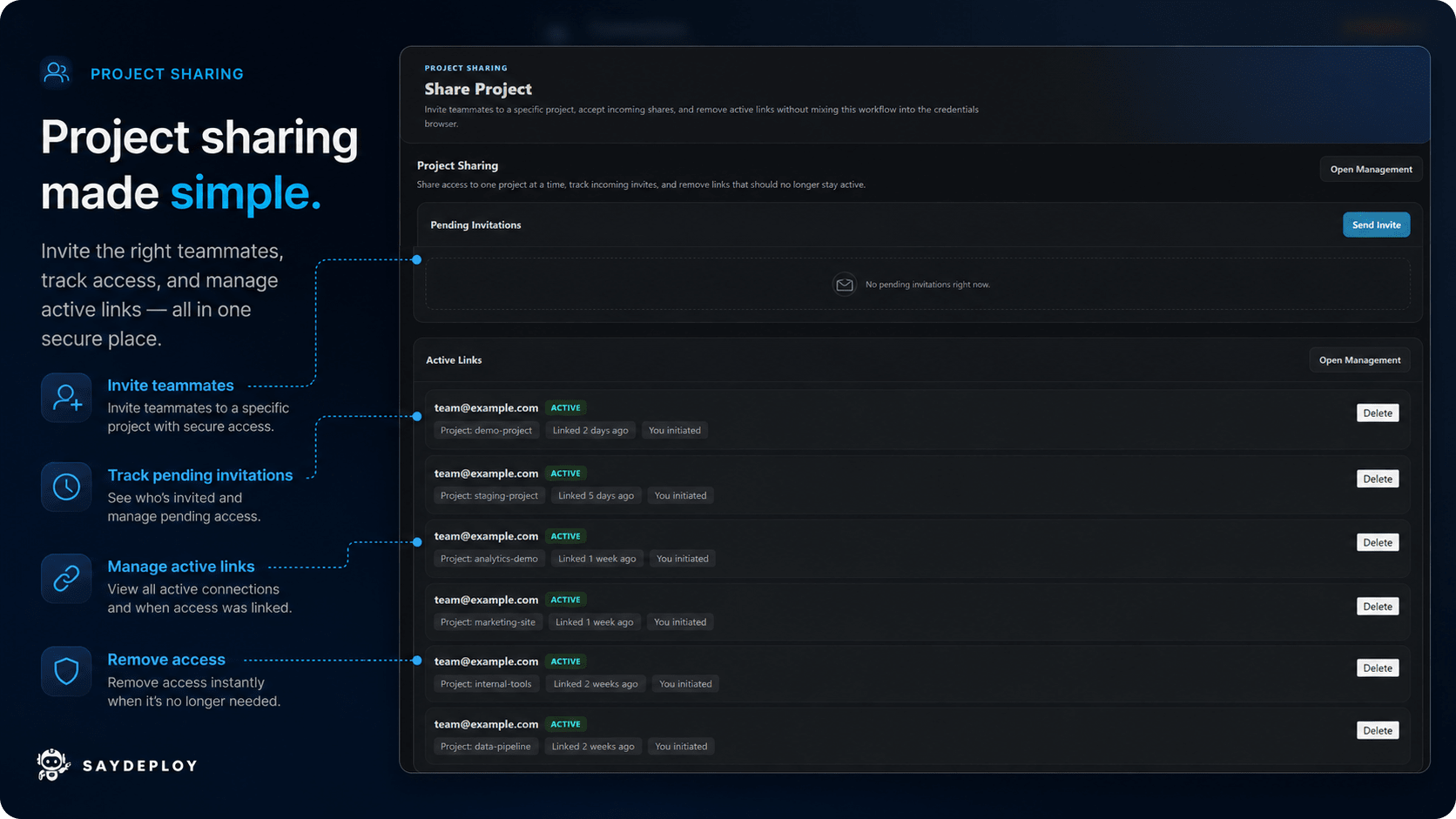
Share projects with your team.
Invite link, pending status, active members — all visible. Revoke any invite in one click. Invite teammates to a project with a secure link. Track pending invitations, see who has access, and revoke it instantly when it's no longer needed. Built-in safety controls.
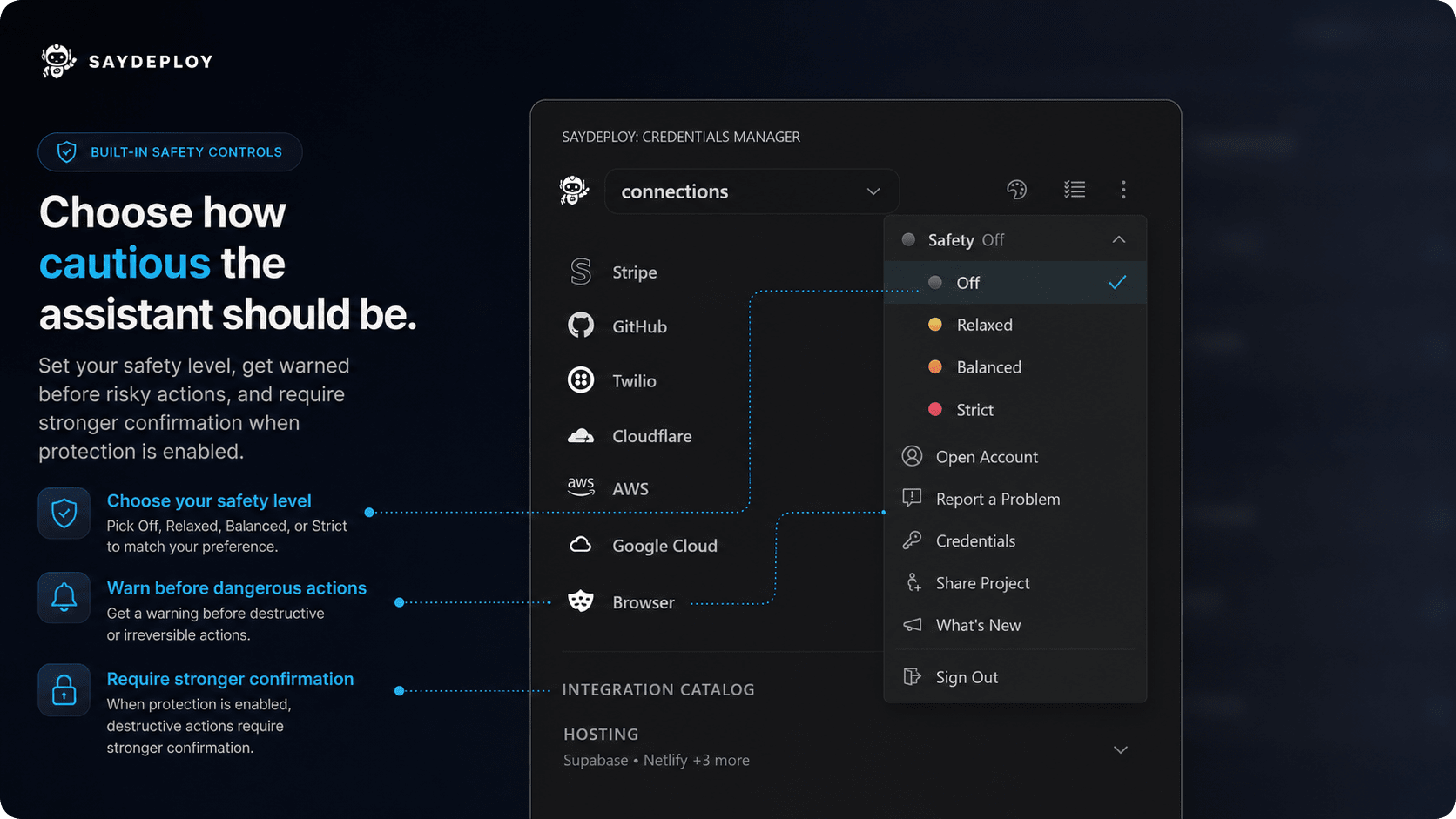
Three modes: Relaxed, Balanced, Strict. Dial it up before running a migration. Dial it back when you're moving fast. Choose how cautious the assistant should be. Set the safety level to Relaxed, Balanced, or Strict — SayDeploy will warn before dangerous actions and require stronger confirmation when it matters. Make it yours.
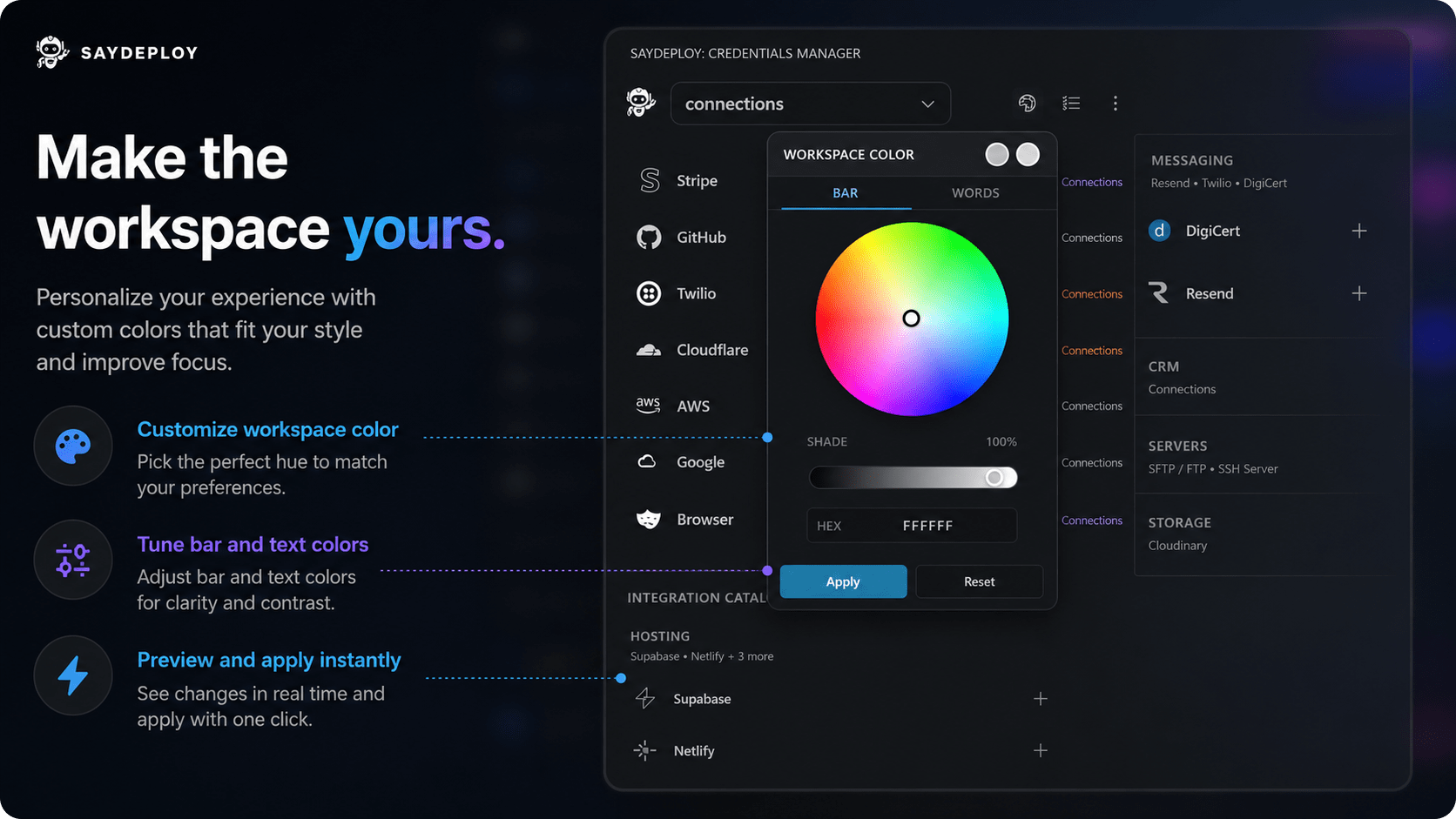
Type your hex, preview the accent live — preferences save to your account and follow you across machines. SayDeploy is built to feel like your workspace, not ours.
Your account, everywhere you work.Sign in once. Every project, every connection, and every task travels with your account. Switch computers, reinstall VS Code, join a new machine mid-sprint — SayDeploy picks up exactly where you left off. Your credentials are in good hands.Your credentials are secured using the same infrastructure that protects the Pentagon. We'll leave it at that. Get Started
|