Lucid for VS CodeCreate, preview, edit, and collaborate on Lucid diagrams in VS Code — backed by a real Lucid document that travels with your code. Installation Launch VS Code Quick Open ( Ctrl+P), paste the following command, and press enter.Copied to clipboard |

Lucid for VS CodeCreate, preview, edit, and collaborate on Lucid diagrams in VS Code—backed by a real Lucid document that travels with your code. Create or open a diagram directly in your editor, make quick changes, and save it to your repository. Each diagram is a durable Lucid document, so it remains collaborative and governed while also staying reviewable alongside the code it describes. FeaturesKey capabilities
Example workflowsTurn agent output into a diagram that ships with your code
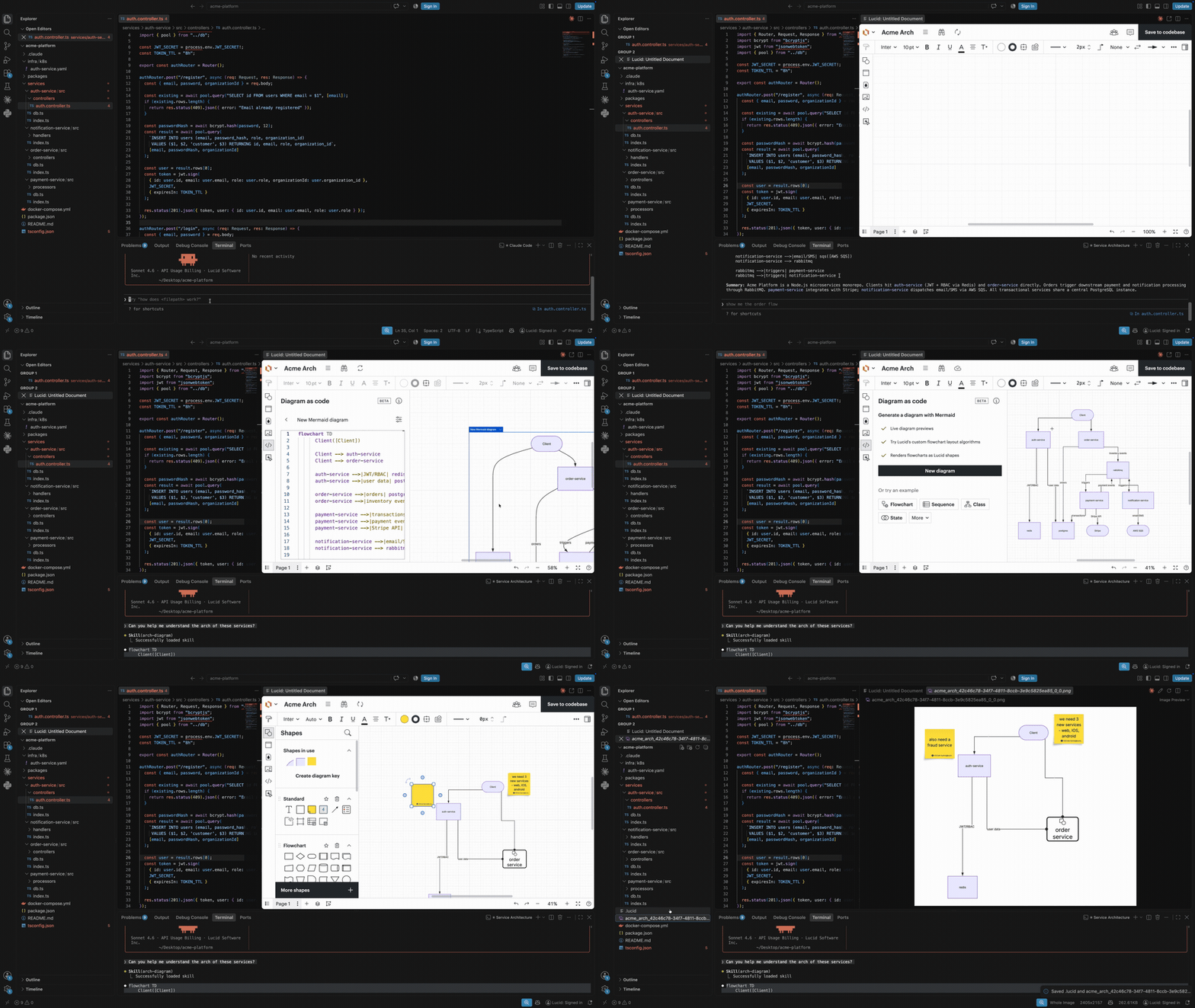
You're building a new service and ask Claude Code to map the architecture. It returns Mermaid code. Paste it into the Lucid extension and it converts to editable shapes. Quickly fix the layout and adjust for the new requirements, then hit Save to codebase. A PNG lands in your repo alongside the code. The next engineer to open the PR sees the diagram, and agents pick up the reference file or the PNG, providing context they didn't have before. Keep the reference architecture open while you code
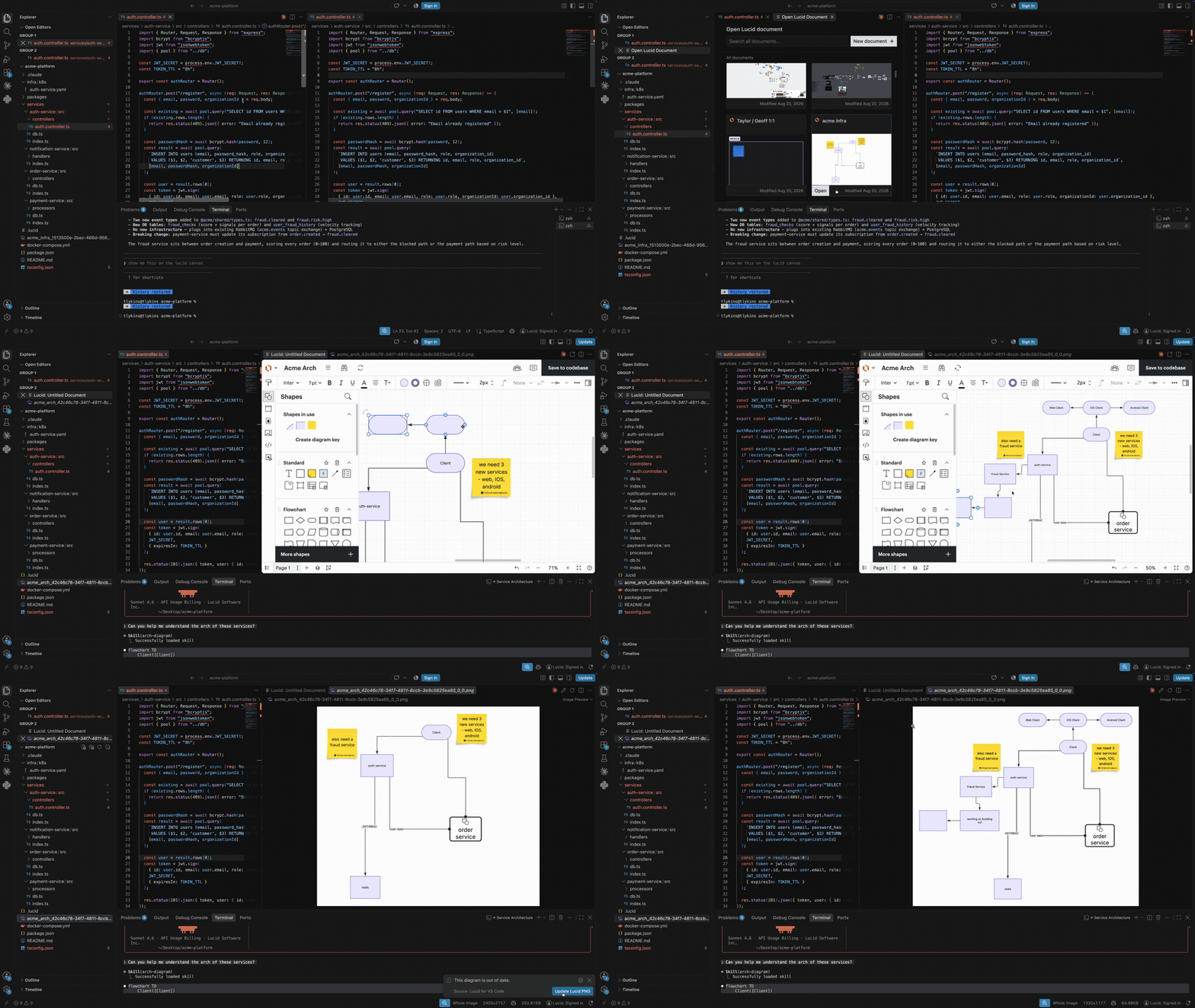
You're implementing a new data flow and need the architecture doc in view. Open the doc picker, find the diagram, and it loads in a panel beside your code. Change the flow mid-implementation and update the diagram in place. The extension knows the PNG is out of date, and one click syncs everything again. Generate a system-level diagram without dragging a shape
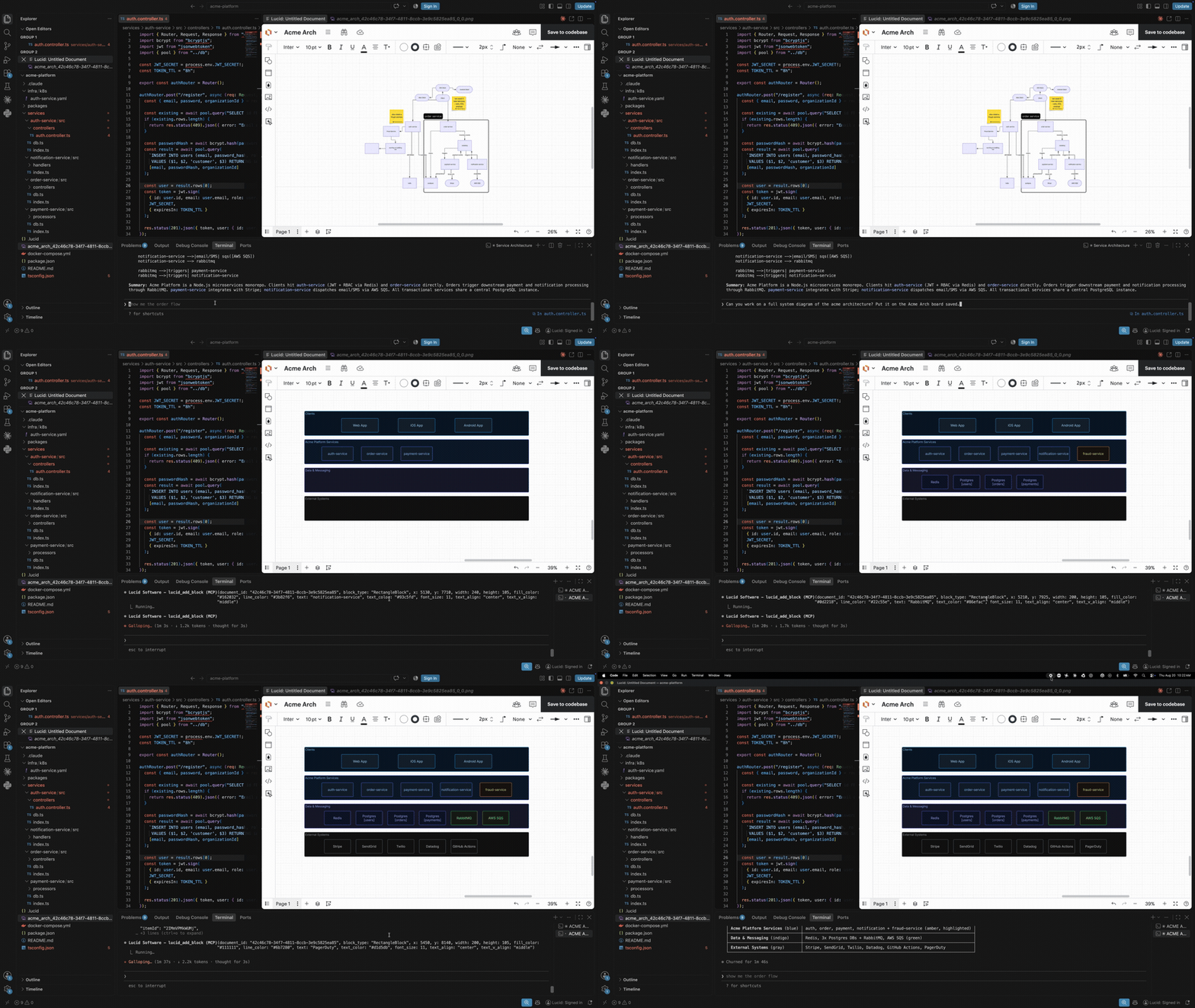
You need a high-level view of the whole system. Using Lucid's MCP, you generate the architecture diagram without placing a single shape. Watch it build live, then edit the Lucid shapes directly until it's exactly what you want. RequirementsThis extension requires a Lucid account. Signing in to your Lucid account is required to create or open documents. If you're already signed in to Lucid in your browser, you'll still need to sign in once inside VS Code. Note: The in-editor experience does not have full access to Lucid features. It is a focused subset of the full Lucid editor, optimized for quick diagram creation and viewing, all within your IDE. Getting started
Enable the Lucid MCP serverThe extension contributes a Lucid MCP server definition to VS Code. Turn it on once and Copilot Chat can read and create Lucid documents on your behalf.
Copilot Chat now has the Lucid MCP server connected to your account. Note: this authorization is separate from Lucid: Sign in. The MCP server issues its own tokens, so signing in to the extension does not start the MCP server, and authorizing the MCP server does not sign you in to the editor. Focused in-editor experienceThe extension provides a focused subset of the full Lucid editor for quick diagram creation, viewing, and edits. Select Open in Browser whenever you need the complete Lucid experience. Known limitationsThis is the Lucid editing experience inside VS Code, not the full Lucid web app. If you click on “open in browser,” you’ll be redirected to Lucid in a browser window and will have the full Lucid experience. Here are the core features* that aren’t supported in the Lucid extension experience:
*This list is not exhaustive; there may be other features with reduced or modified functionality. A note about the extension The Lucid VS Code Extension requires users to have an active Lucid account. By using this extension, you acknowledge and agree to our Terms of Service and Privacy Policy, which apply to your use of the extension but not to your use of any Non-Lucid Application (as defined in our Terms of Service) in connection with the extension. Support |