LingPie i18n
Manage localization resources in your repository, edit translations, insert keys in source code, and sync with LingPie.
Features
Web, mobile, desktop & backend — one workflow
LingPie covers 11 platform stacks and 35+ built-in export formats — from Next.js JSON and Android strings.xml to Ruby .yaml, .NET .resx, and Qt Linguist .ts. Run LingPie: Initialize Project to scan your repo and generate lingpie.yaml mappings automatically.
| Platform |
Supported stacks |
Locale files |
| Web & React Native |
next-intl, i18next / next-i18next, react-intl |
.json |
| iOS |
SwiftUI / UIKit, Xcode String Catalog |
.strings, .stringsdict, .xcstrings |
| Android |
Android resources |
strings.xml |
| Flutter |
Flutter SDK |
.arb |
| Java / Spring |
Spring message bundles |
.properties |
| .NET |
WinForms, WPF, ASP.NET |
.resx |
| Ruby / Rails & YAML i18n |
Rails i18n, general YAML localization |
.yaml |
| PHP |
Laravel, Symfony |
.php |
| gettext |
GNOME, WordPress, Linux desktop apps |
.po |
| Qt / C++ |
Qt Linguist (lupdate / lrelease) |
.ts (Qt translation source, not TypeScript) |
| Desktop & games |
INI-style localization |
.ini |
Flat and nested keys, ICU MessageFormat plurals, printf/%s interpolation, Qt %n plurals, and Rails %{name} placeholders — all in one extension.
Translation list
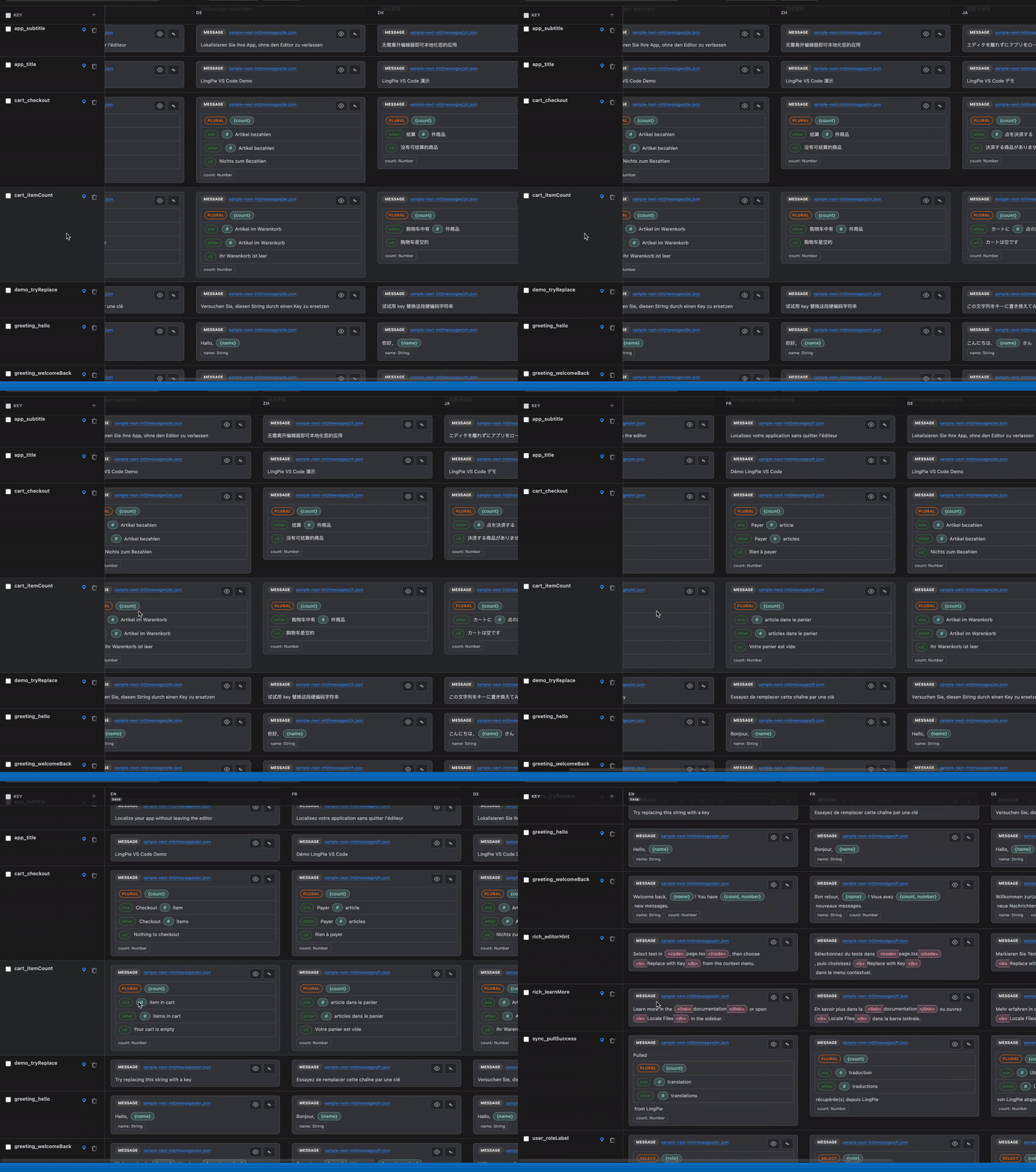
Browse locale files and translation keys from the LingPie activity bar. Keys are discovered from lingpie.yaml; the tree shows missing and parse-error badges on locale files.
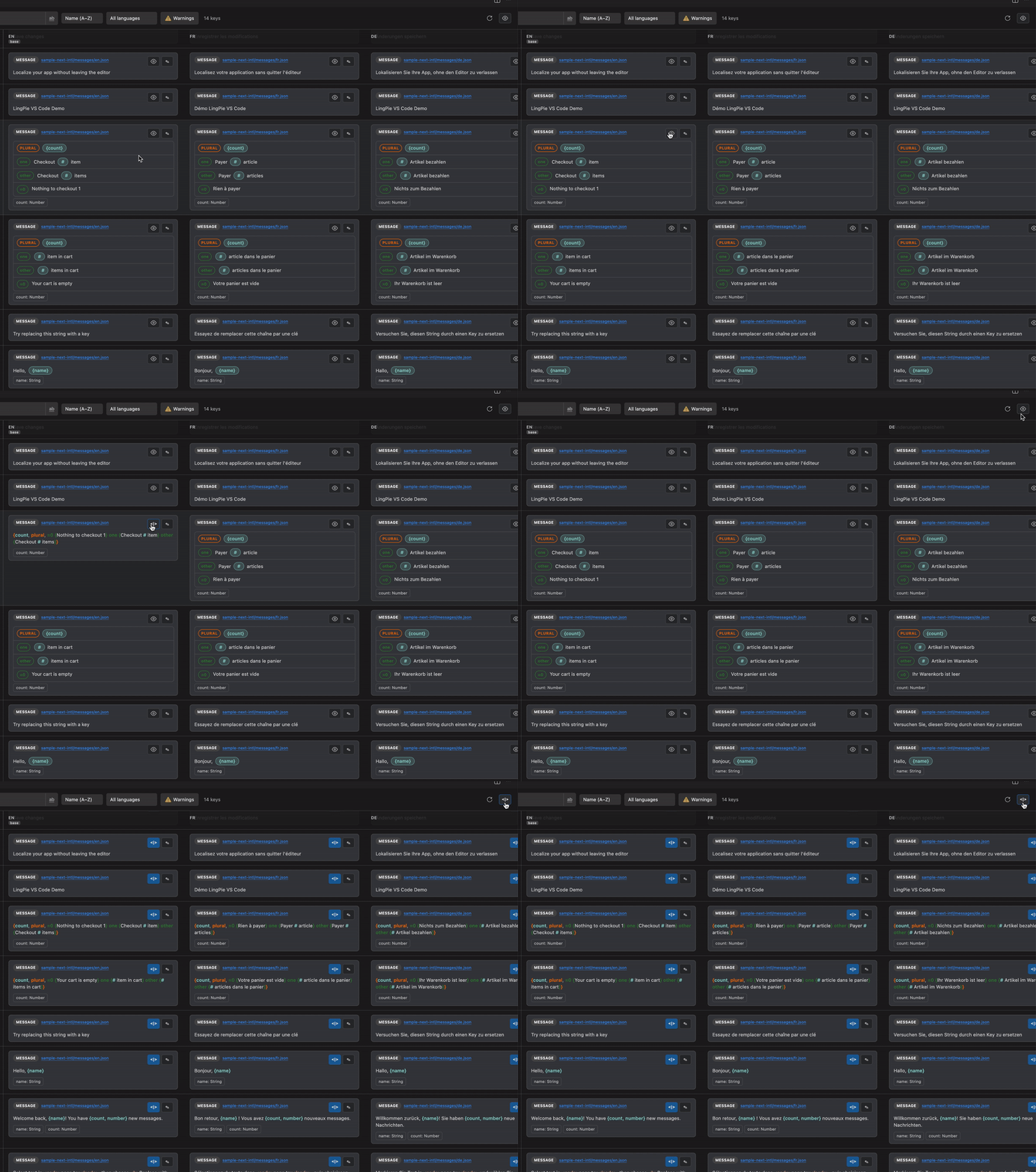
Switch between a visual table and raw locale file source:
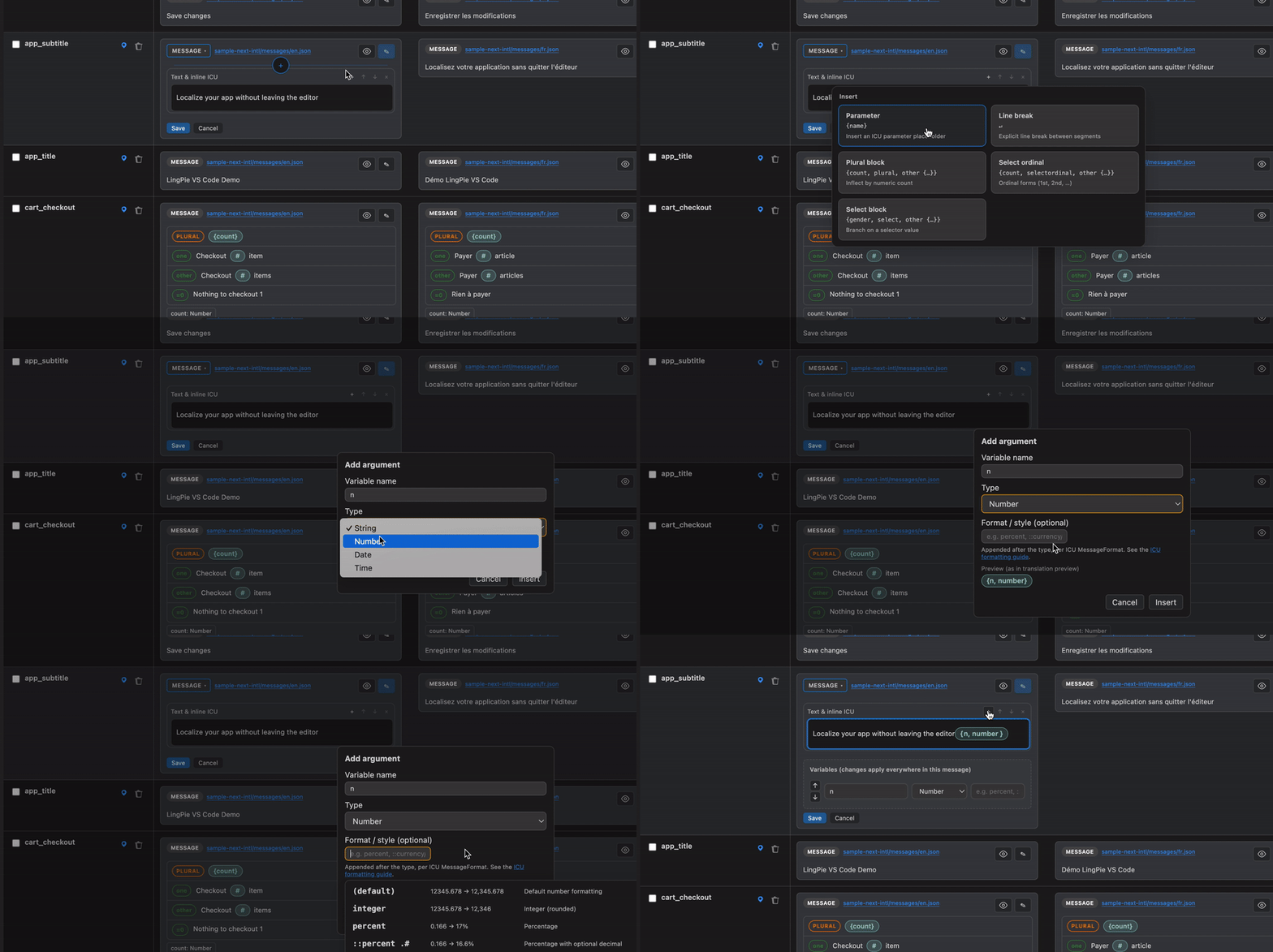
Translation editor
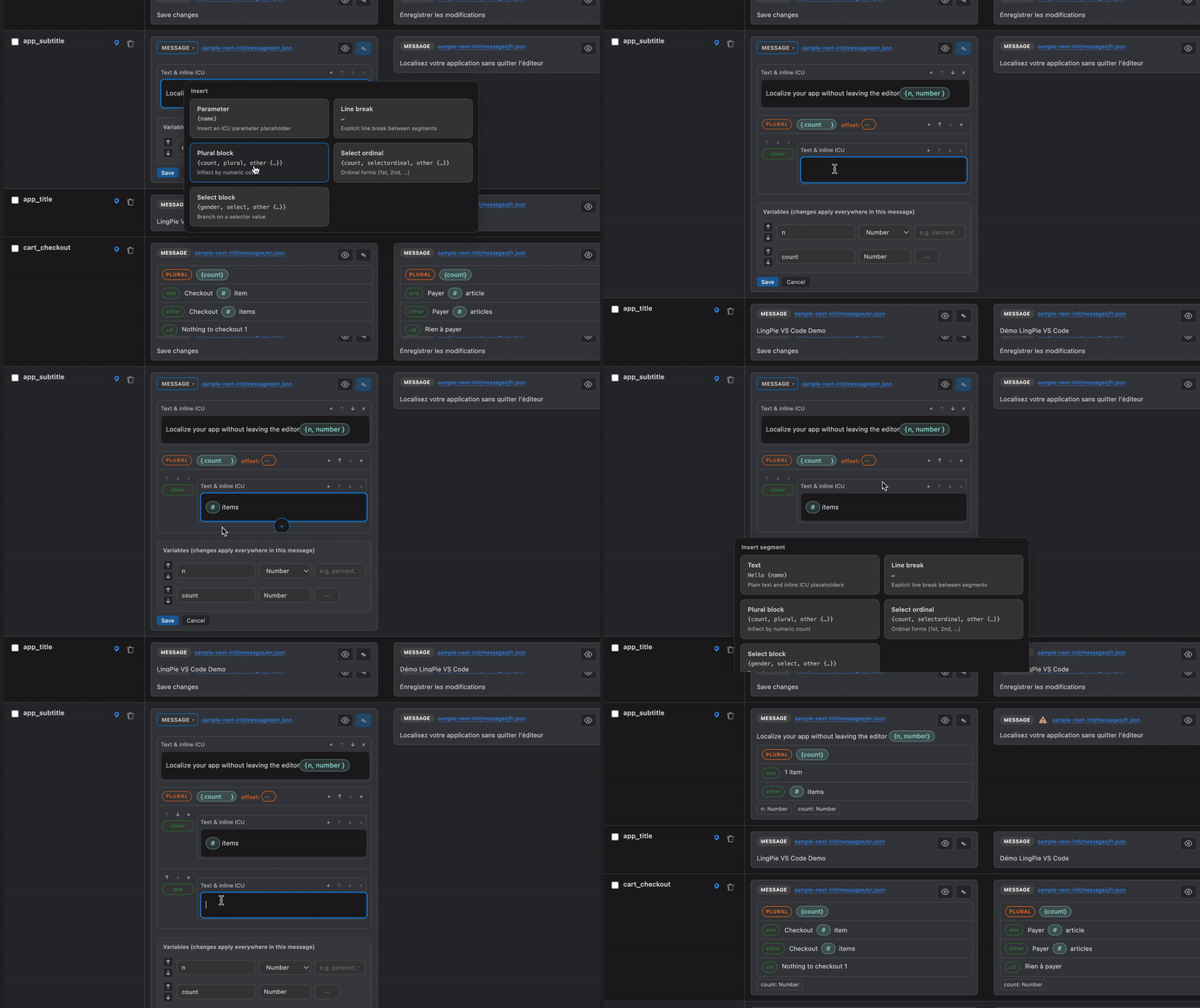
Edit all languages for a key in one place. Changes save to local locale files. Supports keys with arguments and plural forms.
Find key
Use the editor context menu or LingPie: Find Key to jump from a key reference in source code to the translation editor.
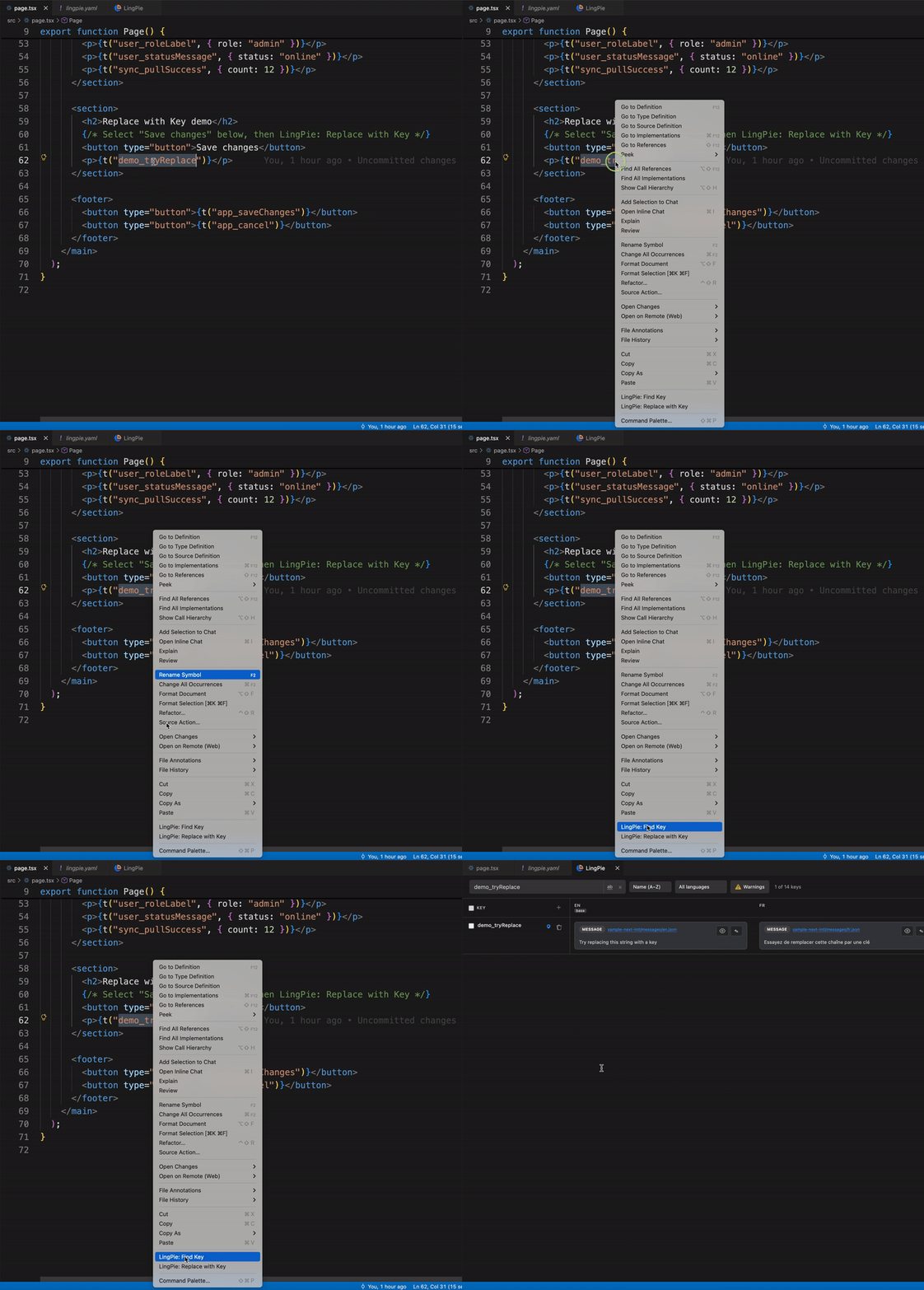
Replace with key
Use the editor context menu or LingPie: Replace with Key to replace selected text with a localized key. Replace templates are configurable (t('{key}'), intl.formatMessage, etc.) via lingpie.yaml and the lingpie.replaceTemplates setting.
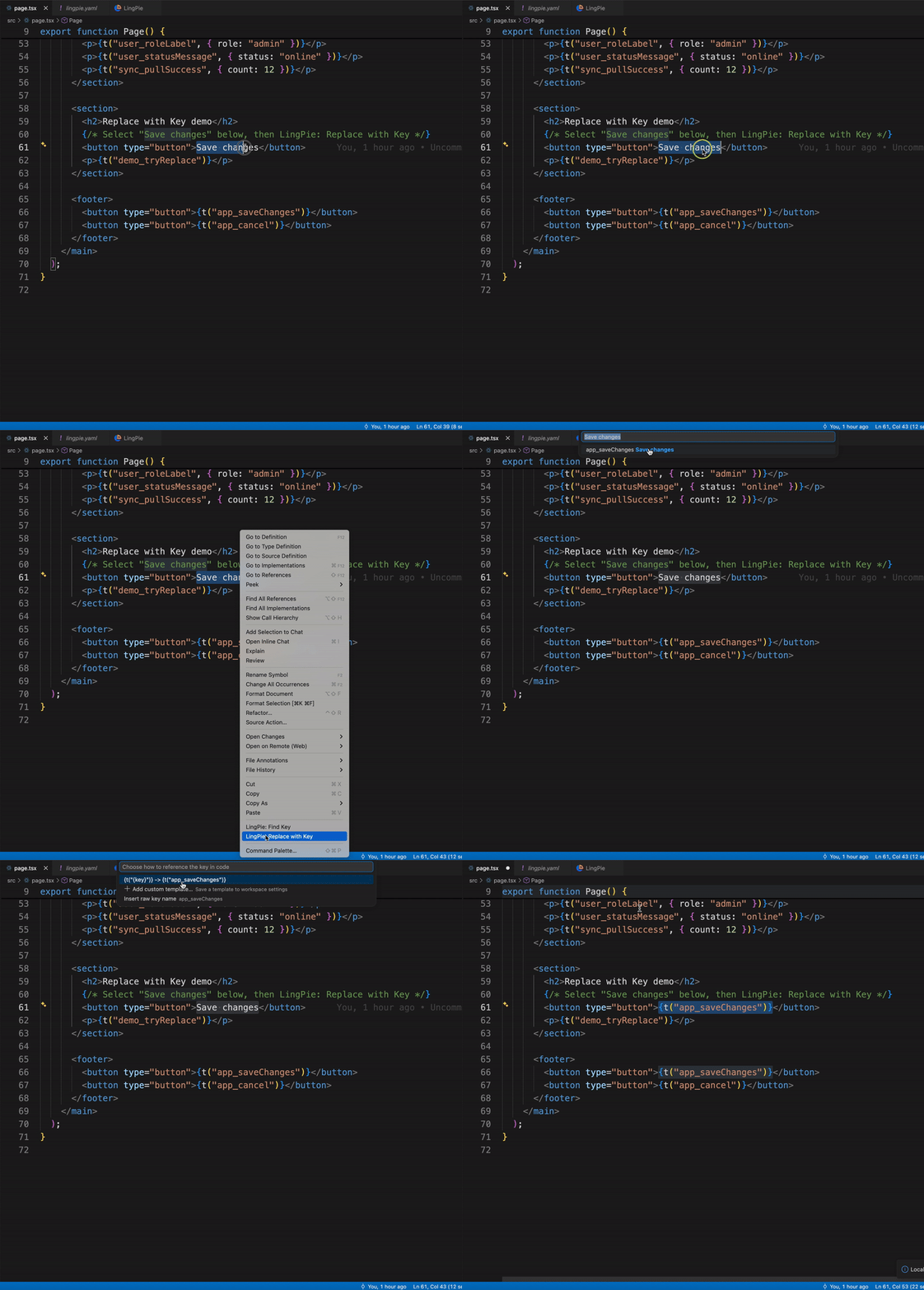
Remote sync
Sign in with a LingPie project API key (lp_*) to pull and push translations from the tree, command palette, or per-mapping context menu. Find Key falls back to LingPie inspect when a key is missing locally. The API key is stored in VS Code SecretStorage and is never written to lingpie.yaml.
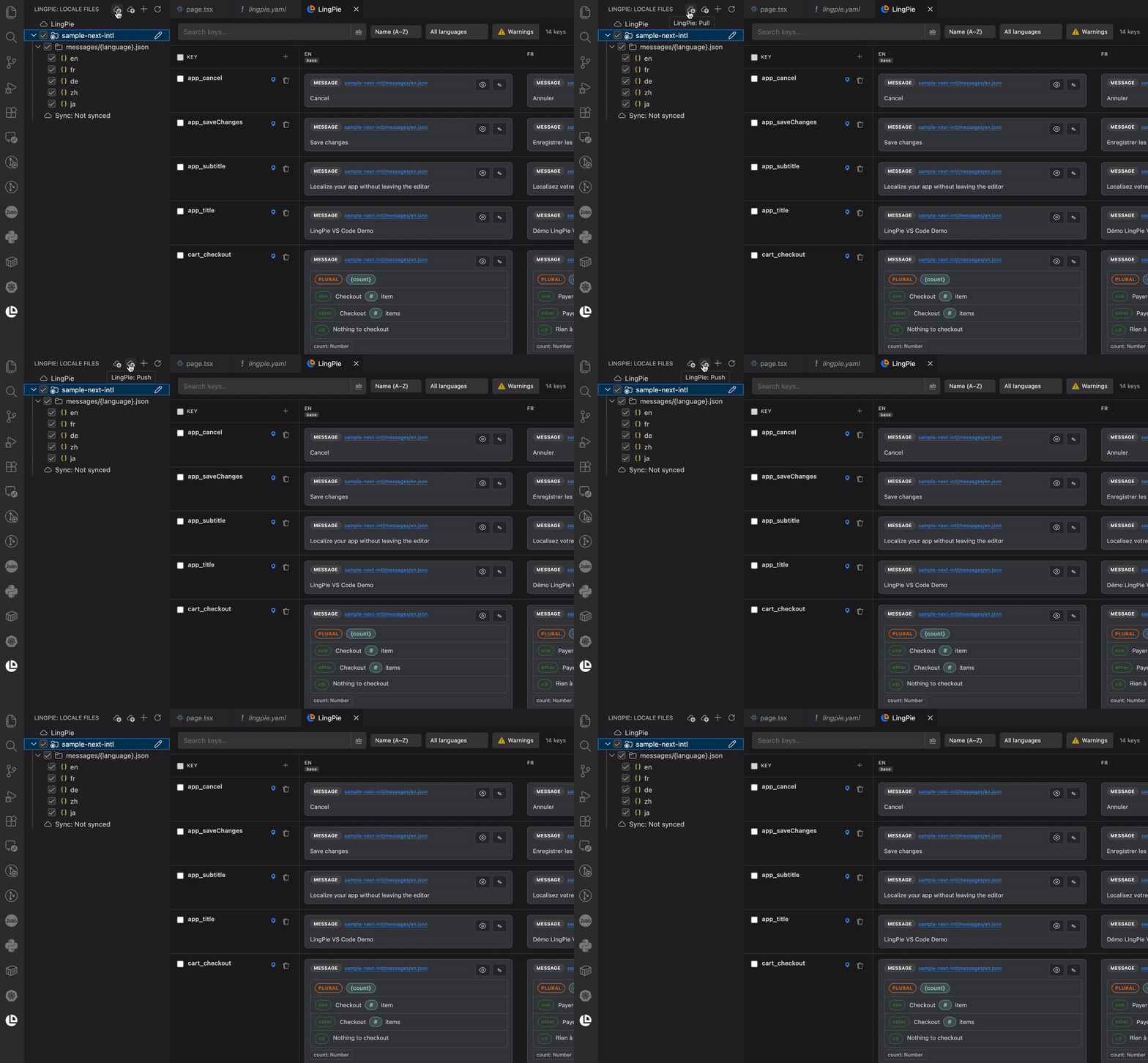
Requirements
- A
lingpie.yaml in your project (use LingPie: Initialize Project to create one)
- For remote sync: a LingPie project API key with
export, import, keys:read, languages:read (and keys:write if you create keys in the cloud)
Getting started
Install the extension from the VS Code Marketplace.
Open a workspace that contains or will contain localization files.
Run LingPie: Initialize Project from the command palette to create or link a lingpie.yaml (scan-only or connected to a LingPie project):
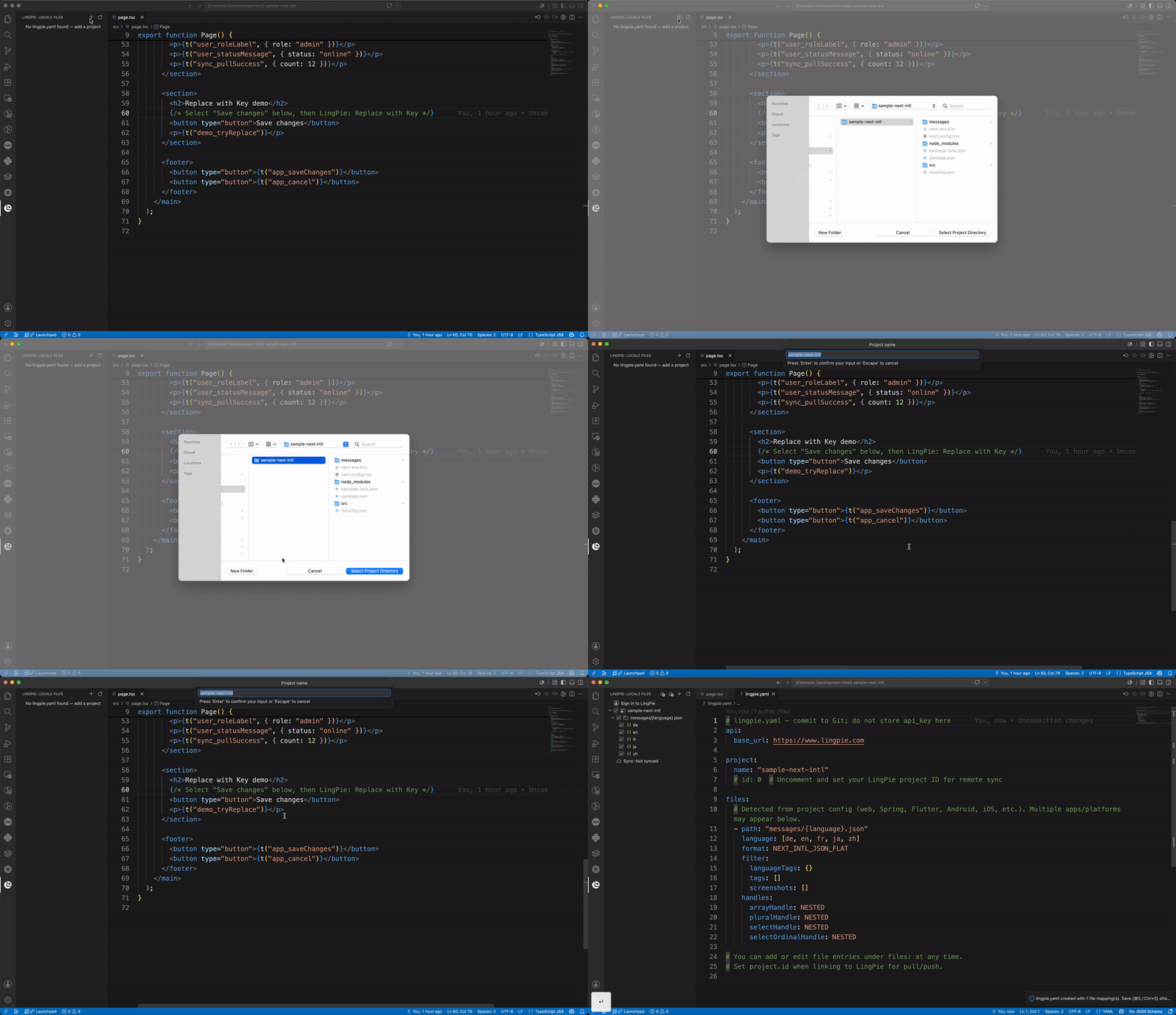
Open the LingPie activity bar → Locale Files to browse mappings and keys (translation list).
Click a key to open the translation editor, or use LingPie: Find Key / LingPie: Replace with Key in source files (find key · replace with key).
Optional: LingPie: Sign In with your project API key, then use Pull / Push to sync with LingPie.
Configuration
LingPie reads project settings from each repo's lingpie.yaml. You can edit it in the visual project editor, directly in YAML, or mix both.
Project configuration editor
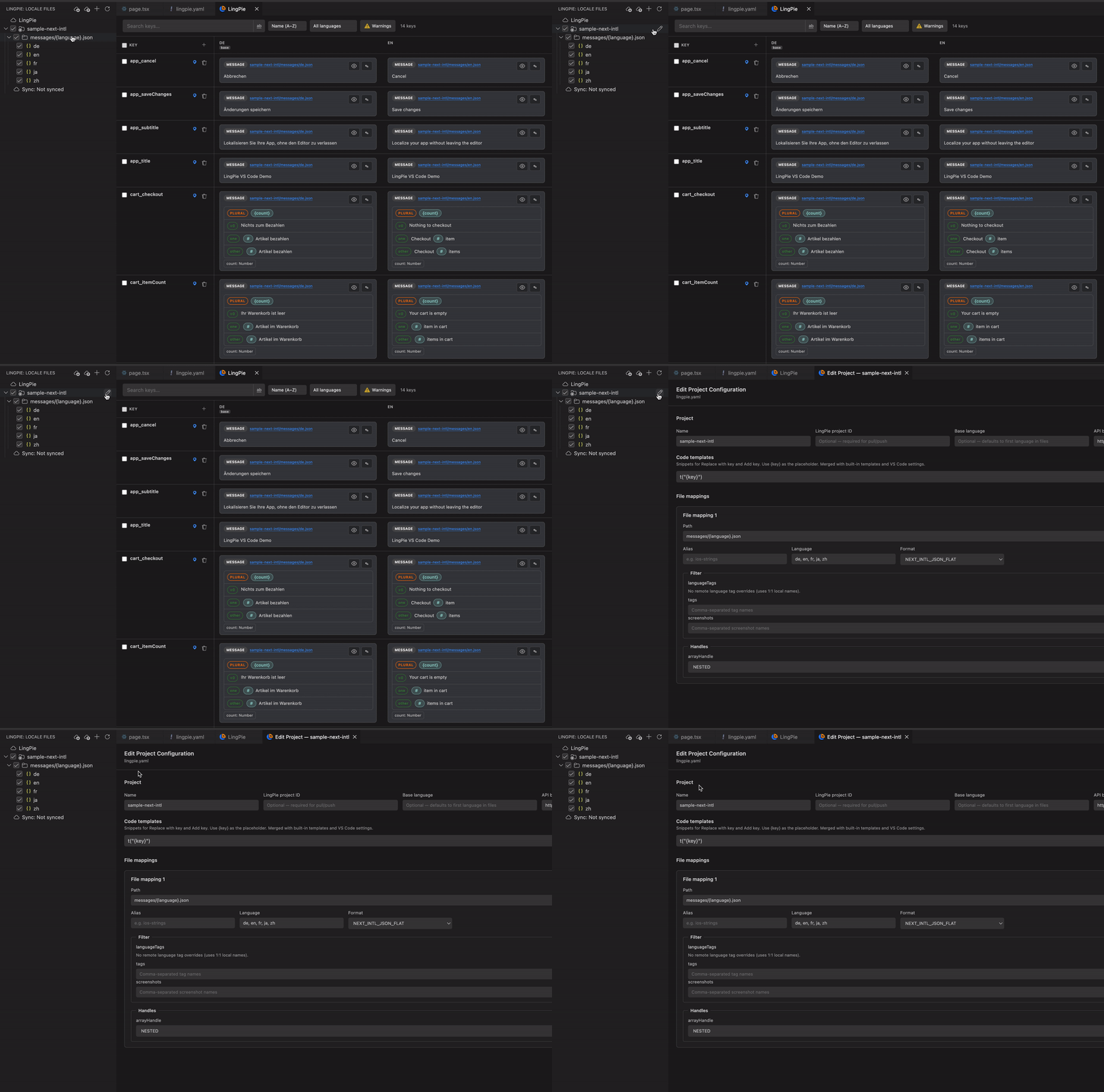
In the LingPie → Locale Files tree, click the edit icon on a project row (or run LingPie: Edit Project from the command palette) to open the project configuration page. Changes are written back to lingpie.yaml when you click Save; use Open YAML to jump to the raw file.
The editor covers:
- Project — name, LingPie project ID (for pull/push), base language, API base URL, and Verify access
- Code templates —
editor.replaceTemplates snippets for Replace with key and Add Localization Key ({key} placeholder)
- File mappings — path, alias, languages, export format, filters, and ICU handle options (
arrayHandle, pluralHandle, etc.)
Use the + button in the tree title bar to scan a directory and create a new lingpie.yaml (LingPie: Add Project). Right-click a mapping to add locale files or open the translation list.
lingpie.yaml
Commit lingpie.yaml to Git. Do not store API keys in the file — sign in via LingPie: Sign In instead.
Minimal scan-only project (local editing only):
# lingpie.yaml — commit to Git; do not store api_key here
api:
  base_url: https://www.lingpie.com

project:
  name: "sample-next-intl"

files:
  - path: "messages/{language}.json"
    language: [de, en, fr, ja, zh]
    format: NEXT_INTL_JSON_FLAT
    filter:
      languageTags: {}
      tags: []
      screenshots: []
    handles:
      arrayHandle: NESTED
      pluralHandle: NESTED
      selectHandle: NESTED
      selectOrdinalHandle: NESTED
Linked to LingPie (remote pull/push) with replace templates:
api:
  base_url: https://www.lingpie.com

project:
  id: 7
  name: "next-intl"
  baselanguage: "en"

files:
  - path: "messages/{language}.json"
    language: [en, zh]
    format: NEXT_INTL_JSON_FLAT
    filter:
      languageTags: {}
      tags: []
      screenshots: []
    handles:
      arrayHandle: NESTED
      pluralHandle: NESTED
      selectHandle: NESTED
      selectOrdinalHandle: NESTED

editor:
  replaceTemplates:
    - "t('{key}')"
Per-locale paths (e.g. Android strings.xml) and remote language tag mapping:
files:
  - path: app/src/main/res/values-zh/strings.xml
    language: zh
    format: ANDROID_XML
    handles:
      pluralHandle: NESTED

  - path: Sources/MyApp/Resources/zh-Hans.lproj/Localizable.strings
    language: zh-Hans
    format: APPLE_STRINGS_AND_STRINGSDICT
    filter:
      languageTags:
        zh-Hans: zh   # local tag → LingPie remote tag
| Section |
Purpose |
api.base_url |
LingPie API endpoint; defaults to https://www.lingpie.com when unset |
project.name |
Display name in the tree and editor |
project.id |
LingPie project ID — required for pull/push |
project.baselanguage |
Base language for sync and sorting; defaults to the first language in files |
files[].path |
Locale file path; use {language} for multi-locale patterns |
files[].format |
Export format (e.g. NEXT_INTL_JSON_FLAT, I18NEXT_KEY_JSON_NESTED, ANDROID_XML) |
files[].filter.languageTags |
Map local language tags to LingPie remote tags (e.g. zh-Hans: zh when the repo uses zh-Hans but LingPie uses zh) |
files[].handles |
How arrays, plurals, and selects are read/written (NESTED, FLAT, SKIP) |
editor.replaceTemplates |
Code snippets for key insertion; merged with VS Code settings and built-in templates |
Run LingPie: Initialize Project to auto-generate lingpie.yaml from your repo layout.
VS Code settings
Workspace-level settings in Settings → Extensions → LingPie (or settings.json):
| Setting |
Description |
lingpie.replaceTemplates |
Additional replace templates merged after lingpie.yaml editor.replaceTemplates |
Example — add a React Intl template for the whole workspace without editing each project's YAML:
{
  "lingpie.replaceTemplates": [
    "intl.formatMessage({ id: '{key}' })"
  ]
}
Template precedence: built-in (detected from package.json / file type) → lingpie.yaml → VS Code settings. Use {key}, {keyQuoted}, {namespace}, or {keyTail} as placeholders.
Commands
| Command |
Description |
| LingPie: Initialize Project |
Create or link a project via lingpie.yaml |
| LingPie: Sign In / Sign Out |
Store or clear the project API key |
| LingPie: Pull / Push |
Sync all mappings with LingPie |
| LingPie: Add Localization Key |
Insert a new key at the cursor |
| LingPie: Find Key |
Open the translation editor for a key reference |
| LingPie: Replace with Key |
Replace selected text with a localized key |
| LingPie: Show Translation Keys |
Browse keys for a locale file mapping |

