Skip to content
| Marketplace
Sign in
Visual Studio Code>Themes>Sage 鼠尾草New to Visual Studio Code? Get it now.
Sage 鼠尾草

Sage 鼠尾草

Licy

|
11 installs
| (0) | Free
鼠尾草绿护眼主题 — AI 时代,少写代码,多思考。A calming sage-green theme for the AI era: less typing, more thinking.
Installation
Launch VS Code Quick Open (Ctrl+P), paste the following command, and press enter.
Copied to clipboard
More Info

🌿 Sage · 鼠尾草护眼主题

AI 时代,少写代码,多思考。 Less typing, more thinking. A calming theme for the AI era.


AI 让写代码这件事变了——不再逐字敲打,更多是阅读、审查、思考。Sage 是一个专为这种新工作方式设计的主题:低饱和鼠尾草绿底色,温柔护眼,让你在屏幕前待一整天也不累。

AI is changing how we code. Less typing, more reading, reviewing, and thinking. Sage is built for this new workflow — soft sage-green tones that are proven to reduce eye strain during long sessions.


🎨 配色 Palette

元素 色值
背景 #f0f4e8
文字 #4a5d42
强调 #7c9a6b
关键字 #5A7D6B bold
字符串 #b8956a
方法 #7a6b5a
注释 #a3b899 italic

🔤 推荐字体

用途 字体 下载
代码 Maple Mono NF CN SemiBold GitHub
界面 / 中文 LXGW WenKai · 霞鹜文楷 GitHub

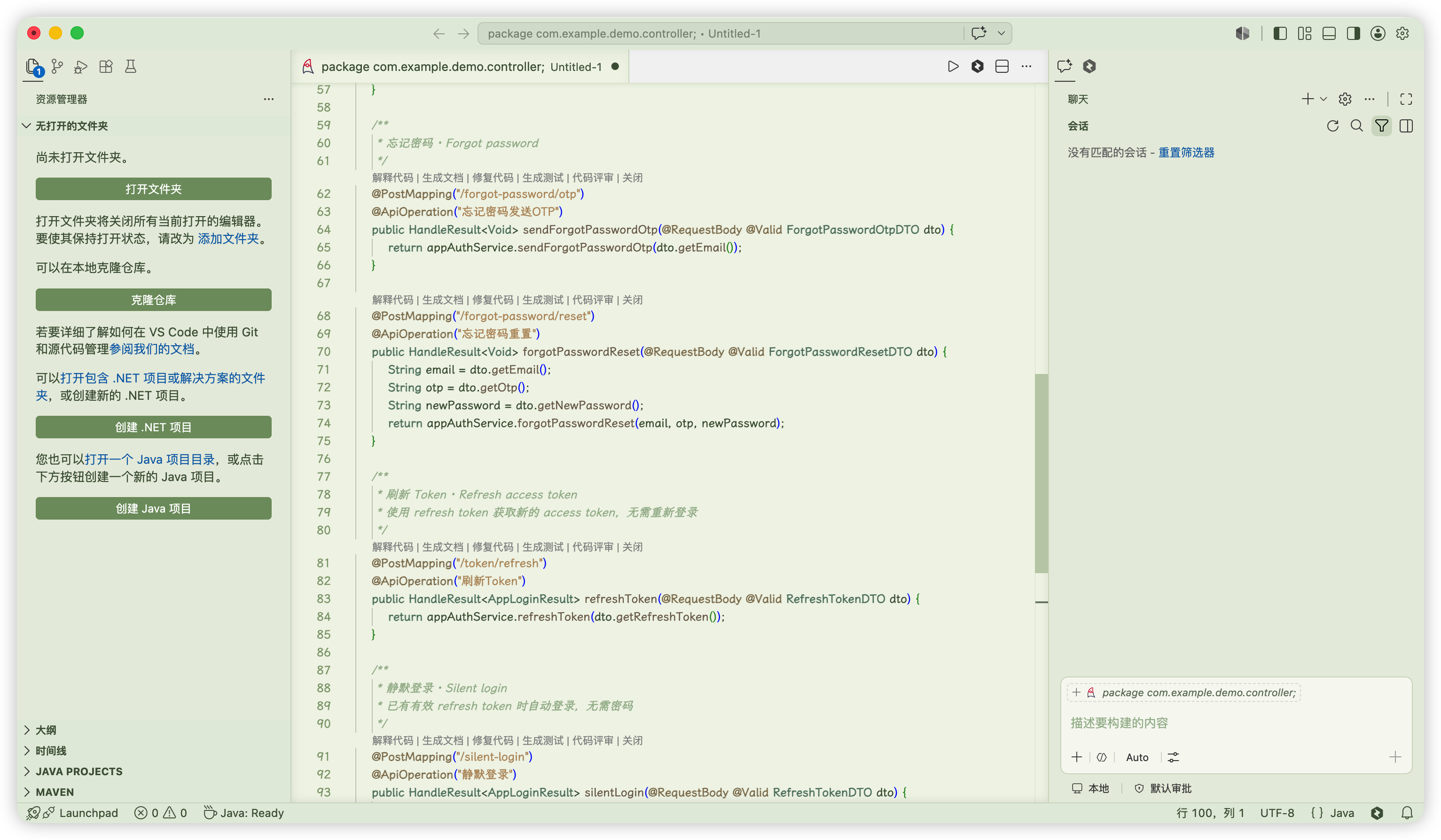
📸 预览

Sage Theme

上图:Sage 主题在 Java Spring Boot 项目中的效果。Shows Sage theme with Java code.


📦 安装

VS Code 扩展商店搜索 Sage

Hermes Agent: 设置 → 主题 → 搜索 Sage


License

MIT © licy

  • Contact us
  • Jobs
  • Privacy
  • Manage cookies
  • Terms of use
  • Trademarks
© 2026 Microsoft