
SQL StudioWrite SQL, explore databases, and view query results with agent integration Installation Launch VS Code Quick Open ( Ctrl+P), paste the following command, and press enter.Copied to clipboard |

SQL Studio
Write SQL, explore database schemas, run queries, and browse results in VS Code and Cursor.
FeaturesEditor
Database Explorer
Results
Charts
Connections
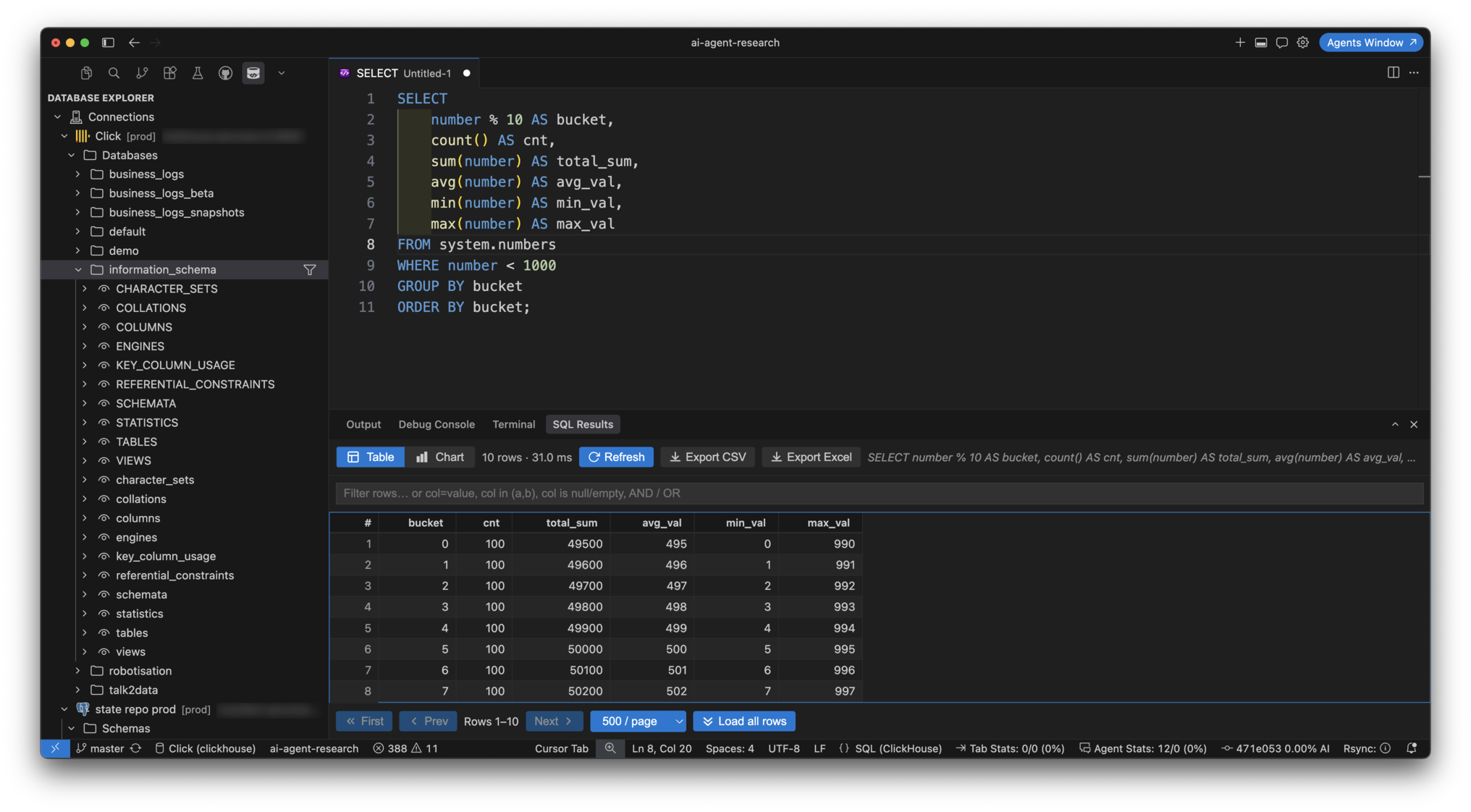
ScreenshotsQuery results (table) — Database Explorer, SQL editor and the SQL Results panel with sorting, an expression filter, pagination (
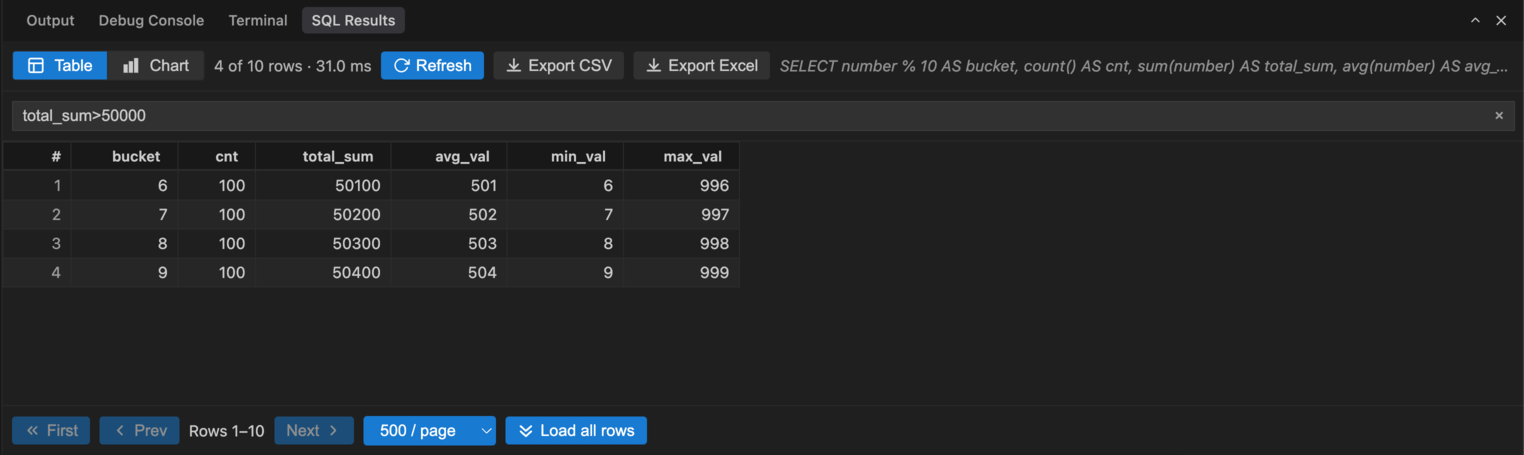
Results filter — expression syntax over the loaded rows (
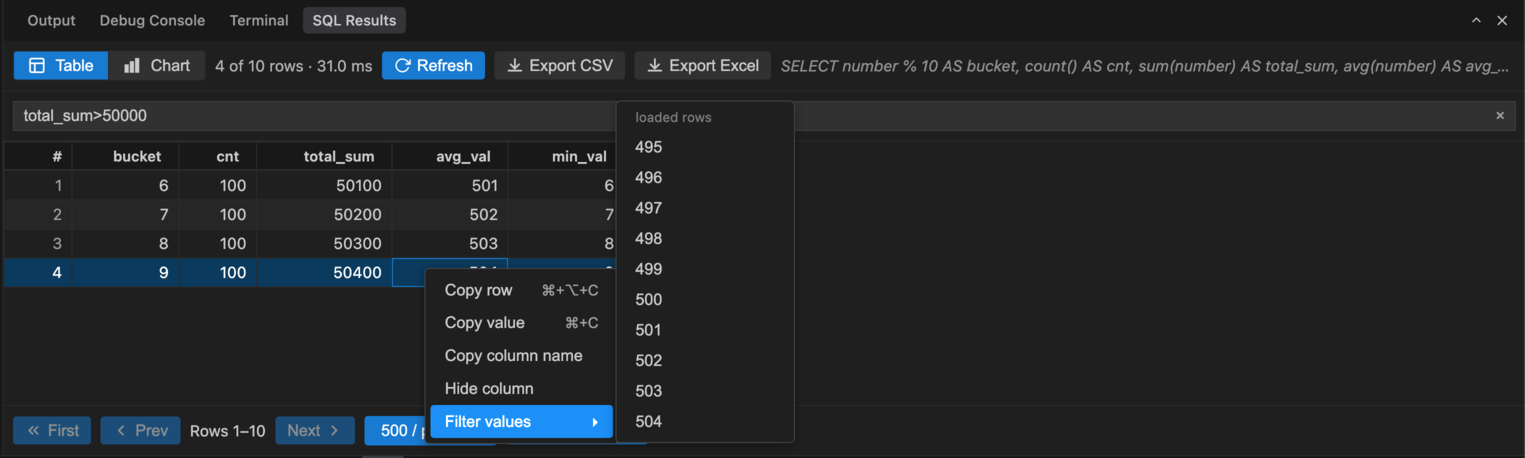
Grid context menu — copy a row, a value or a column name, hide a column, or pick values for a column filter from the loaded rows:
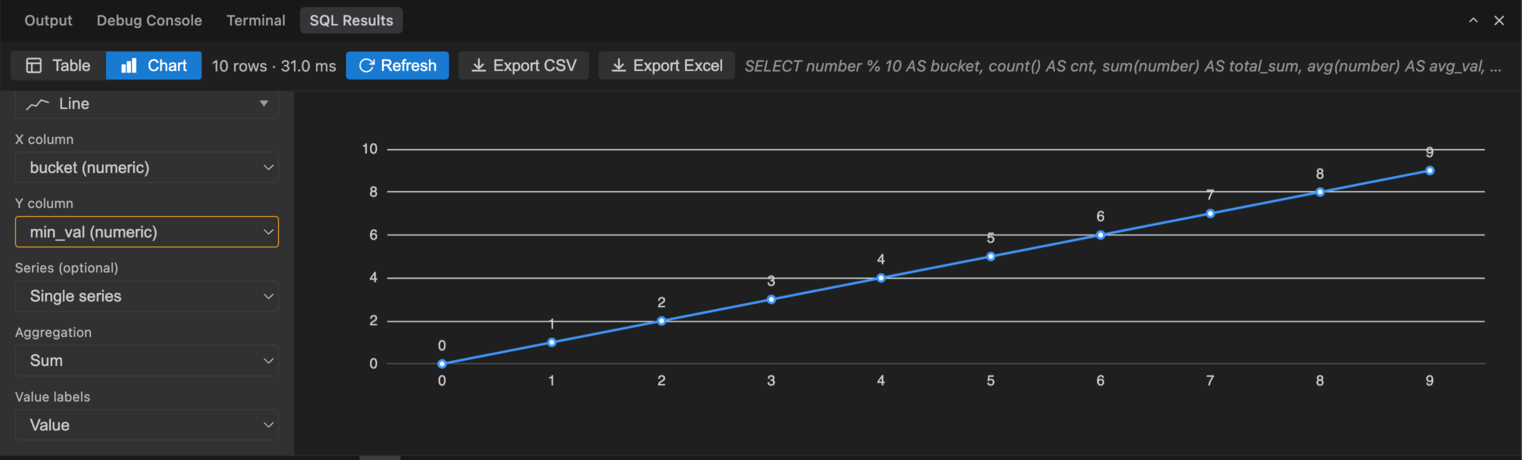
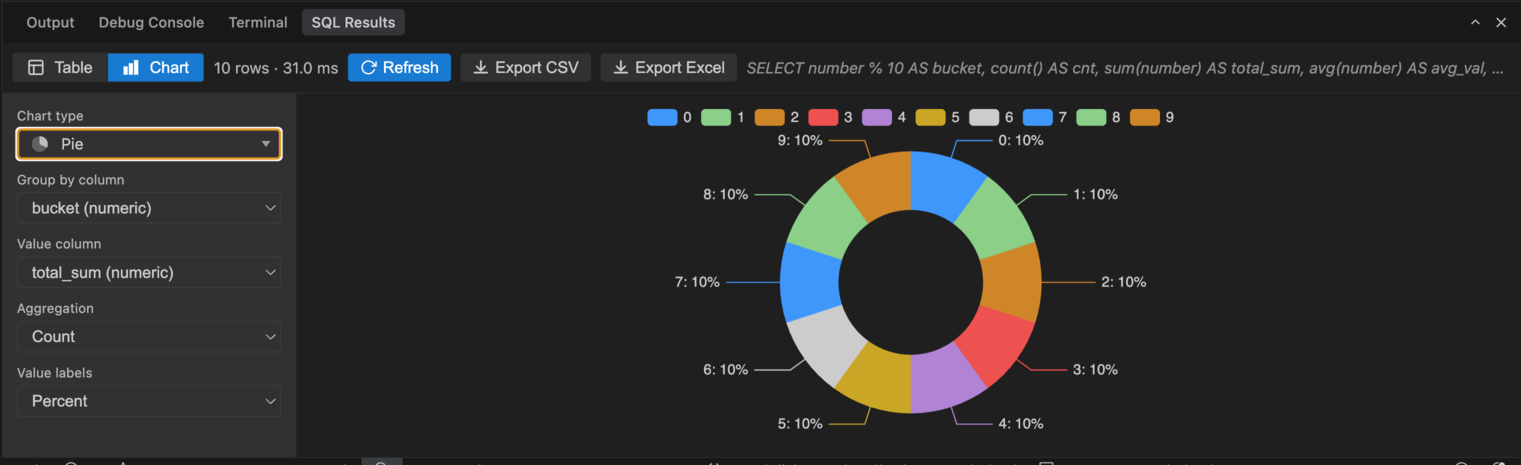
Query results (chart) — line, bar, scatter, area, pie and heatmap over result columns, with X/Y column pickers, optional series, aggregation and value labels. Pie charts with many categories use a scrollable legend; pinch-to-zoom (trackpad pinch or Ctrl/Cmd + scroll) works on the chart area and trackpad scroll on the legend:
Pie charts group by a label column and label slices with values or percentages:
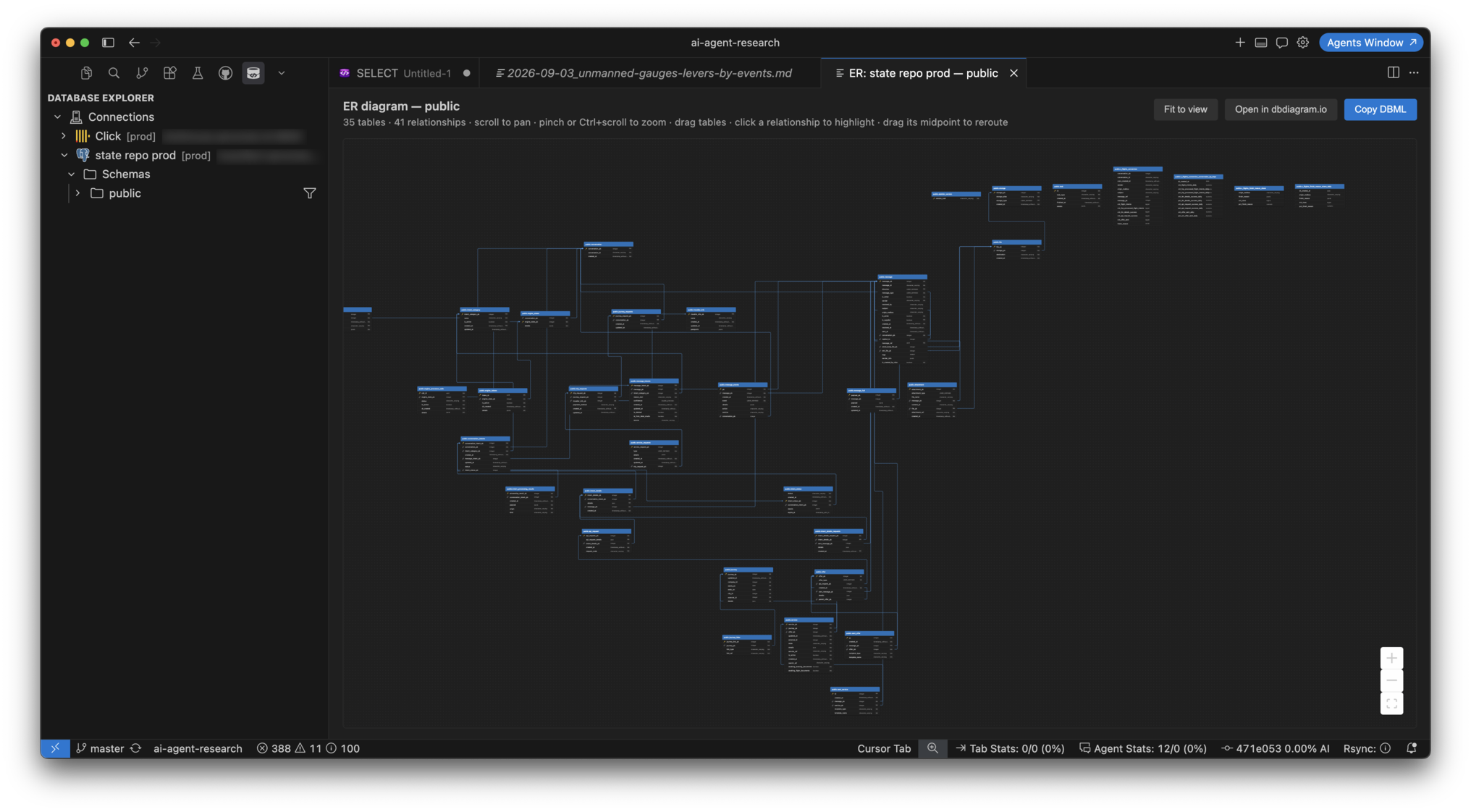
ER diagram — right-click a schema or database → View ER Diagram: DBML-derived layout with column-level relationships, pan and zoom, draggable tables, click-to-highlight, Fit to view, Copy DBML and Open in dbdiagram.io:
Supported databases
Requirements
If the backend fails to start, set SQL Studio: Uv Path in settings to the full path from InstallationFrom VS Code Marketplace
From a
|


| Action | macOS | Windows / Linux |
|---|---|---|
| Run query at cursor | Cmd+Enter | Ctrl+Enter |
| Run all statements in file | Cmd+Shift+Enter | Ctrl+Shift+Enter |
| Show execution plan | Shift+Cmd+E | Shift+Ctrl+E |
Connection fields by dialect
| Field | PostgreSQL | ClickHouse | SQL Server | MySQL | SQLite |
|---|---|---|---|---|---|
| Host / Port | yes | yes | yes | yes | — |
| Username / Password | yes | yes | yes | yes | optional |
| Database | required | optional | required | required | file path |
| Default port | 5432 | 9000 / 8123 | 1433 | 3306 | — |
| Extra | SSL, read-only | Native vs HTTP driver | TLS, read-only | SSL, read-only | read-only flag |
ClickHouse: Native vs HTTP
| Mode | Port | Use when |
|---|---|---|
| Native (TCP) | 9000 (9440 + TLS) | Internal network, same as TablePlus Native |
| HTTP | 8123 (8443 + TLS) | ClickHouse Cloud, HTTP-only access |
Port 9000 does not work with the HTTP driver — select Native in the Driver field.
Microsoft SQL Server
Connections use pyodbc and a system ODBC driver. Without it, test and queries fail with Install Microsoft ODBC Driver for SQL Server.
| OS | Install |
|---|---|
| macOS | brew tap microsoft/mssql-release https://github.com/Microsoft/homebrew-mssql-release && brew install msodbcsql18 |
| Windows | ODBC Driver 18 for SQL Server |
| Linux | Microsoft docs — package msodbcsql18 |
Verify: odbcinst -q -d should list ODBC Driver 18 for SQL Server (or 17/13).
T-SQL files use extension .tsql and language SQL (Microsoft SQL Server). Table preview uses SELECT TOP N.
Working with the explorer
| Action | How |
|---|---|
| Preview / sample data | Click table/view or right-click → Sample Data |
| Object metadata | Right-click → Object Description |
| Export table | Right-click → Export Data… |
| New SQL from object | Right-click → Create SQL Query or Generate SELECT |
| Copy object name | Right-click → Copy Name |
| Filter objects by name | Filter icon on schema/database node; Edit Filter / Reset Filter when active |
| Connection tags | Right-click connection → Manage Tags, or edit in the connection dialog |
| ER diagram | Right-click schema/database → View ER Diagram (pan, zoom, drag tables, click a relationship to highlight with red marching-ants animation child→parent, drag midpoint to reroute, Fit to view, Copy DBML, Open in dbdiagram.io) |
| Run SQL | Open .sql, pick connection in status bar, Cmd+Enter / Ctrl+Enter |
| Format SQL | Command Palette → SQL Studio: Format SQL |
| Agent help | SQL Studio: Ask Agent to Explain Query / Ask Agent to Fix/Optimize Query |
Settings
| Setting | Default | Description |
|---|---|---|
sqlStudio.uvPath |
uv |
Path to the uv executable |
sqlStudio.previewRowLimit |
1000 |
Rows when previewing a table from Explorer |
sqlStudio.defaultRowLimit |
10000 |
Max rows per SQL query |
sqlStudio.fetchMode |
server |
How results load: page-by-page from the backend (server) or all rows at once (client) |
sqlStudio.serverPageSize |
500 |
Rows per page when sqlStudio.fetchMode is server |
sqlStudio.warnOnLargeUnboundedSelect |
true |
Warn before unbounded SELECT on large tables |
sqlStudio.largeTableRowThreshold |
5000 |
Estimated row count that triggers the warning |
sqlStudio.accentColor |
(empty) | Primary accent for SQL Studio webviews (hex) |
sqlStudio.chartAccentColors |
[] |
Chart series colors (hex array) |
sqlStudio.defaultDialect |
postgres |
Default dialect for new files |
sqlStudio.autoAssociateSqlFiles |
true |
Open .sql in SQL Studio language mode |
sqlStudio.promptForConnectionOnRun |
false |
Ask for connection before each run |
sqlStudio.promptForConnectionOnOpen |
true |
Ask for connection when opening .sql without a per-file binding |
sqlStudio.explainAnalyze |
false |
PostgreSQL only: use EXPLAIN ANALYZE (executes the query). Other dialects use structured EXPLAIN output (JSON/XML/query plan) rendered as an interactive tree when supported. |
sqlStudio.rememberedTableLayouts |
30 |
How many recent queries keep their results-table layout (column order, hidden columns, widths, sorting). 0 disables it. |
Privacy and security
- No telemetry — the extension does not send usage data to the author or third parties.
- Credentials — passwords are stored only in VS Code SecretStorage (encrypted by the OS). They are not written to settings, logs, or MCP responses.
- Queries — SQL runs directly between your machine and the database you configure. The Python backend runs locally via
uv. - Use read-only connections when exploring production data.
Cursor Agent
Templates in the repository:
.cursor/rules/sql-agent.mdc— rules for.sqlfiles in your workspace.cursor/mcp.json— MCP server template (sql-studio-mcp, stub)
Copy sql-agent.mdc into your project's .cursor/rules/ to enable agent-aware SQL editing.
Architecture
| Layer | Stack | Role |
|---|---|---|
| Extension | TypeScript | UI, explorer, webviews, SecretStorage |
| Backend | Python + uv | JSON-RPC: queries, schema, export (python/sql_studio/) |
| Webview | React + Vite | Results table, connection dialog |
Backend layout (flat package under python/):
python/
├── sql_studio/          # Python package (server, drivers, dialect, export)
├── tests/               # pytest
├── pyproject.toml
└── uv.lock
Backend command (spawned automatically):
uv run --directory python sql-studio-server
Development
just install && just build && just test
just package   # builds .vsix
Press F5 in VS Code/Cursor for Extension Development Host.
Details: CONTRIBUTING.md, python/README.md, AGENTS.md.
Support
- GitHub Issues — bugs and feature requests
- Security reports — do not open public issues for vulnerabilities
Author
Lev Ragulin — leo@levragulin.ru
Disclaimer
This software is provided as is, without warranty. You use SQL Studio at your own risk, including when connecting to production databases or running data-modifying statements.
License
The Beerware License (Revision 42) — retain the notice; optional beer if we meet in person.