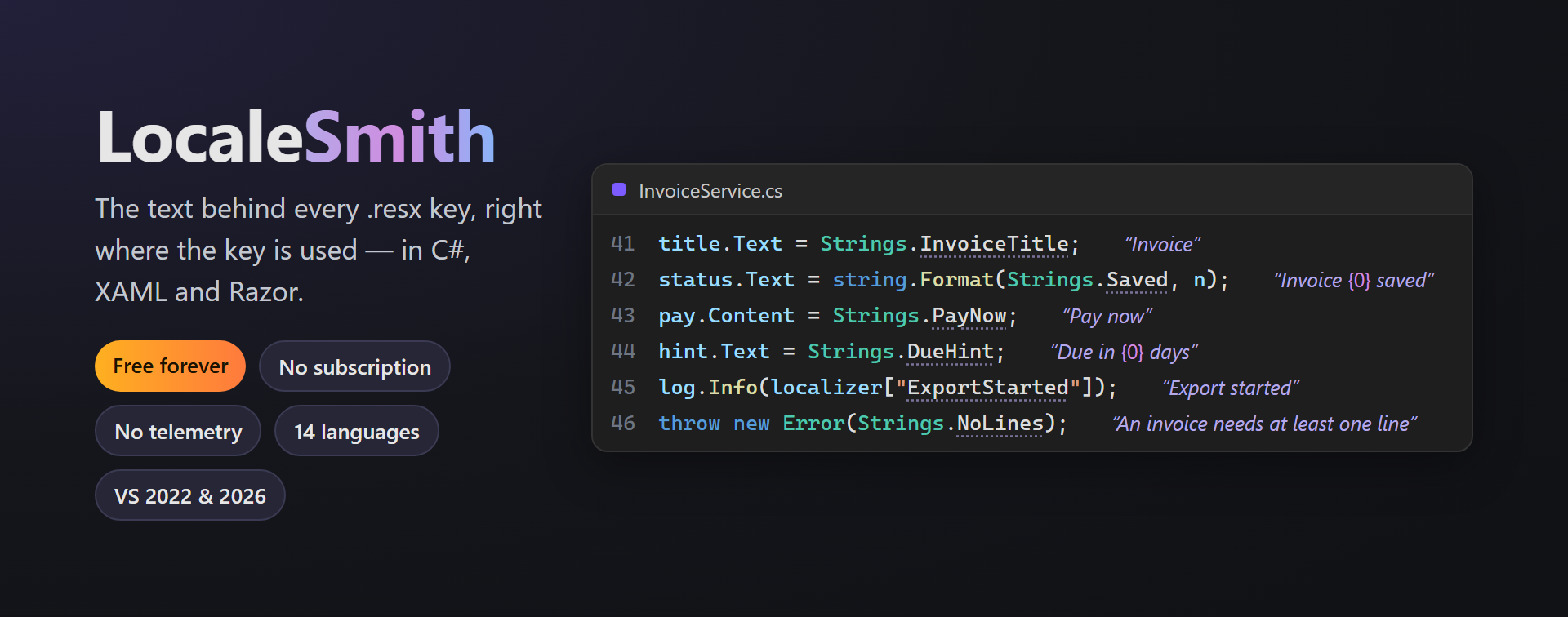
LocaleSmithThe text behind every .resx key, right where the key is used in C#, XAML and Razor: values inline, every translation on hover, missing ones flagged. |

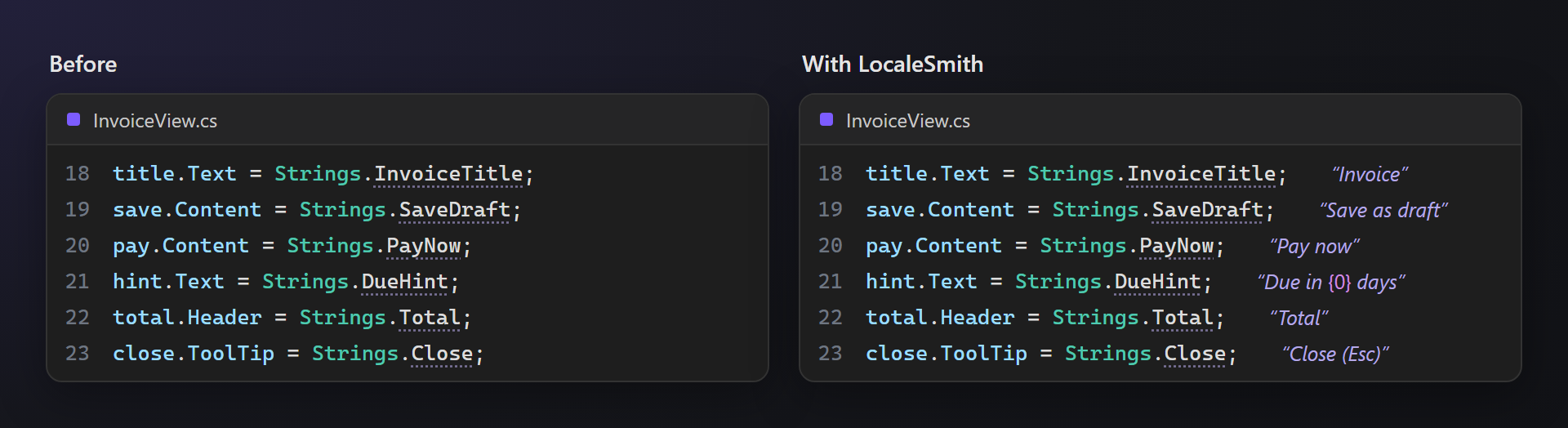
LocaleSmith — the text behind every .resx keyLocaleSmith shows the text of every resource key right where the key is used — after the line, in C#, Visual Basic, F#, XAML and Razor. Hover it for every translation, see missing translations and wrong placeholders before your users do, and move a string to a .resx file with Ctrl+. Free. Forever. No subscription, no trial, no "pro" version, no nag screens, no telemetry. 📖 Documentation · Visual Studio 2022 and 2026 · x64 and ARM64 · UI in 14 languages Code you can read
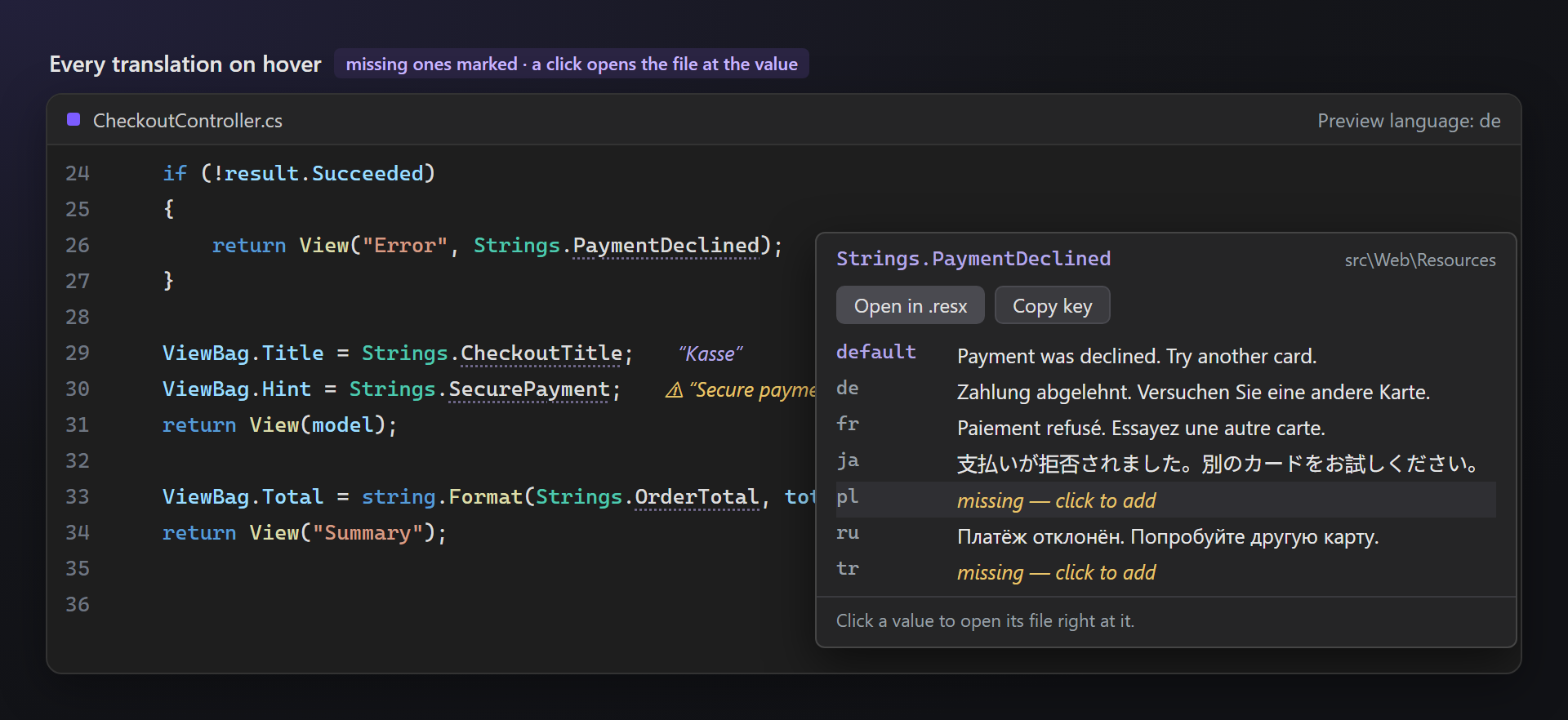
Works with Every translation on hoverRest the pointer on a value: the card lists the key in every language, missing ones in yellow. Click a language to open its .resx with the value selected — a missing translation is added for you. Preview language switches the whole editor to German, Japanese or any language of your resources, so you see your screens before you run the app.
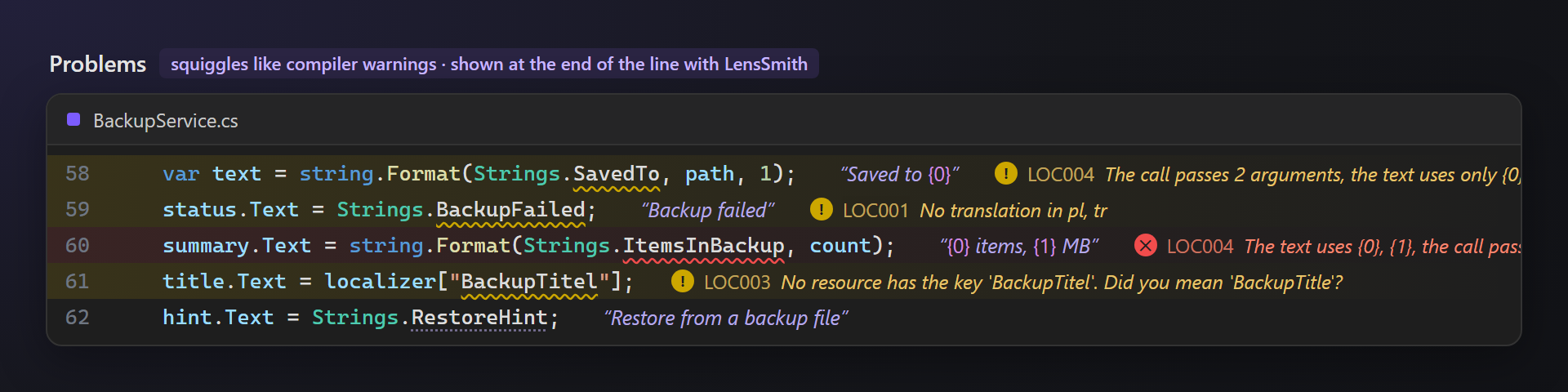
Mistakes before your users see themSquiggles like compiler warnings — and with LensSmith the text at the end of the line:
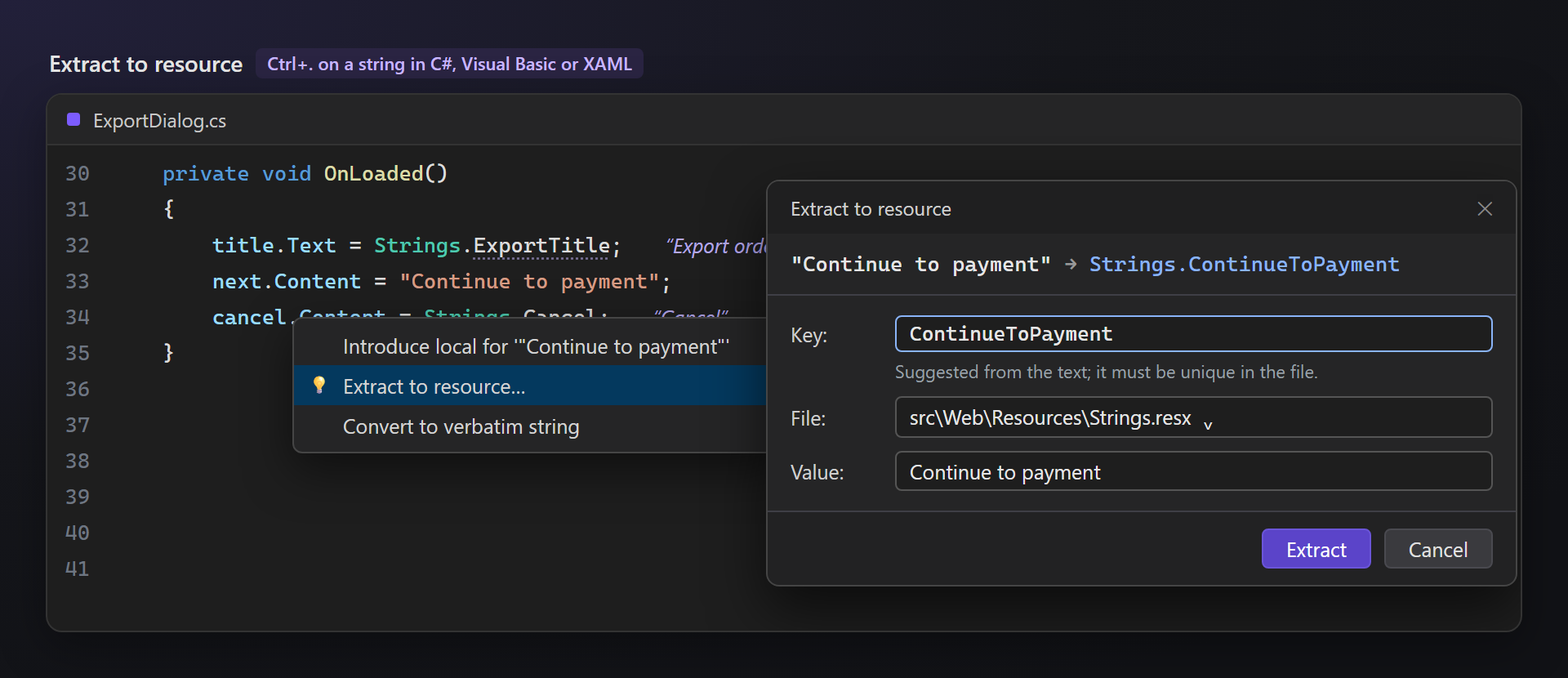
Extract to resourceCaret in a string, Ctrl+., Extract to resource…: the key is suggested from the text, the closest .resx file is chosen, an existing key with the same text is reused. The string becomes
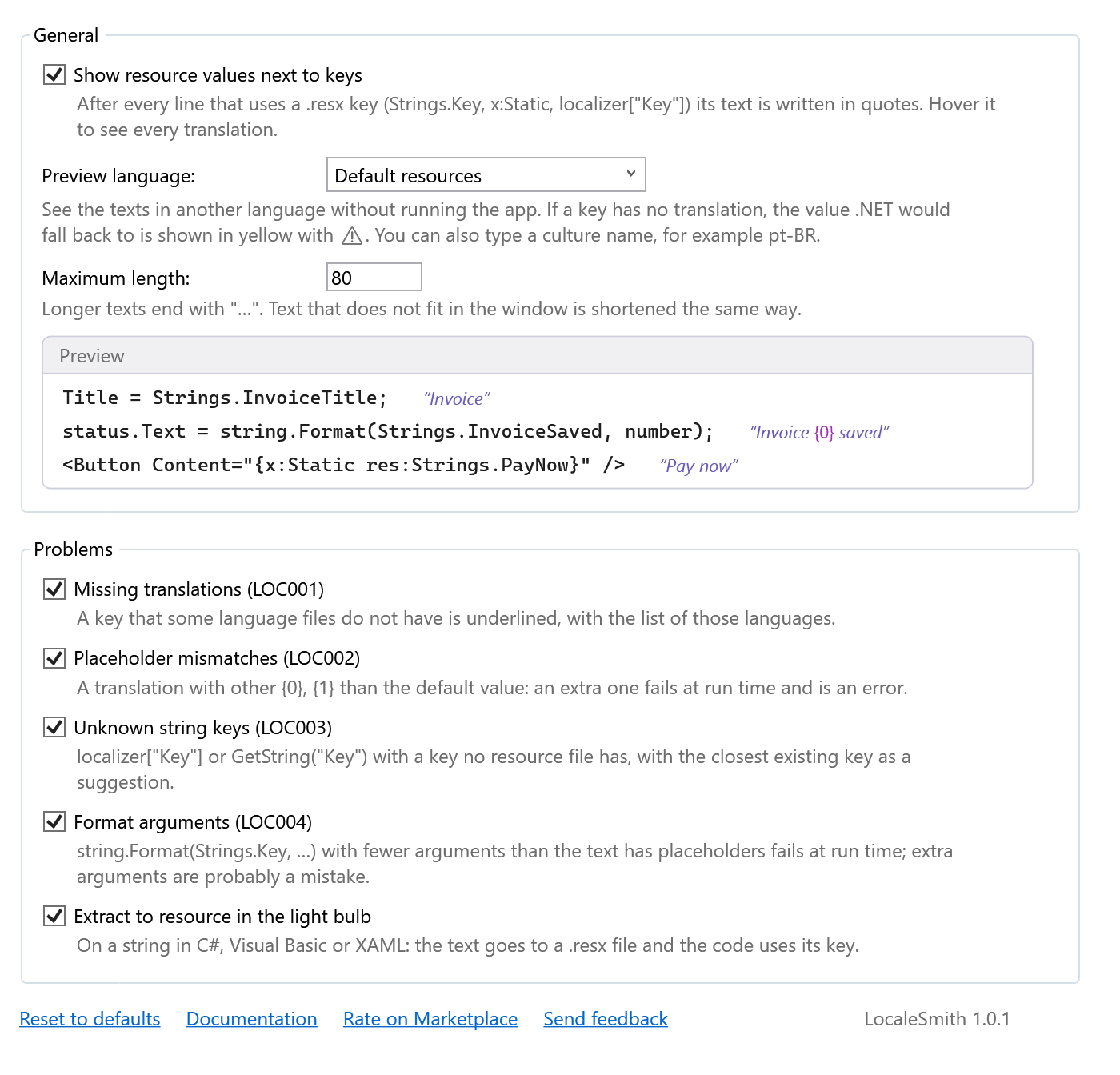
SettingsTools → Options → SmithWorks → LocaleSmith. The preview language, the maximum length, each rule and the light bulb action can be changed or turned off; every option has a description, and a live preview shows the result.
Questions or ideas? Use the Q & A tab on this page or the Feedback repository. Full documentation: lazowskianton.github.io/VSExtensions/localesmith. |