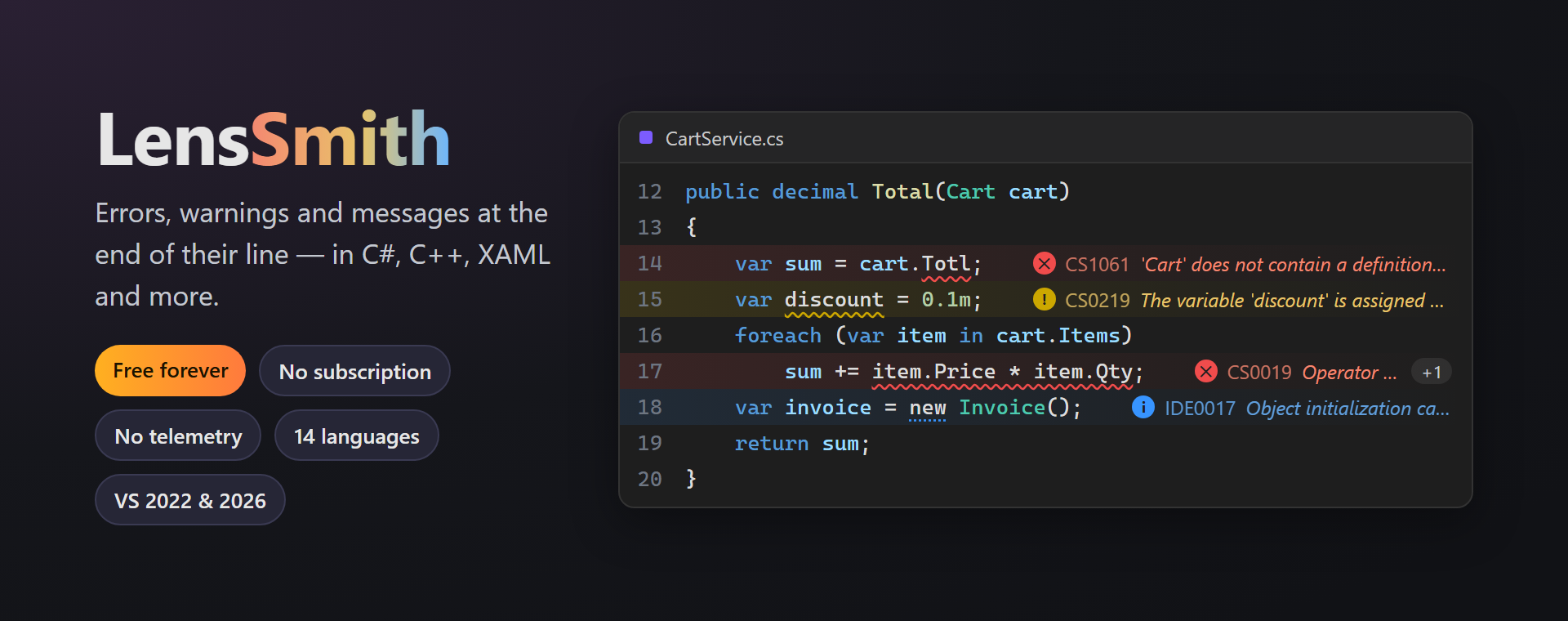
LensSmithError Lens–style inline diagnostics: errors, warnings and messages at the end of their line, the line tinted by the problem. Works in C#, C++, XAML and more; quiet while you type. |

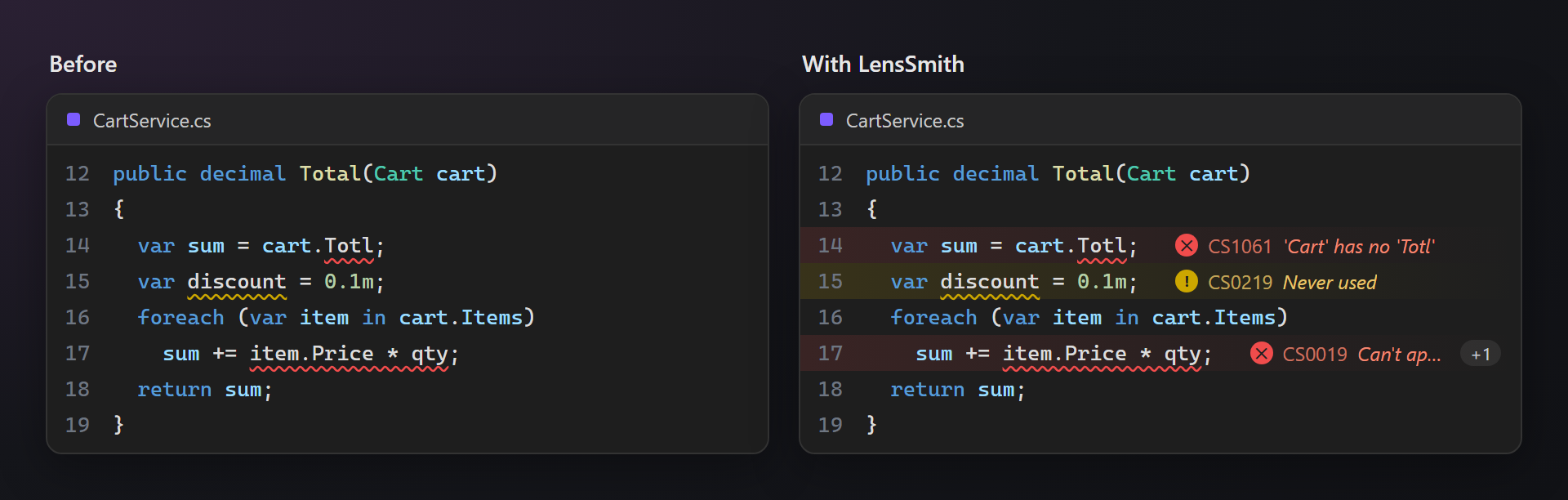
LensSmith — errors where you are lookingLensSmith writes errors, warnings and messages right at the end of the line they belong to, and tints the line by the problem. No more hovering over squiggles or looking down at the Error List. Free. Forever. No subscription, no trial, no "pro" version, no nag screens, no telemetry. 📖 Documentation · Visual Studio 2022 and 2026 · x64 and ARM64 · UI in 14 languages Same code, read in a second
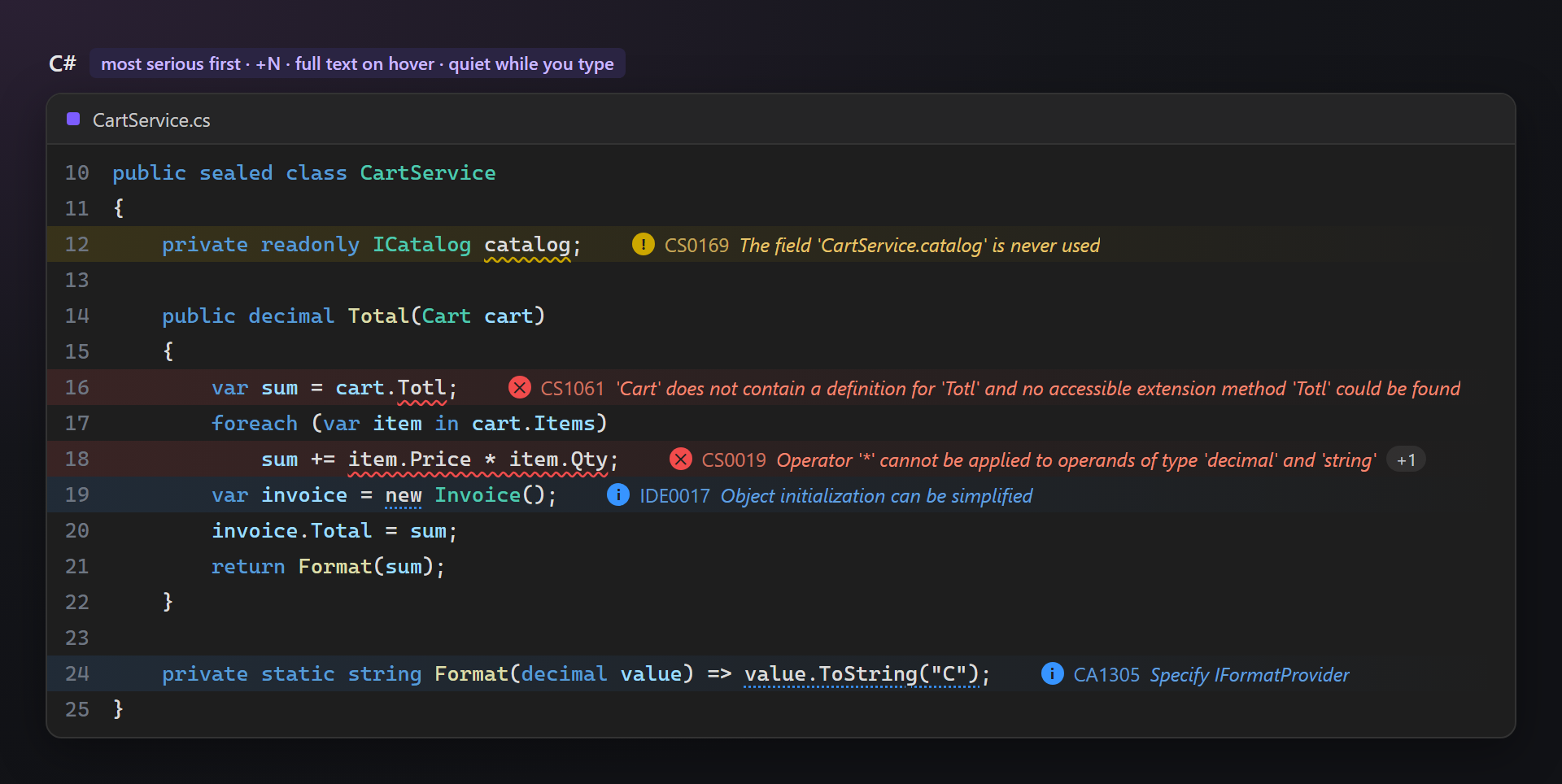
In the codeEach line shows its most serious problem: a round icon, the diagnostic code and the text, in the color of its level. When a line has more,
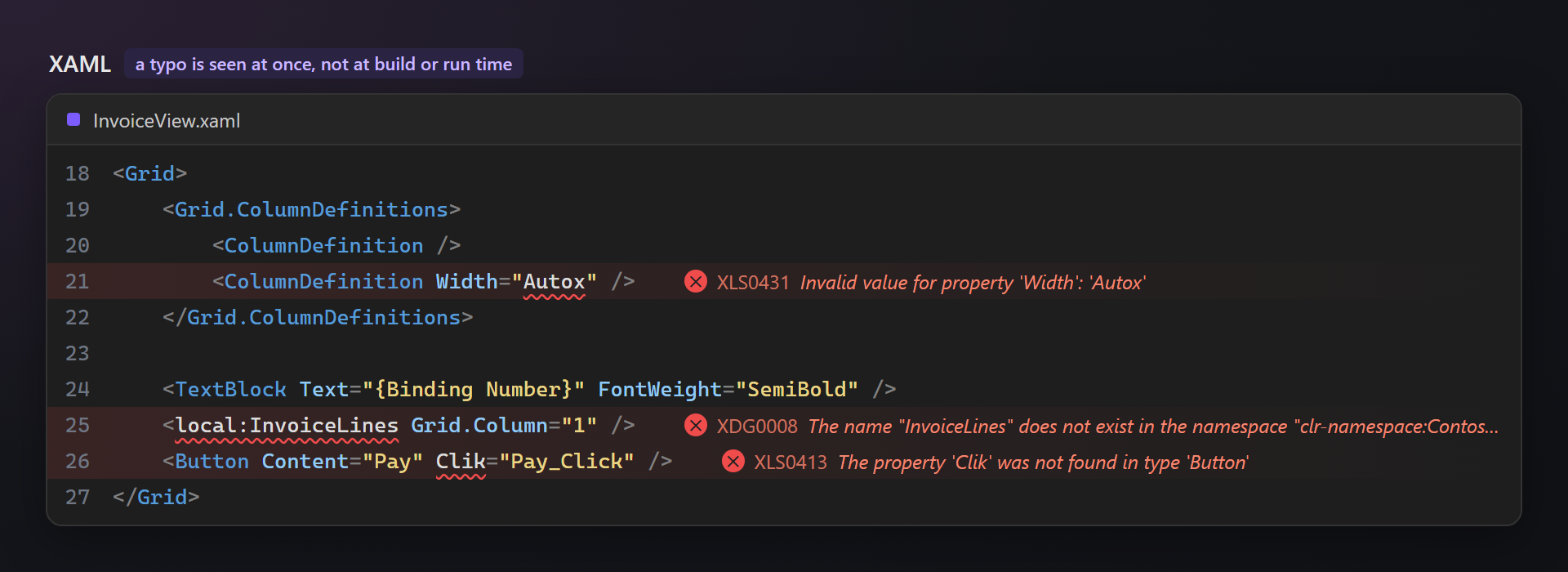
XAML, finallyA wrong property value, an unknown type, a typo in an attribute — the XAML editor underlines them, but the text used to hide in the Error List. LensSmith writes it next to the line, so a mistake is seen right away, not at build or run time.
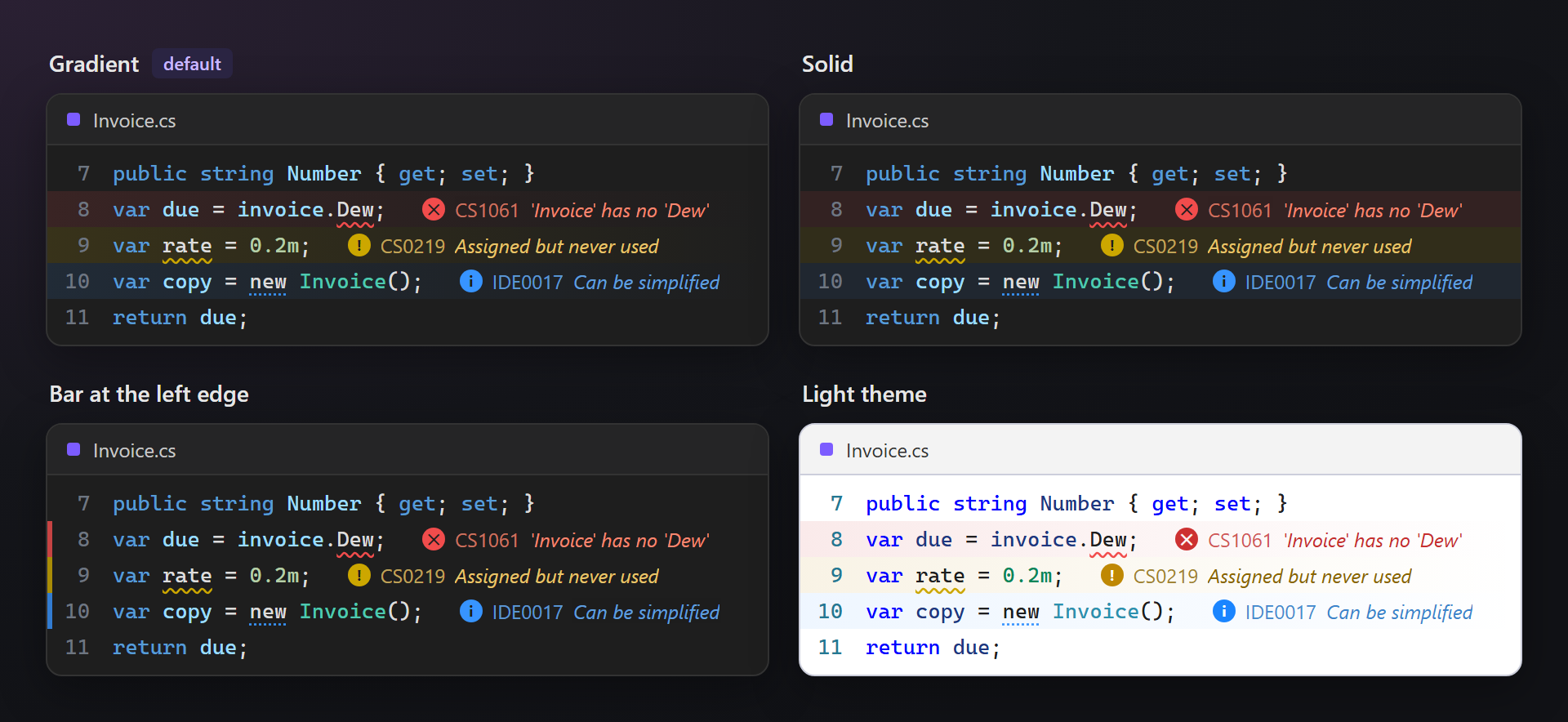
Quiet while you typeLines you are editing stay calm until you pause (500 ms by default), so half-typed code does not flash errors at you. Long texts are shortened with "…" to fit the window; a compact mode shows only the code. Line tint for every themeA soft gradient behind the line, fading to the right, makes problems visible even while scrolling. Dark themes are all different, so there are three styles — gradient, solid, or only a bar at the left edge — and three strengths. Each level can be tinted or not. Four color schemes — normal, bright, soft and monochrome — change the colors of the messages too.
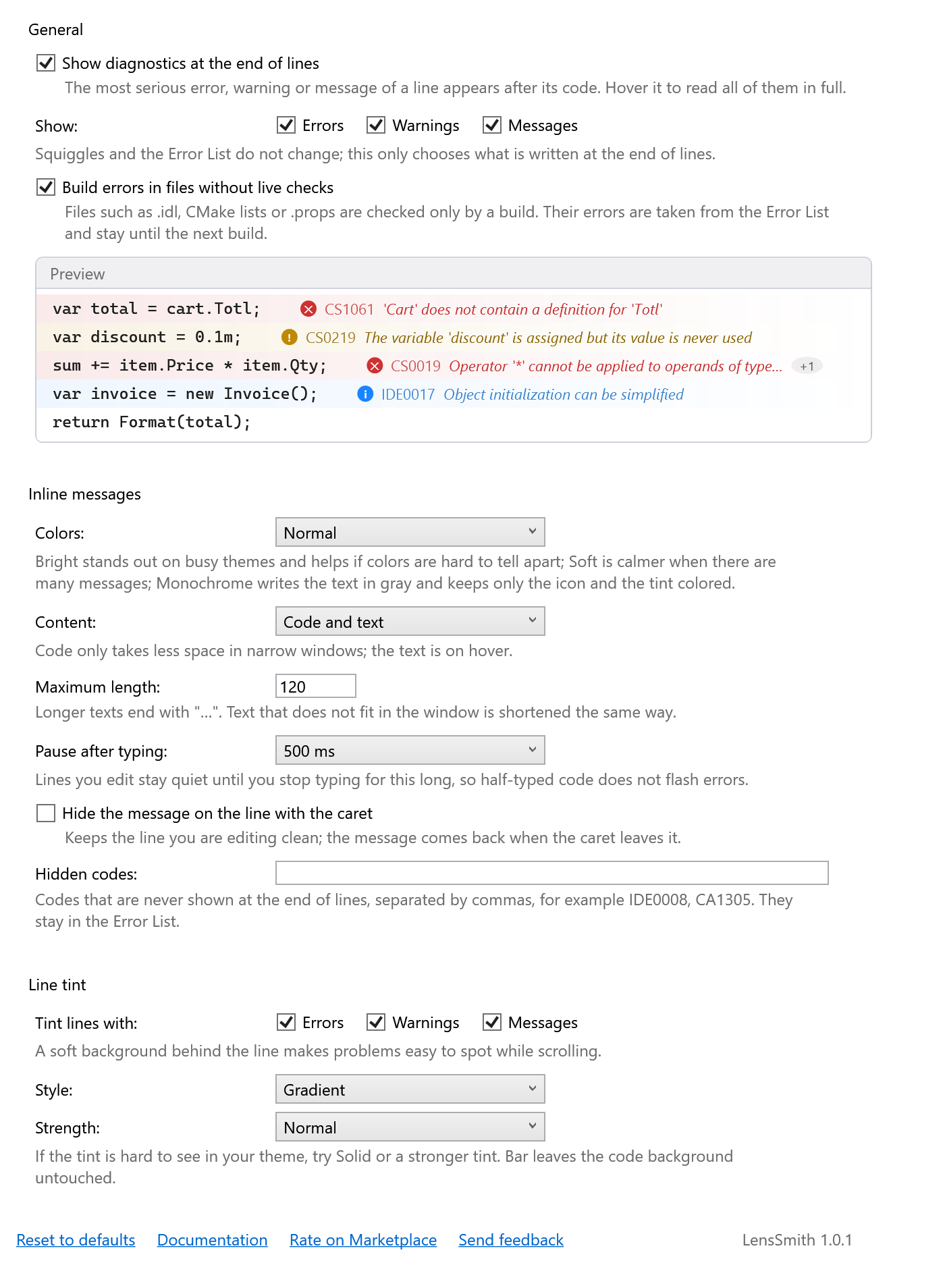
Where it worksC#, Visual Basic and F#, C++, TypeScript and JavaScript, XAML — any editor where Visual Studio draws squiggles. In XAML the text comes from the Error List, since the XAML editor shows its squiggles without text. Files that nothing checks while you edit them — SettingsTools → Options → SmithWorks → LensSmith. Choose which levels to show and tint, hide single codes (for example
Questions or ideas? Use the Q & A tab on this page or the Feedback repository. Full documentation: lazowskianton.github.io/VSExtensions/lenssmith. |