GitPraiseA better Git blame for VS Code. Praise the coder behind every line. Installation Launch VS Code Quick Open ( Ctrl+P), paste the following command, and press enter.Copied to clipboard |

GitPraiseA better Git blame for VS Code. Praise the coder behind every line. Show who last changed each line in a Git-tracked file. Click the purple crown in the editor toolbar to turn annotations on or off. You can also right-click a line number and select Annotate with GitPraise, or run GitPraise: Toggle Annotations from the Command Palette.
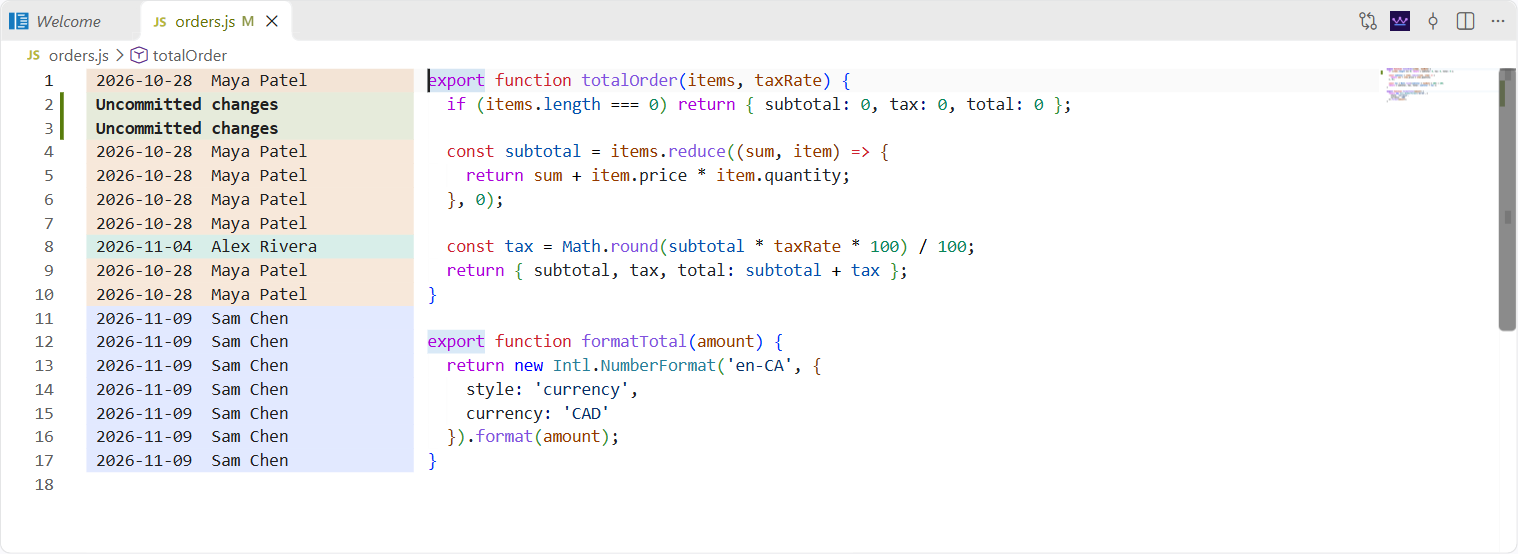
ScreenshotsBasic annotationsThe purple crown in the editor toolbar shows the author and date beside each line.
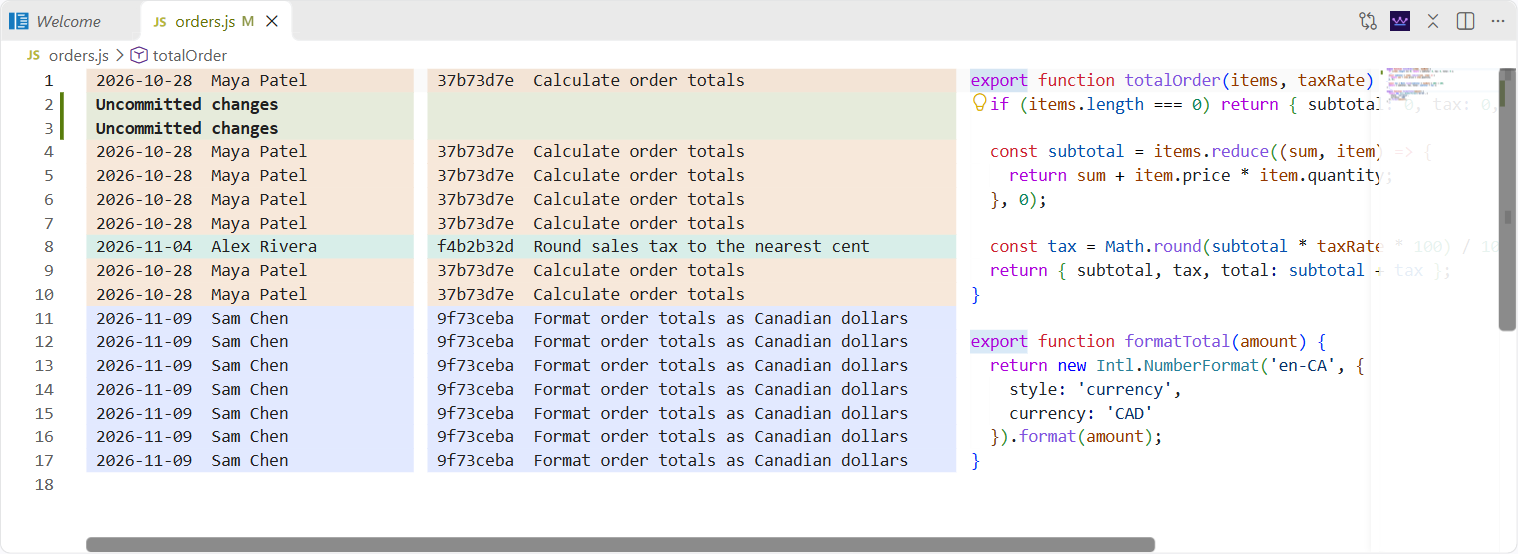
Expanded commit columnThe separate commit button adds the short SHA and commit subject next to the author and date.
RequirementsUse VS Code 1.110 or later with Git installed and a trusted workspace. The annotation column sits before the code, to the right of the native line numbers. Version 0.1 supports tracked text files with a committed version in HEAD, up to 25,000 lines and 2 MiB of editor text. Historical text previews decode Git blobs as UTF-8. Settings
Install a local buildIn VS Code, run Extensions: Install from VSIX… and select If you installed the earlier Git Blame Column preview, uninstall it to avoid duplicate commands. If you customized its settings, replace the DevelopOpen the source folder in VS Code. Press F5 to launch the extension in an Extension Development Host, then open a tracked file in that window. To check and package the source with Node.js 22 or later: |