Tapp for VS Code
Give Copilot agent mode the Tapp Agent Skill for testing real iOS, Android, and web applications.
The extension also contributes focused iOS simulator tools and an auto-refreshing screenshot
preview beside the editor. It is a preview, not an embedded Simulator or video stream.
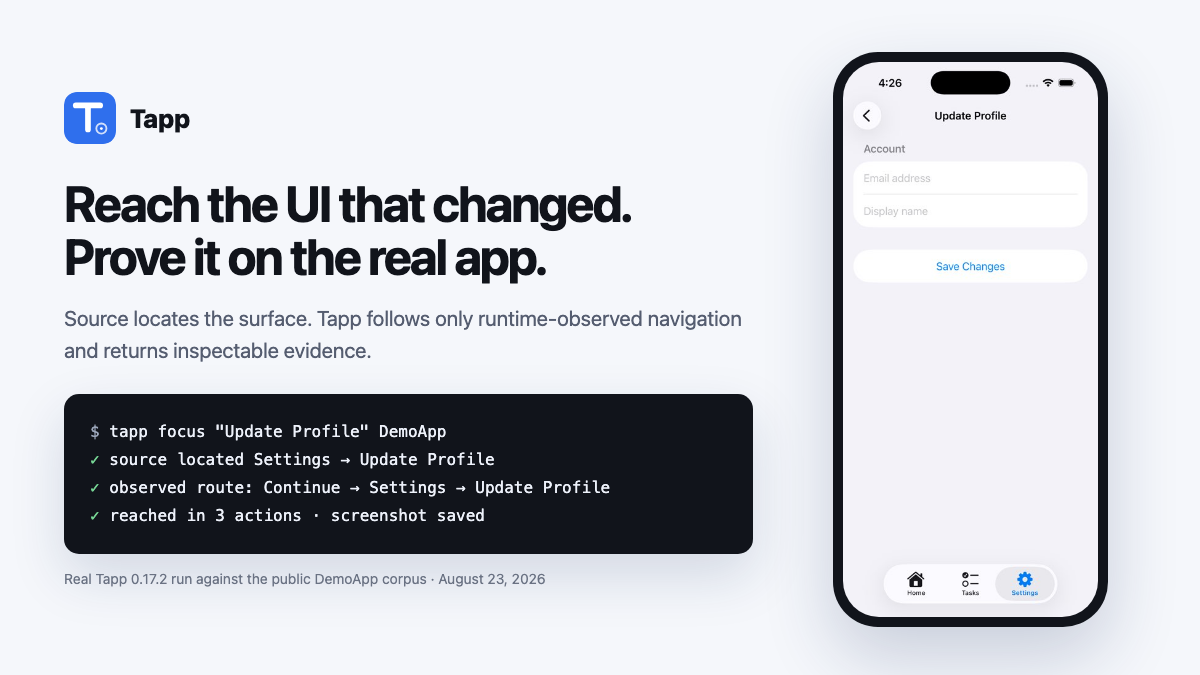
The image above is evidence from a real Tapp 0.17.2 run against the public DemoApp corpus: source
located the requested surface and the observed UI Map supplied the three-action route. It is not a
mock of the VS Code panel. Watch the real exploration clip
or inspect a complete web evidence report.
| Need |
Tapp exposure |
| Decide how to test the current app |
bundled Tapp Agent Skill |
| Open/read/screenshot an iOS screen |
tapp_open_ios_app, tapp_read_ios_screen, tapp_ios_screenshot |
| Reach a named iOS screen/control quickly |
tapp_ios_focus — source + shortest observed UI Map route |
| Tap, type, or sign in on iOS |
tapp_ios_tap, tapp_ios_type, tapp_ios_login |
| Find iOS bugs autonomously |
tapp_explore_ios — findings, coverage, evidence, and recording |
| Test Android or web |
the skill uses the bundled Tapp CLI/MCP workflow |
Exploration is an observation, not permission to ship. It reports what Tapp found, what it covered,
and what it did not check. A deterministic pass | fail | inconclusive merge decision comes only
from the Tapp CI gate with reviewed policy and tests.
Use it
Open an application repository in VS Code and ask Copilot in agent mode:
Use Tapp to test this app.
For a focused task, say what you need:
Use Tapp to make sure Save storefront settings is visible above the keyboard.
For that focused request, Copilot passes the goal to Tapp's source-connected fast path. Tapp locates
the surface in the open repository and follows the shortest runtime-observed UI Map route in one
call. If no route has been observed, it returns the exact source evidence instead of wandering.
Use Tapp to explore this web app and report evidence-backed findings. Let me watch the browser.
The skill chooses the smallest operation, asks you to select when a repository contains multiple
application targets, and keeps exploration findings separate from gate decisions.
Use Tapp to audit https://example.com — don't click anything.
tapp_audit_web is the read-only check for production or a site you do not own: it renders and
reads the page (dead controls, broken images, 404 assets and links, failed requests, JS errors,
mixed content, overflow) and never clicks, types or submits. Add pages to crawl same-origin
links or device for the mobile rendering. It writes a capture with evidence and a report.
For sign-in, tapp_ios_login accepts an actor from .tapp/project.json. The engine resolves
its environment-variable bindings; start VS Code with those variables available. Without a
named actor or complete explicit credentials, the sole configured actor is used, or VS Code
asks you to choose among several. Explicit email/password values take precedence. Saved
SecretStorage credentials are used only when no actor and no explicit credential are supplied;
a storage or actor lookup failure stops before the form is submitted.
Requirements
- Node 18 or newer.
- iOS: macOS, Xcode, and an installed simulator runtime.
- Android:
adb and a connected emulator/device.
- Web: Playwright and Chromium.
The engine is fetched locally from @aarwitz/tapp.
The first iOS use builds a cached test harness under ~/.tapp. No Tapp account or API key is
required for core testing, and the app under test does not link a Tapp SDK.

