Skip to content
| Marketplace
Sign in
Visual Studio Code>Other>Bumper StickerNew to Visual Studio Code? Get it now.
Bumper Sticker

Bumper Sticker

Klemen Verdnik

|
1 install
| (0) | Free
A bumper sticker for your editor — fully customizable, weathered to taste.
Installation
Launch VS Code Quick Open (Ctrl+P), paste the following command, and press enter.
Copied to clipboard
More Info

Bumper Sticker

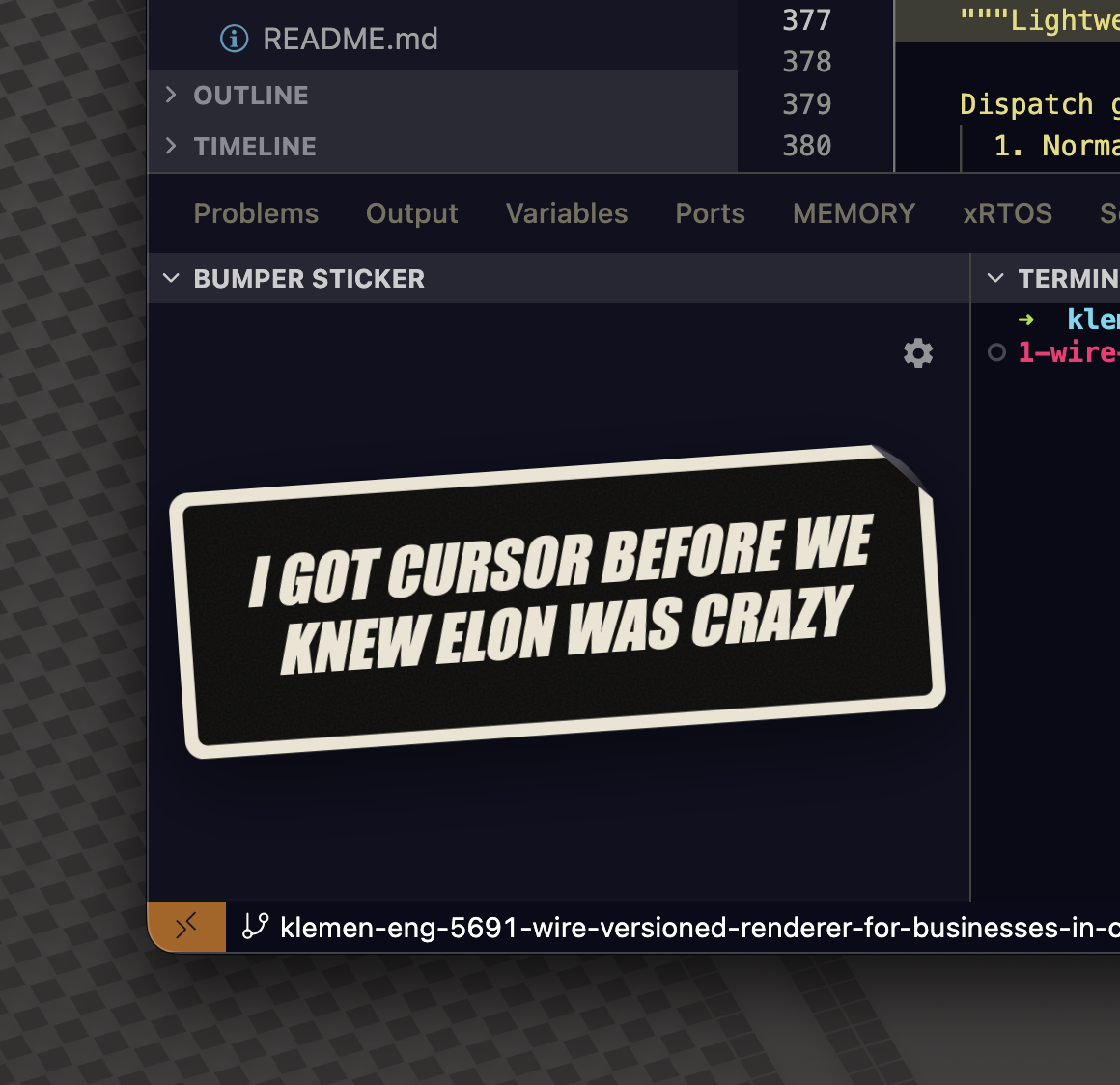
A VSCode extension that slaps a bumper sticker on your sidebar. Default text: "I got Cursor before we knew Elon was crazy." Fully editable, scalable, rotatable, and comes pre-weathered.

Bumper Sticker default view

Features

  • Lives as a dedicated view in the activity bar — just the sticker, no clutter
  • Cog button in the corner opens a customization drawer
  • Rendered entirely in HTML/CSS/SVG — no raster assets
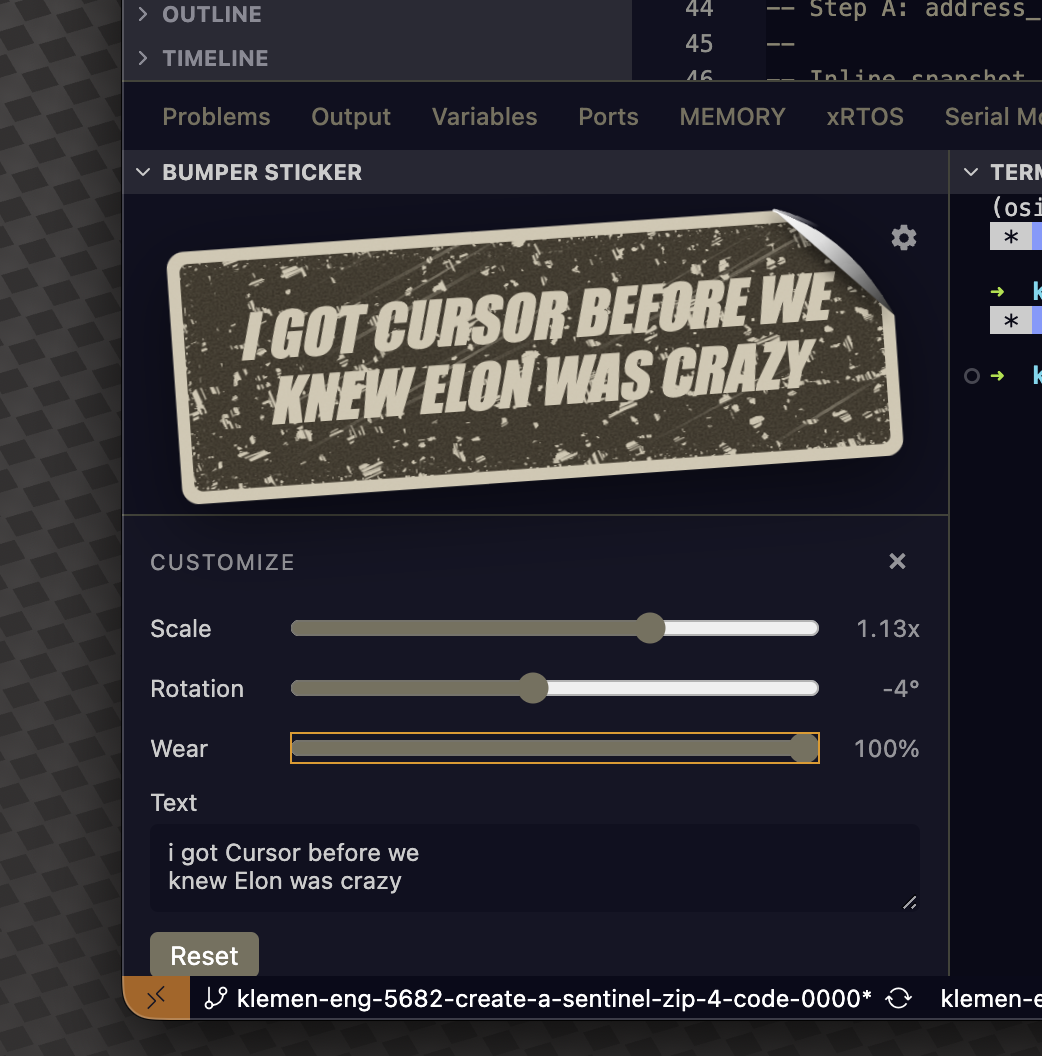
  • Sliders for scale, rotation, and wear; text is editable
  • Wear effects: procedural scratches, grain, peeling corner, subtle fade
  • State persisted across reloads

Dial the wear slider to 100% and it looks like it's been on a rear bumper since 2012:

Aged sticker with wear cranked up

Usage

Click the Bumper Sticker icon in the activity bar. Hit the cog in the top-right of the view to customize.

License

MIT

  • Contact us
  • Jobs
  • Privacy
  • Manage cookies
  • Terms of use
  • Trademarks
© 2026 Microsoft