KlaivKlaiv is a VS Code extension for modeling systems and software in SysML and UML. The model is stored as plain YAML in your repository, next to the code it describes, so you branch, review, and merge it the same way you handle code. A change to the architecture shows up as a readable diff in a pull request, instead of a binary blob only one tool can open.
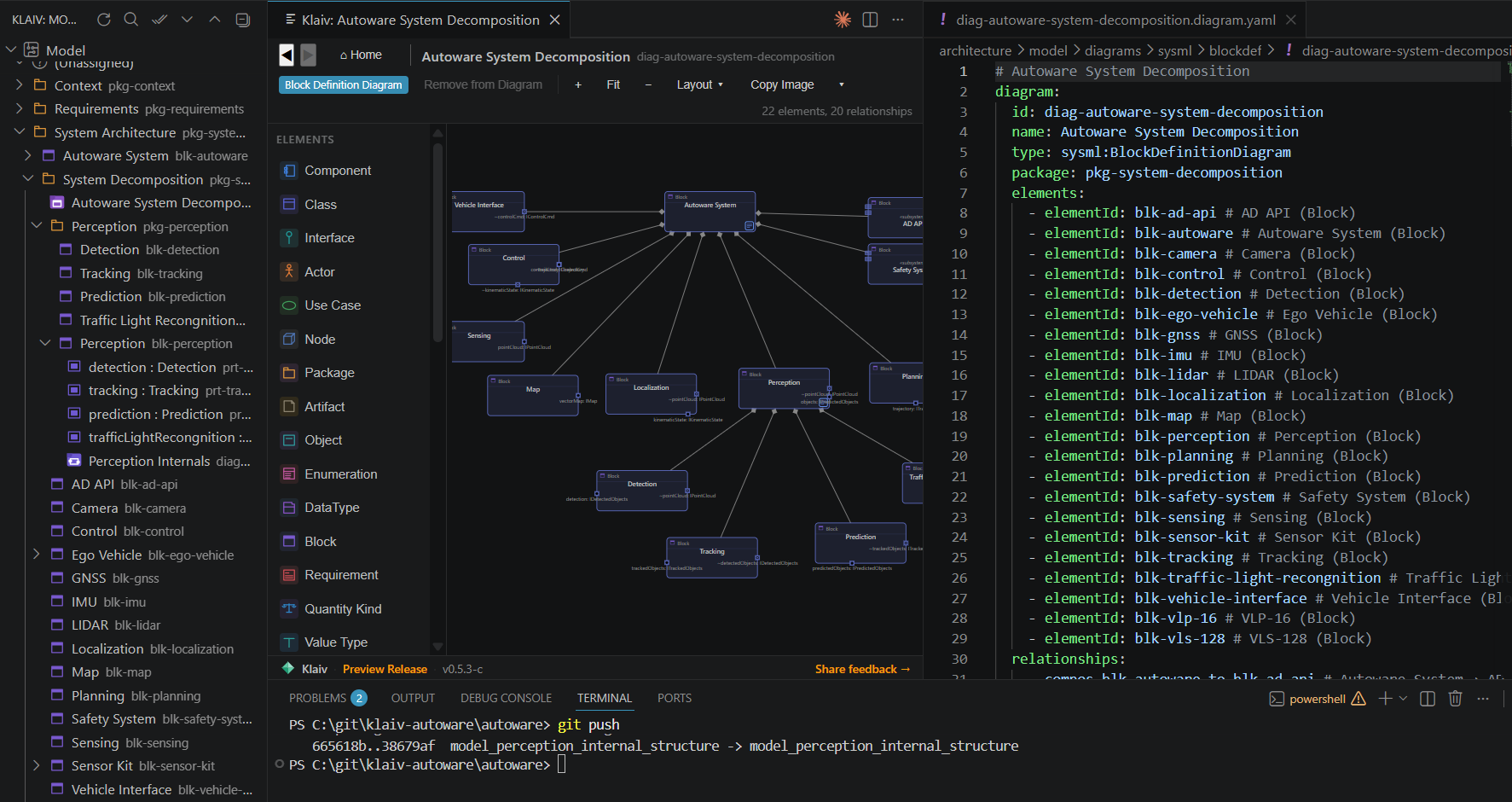
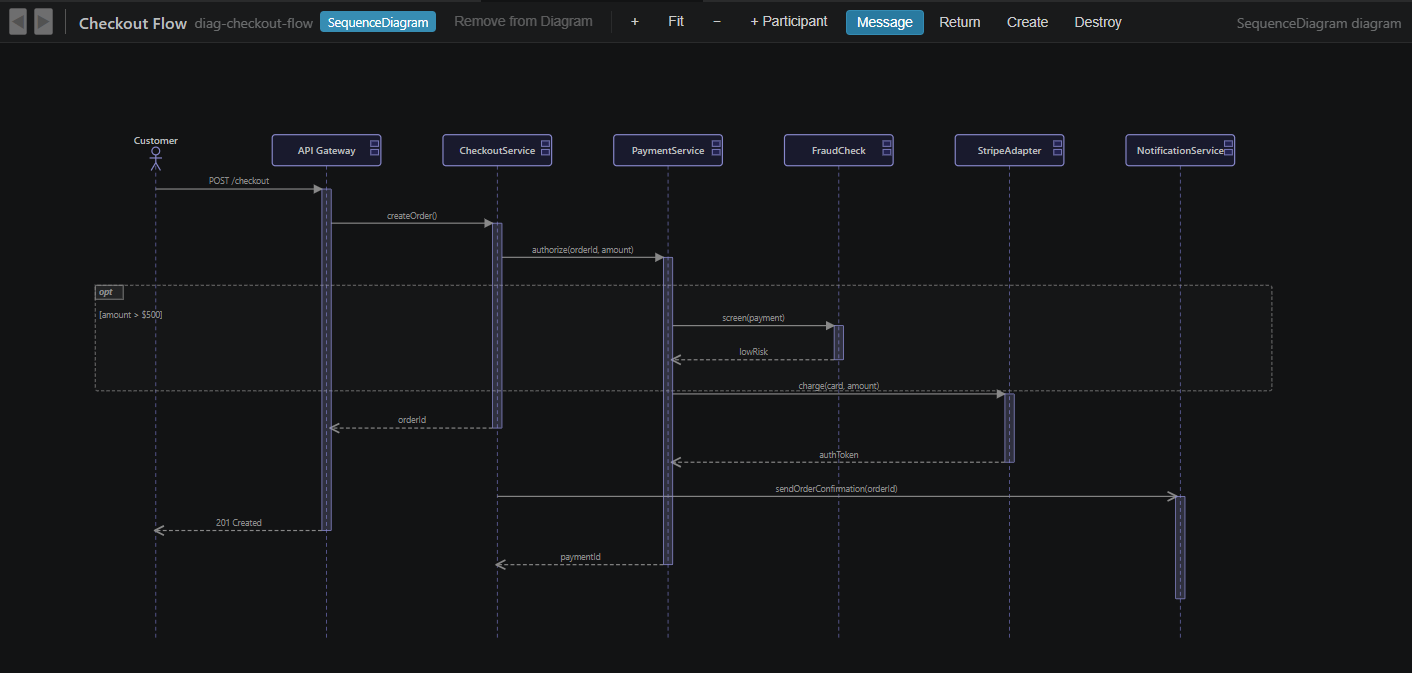
The model is the YAML on the right. The diagram on the left is Klaiv's view of it. The model lives in gitKlaiv keeps the meaning of a model separate from how a diagram is drawn. Elements, relationships, and diagrams are the model. Where you place a box, and its size and color, go in separate layout files. So moving a node around the canvas changes only the layout file, and a change to the design itself shows up as a clean diff you can read. That is the point of storing the model this way. Architecture review happens in the pull request you already use, and because the files are plain text, the model merges like the rest of your code. Diagram diffs on pull requestsWhen a pull request changes a diagram, the Klaiv GitHub action posts one comment that links the before and after of each changed diagram, so a reviewer sees what moved on the canvas and not only in the YAML. The rendered images are kept on a separate branch, so they stay out of your real history and the comment stays short even when several diagrams change.
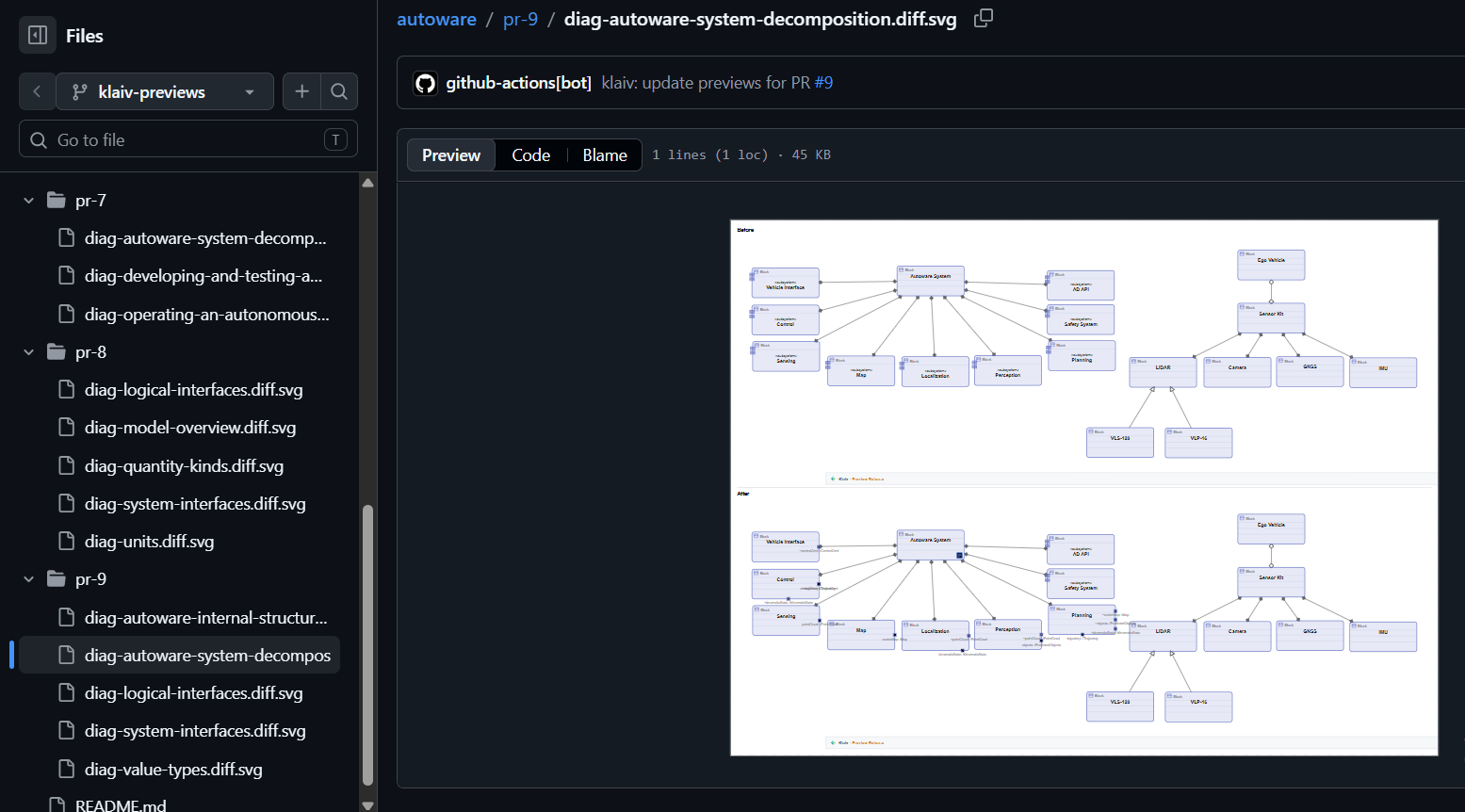
What a reviewer sees on a pull request: the diagram before and after the change. It covers structural diagrams and the behavioral ones too: sequence, state machine, and activity. You turn it on by adding a workflow to your Visual mergeWhen two branches change the same diagram and git cannot merge the file on its own, Klaiv opens both versions and lets you resolve the conflict on the canvas. It writes the result back to YAML when you are done, so you get the branch-and-merge you already have for code, on the diagram itself. Linking the model to the codeAn element can be linked to the source code that implements it. Right-click a class or function in C, C++, or TypeScript and pick The point of the fingerprint is drift. When the code behind a link changes shape, the fingerprint stops matching and the link turns suspect: a squiggle on the marker, an entry in the Problems panel, and a Confirm action to accept the new contract once you have reviewed it. If the marker disappears entirely the link is broken instead. Renaming or deleting an element that code still points at is refused, with the list of files that reference it, so a link never breaks quietly. The Traceability panel lists every element by package with its linked code sites and their current state, and exports the whole picture as CSV or JSON when someone asks for evidence. A component or block can also claim a folder or glob in the trace file, which turns on reporting of code inside that area that no element accounts for. For a project working to a standard, set This links architecture to code. Requirements are not managed in Klaiv. Your own typesKlaiv ships UML 2.5 and SysML 1.7 out of the box. When you need more, you can extend the metamodel with your own element, relationship, and diagram types. The profile that defines them lives in the repository with the model, so your conventions travel with the project and stay in the same readable format. What you can modelKlaiv covers UML 2.5 and SysML 1.7.
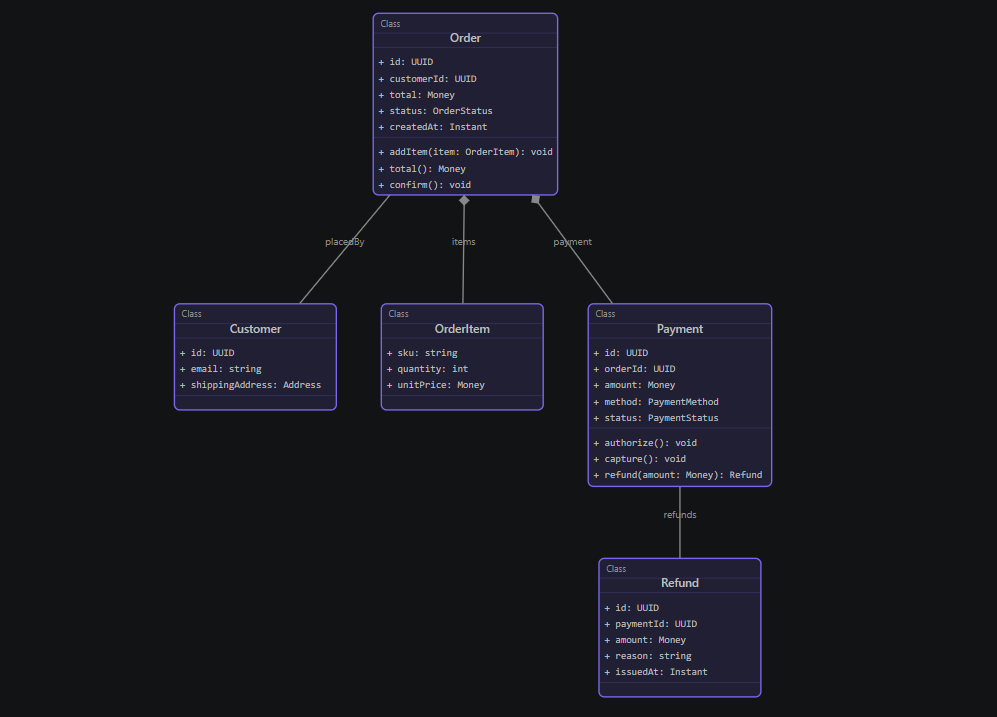
On Blocks and parts you get proxy and full ports, typed by Interface Blocks, connected port to port and carrying Item Flows; you can hide a port with its connectors and restore it later. Requirements come with the SysML relationship set (Satisfy, Verify, Refine, Trace, Derive, Copy, Allocate), alongside Value Types, Units, and Quantity Kinds for typed value properties. Attributes, operation return types, and operation parameters can be collections: a list, a set, or a map, nested as deeply as the design needs. You build one by picking, not by typing a generics string, and a class used inside a collection stays a real reference, so renaming it updates the type and deleting it is reported rather than silently forgotten.
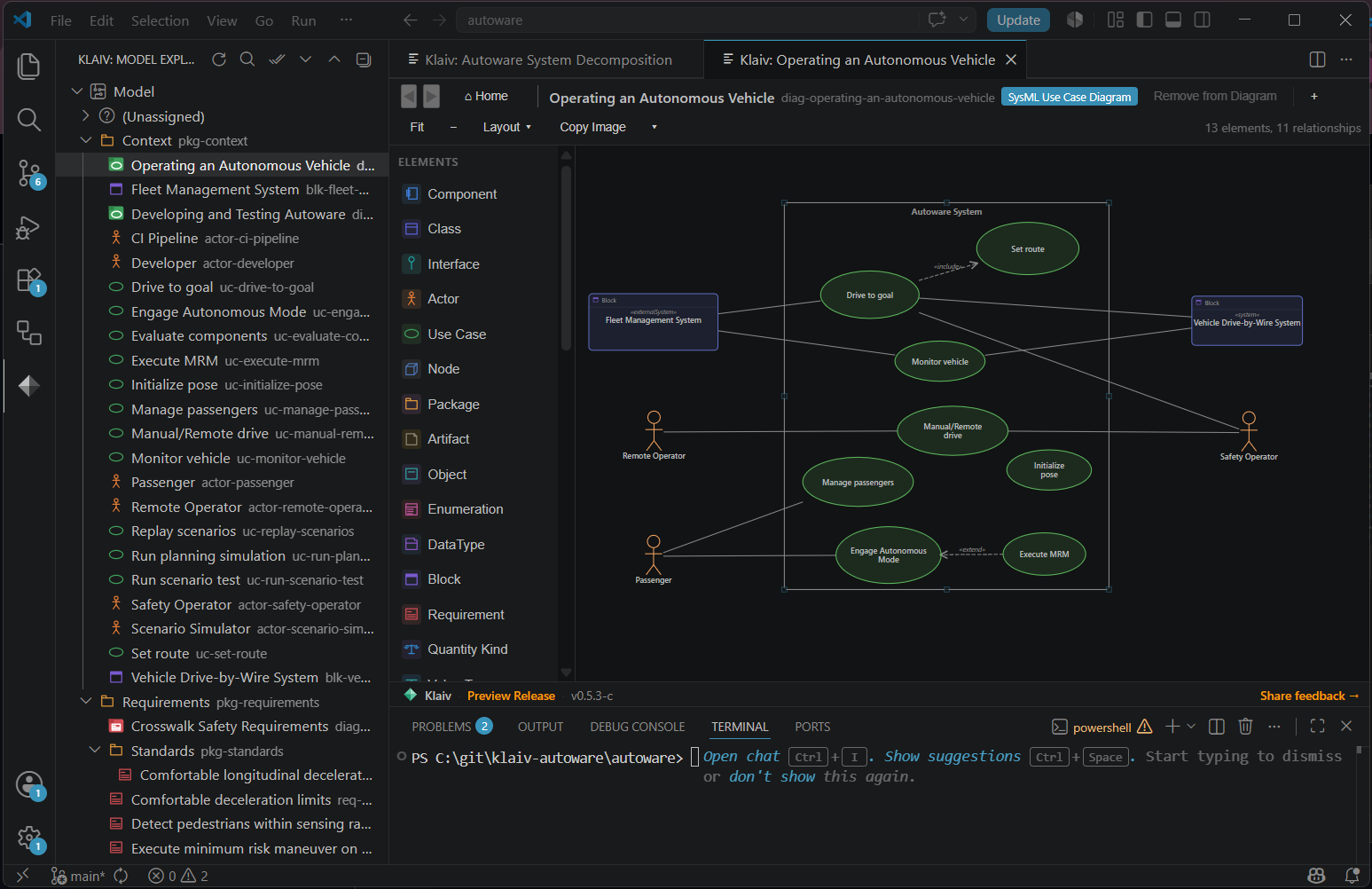
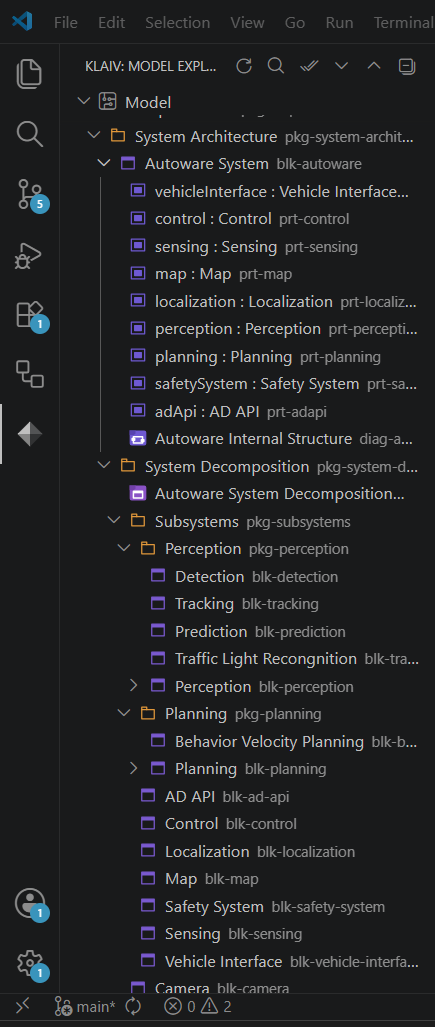
BasicsOpen a folder in VS Code. Press The Model Explorer in the activity bar shows elements and diagrams in a package tree. Right-click to create, rename, delete, or reorganize. Attributes, operations, and ports appear under their element, so you can act on a member without opening the editor.
Opening a diagram from the Explorer shows a canvas. Drag nodes to position them; positions save to ValidationKlaiv checks the model as you edit. Broken references, unknown types, and stereotype violations show up as squiggles in the YAML and entries in the Problems panel, with a suggested fix where there is one. A command-line version of the same checks, so a pull request can fail when the architecture is invalid, is on the way. Getting started
An empty model shows an empty Explorer. That is not a bug. Before 1.0Klaiv is under active development. Your model is plain YAML in your own git repository, with stable identifiers and readable diffs, so what you produce is yours and stays readable whatever happens to the tool. Until version 1.0 the file format and schema will keep changing, and the tool does not yet migrate an older model for you. When a release changes the schema in a way that affects existing models, the CHANGELOG says what changed and how to bring a model up to date. If a change needs more than that, write to hello@klaiv.dev or use the Share feedback link inside Klaiv and we will help you through it. From 1.0 on, releases carry the migration for you and this step goes away. RequirementsVS Code 1.120 or later. Node 18 or later for the command-line validator. DocumentationThe Klaiv docs cover the getting started guide, examples, and the thinking behind the tool. FeedbackFeedback helps. Two ways to send it:
Either one lets you file a public bug on GitHub or send a short private note to the team. LicenseProprietary. Not open source. |