Codetographer

Ask your AI assistant how something works. Get a visual map that links back to the code.
What is this?
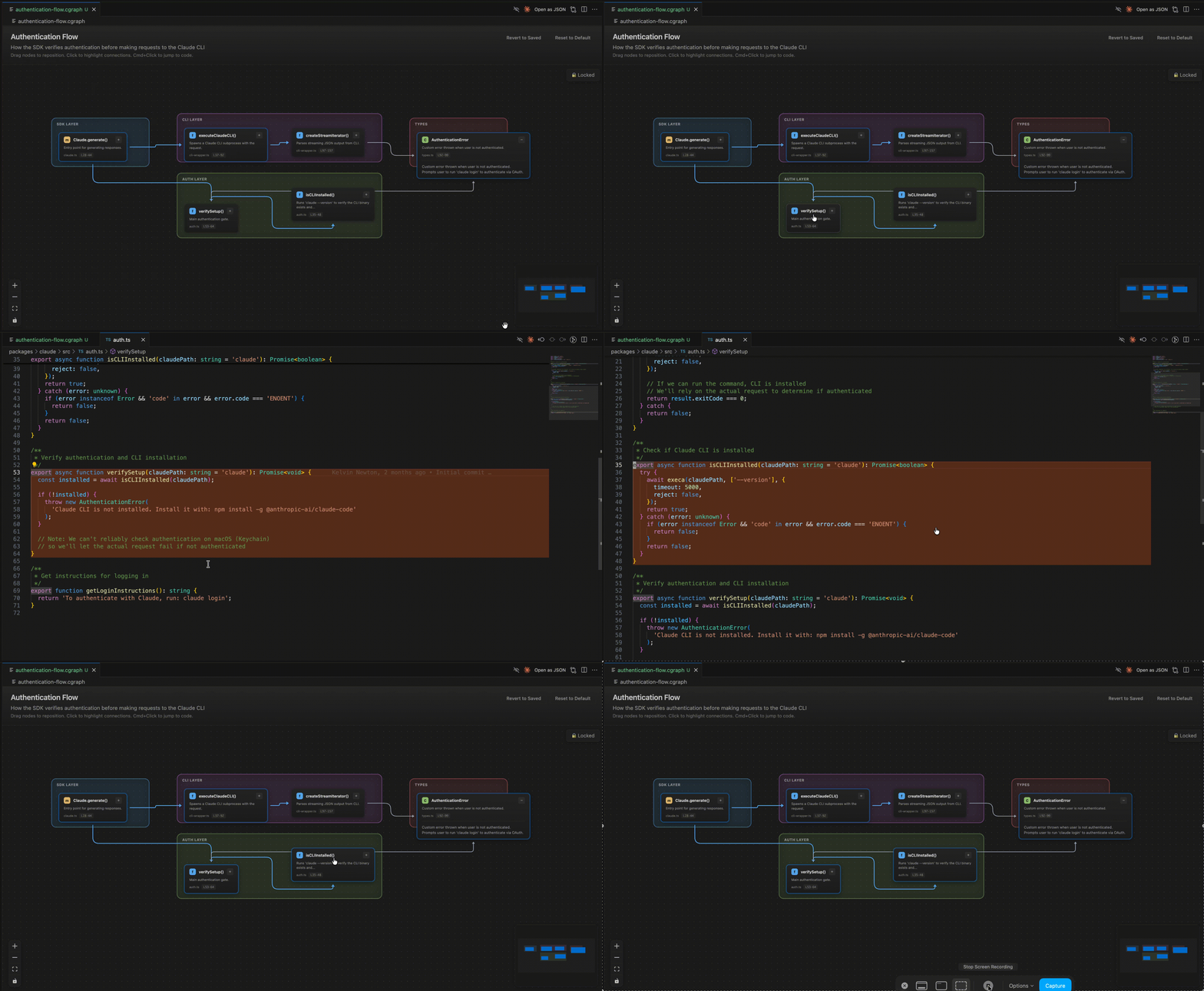
Codetographer is a .cgraph (codegraph) viewer, allowing you to easily understand flows within your project using interactive graphs. Codetographer allows you to view diagrams of your codebase and navigate to the relevant code easily.
Cmd+Click (or Ctrl+Click on windows) on a node to view the relevant code snippet.
Click the + to expand the description.
Click the "Locked" button to unlock the diagram and move the nodes to wherever you prefer, then save the file. Then revert changes at any time if needed.
How to use Codetographer -- IMPORTANT
Copy this SKILL.md file. Your agent will use it as reference for creating the .cgraph files. For Claude Code, use this as a Claude Skill to allow Claude to build these graphs whenever it deems it useful.
Otherwise, use it as a reusable prompt or command to specifically tell your agent to build you a graph of your code.
Try it
Once set up, ask your AI things like:
- "How does user authentication work?"
- "Show me the data flow for order processing"
- "Create a graph of the API routes"
The AI will create a .cgraph file that automatically opens as an interactive graph.
NOTE - Sometimes you may need to specify that you want it to build a cgraph for you.
Interacting with Graphs
| Action |
Result |
| Click a node |
Highlights connected nodes, dims others |
| Cmd+Click / Ctrl+Click |
Opens file at that code location |
Click the + button |
Expands the node's full description |
| Drag |
Pan around the graph |
| Scroll / pinch |
Zoom in and out |
| Bottom-left controls |
Zoom buttons, fit to view |
Schema Reference (click to expand)
Basic Structure
{
  "version": "1.0",
  "metadata": {
    "title": "Graph Title",
    "description": "What this graph shows",
    "generated": "2025-01-01T00:00:00Z",
    "scope": "src/relevant/path"
  },
  "nodes": [...],
  "edges": [...],
  "groups": [...],
  "layout": {
    "type": "layered",
    "direction": "TB"
  },
  "legend": {...}
}
Nodes
{
  "id": "unique-id",
  "label": "functionName()",
  "type": "function",
  "description": "What this does",
  "location": {
    "file": "src/path/to/file.ts",
    "startLine": 42,
    "endLine": 67
  },
  "group": "optional-group-id"
}
Node types: function, method, class, module, file
Edges
{
  "id": "edge-1",
  "source": "source-node-id",
  "target": "target-node-id",
  "type": "calls",
  "importance": "primary",
  "color": "#ff6b6b"
}
Edge types: calls, imports, extends, implements, uses
Importance levels: primary (thick), secondary (normal), tertiary (thin)
Groups
Groups create visual sections for organizing related nodes:
{
  "id": "api-layer",
  "label": "API Layer",
  "description": "HTTP request handlers"
}
Assign nodes to groups with the group field.
Layout Options
Types:
layered (default): Hierarchical tree, good for call flowsforce: Compact web layout, good for interconnected systemsstress: Even spacing, good for general relationships
Directions (for layered): TB (top-bottom), LR (left-right), BT, RL
Legend
"legend": {
  "title": "Data Flow",
  "items": [
    { "color": "#ff6b6b", "label": "Write operations" },
    { "color": "#4ecdc4", "label": "Read operations" }
  ]
}
Project Details
This is an open source project,
License
Apache 2.0 - see LICENSE for details.

