Kaven-VSCode
Kaven-VSCode is a collection of practical VS Code utilities for everyday development. It provides text conversion, code cleanup, file header maintenance, path copying, version helpers, diagnostic fixes, and ANSI content previews in one extension.
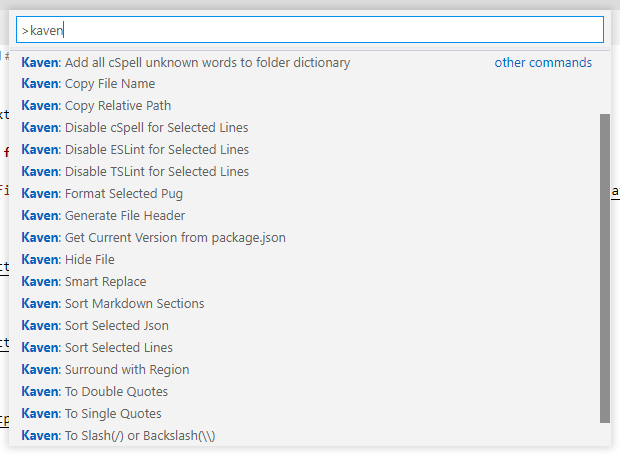
The extension supports both desktop VS Code and VS Code for the Web. Every command is available from the Command Palette, while frequently used commands are also included in editor or Explorer context menus.
Requirements
- VS Code 1.103.0 or later
- Some commands require an open workspace, an active editor, or selected text
- Features related to cSpell, ESLint, TSLint, and markdownlint require their corresponding extensions
Installation and usage
Search for Kaven-VSCode in the VS Code Extensions view and install it. After installation:
- Press
Ctrl+Shift+P (Cmd+Shift+P on macOS) to open the Command Palette.
- Enter
Kaven: to browse the available commands.
- Alternatively, right-click in an editor and use the
Quick Action, Refactoring, or Sort submenu. File-related commands are available from the Explorer context menu.
Text conversion commands generally operate on the current selection. Commands that support document-wide processing use the entire document when there is no selection.
Feature highlights
Simplified and Traditional Chinese conversion
The extension uses OpenCC dictionaries for phrase-aware Chinese conversion. This allows characters with multiple possible mappings to be converted according to context instead of using simple character-by-character replacement.
Kaven: To Traditional Chinese converts Simplified Chinese to OpenCC standard Traditional Chinese.Kaven: To Simplified Chinese converts Traditional Chinese to Mainland Simplified Chinese.
The commands convert the selected text, or the entire document when there is no selection.
Example:
汉字转换:头发与软件开发
漢字轉換:頭髮與軟件開發
File header generation and maintenance
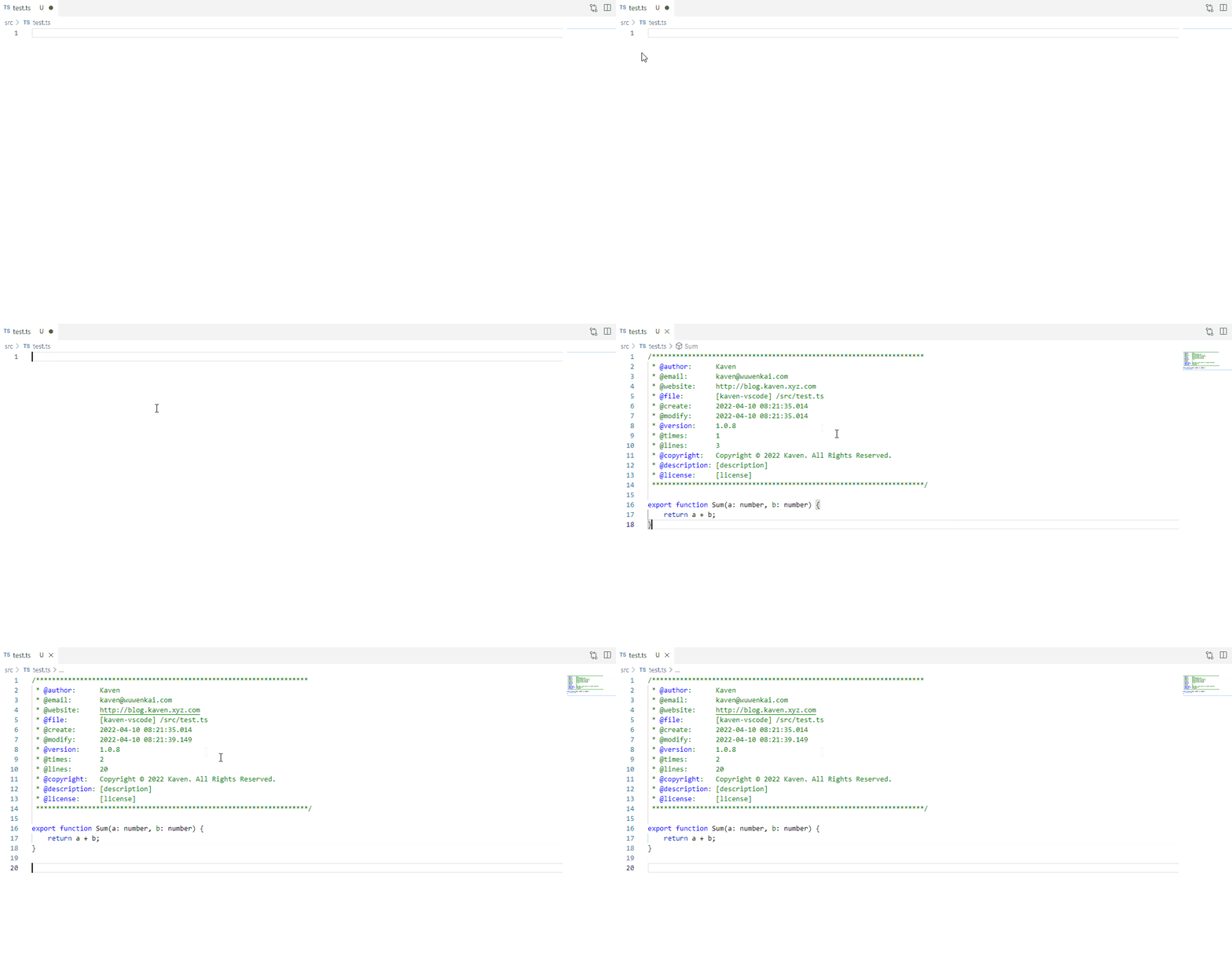
The extension can create a consistent header for supported source files. Existing headers can be updated with the modification time, edit count, line count, project version, file path, and current copyright year.
Kaven: Generate File Header creates or updates the header in the active file.Kaven: Generate File Headers for Git Changes processes staged, unstaged, untracked, and conflicted files reported by VS Code's built-in Git extension, then saves changed files.Kaven.generateFileHeader.autoGenerateWhenSave is enabled by default and maintains headers whenever supported files are saved.- Header comment styles can be overridden by file extension. For example, Dart files can use a
//-based header.
Variable names and text formatting
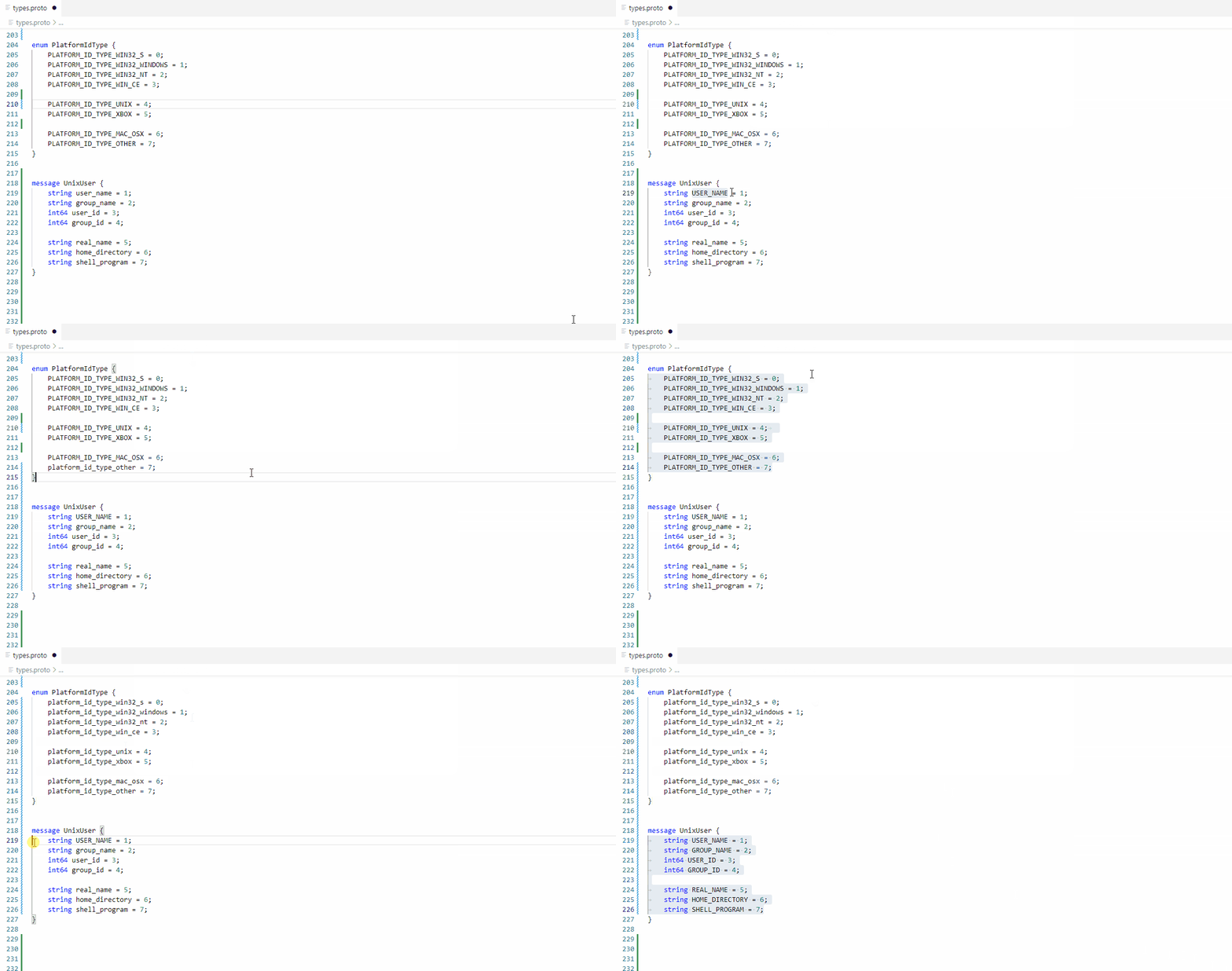
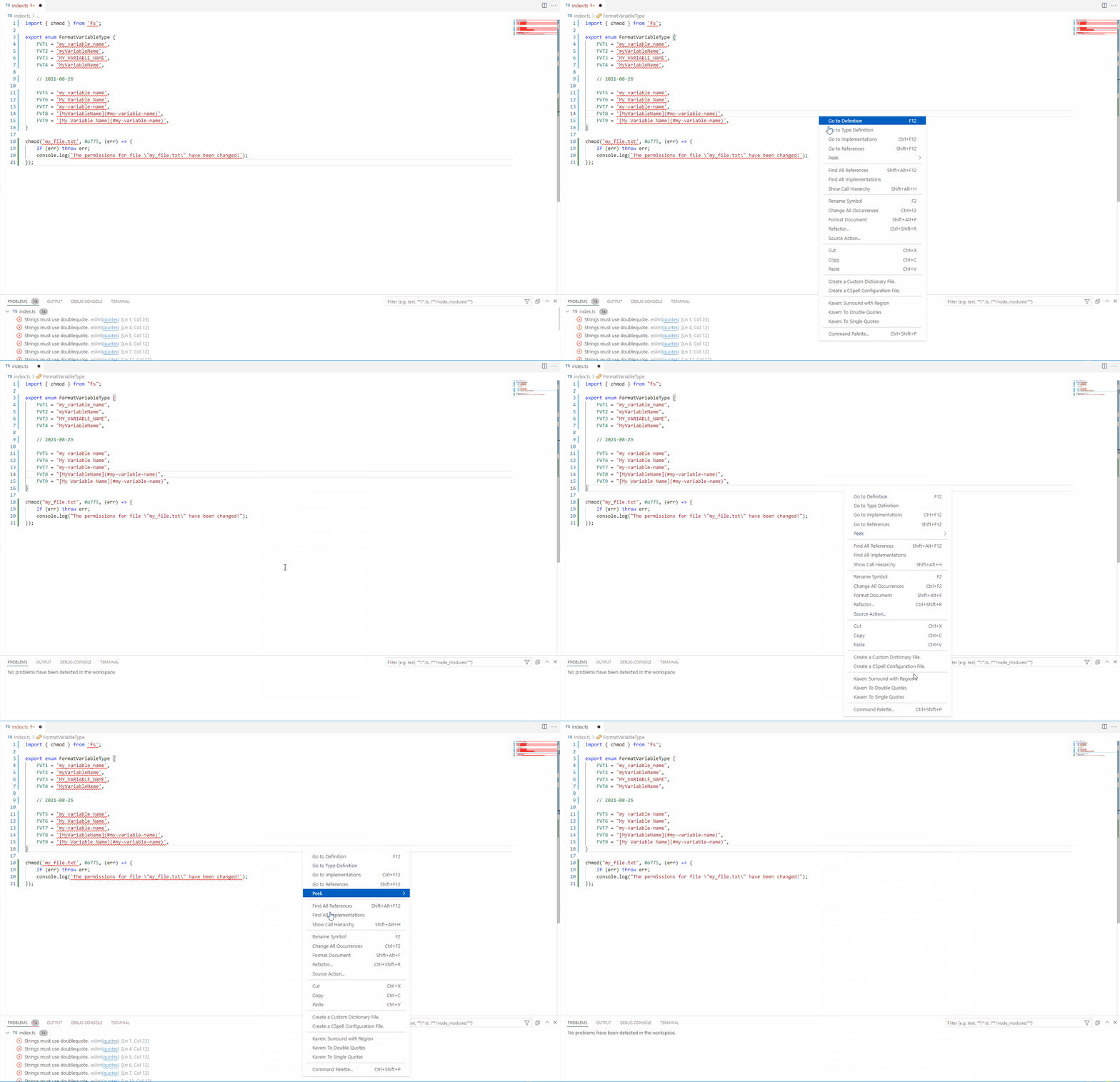
Kaven: Format Variable Name converts selected text into any of the following formats and remembers the most recently used format:
my_variable_name
myVariableName
MY_VARIABLE_NAME
MyVariableName
my variable name
My Variable Name
my-variable-name
[MyVariableName](#my-variable-name)
[My Variable Name](#my-variable-name)
For multiline assignments, the command attempts to convert only the variable name on the left side of the equals sign.
Code wrapping and automatic fixes
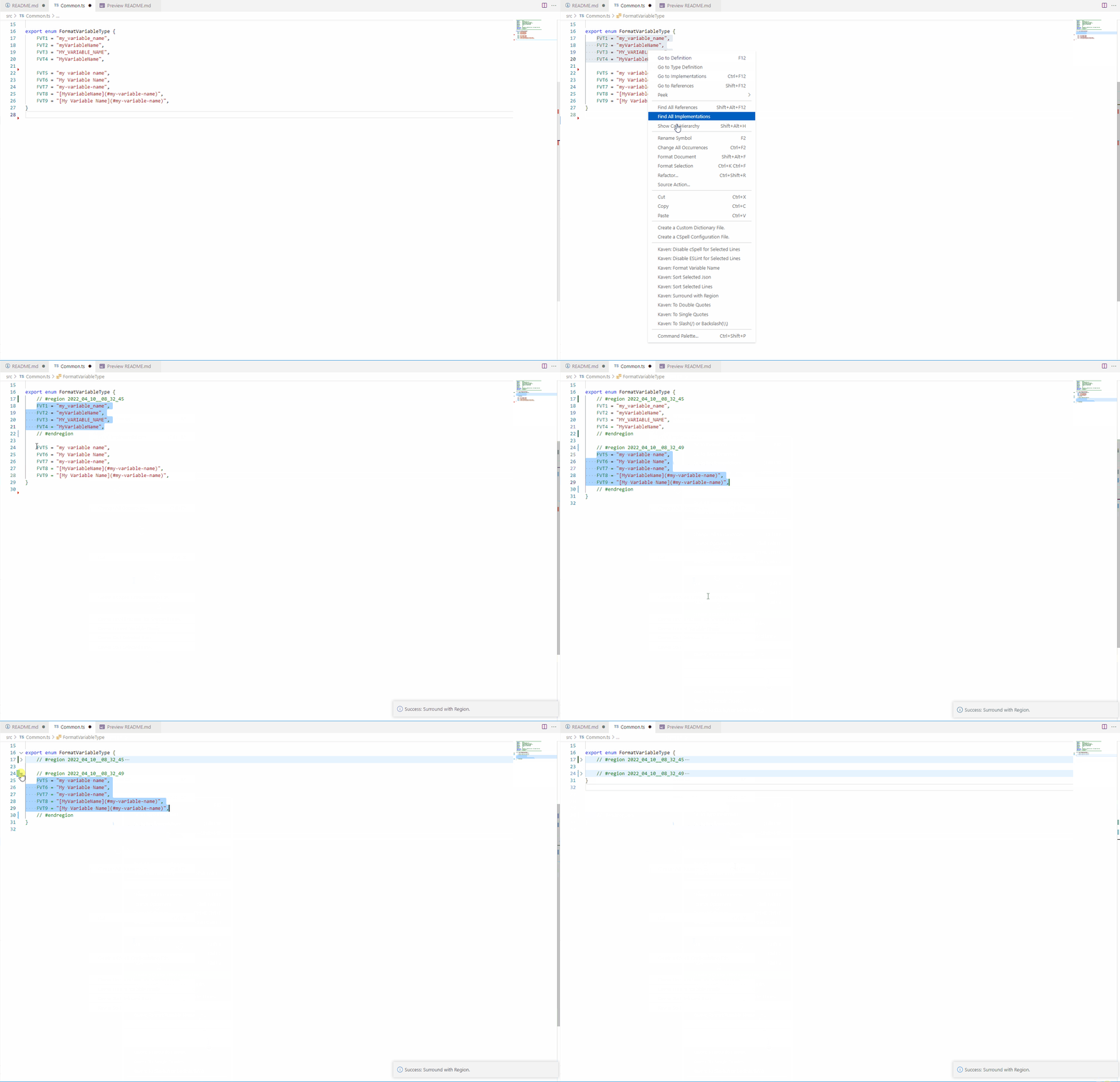
- Wrap selected code in a region, a
try/catch block, or lint-disable comments.
- Configure
try/catch templates per language and run formatting commands after wrapping.
- Run a configurable sequence of TSLint, ESLint, markdownlint, import organization, or other VS Code commands.
Commands
Text conversion
| Command |
Description |
Kaven: To Traditional Chinese |
Convert Simplified Chinese to Traditional Chinese. Converts the entire document when there is no selection. |
Kaven: To Simplified Chinese |
Convert Traditional Chinese to Simplified Chinese. Converts the entire document when there is no selection. |
Kaven: To English Symbols |
Convert Chinese punctuation to English punctuation. Processes the entire document when there is no selection. |
Kaven: To Chinese Symbols |
Convert English punctuation to Chinese punctuation. Processes the entire document when there is no selection. |
Kaven: To Upper Case |
Convert text to uppercase. Processes the entire document when there is no selection. |
Kaven: To Lower Case |
Convert text to lowercase. Processes the entire document when there is no selection. |
Kaven: To Single Quotes |
Convert unescaped double quotes to single quotes while skipping comments. Processes the entire document when there is no selection. |
Kaven: To Double Quotes |
Convert unescaped single quotes to double quotes while skipping comments. Processes the entire document when there is no selection. |
Kaven: To Slash(/) or Backslash(\\) |
Toggle between / and \\ according to the selected content. Processes the entire document when there is no selection. |
Kaven: Format Variable Name |
Convert selected text to a variable name, title, kebab-case text, or Markdown link format. |
Kaven: Reverse Selected Text |
Reverse the selected text. |
Sorting and cleanup
| Command |
Description |
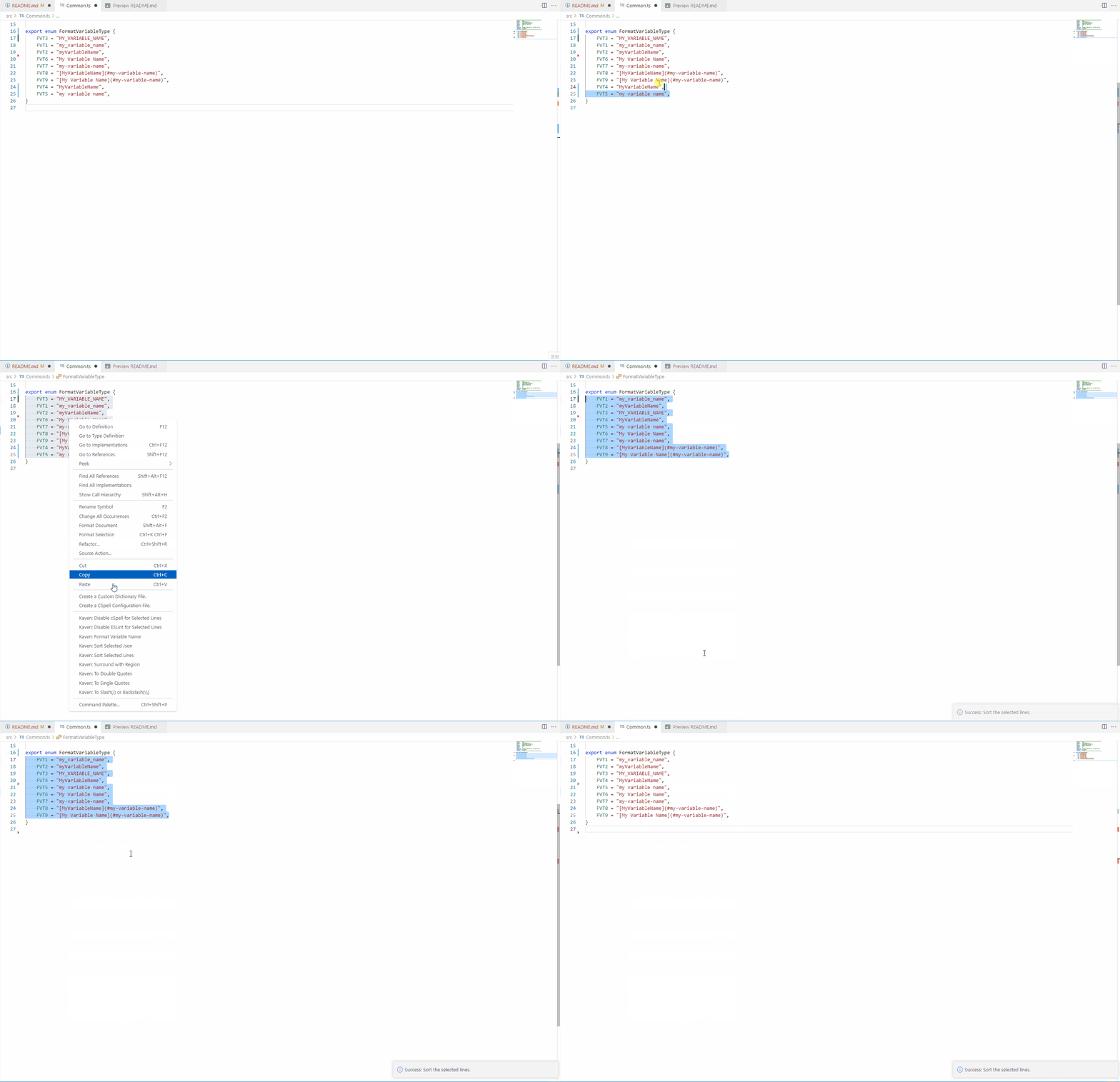
Kaven: Sort Selected Lines |
Sort selected lines using string order. |
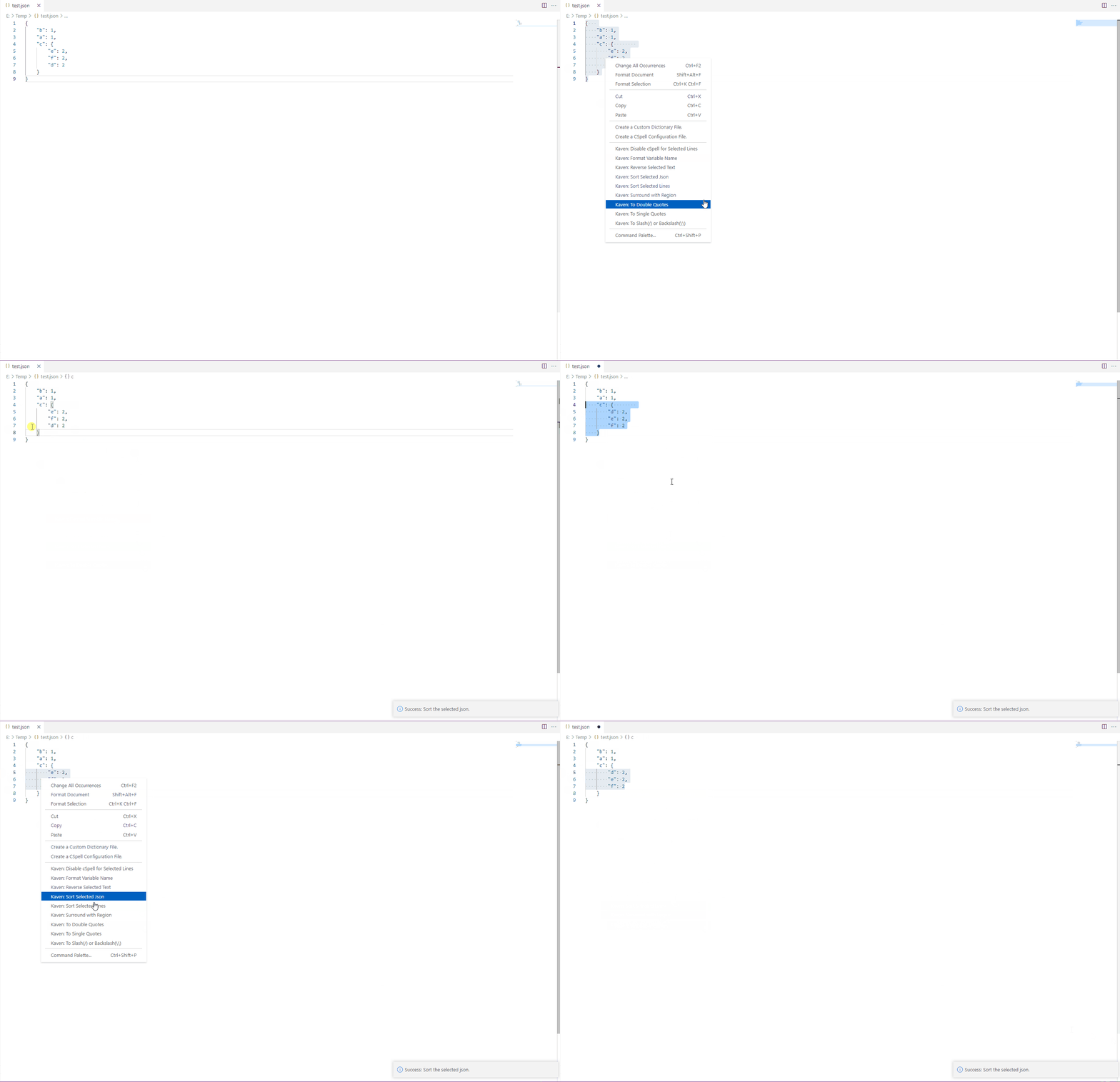
Kaven: Sort Selected Json |
Parse and sort the selected JSON. |
Kaven: Sort Markdown Sections |
Sort content according to the Markdown section hierarchy. Processes the entire document when there is no selection. |
Kaven: Remove Line Breaks |
Remove line breaks from the selection and attempt to format the result. |
Kaven: Add Line Breaks after Comma |
Insert a line break after every ASCII comma in the selection. |
Kaven: Remove Empty Lines |
Remove empty lines from the selection. |
Kaven: Remove Block Comments |
Remove /* ... */ block comments from the selection. |
Code assistance
| Command |
Description |
Kaven: Surround with Region |
Wrap selected code in timestamped #region and #endregion comments. |
Kaven: Surround with try { } catch ... |
Wrap selected code with the configured try/catch template for the active language. |
Kaven: Fix all auto-fixable problems |
Run the configured diagnostic fixes and code organization commands in sequence. |
Kaven: Disable cSpell for Selected Lines |
Wrap selected lines in cSpell disable and enable comments. |
Kaven: Disable TSLint for Selected Lines |
Wrap selected lines in TSLint disable and enable comments. |
Kaven: Disable ESLint for Selected Lines |
Wrap selected lines in ESLint disable and enable comments. |
Kaven: Add all cSpell unknown words to folder dictionary |
Collect unknown words from current diagnostics and add them to the workspace cSpell dictionary. |
Files, versions, and dates
| Command |
Description |
Kaven: Copy Relative Path |
Copy a file's relative path from the Explorer. |
Kaven: Copy File Name |
Copy a file name including its extension. |
Kaven: Copy File Name without Extension |
Copy a file name without its extension. |
Kaven: Hide File |
Add the selected Explorer file to the workspace files.exclude setting. |
Kaven: Generate File Header |
Create or update the header in the active file. |
Kaven: Generate File Headers for Git Changes |
Create or update headers for Git changes in the current workspace. |
Kaven: Get Current Version |
Read and copy the current version from package.json or pubspec.yaml in the workspace root. |
Kaven: Get Next Version |
Calculate and copy the next project version. |
Kaven: Copy and Insert Current Date |
Insert the current date using the configured format and copy it to the clipboard. |
Preview and export
| Command |
Description |
Kaven: Open ANSI Preview |
Render ANSI escape sequences from the active document as colors in a Webview. |
Kaven: Open ANSI Preview(Strip) |
Open a plain-text preview with ANSI escape sequences removed. |
Kaven: Export all Commands |
Export all commands currently registered in VS Code to a text file. |
Configuration
Search for Kaven in VS Code Settings, or edit settings.json directly.
General settings
| Setting |
Default |
Description |
Kaven.hideActiveMessage |
false |
Hide the extension activation message. |
Kaven.copyAndInsertCurrentDate.format |
YYYY-MM-DD |
Format used when inserting and copying the current date. |
Kaven.copyFileRelativePath.trimStart |
Empty string |
Prefix to remove when copying a relative path. |
| Setting |
Description |
Kaven.generateFileHeader.autoGenerateWhenSave |
Automatically create or update file headers when files are saved. |
Kaven.generateFileHeader.enableFileTypes |
List of file extensions for which headers are enabled. |
Kaven.generateFileHeader.excludeFiles |
Files or directories excluded from automatic processing. |
Kaven.generateFileHeader.projectName |
Project name shown before the file path. The workspace directory name is used when this is empty. |
Kaven.generateFileHeader.firstLine |
First line of the file header. |
Kaven.generateFileHeader.middleLinePrefix |
Prefix used for file header fields. |
Kaven.generateFileHeader.lastLine |
Last line of the file header. |
Kaven.generateFileHeader.override |
Header style overrides selected by file extension. |
Kaven.generateFileHeader.author |
Author name. |
Kaven.generateFileHeader.email |
Author email address. |
Kaven.generateFileHeader.website |
Author website. |
Kaven.generateFileHeader.copyright |
Custom copyright text. A value is generated automatically when this is empty. |
Kaven.generateFileHeader.version |
Fixed version value. The project version is used to calculate a value when this is empty. |
Kaven.generateFileHeader.license |
Array of license lines. |
Kaven.generateFileHeader.dateFormat |
Format used for creation and modification timestamps. |
The following Boolean settings control whether individual fields are included. They all default to true:
authorEnable, emailEnable, websiteEnable, fileEnable, createEnable,
modifyEnable, versionEnable, timesEnable, linesEnable, copyrightEnable,
descEnable, licenseEnable
Each complete setting name starts with Kaven.generateFileHeader..
Example:
{
    "Kaven.generateFileHeader.author": "Your Name",
    "Kaven.generateFileHeader.email": "you@example.com",
    "Kaven.generateFileHeader.projectName": "my-project",
    "Kaven.generateFileHeader.enableFileTypes": [
        ".ts",
        ".js",
        ".go",
        ".dart"
    ],
    "Kaven.generateFileHeader.excludeFiles": [
        "./node_modules",
        "./dist"
    ],
    "Kaven.generateFileHeader.override": [
        {
            "ext": ".dart",
            "firstLine": "////////////////////////////////////////////////////////////////////",
            "middleLinePrefix": "// @",
            "lastLine": "////////////////////////////////////////////////////////////////////"
        }
    ]
}
Automatic fix settings
The commands array in Kaven.autoFixAll describes the commands to run in order. Each item supports:
command: the VS Code command ID.args: an array of arguments passed to the command.extension: optional extension ID; the command only runs when that extension is installed.source: optional diagnostic source; the extension repeats the fix until the problem count no longer decreases.checkExists: optionally check whether the command exists before running it.delay: optional delay in milliseconds before running the command.
{
    "Kaven.autoFixAll": {
        "commands": [
            {
                "extension": "dbaeumer.vscode-eslint",
                "source": "eslint",
                "command": "eslint.executeAutofix",
                "args": [],
                "checkExists": true
            },
            {
                "command": "editor.action.organizeImports",
                "args": [],
                "delay": 200
            }
        ]
    }
}
try/catch templates
Use Kaven.surroundWith.tryCatch to configure wrappers and follow-up commands for individual languages:
{
    "Kaven.surroundWith.tryCatch": [
        {
            "language": "typescript",
            "pre": ["try {"],
            "post": [
                "} catch (ex) {",
                "    console.error(ex);",
                "}"
            ],
            "commands": [
                {
                    "command": "editor.action.formatSelection",
                    "args": []
                }
            ]
        }
    ]
}
License
MIT

