Medusa.void

A softer way to code in the dark.
An OLED-dark Visual Studio Code theme inspired by Medusa, a calico cat.
Near-black surfaces, warm ivory, caramel, violet accents, and carefully balanced pastel syntax.


Created by Kauê Gabriel Magarinos with Codex.
Color palette
Medusa.void takes its cues from Medusa’s black, ivory, and caramel coat, with violet as its signature accent. Each pastel shade has a purpose, making code easier to recognize across languages.
Syntax colors








Interface accents



Color roles and exact HEX values
| Color |
HEX |
Usage |
| Violet |
#C58AF6 |
Keywords, declarations, HTML tags, CSS selectors |
| Mint |
#65D6B4 |
Functions, methods, types, HTML paths |
| Soft Rose |
#E49BC4 |
Properties, attributes, recognized keys |
| Light Blue |
#A0BCEB |
SQL identifiers, CSS values, HTML classes and IDs |
| Warm Ivory |
#E8E3DC |
Variables, strings, interface text |
| Caramel |
#E4A566 |
Parameters, decorators, numbers, constants, HTML states |
| Lilac Gray |
#B3A6C7 |
Operators and punctuation |
| Violet Gray |
#9C93AD |
Comments |
| OLED |
#040508 |
Editor and native interface background |
| Selection |
#181B25 |
Text selection background |
| Git Modified |
#C7A7F2 |
Modified-file decoration |
Design philosophy
Less noise. Clearer meaning.
- Color by role. Related constructs use related colors across languages, helping you recognize functions, types, and properties at a glance.
- Let text breathe. Regular variables, strings, and user-facing text remain warm ivory rather than competing with every keyword.
- Use accent colors with intention. HTML can distinguish technical IDs, class names, paths, and state attributes without coloring ordinary text unnecessarily.
- Keep the interface quiet. Native panels, menus, and inputs use a consistent near-black OLED surface with subtle focus and selection states.
The eight principal syntax colors were checked for contrast against the editor (#040508) and selection (#181B25), with minimum calculated ratios of 6.98:1 and 5.88:1 respectively. These measurements complement, rather than replace, visual testing.
Syntax gallery
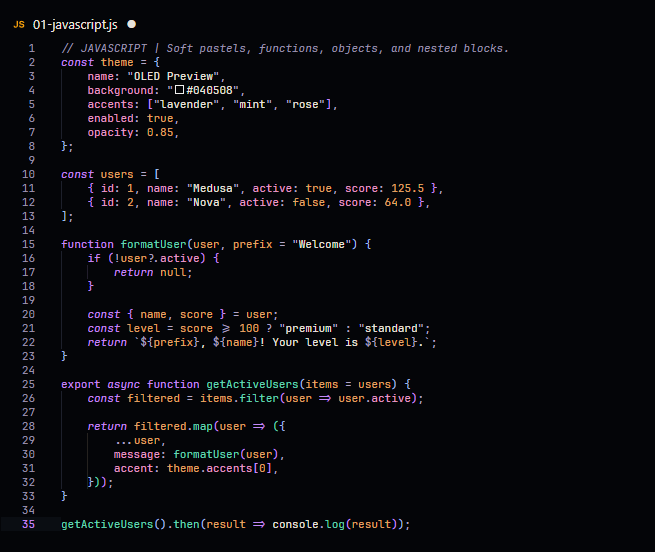
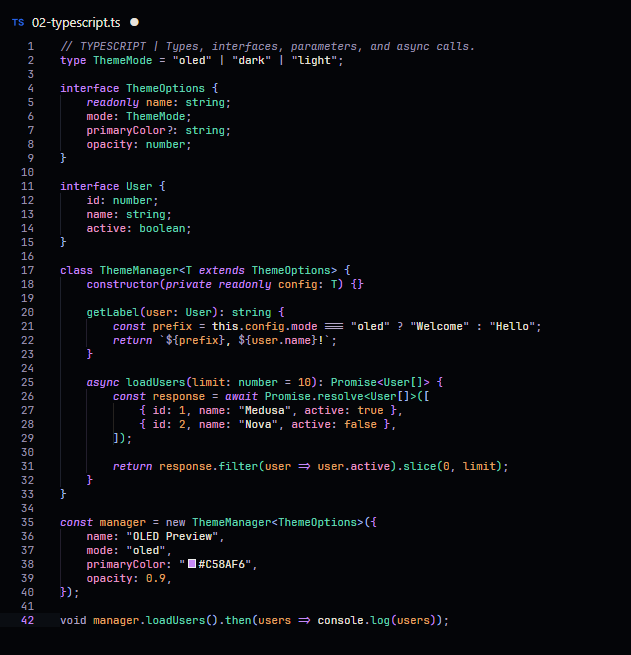
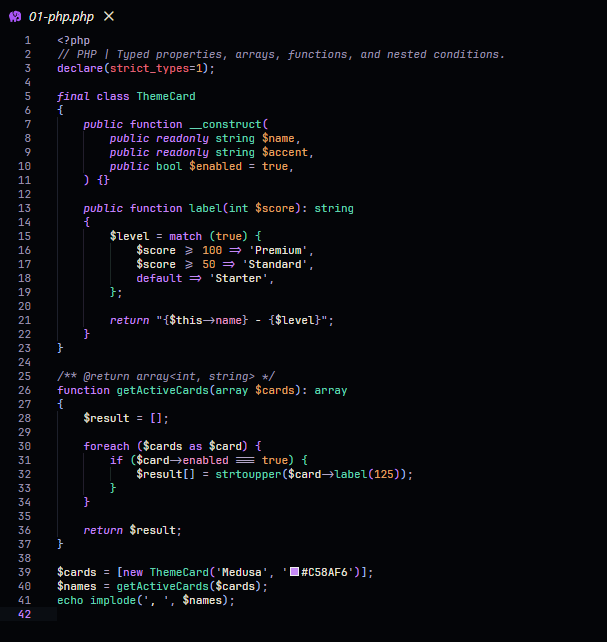
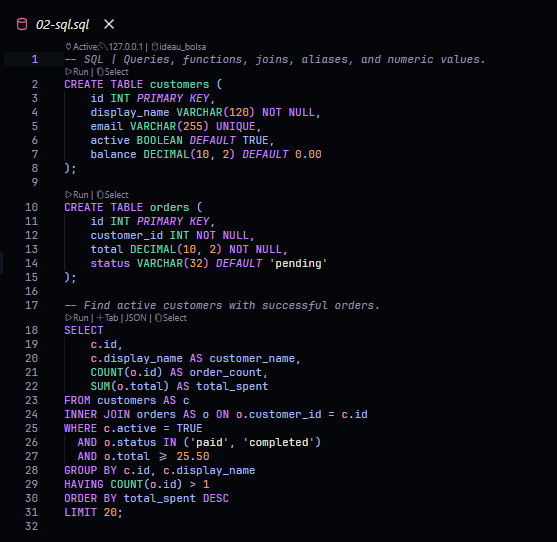
Real screenshots from the VS Code editor, using English examples. Each language has its own screenshot — no side-by-side collages.
 JavaScript
 TypeScript
 PHP
 SQL
 Python
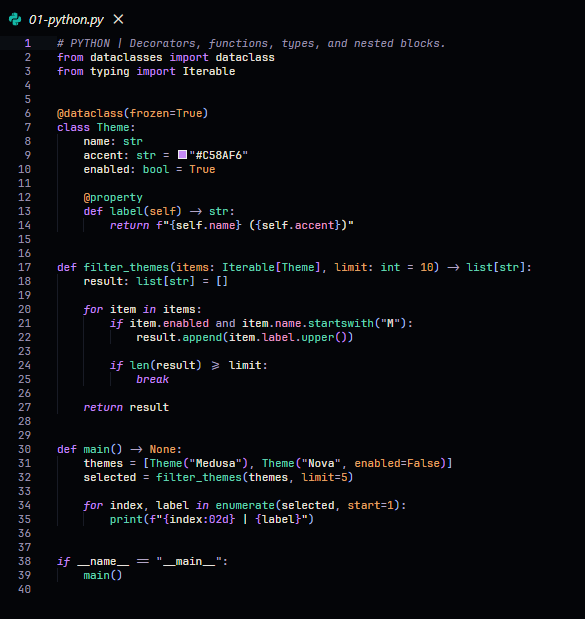
 Java
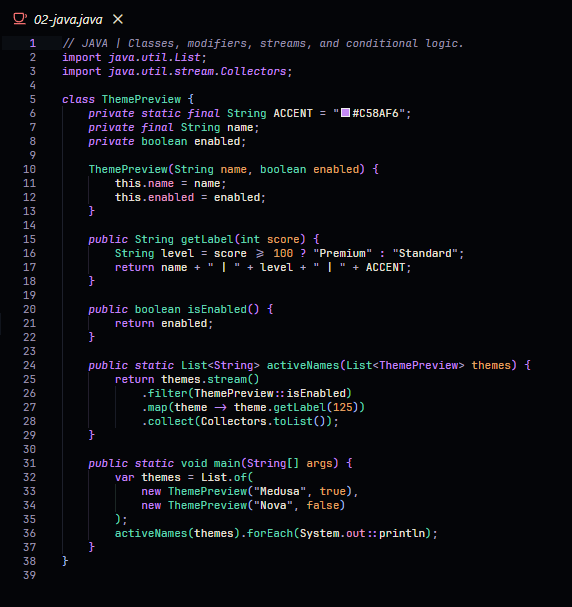
 HTML
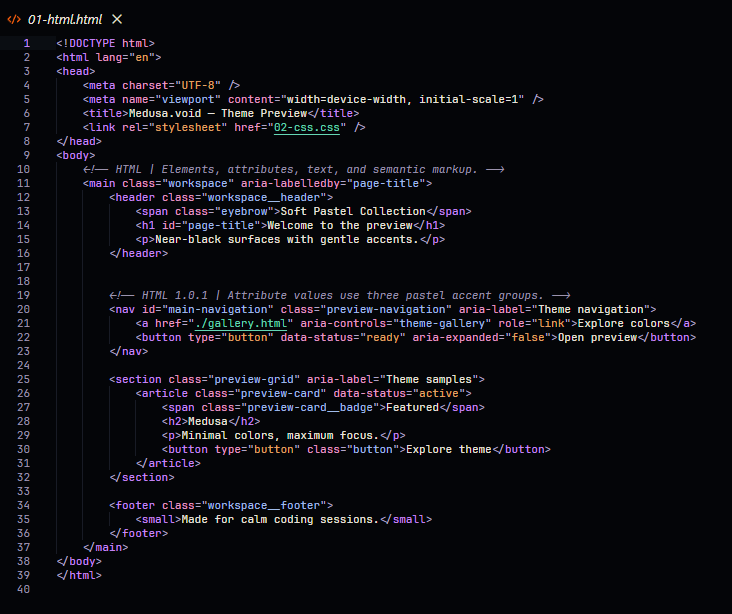
 CSS
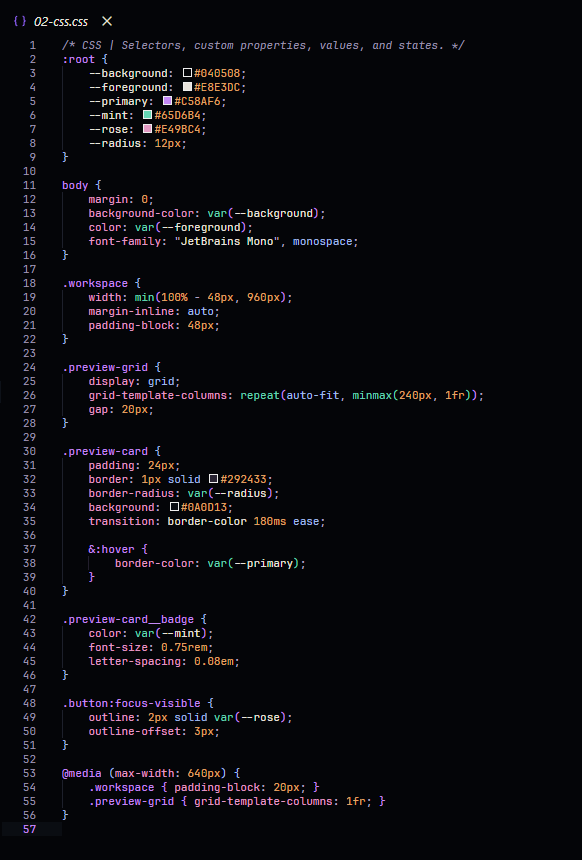
Features
|
|
| True-to-OLED surfaces |
#040508 backgrounds across editor, menus, inputs, and native panels. |
| Soft pastel syntax |
Eight color families organized by meaning, not visual noise. |
| Gentle code guides |
Subtle pastel bracket-pair and indentation guides, when enabled in VS Code settings. |
| Matching terminal |
Coordinated ANSI colors for the integrated terminal. |
| Git & diff |
Lilac modified-file decorations and restrained addition/deletion highlights. |
| Consistent UI |
Search, IntelliSense, menus, hover widgets, Settings, and Extensions. |
Compatibility
- Visual Studio Code: version 1.85.0 or newer, as declared by the extension's
package.json ("engines": { "vscode": "^1.85.0" }).
- Platforms: Windows, macOS, and Linux versions of VS Code.
- Dependencies: None required for the color theme itself. Font choices, layout preferences, and file-icon themes are optional.
- Language colors: Syntax highlighting can vary slightly depending on the active language extension and semantic highlighting support.
Downloads & releases
Version 1.0.2 is the current project version.
The extension is available through GitHub Releases. Once approved and published on the VS Code Marketplace, it will also be installable directly from the Extensions view.
Installation
Install from a VSIX package:
- Open the VS Code Extensions view (
Ctrl+Shift+X).
- Open
... and choose Install from VSIX....
- Select the Medusa.void
.vsix file.
- Open Preferences: Color Theme (
Ctrl+K, then Ctrl+T).
- Select Medusa.void.
Marketplace: Once the listing is live, open Extensions, search for Medusa.void, and select Install.
Recommended editor settings (optional)
These settings reproduce the minimal VS Code appearance used in the preview. They are not required: the actual colors are part of Medusa.void. Fonts, layout, and file icons remain your choice.
Preview the recommended settings in Medusa.void colors
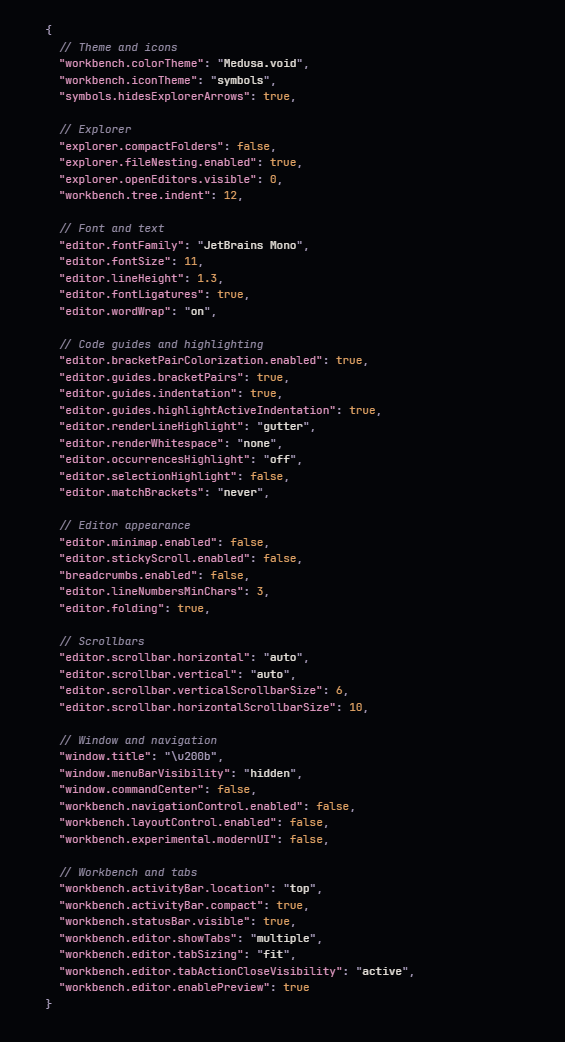
Copy the full appearance-only settings.json
{
  // Theme and icons
  "workbench.colorTheme": "Medusa.void",
  "workbench.iconTheme": "symbols",
  "symbols.hidesExplorerArrows": true,

  // Explorer
  "explorer.compactFolders": false,
  "explorer.fileNesting.enabled": true,
  "explorer.openEditors.visible": 0,
  "workbench.tree.indent": 12,

  // Font and text
  "editor.fontFamily": "JetBrains Mono",
  "editor.fontSize": 11,
  "editor.lineHeight": 1.3,
  "editor.fontLigatures": true,
  "editor.wordWrap": "on",

  // Code guides and highlighting
  "editor.bracketPairColorization.enabled": true,
  "editor.guides.bracketPairs": true,
  "editor.guides.indentation": true,
  "editor.guides.highlightActiveIndentation": true,
  "editor.renderLineHighlight": "gutter",
  "editor.renderWhitespace": "none",
  "editor.occurrencesHighlight": "off",
  "editor.selectionHighlight": false,
  "editor.matchBrackets": "never",

  // Editor appearance
  "editor.minimap.enabled": false,
  "editor.stickyScroll.enabled": false,
  "breadcrumbs.enabled": false,
  "editor.lineNumbersMinChars": 3,
  "editor.folding": true,

  // Scrollbars
  "editor.scrollbar.horizontal": "auto",
  "editor.scrollbar.vertical": "auto",
  "editor.scrollbar.verticalScrollbarSize": 6,
  "editor.scrollbar.horizontalScrollbarSize": 10,

  // Window and navigation
  "window.title": "\u200b",
  "window.menuBarVisibility": "hidden",
  "window.commandCenter": false,
  "workbench.navigationControl.enabled": false,
  "workbench.layoutControl.enabled": false,
  "workbench.experimental.modernUI": false,

  // Workbench and tabs
  "workbench.activityBar.location": "top",
  "workbench.activityBar.compact": true,
  "workbench.statusBar.visible": true,
  "workbench.editor.showTabs": "multiple",
  "workbench.editor.tabSizing": "fit",
  "workbench.editor.tabActionCloseVisibility": "active",
  "workbench.editor.enablePreview": true
}
Note: The Symbols file icon theme is a separate extension. Some optional settings may vary by VS Code version; the theme works without them. The original Medusa pixel-art mascot is used as the extension icon, not as editor or file icons.
Behind the Name 🐈
Medusa.void is named after my pet, Medusa, a calico cat who inspired the theme's identity.
The pixel-art mascot featured in the extension icon is based on her, bringing a personal touch to the project's design.
Feedback & issues
Found a color that feels out of place, a contrast problem, or an inconsistent highlight?
Open an issue on GitHub (when repository access and Issues are enabled). To help reproduce the problem, please include:
- The programming language and an example snippet.
- Your VS Code and Medusa.void versions.
- A screenshot showing the issue, if possible.
Suggestions and feedback are welcome, especially for language-specific syntax highlighting.
Credits & license
Medusa.void was created by Kauê Gabriel Magarinos with Codex, inspired by his calico cat Medusa.
The pixel-art cat is the extension's original mascot. This project is distributed under the MIT License. See LICENSE and Third-party notices for license details and required acknowledgments.
| |

