VS Code Scrcpy
Mirror your Android device screen directly in VS Code — with full touch control, file management, and ADB tools built-in.
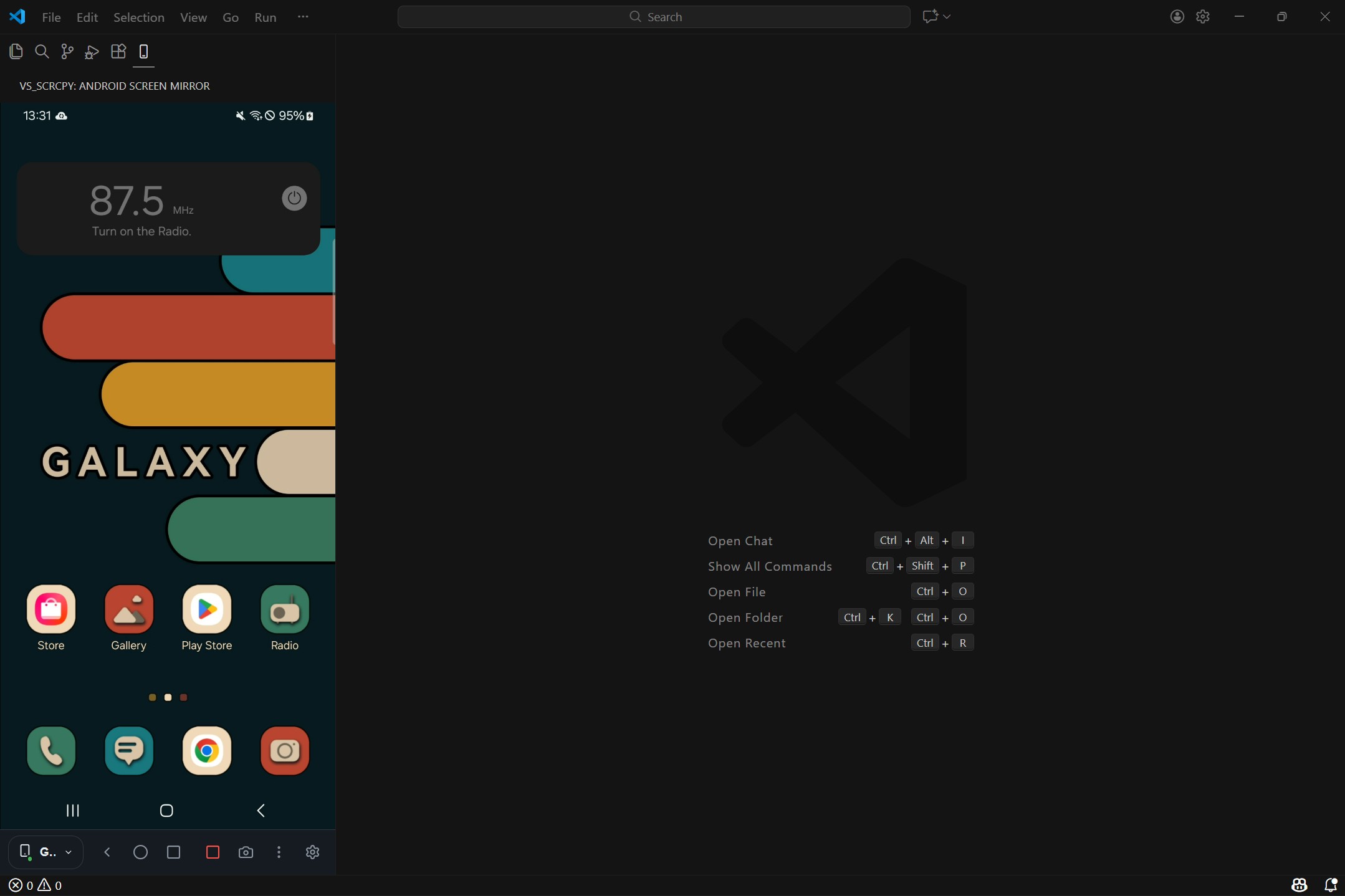
Screenshots
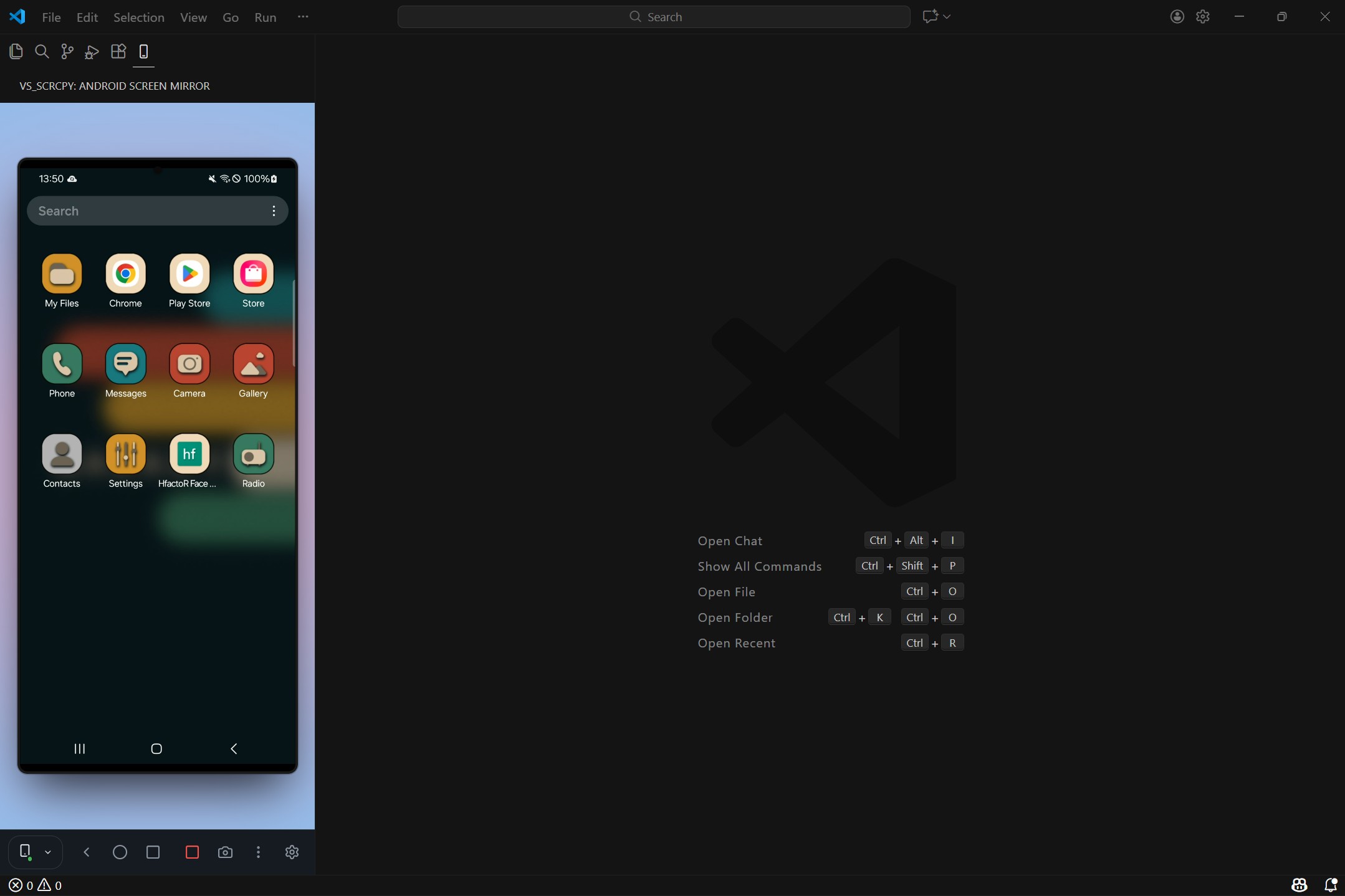
Screen Mirroring
Real-time device display with touch controls
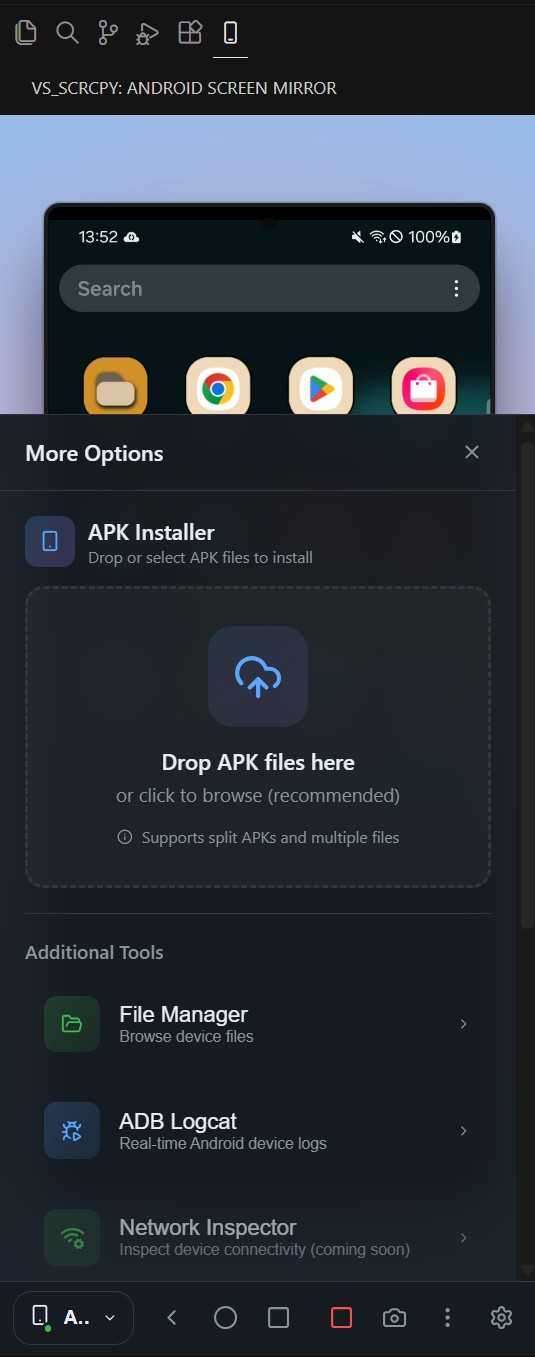
APK Installer,ADB logcat and Shell
Drag and drop APKs,view ADB logs.
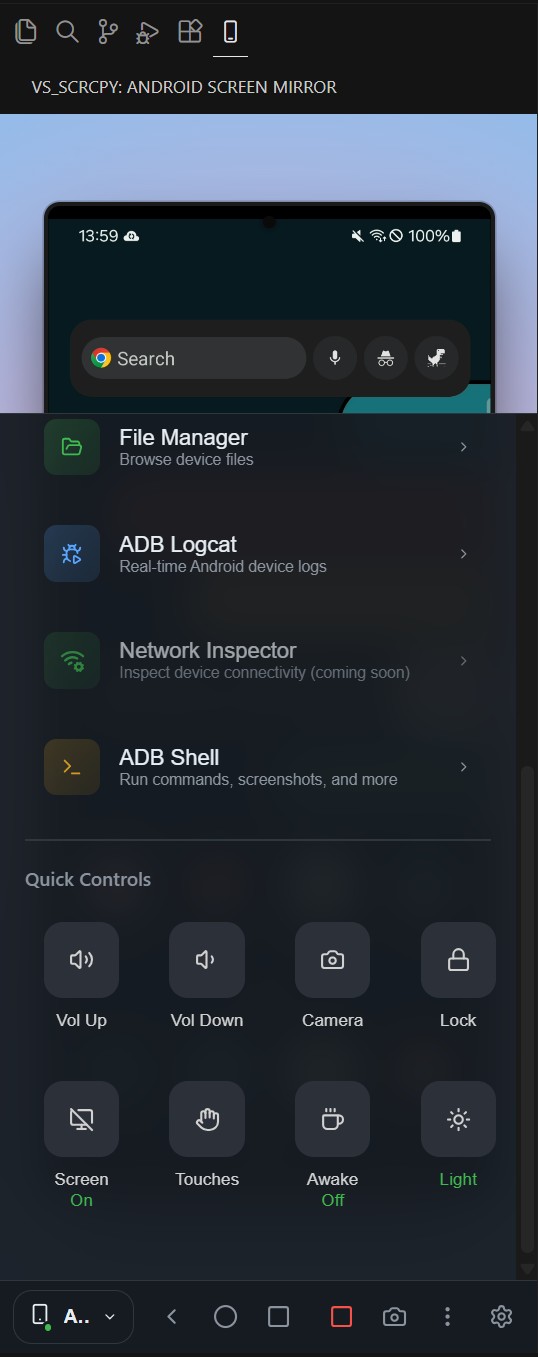
Device Controls
Navigation, volume, and quick actions
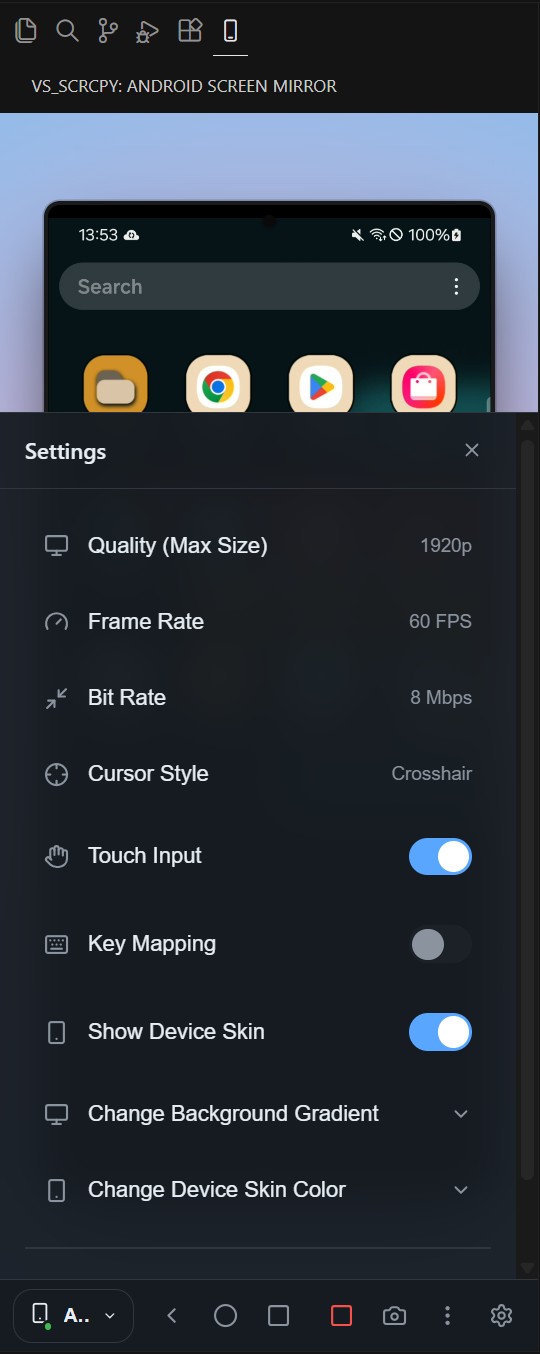
Settings
Configure quality, FPS, and bitrate
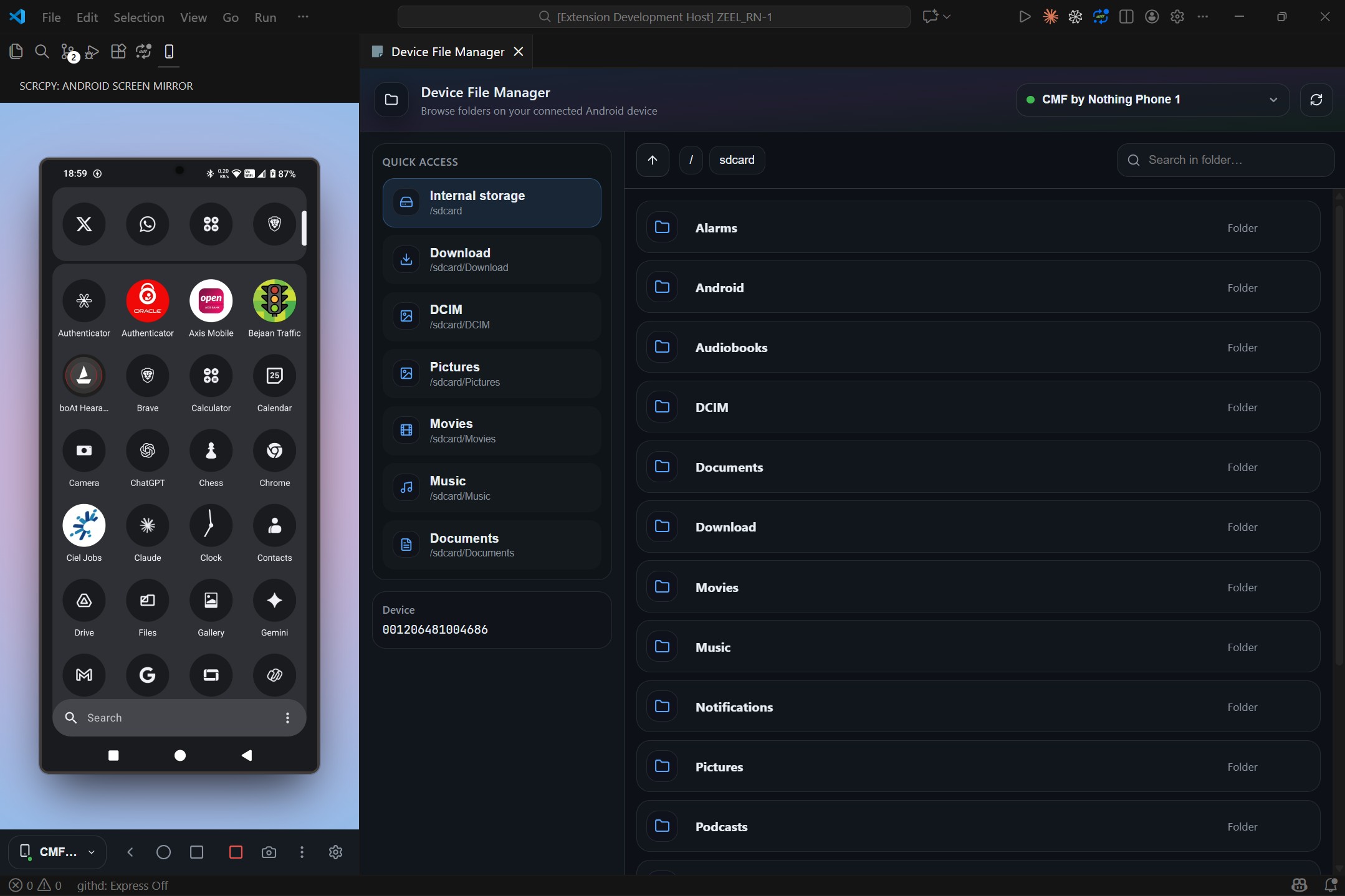
File Manager
Browse and manage device files
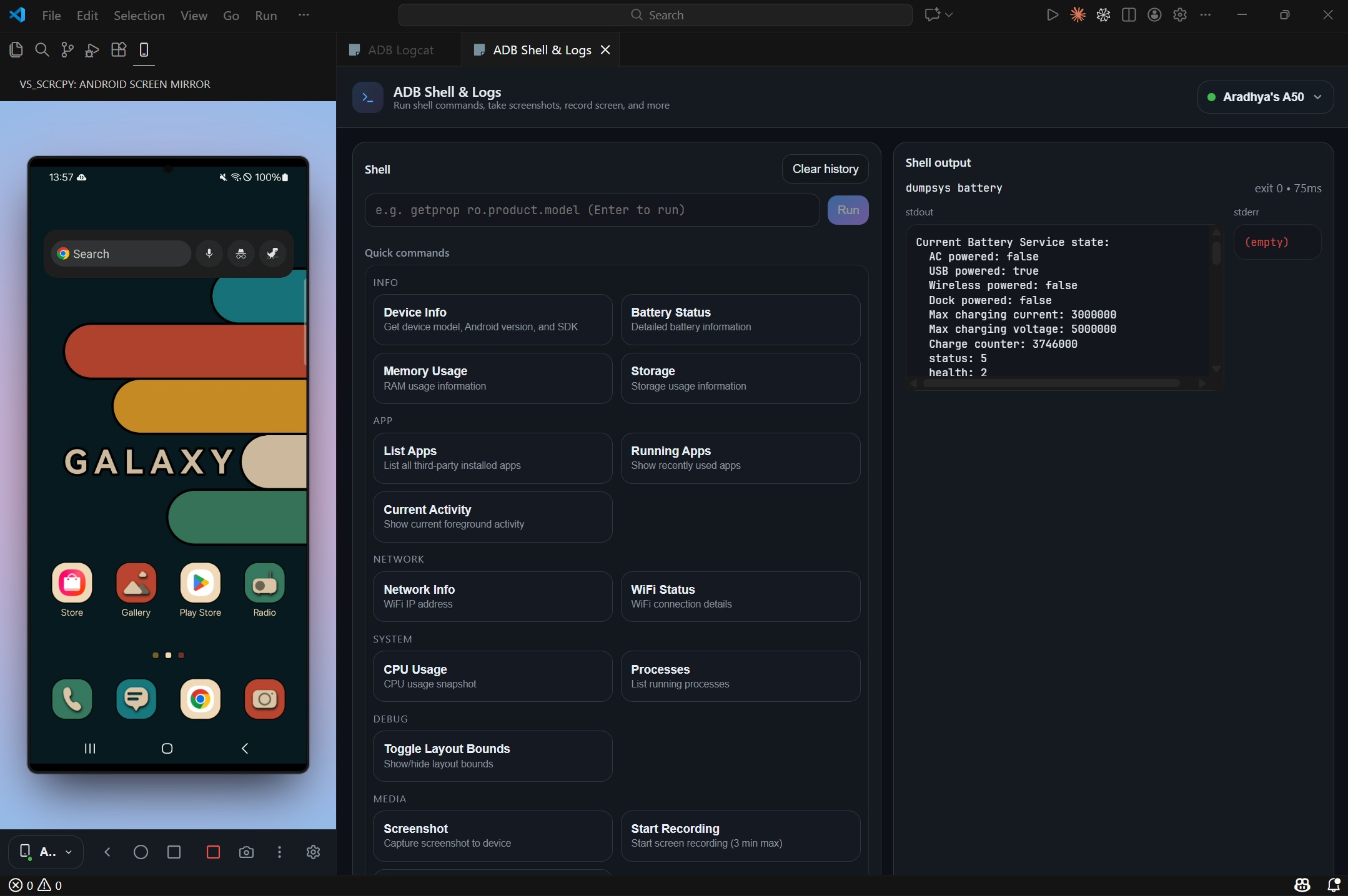
ADB Shell & Commands
Run commands with quick access presets
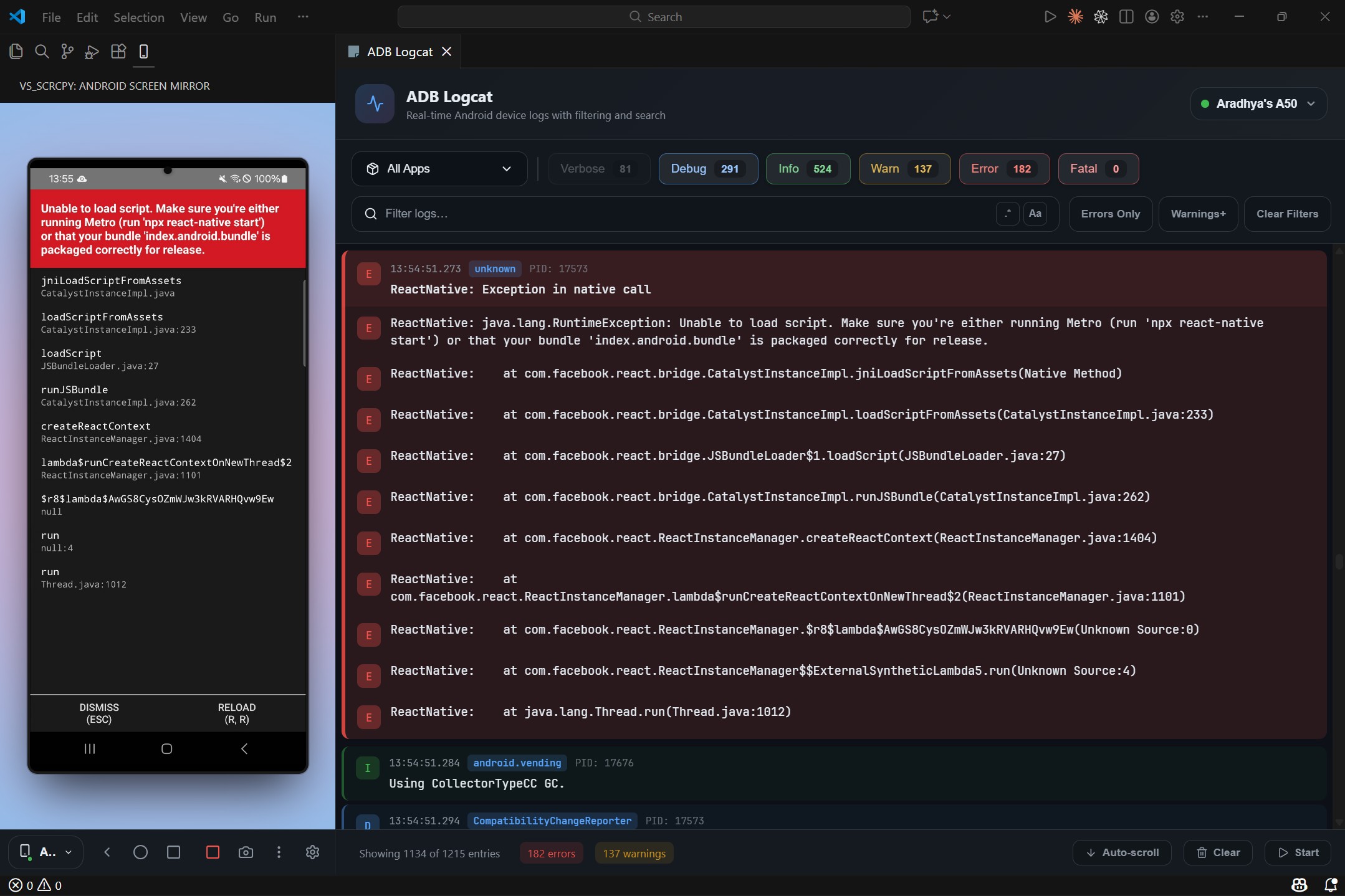
Logcat Viewer
Filter logs by package and level
Features
Real-Time Screen Mirroring
Mirror your Android device screen directly in VS Code's sidebar or as a floating panel. Watch your app render in real-time while you code.
- H.264 video streaming
- Up to 60 FPS with configurable resolution
- Touch input support — interact with your device using your mouse
- Hardware-accelerated WebGL rendering
Device Control Panel
- Navigation buttons — Home, Back, App Switcher
- Volume controls — Up and Down
- Screen controls — Lock screen, toggle power
- Quick actions — Launch camera, take screenshots
- Developer options — Toggle show touches, layout bounds
File Manager
Browse and manage your device's filesystem:
- Navigate directories with an intuitive UI
- Pull files from device to your computer
- Delete files and folders
- Open files with your default system app
ADB Shell & Logs
Execute shell commands and monitor logs:
- Interactive shell — Run any ADB command
- Command history — Persisted across sessions
- quick commands — One-click access to common operations
Logcat Viewer
Monitor your ADB logs:
- Package filtering — Focus on your app's logs
- Log level filtering — Verbose, Debug, Info, Warning, Error, Fatal
- Crash detection — Automatic stack trace grouping and highlighting
- Multiple buffers — Main, System, Crash, Events
App Management
Manage installed applications:
- View all installed 3rd party packages
- Access recent apps quickly
APK Installation
Install apps with ease:
- Drag-and-drop APK installation
- Support for split APKs
- Installation progress tracking
Monitor your device status:
- Battery level and charging status
- Network connectivity and signal strength
- Storage usage
- Device model and Android version
Quick Commands
Access built-in shell commands with one click:
| Category |
Commands |
| Device Info |
Get model, Android version, SDK version |
| Apps |
List packages, get app paths, clear app data |
| Activities |
Start activities, force stop apps, send broadcasts |
| System |
Battery info, memory info, window info |
| Settings |
Get/put system, secure, and global settings |
| Input |
Simulate taps, swipes, text input, key events |
| Media |
Screenshot, screen recording |
| Developer |
Layout bounds, show touches, GPU rendering |
| Network |
Network status, IP address, interface config |
Requirements
- VS Code 1.85.0 or higher
- ADB (Android Debug Bridge) in your PATH
- Android device with USB debugging enabled and necessary permissions.
Installation
From Source
# Clone the repository
git clone https://github.com/Aradhya1905/vscode-scrcpy.git
cd vscode-scrcpy

# Install all dependencies
npm run install:all

# Compile the extension
npm run compile

# Press F5 in VS Code to launch the extension
Usage
- Connect your Android device via USB (or wirelessly via ADB)
- Enable USB debugging on your device (Developer options)
- Grant USB debugging permission on your device when prompted (tap Allow / Always allow from this computer)
- Click the mobile device icon in the VS Code activity bar
- Select your device from the dropdown
- Start mirroring — your device screen appears in VS Code!
Commands
Open the Command Palette (Ctrl+Shift+P / Cmd+Shift+P) and type:
| Command |
Description |
Scrcpy: Start Screen Mirror |
Begin mirroring your device |
Scrcpy: Stop Screen Mirror |
Stop the mirroring session |
Scrcpy: Open File Manager |
Browse device filesystem |
Scrcpy: Open ADB Shell & Logs |
Access shell and logcat |
Development
# Install dependencies
npm run install:all

# Compile everything
npm run compile

# Watch for changes (extension)
npm run watch

# Watch for changes (webview UI)
npm run watch:webview

# Lint code
npm run lint

# Format code
npm run format
Project Structure
vscode-scrcpy/
├── src/                    # Extension source code
│   ├── extension.ts        # Extension entry point
│   ├── services/           # Core services (ADB, Scrcpy, Device management)
│   └── views/              # Webview panels and views
├── webview-ui/             # React-based UI
│   └── src/
│       ├── apps/           # Main application components
│       ├── components/     # Reusable UI components
│       └── hooks/          # Custom React hooks
└── out/                    # Compiled extension
Tech Stack
- Extension: TypeScript, VS Code Extension API
- UI: React 18, Vite, Lucide Icons
- ADB Integration: @yume-chan/adb
- Scrcpy Protocol: @yume-chan/scrcpy
- Video Decoding: H.264, WebGL Canvas
Acknowledgments
- Scrcpy — The incredible tool that makes this possible
- @yume-chan — The TypeScript implementations of ADB and Scrcpy protocols made it possible to bring native Android screen mirroring directly into VS Code.
License
MIT
Contributing
Contributions are welcome! Feel free to:
- Report bugs
- Suggest features
- Submit pull requests

