KTern Workflow StudioA Visual Workflow Builder for AI-Driven Automation KTern Workflow Studio is a Visual Studio Code extension for designing AI-driven workflows on an intuitive visual canvas. You compose a workflow visually from modular, reusable components, and the workflows you build are executed by KTern.AI Codegenie. The Studio is the design surface; Codegenie is the execution engine. OverviewKTern Workflow Studio closes the gap between workflow design and execution. Instead of authoring prompts and agent instructions by hand, teams compose workflows from modular components—prompts, skills, external tools, and control-flow logic—on a drag-and-drop canvas. Completed workflows are exported into formats that KTern.AI Codegenie can run directly. The platform is general-purpose. It can be used to model and automate workflows for virtually any domain or use case, including:
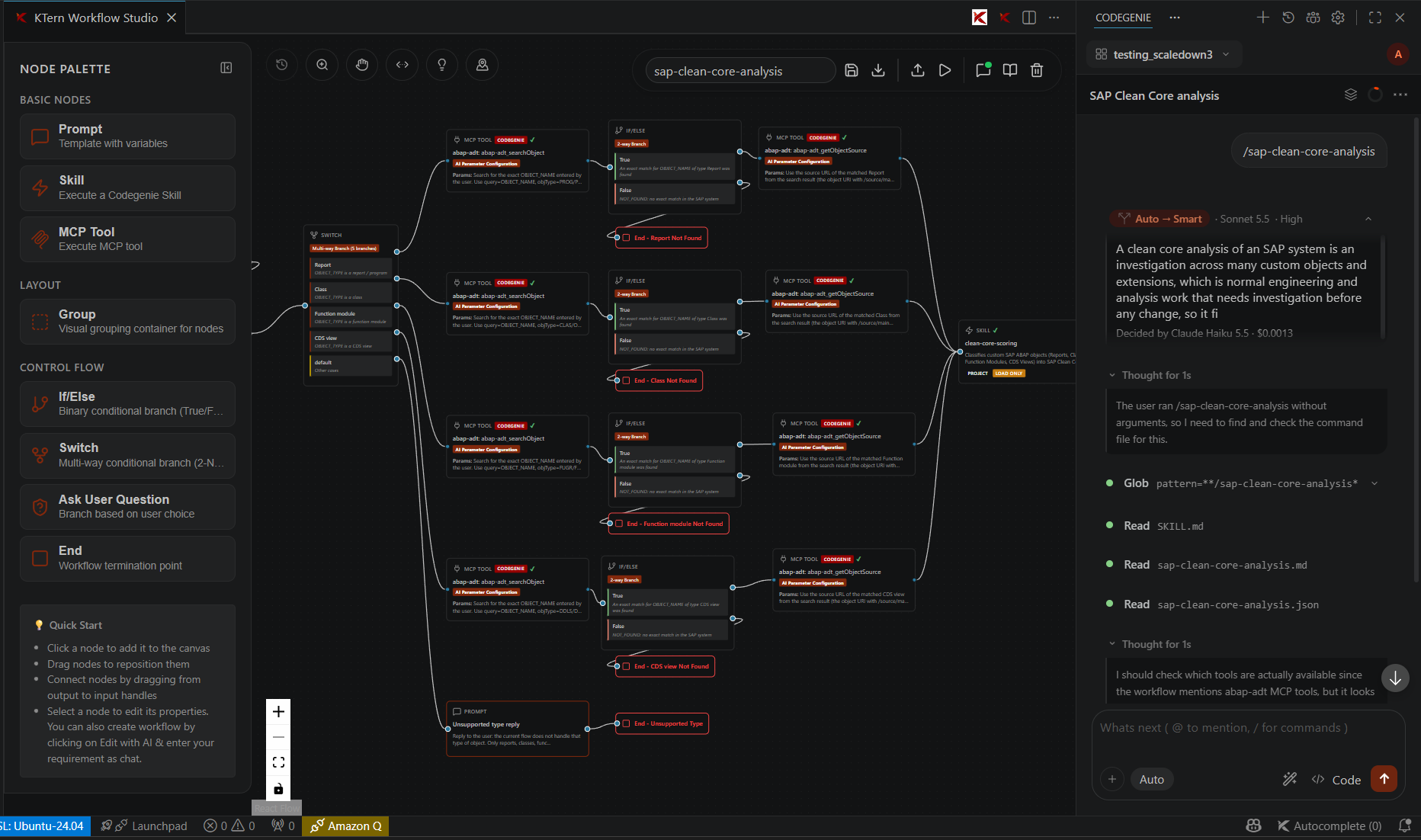
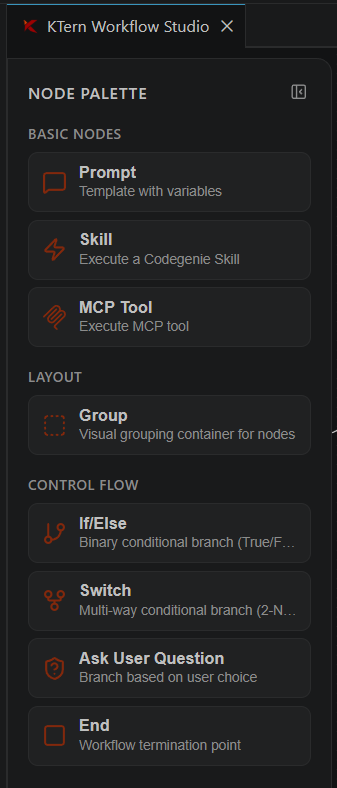
The KTern Workflow Studio editor: a visual canvas, node palette, and integrated AI assistant working together in VS Code. Core CapabilitiesVisual Workflow DesignCompose workflows on a drag-and-drop canvas using reusable, individually configurable nodes. Connect nodes through input and output handles to model sequential, branching, and parallel execution paths. AI-Assisted AuthoringCreate and refine workflows conversationally with the Edit with AI assistant. Describe the desired behavior in natural language and let the integrated AI agent build or adjust the workflow on the canvas. Flexible ToolingUse any MCP (Model Context Protocol) tools and any skills that are configured in KTern.AI Codegenie. The Studio surfaces whatever your Codegenie environment provides, so your workflows can call into any connected service or capability. Execution via KTern.AI CodegenieThe workflows you build here are not run by the Studio itself—they are executed by KTern.AI Codegenie. Export a workflow and run it directly from the editor to have Codegenie carry out the automation. The Node PaletteWorkflows are assembled from a curated set of nodes, organized by purpose in the Node Palette.
Basic Nodes
Layout
Control Flow
Getting StartedLaunch the Editor
Build Your First Workflow
AI Assistant Integration (Codegenie)The integrated AI assistant panel connects the canvas to KTern.AI Codegenie, enabling conversational workflow authoring and access to the tools and skills configured in your Codegenie environment. To work with external integrations:
When you request changes through the assistant, the MCP server starts automatically, reads the current workflow, applies the requested edits, and updates the canvas in real time. Canvas and Editor ControlsThe editor provides a focused, productive authoring environment:
Recommended Practices
Next Steps
|