


Ko-op YAMLKO_OP Visual Studio Code extension for config Our config files support:
This extension adds editing support for these cross-file references:
Instructions
Requirements
FeaturesInclude references (
|
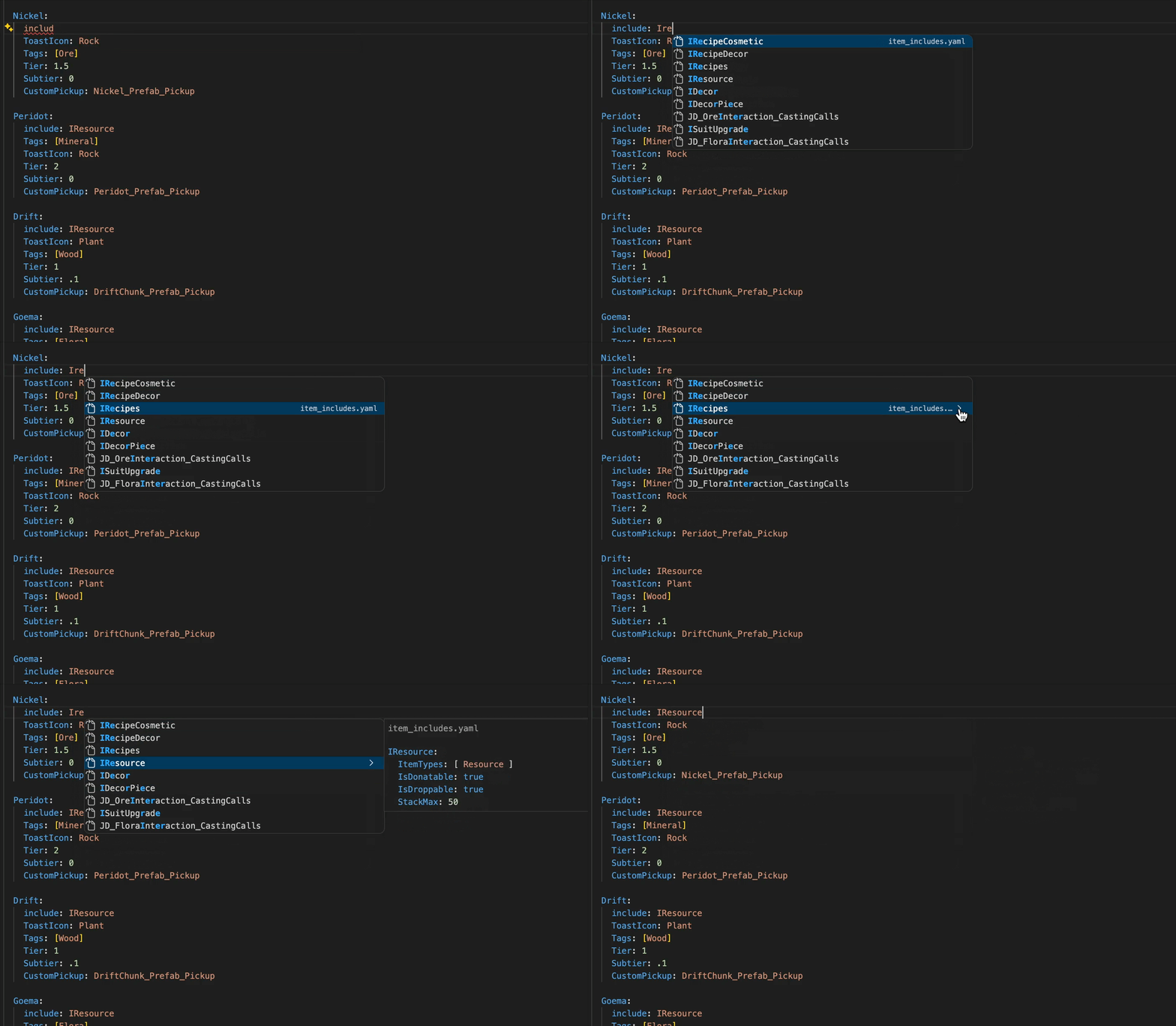
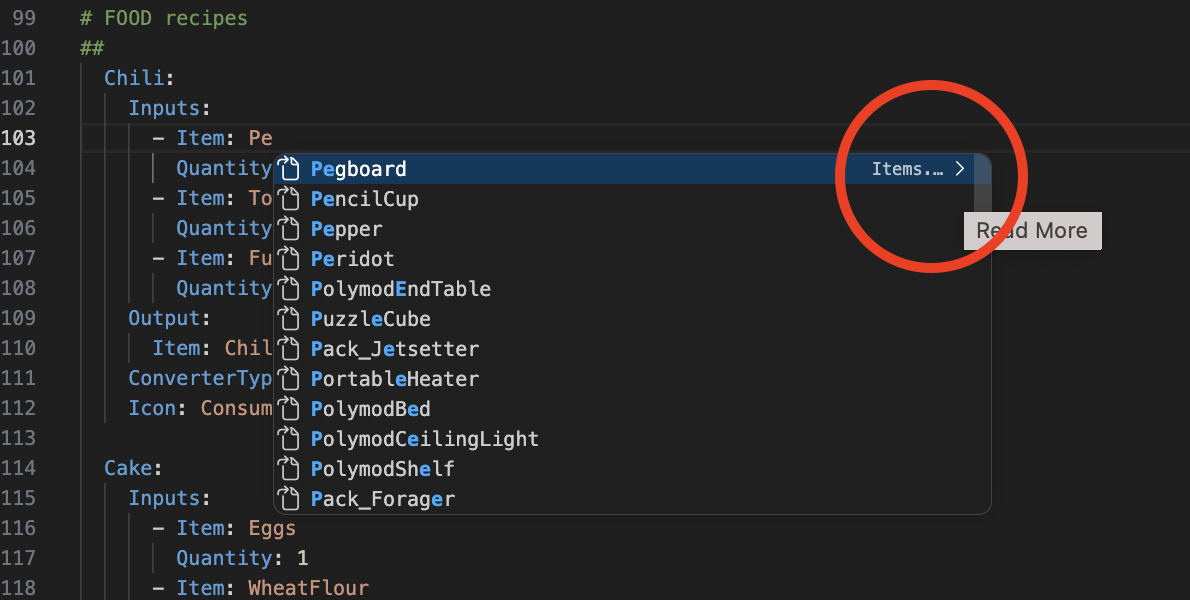 ❌ Wrong, click the arrow circled
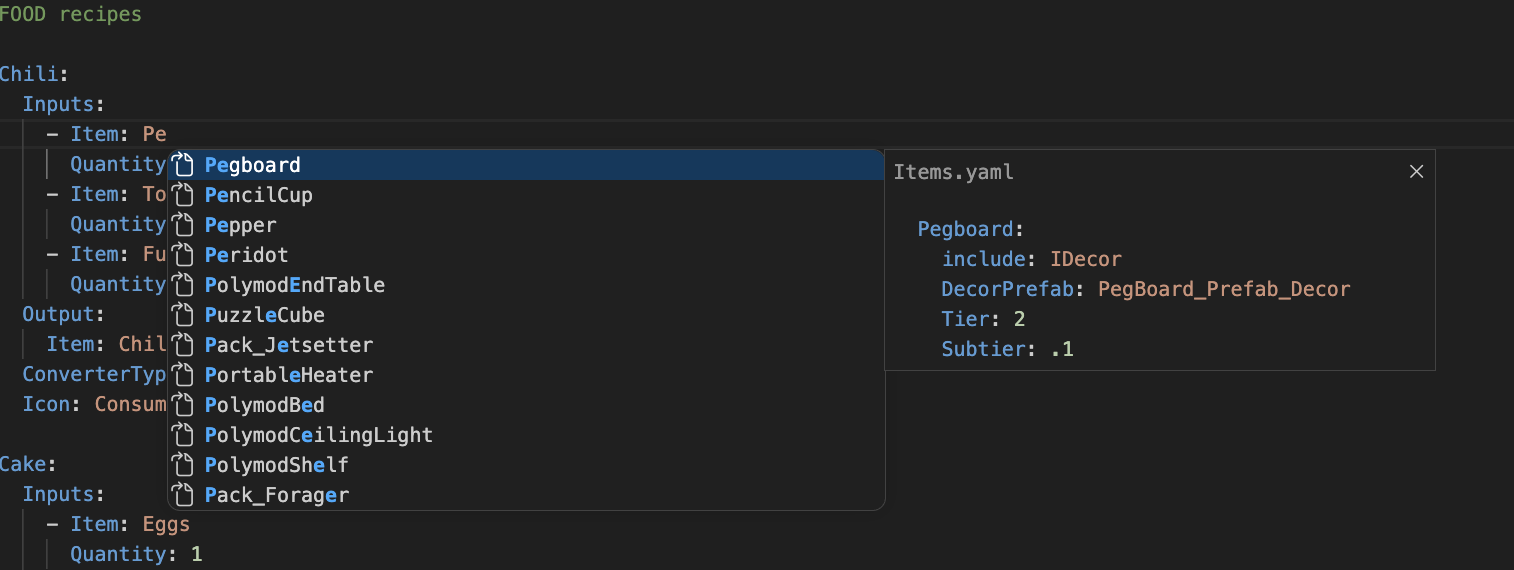 ✅ Correct
| YAML Key | Source File |
|---|---|
Item(s) |
Source/Items.yaml |
Items |
Source/Items.yaml |
Droptable |
Source/Droptables.yaml |
Locale |
Source/World/Locales.yaml |
Tableau |
Source/World/Tableaus.yaml |
SpawnTable |
Source/World/PrefabSpawnTables.yaml |
Reward |
Source/Economy/Rewards.yaml |
ConverterTypes |
Source/Crafting/RecipeConverters.yaml |
ShopItem(s) |
Source/Economy/ShopItems.yaml |
Recipe |
Source/Crafting/Recipes.yaml |
Format
A flat JSON object mapping YAML key names to file paths relative to the Configs/ root, using forward slashes:
{
  "Item":      "Source/Items.yaml",
  "Items":     "Source/Items.yaml",
  "Reward":    "Source/Economy/Rewards.yaml",
  "MyNewKey":  "Source/MyNewFile.yaml"
}
It could have been a cheeky .yaml file itself, but this way makes it clear it's not at all a config file.
Supported value forms
| YAML form | Example |
|---|---|
| Single value | Item: EggSandwich |
| Inline list | Items: [EggSandwich, Wrench] |
| Block list | Items: followed by - EggSandwich lines |
Target file format
Element source files must contain a top-level Elements: key with two-space-indented child keys:
Elements:
  EggSandwich:
    DisplayName: Egg Sandwich
    Weight: 0.3
  Wrench:
    DisplayName: Wrench
    Weight: 1.2
FAQ
How does this work / how do I make an extension like this?
It's surprisingly simple!
VS Code exposes a provider API that lets an extension register handlers for editor actions on specific files - in our case, .yaml files in a Configs/ directory.
Each provider is a class with a single method that VS Code calls when the user triggers the action — you return a result or undefined to pass. This extension registers three:
- Jump to Definition:
registerDefinitionProvider— called on Ctrl/Cmd+Click (or F12). Return aLocationpointing at the target file and line. - Hover/Tooltips:
registerHoverProvider— called when the cursor lingers over text. Return aHovercontaining aMarkdownStringto display in the tooltip. - Auto-complete:
registerCompletionItemProvider— called as the user types. Return an array ofCompletionItems, each with a label, detail, and optional documentation shown in the suggestion widget.
All three providers share the same core logic: parse the current line to identify the key and value under the cursor, resolve which source file that key maps to, then read that file to find the matching Elements: entry.
The VS Code Extension tutorial is a great starting point, along with the API reference:
- https://code.visualstudio.com/api/get-started/your-first-extension
- https://code.visualstudio.com/api/references/vscode-api
Why not use the Language Server Protocol?
I don't know how.
Why regex instead of parsing the YAML nodes properly?
We needed to keep editor character positioning and comments for previews; parsing the yaml directly loses all that. Also, this lets us support any syntax that might not be valid YAML.