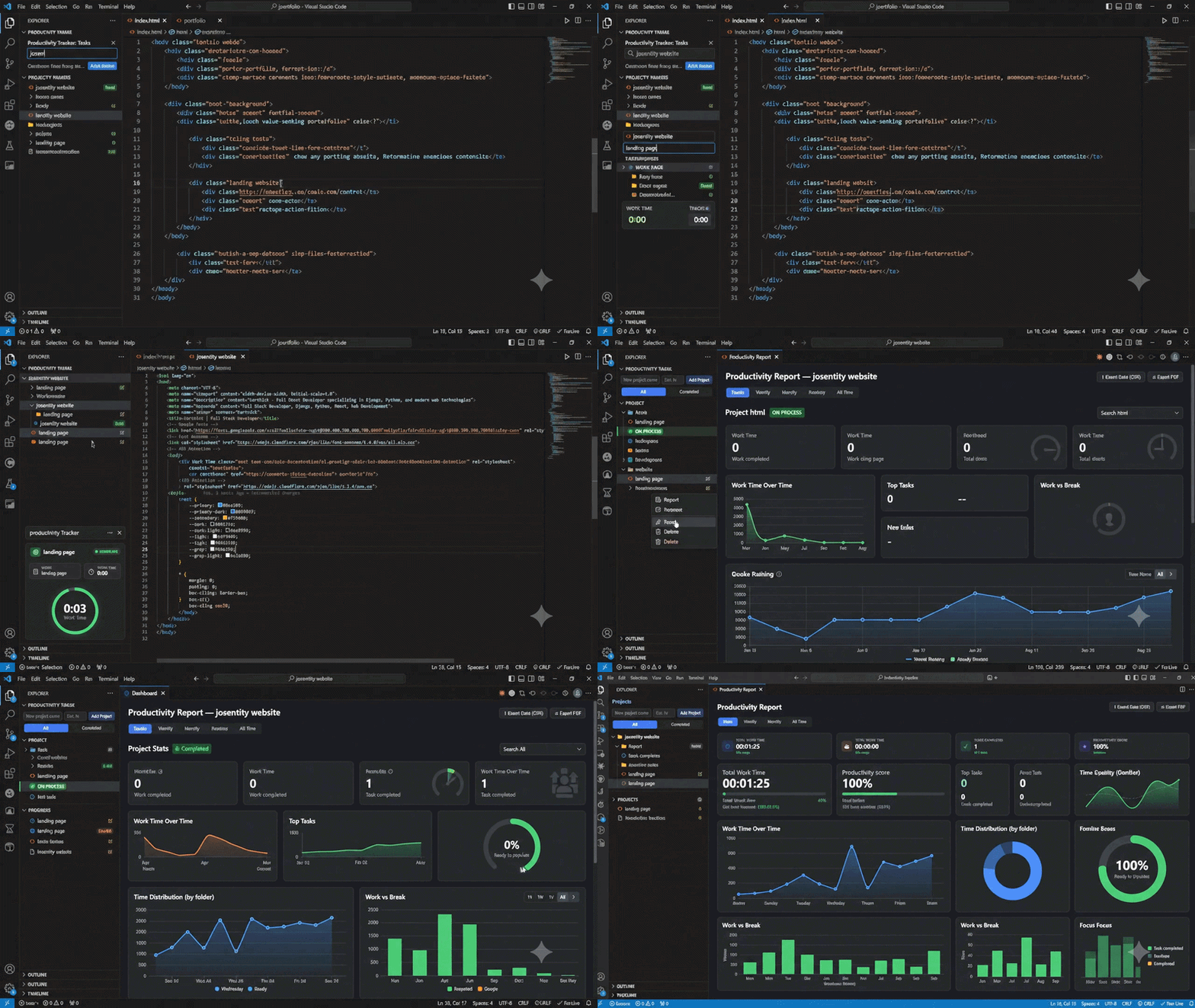
Track daily tasks and the time spent on each one, right from the VS Code sidebar — no external app or browser tab required.
Features
Projects & Tasks — group tasks into projects, each optionally with an estimated-hours budget.
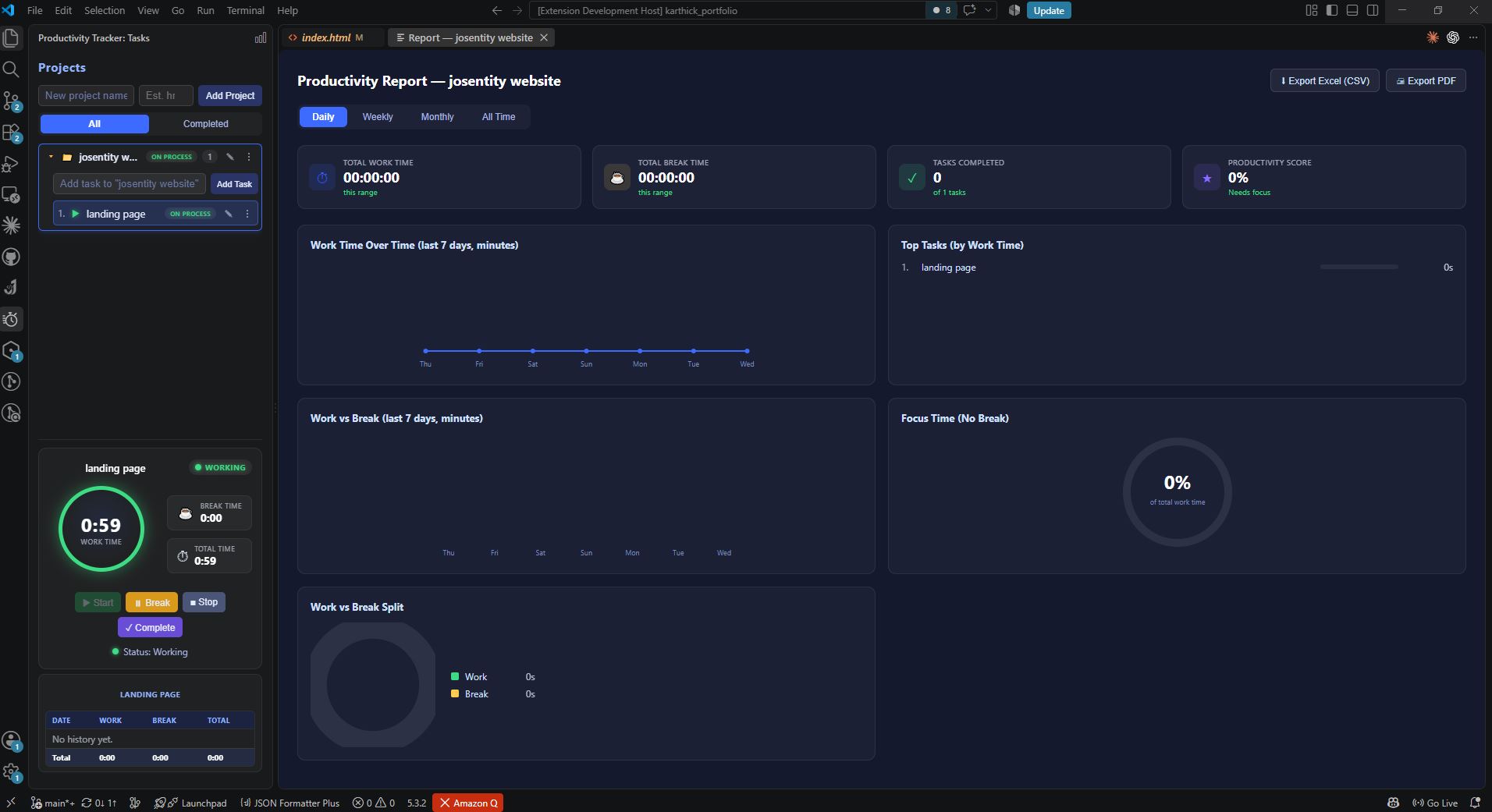
Work / Break timer — Start, Break, Stop, and Complete a task's timer with one click; work time and break time are tracked separately.
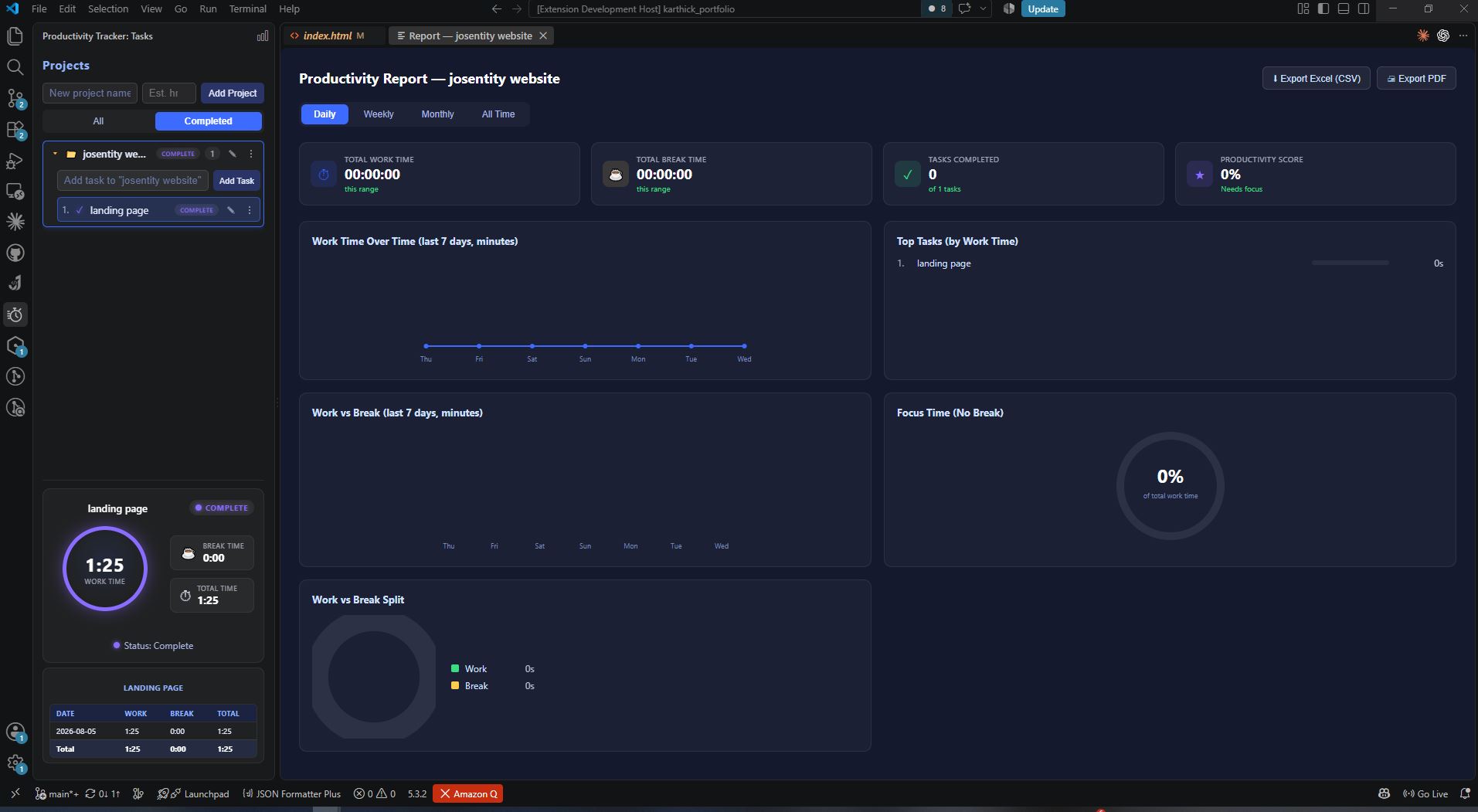
Status at a glance — tasks and projects show a live status badge (Todo / Hold / On Process / Complete).
Per-day history — every task keeps a date-by-date breakdown of work and break time.
Productivity Report — a report panel (for all projects, or scoped to one) with Daily/Weekly/Monthly/All-Time ranges, charts (work over time, work vs break, time by project, top tasks, focus %), and a productivity score.
Export — export the report as CSV (Excel-compatible) or as a PDF (via a locally installed Chrome/Edge).
Persistent — all data is stored locally in VS Code's global state and survives restarts.
Usage
Open the Productivity Track icon in the activity bar.
Add a project, then add tasks inside it.
Select a task to see its timer; click Start to begin tracking work time, Break to switch to break time, Stop to pause, or Complete to finish it.
Click the report icon (graph) in the view title bar for an overall report, or use a project's ⋮ → Report for a project-scoped one.
Requirements
VS Code ^1.85.0.
PDF export requires a locally installed Google Chrome or Microsoft Edge.
Data & Privacy
All data stays on your machine (VS Code globalState) — there is no cloud sync, telemetry, or external network access.
Known Limitations
Only one task can run at a time.
No status bar indicator for a running task left active in the background.
No reminders/notifications for idle or long-running tasks.
See PRD.md (in this repository) for the full product spec.