Drift Board
The Kanban board you'll actually want to open.
Plan it. Drag it. Ship it. Without ever leaving your editor.
Why Drift Board?
Your code lives in your editor. Your tasks should too. Drift Board is a fast, beautiful Kanban board that opens in a tab right next to your files. There are no accounts, no logins and no loading spinners, just your work laid out the way you think about it.
- Zero setup. Install, press
Ctrl+Alt+J, start planning.
- Private by default. Your board stays in your workspace. Nothing is sent anywhere.
- Team-ready. Flip one setting and the board saves to a file you can commit and share.
Feel the flow
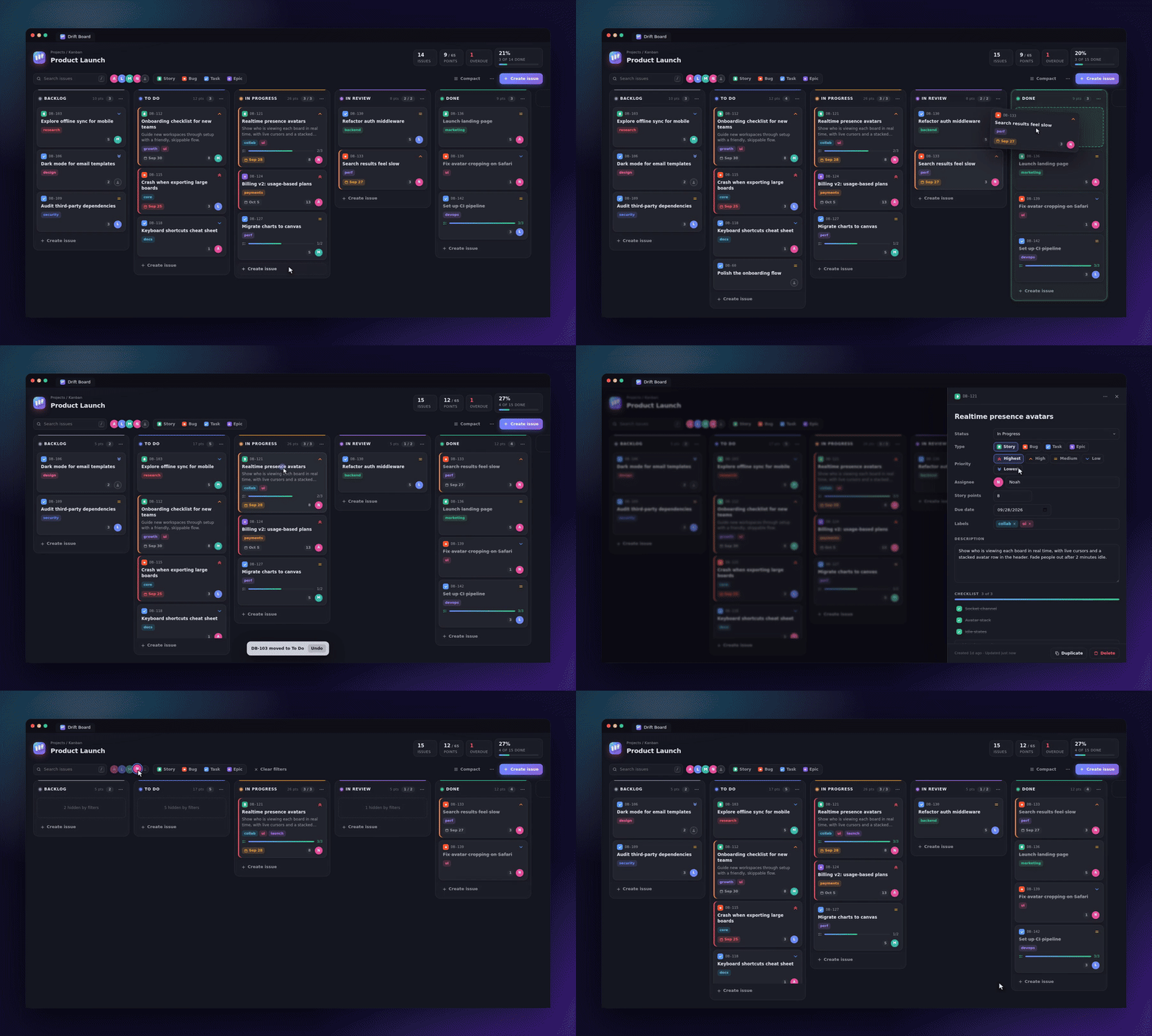
Drag and drop that feels right. Pick up a card, watch a slot open where it will land, drop it. Move between columns or reorder inside one. Changed your mind? Hit Undo.
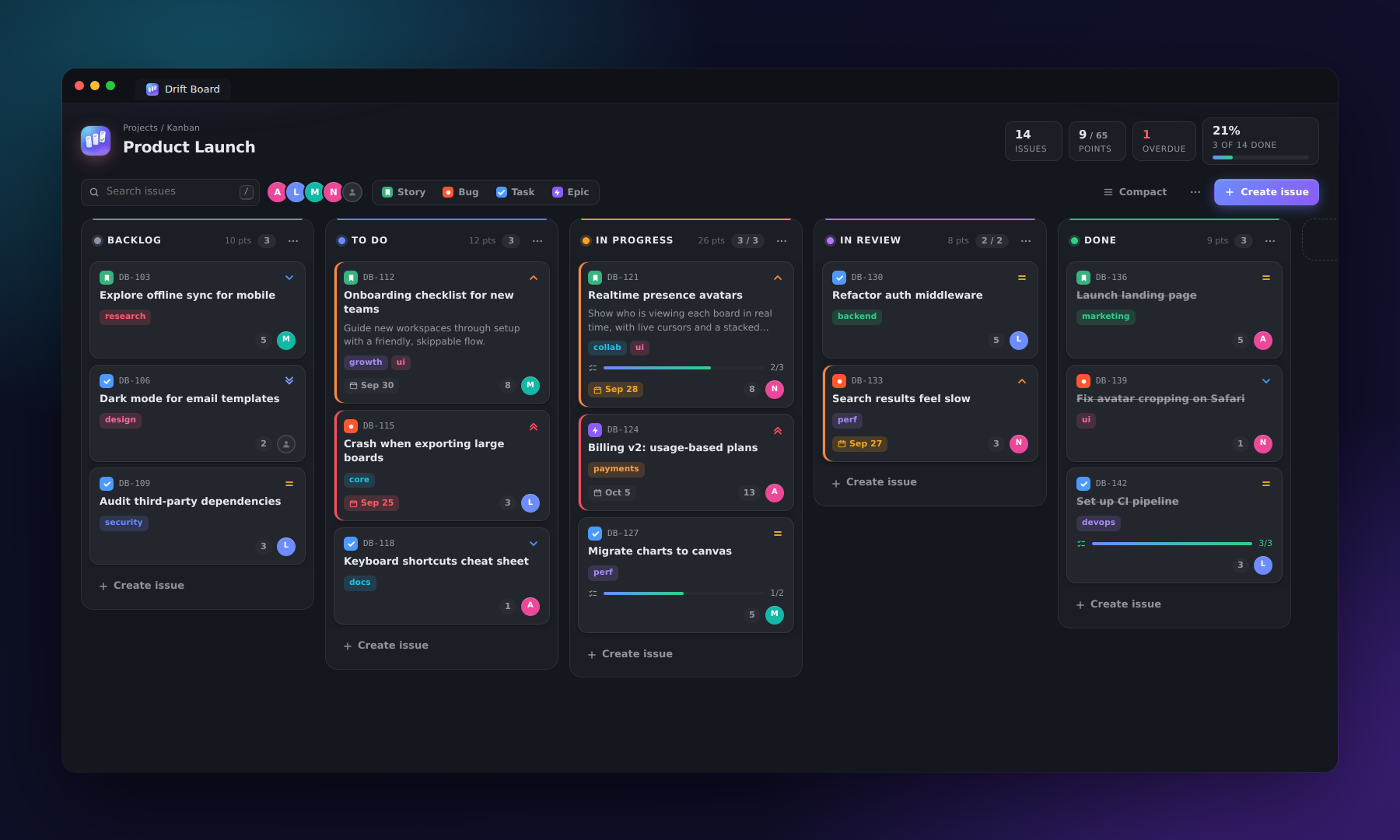
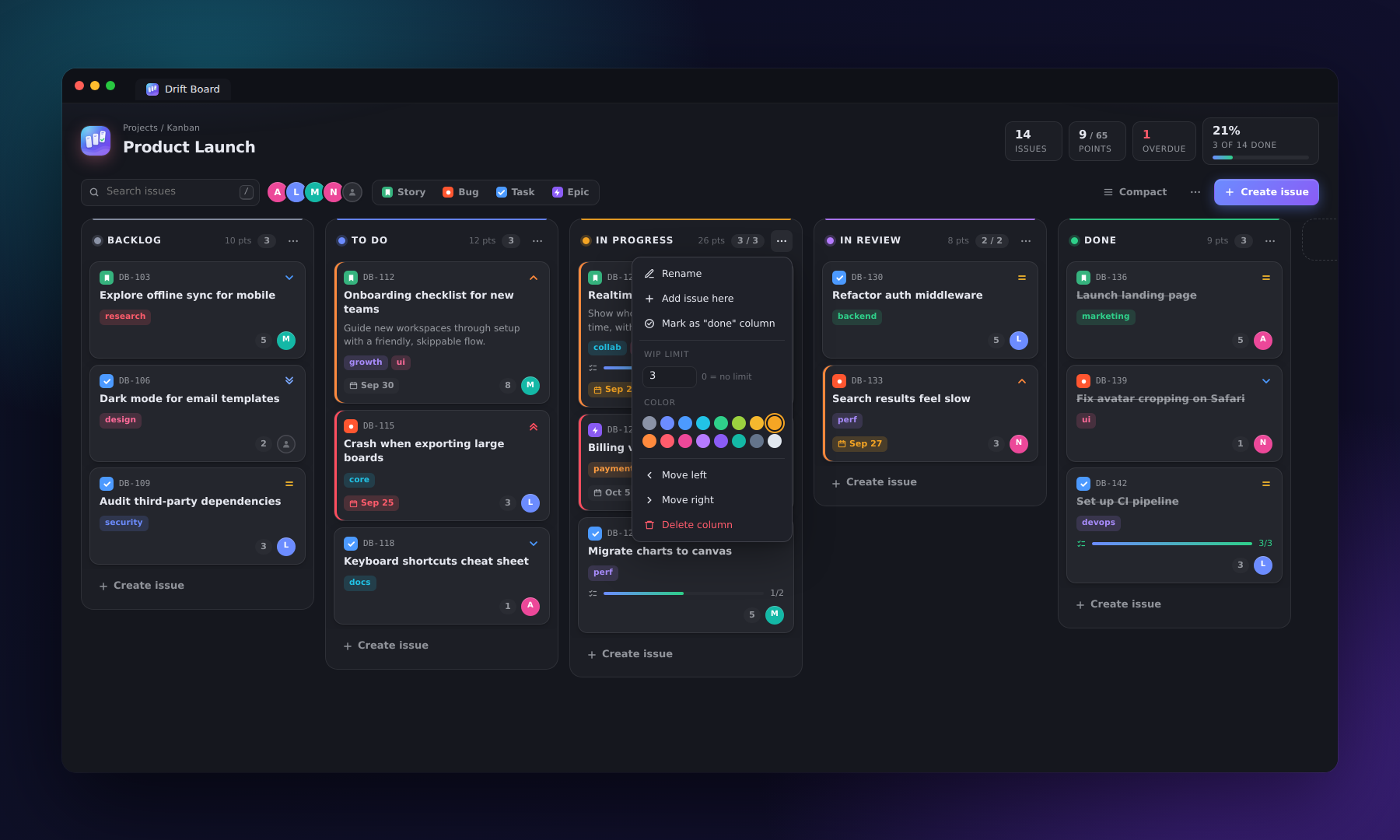
Cards that say everything at a glance. Every card shows its type, priority, labels, checklist progress, story points, due date and owner. Overdue work glows red and anything due soon turns amber, so nothing sneaks up on you.
Live stats up top. Total issues, points delivered, overdue count and a progress bar that fills as you ship.
Every detail, one click away
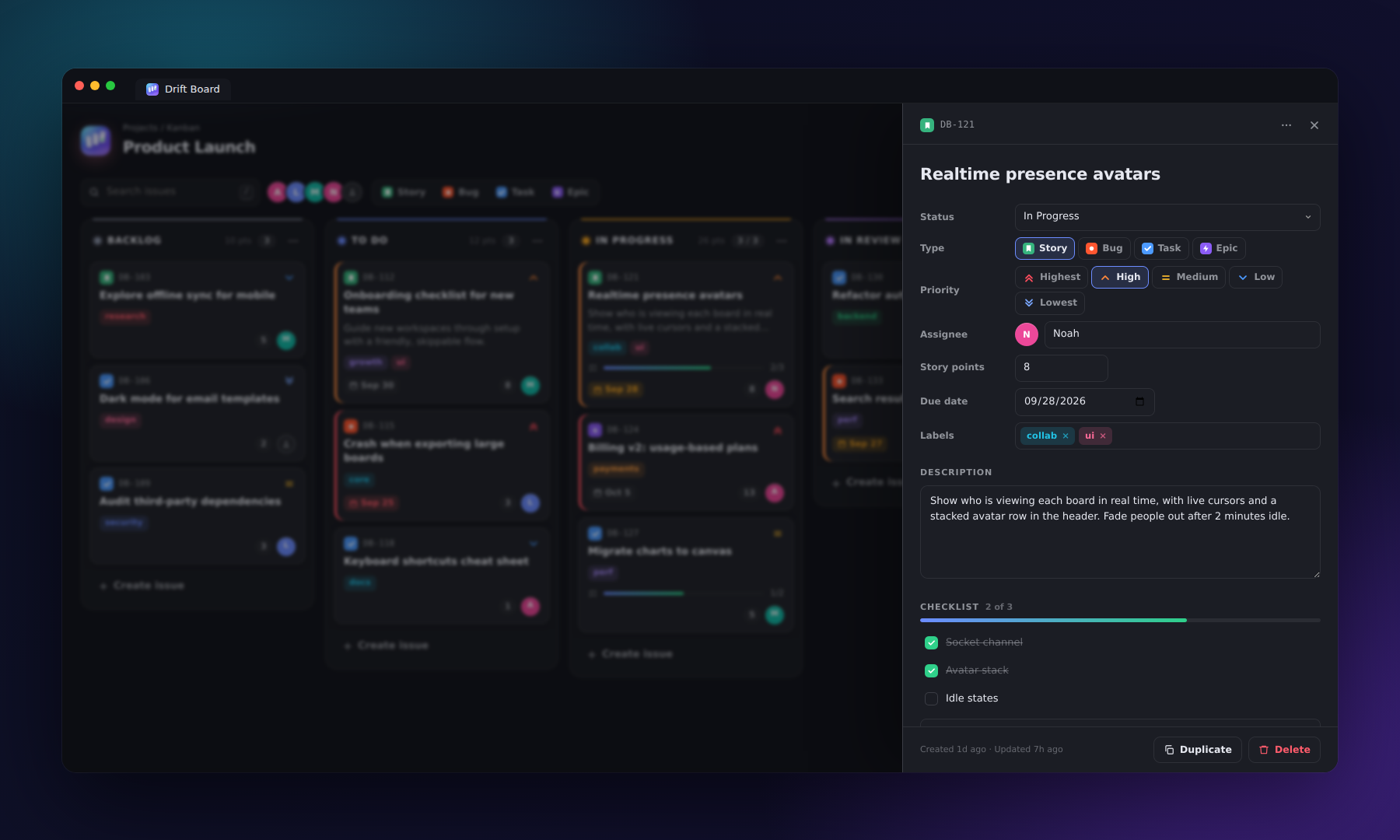
Click any card and a sleek panel slides in with everything you need:
- Type: Story, Bug, Task or Epic
- Priority: five levels, from Lowest to Highest
- Assignee with a colorful avatar
- Story points and due date
- Labels: type and press Enter
- Description and a checklist with a live progress bar
- Duplicate or delete in one click, with undo if you slip
Everything saves instantly. No save button, ever.
Your board, your rules
- Custom columns: add, rename, reorder and recolor from a 16-color palette.
- WIP limits: set a cap and the column lights up red when the team takes on too much.
- Done column: mark any column as "done" to power the progress stats.
- Filters: click an avatar to see one person's work, toggle issue types, or search everything instantly.
- Compact mode: fit more cards on screen when the board gets busy.
- Any theme: light, dark or high contrast, Drift Board matches your editor.
Keyboard shortcuts
| Key |
Action |
Ctrl+Alt+J / Cmd+Alt+J |
Open the board |
C or N |
Create an issue |
/ |
Search |
Enter |
Open the focused card |
Delete |
Delete the focused card |
Esc |
Close panel or menu |
| Right-click a card |
Move, duplicate, delete |
| Double-click a column title |
Rename the column |
Get started
- Click the Drift Board icon in the activity bar, or press
Ctrl+Alt+J.
- Hit Create issue, or press
C.
- Drag it across the board and feel good about it.
Settings
| Setting |
Default |
What it does |
driftBoard.storage |
workspace |
workspace keeps the board private. file saves it to .vscode/drift-board.json so your team can commit and share it. |
driftBoard.issuePrefix |
JB |
Prefix for new issue keys, like APP-12. |
driftBoard.showStatusBar |
true |
Show the open-issue counter in the status bar. |
Commands
- Drift Board: Open Board
- Drift Board: New Issue
- Drift Board: Export Board to JSON
- Drift Board: Import Board from JSON
- Drift Board: Reset Board
Stop tab-hopping. Start drifting.

