Hexana
A VS Code extension for viewing, analyzing, and debugging binary files — with deep support for WebAssembly and native binary formats (ELF, Mach-O, PE/COFF).
Open any .wasm, .elf, .exe, .so, .o, .dll, .dylib, .jar, .zip, .class, .dex, or .desc file to explore its structure, inspect hex data, compare binaries, and run or debug modules — all inside VS Code.
Features
Hex Viewer
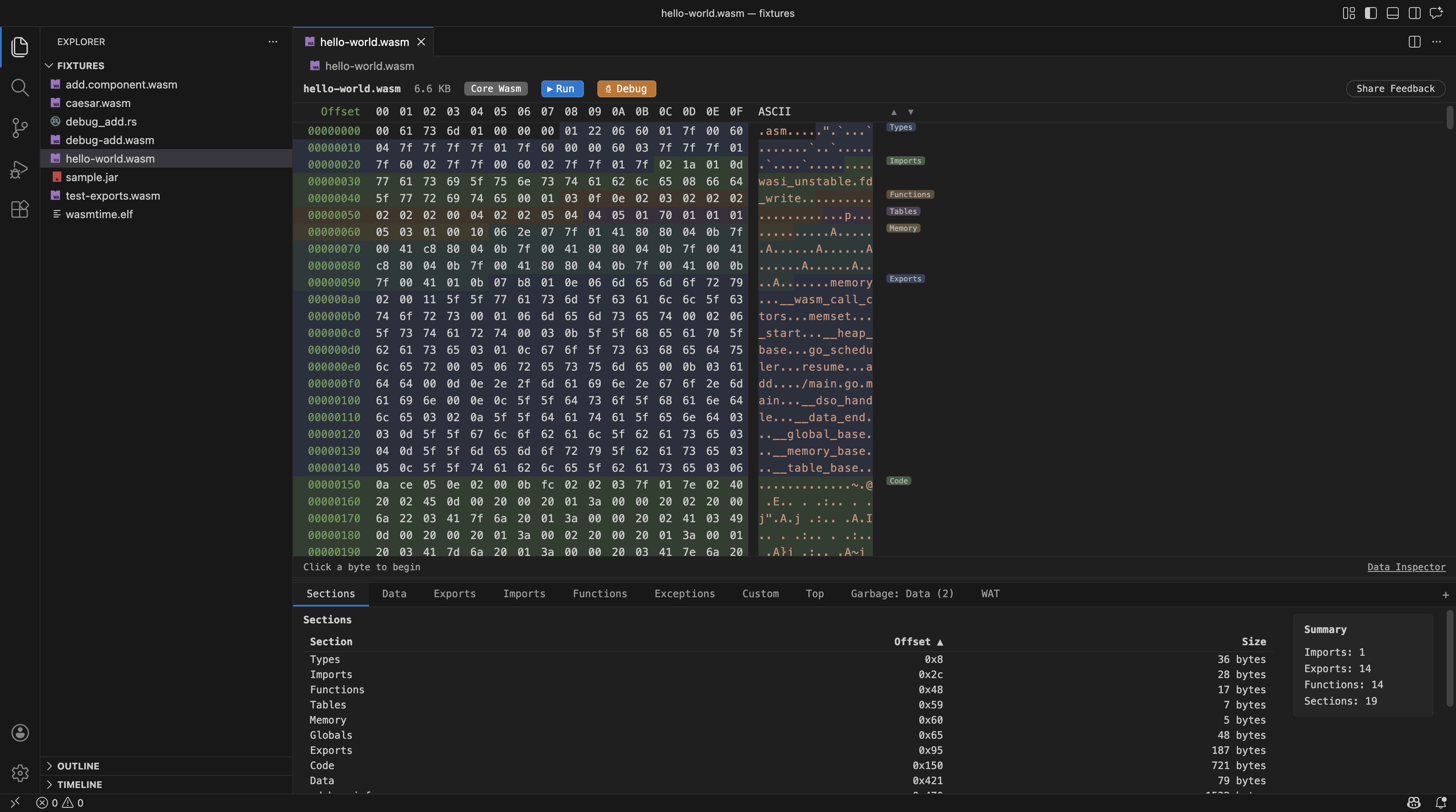
- Virtual-scrolling hex dump with byte selection (click, shift-click, drag) and keyboard navigation.
- Semantic highlighting — bytes are colored by their structural section with labels and navigation arrows between sections.
- Byte editing — edit individual bytes in-place (without changing file size).
- Data inspector panel showing different representations (integers, floats, strings) of the selected byte.
- Text search across hex content.
| Format |
File types |
| WebAssembly |
.wasm — core modules, component model binaries, and generic Wasm files |
| Native binaries |
ELF, Mach-O, PE/COFF (.elf, .exe, .so, .o, .dll, .dylib, .a, etc.) |
| Java |
.class files and .dex (Android Dalvik) |
| Archives |
.jar, .zip, .war, .apk (including ZIP64) |
| Protocol Buffers |
.desc / .protoset compiled descriptor sets |
Structural Analysis
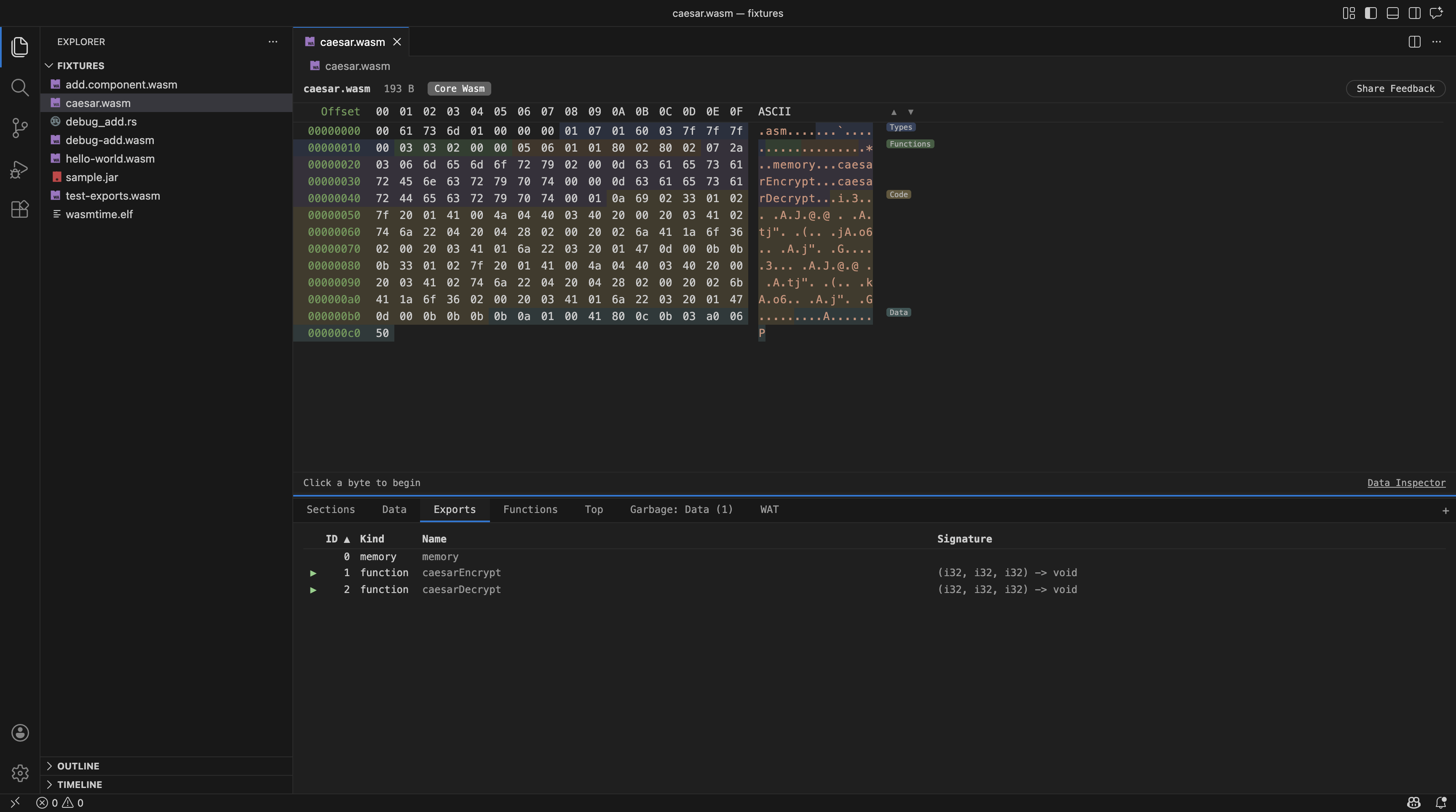
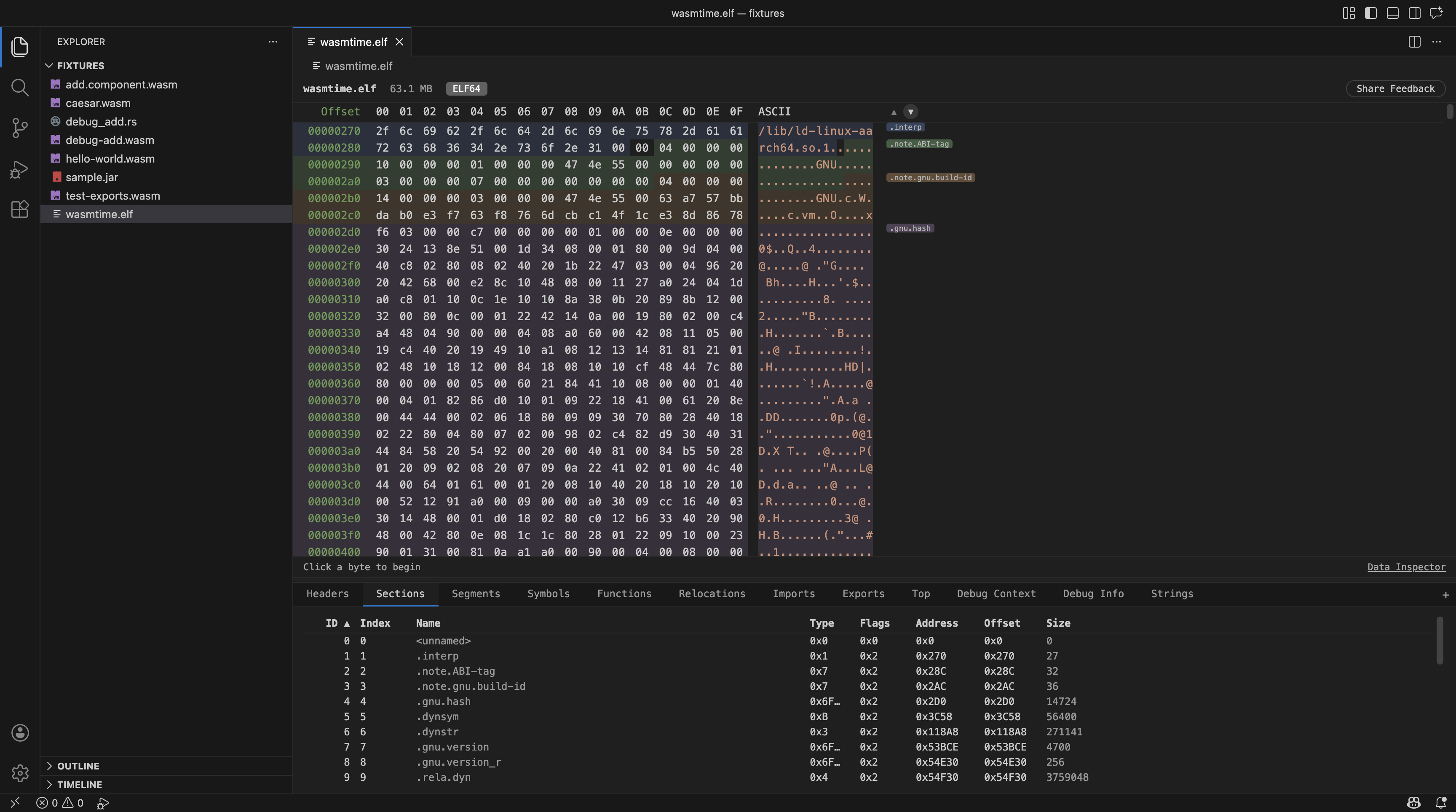
A tabbed analysis panel with views depending on the binary type. All tables support column sorting and text search.
WebAssembly tabs:
- Summary — section table and binary statistics.
- Exports — exported items with kind, name, index, and function signatures.
- Imports — imported items with kind, module, and name.
- Functions — function index, name, and signature.
- Data — data segments overview.
- Custom — custom sections list.
- Top — largest contributors by size, with a size diagram visualization.
- Monos — monomorphisation analysis.
- Garbage — unreferenced/dead code detection.
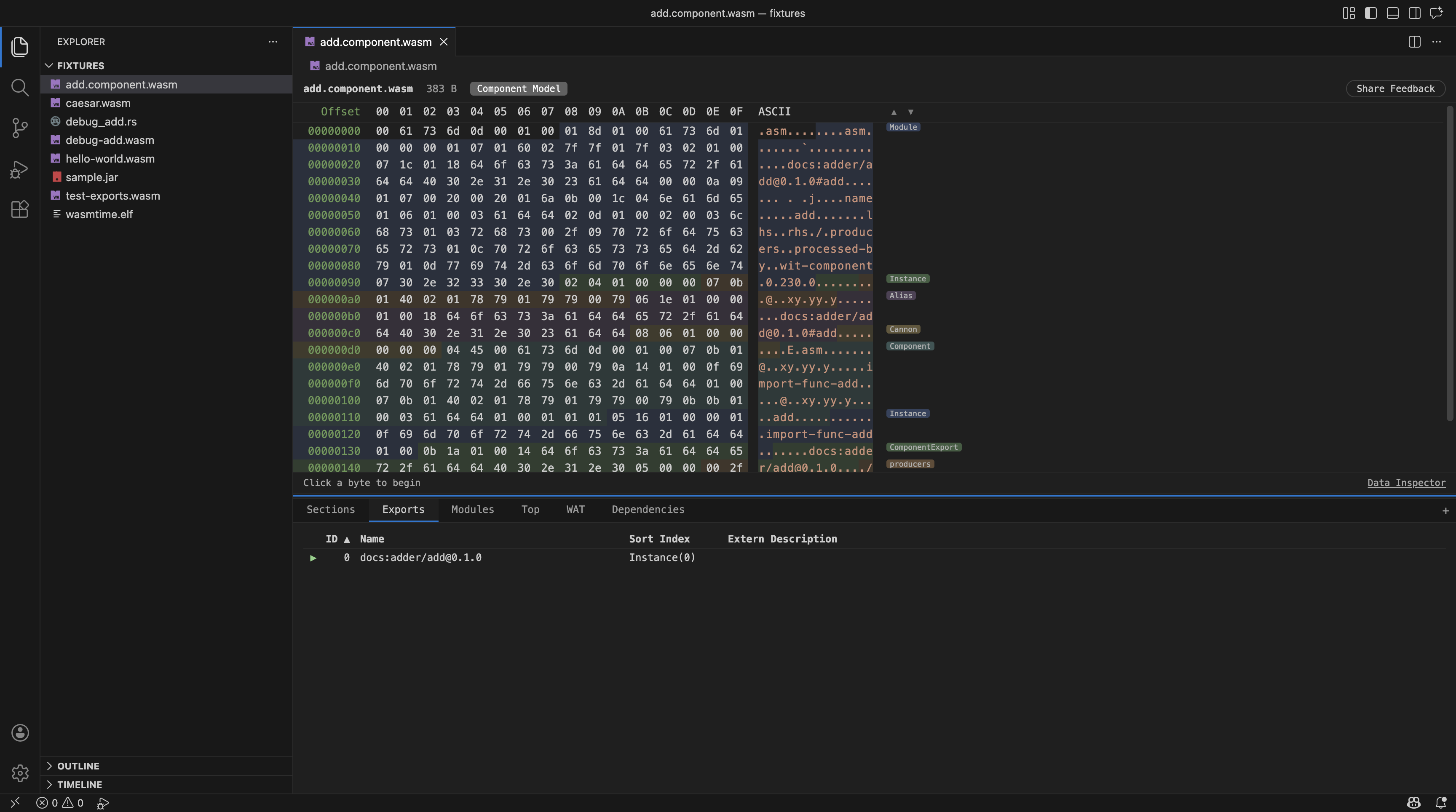
- Modules — clickable nested module list with drill-down (component model).
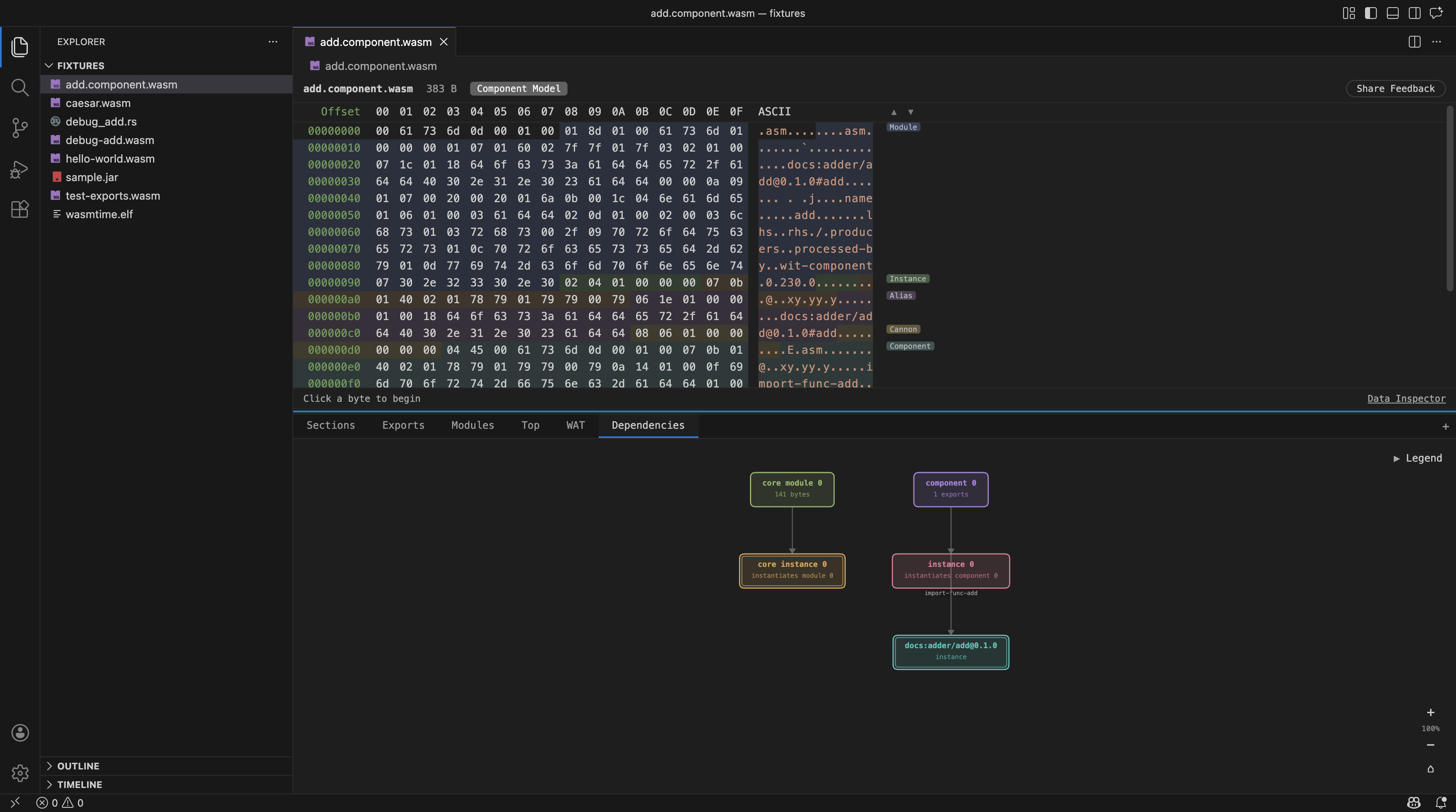
- Dependencies — component dependency diagram (component model).
- WAT — WebAssembly Text representation with virtualized navigation between sections, opened in a native VS Code editor tab with syntax highlighting.
Protocol Buffers tabs: Files, Messages, Fields, Enums, Services.
Native binary tabs vary by format and include section tables, symbols, and size analysis with a size diagram.
Scriptable Info Tabs
Write custom JavaScript analysis scripts against the open binary. Add one via the "+" button; the dialog can create a runnable script from a template or from a bundled example, so you never start from an empty file.
The API is the same in the VS Code extension, the IntelliJ plugin, and the run-script CLI:
print(...values) for text; table(...columns) and row(...cells) for a table. A tab renders text and tables in the order the script produced them, so a script can narrate between tables.binary.format / formatName / name / size — identity, with a stable format id you can branch on.binary.path / binary.dir — where the file is, or null for a binary with no file behind it (a ZIP entry, a nested module).binary.bytes — at, slice, hex, ascii, u8/u16/u32, indexOf.binary.structure — top-level regions (Wasm sections, ELF sections, Mach-O segments, …) with offsets and sizes.binary.strings, binary.sizeAnalysis.binary.tabs and binary.tab(name) — read any table the editor itself shows, using the same column names.binary.raw — the format-specific provider, for anything the curated surface does not cover.open(path) — another binary as the same object, so open("old.wasm").size reads like binary.size. Call it at the top level of the script: the script pauses there while the extension reads the file, which it cannot do from inside a function or a callback (it says so if you try).
Opening a script from its tab attaches the type definitions next to it (hexana-scripting.d.ts plus a jsconfig.json, written only when the folder has no JavaScript project config of its own), so completion and navigation work while you edit. The dialog also links the full reference and the format-specific types behind binary.raw. Hand-rolled tab-separated and CSV output is still rendered as a table.
Binary Comparison
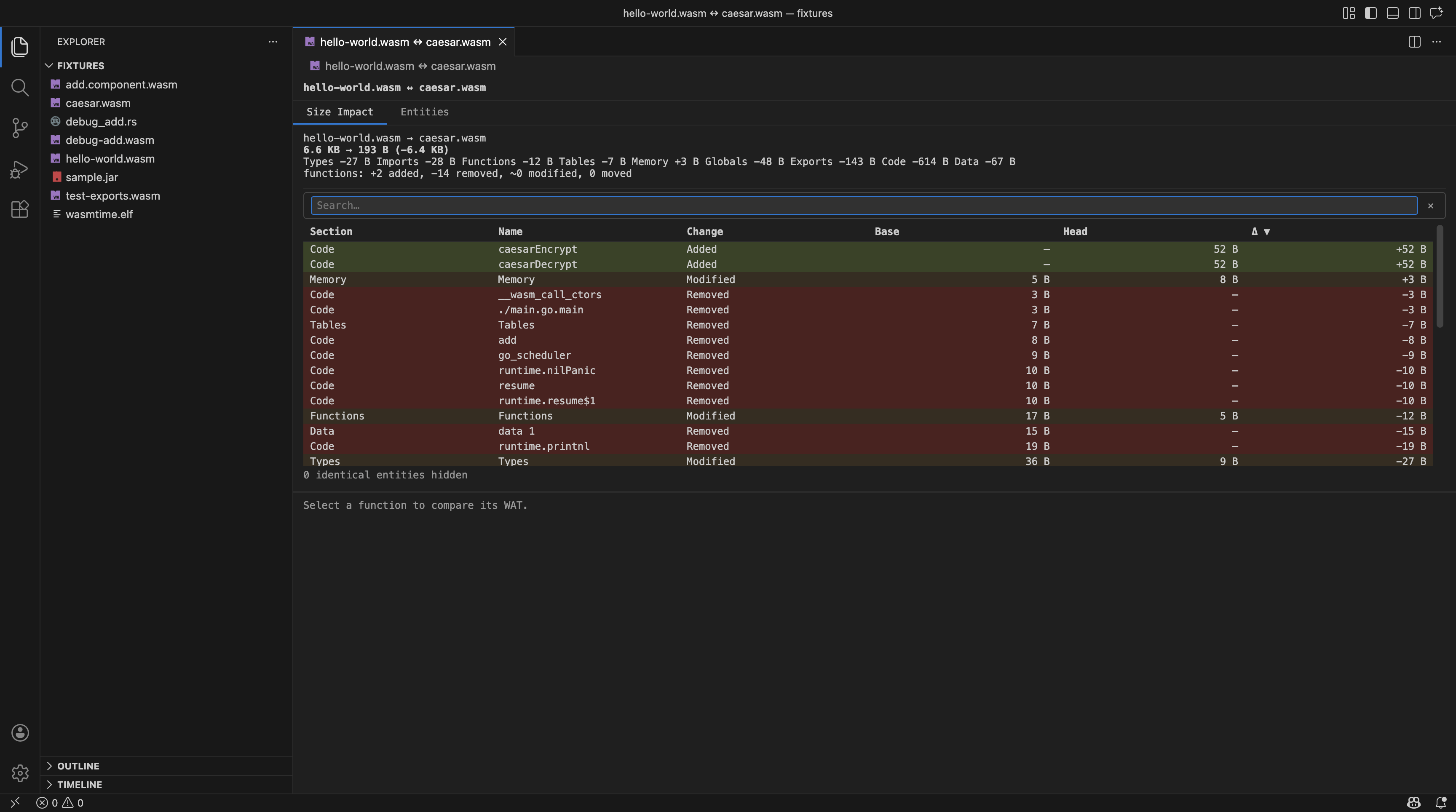
- Compare WASM — compare two
.wasm files showing size changes per section, and for functions a diff of their WAT bodies.
- Compare Binary — compare two native binary files showing size changes per section.
Both commands are available from the Explorer context menu and the Command Palette.
Run Support (WASM)
Run Wasm modules directly from the editor toolbar, with a dialog for choosing exports and program arguments. Supports both core modules (with automatic import stub generation) and component model binaries (with dependency resolution and composition).
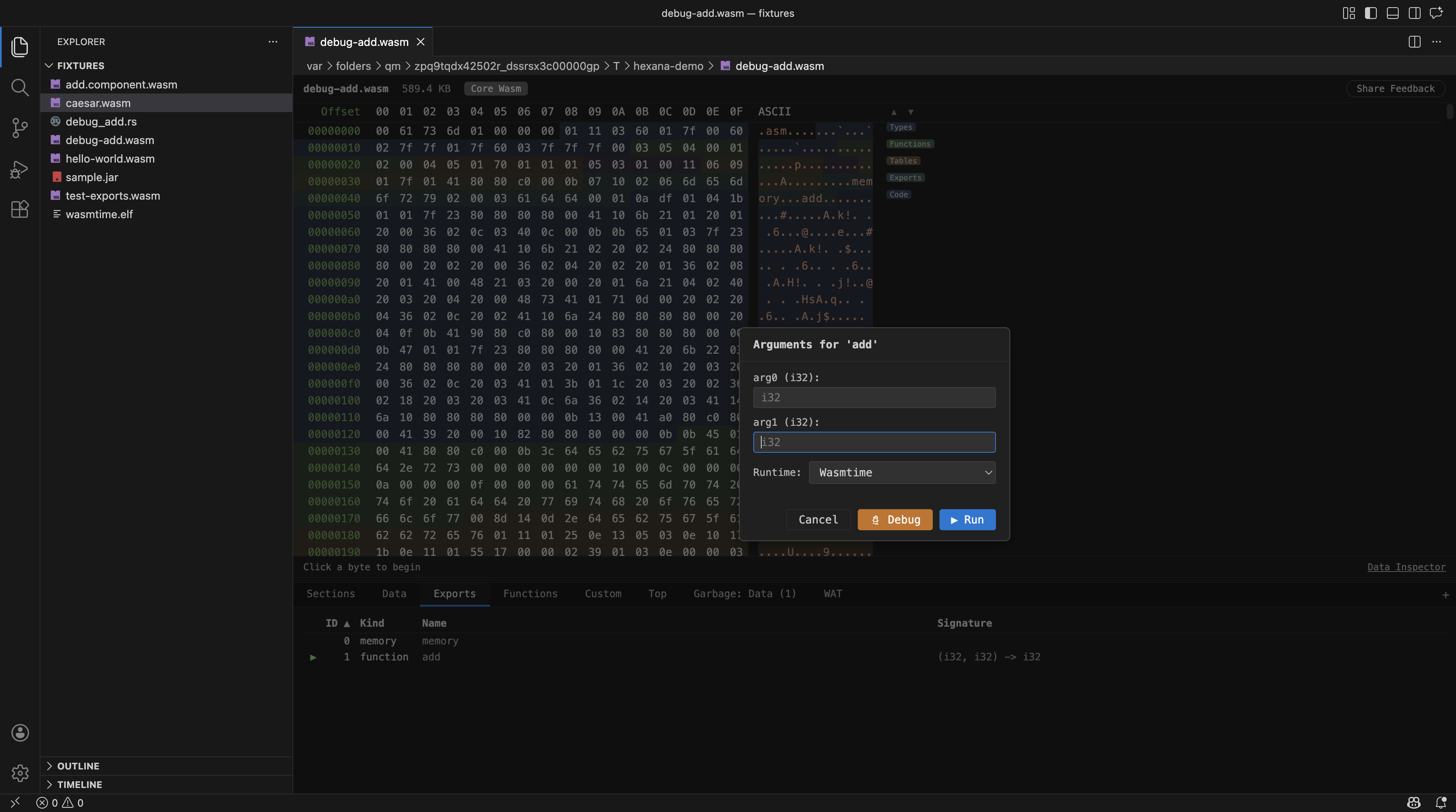
Supported runtimes:
- wasmtime — full-featured runtime with Component Model support
- WAMR (iwasm) — lightweight runtime for core modules
- GraalWasm — GraalVM WebAssembly launcher
- wazero — zero-dependency Go-based runtime
- Node.js — run via built-in WebAssembly API
- Browser — run in the system browser via a local HTTP server
Debugging Support (WASM)
Debug WebAssembly modules with breakpoints in source languages (C, C++, Rust, Go, Zig, WAT).
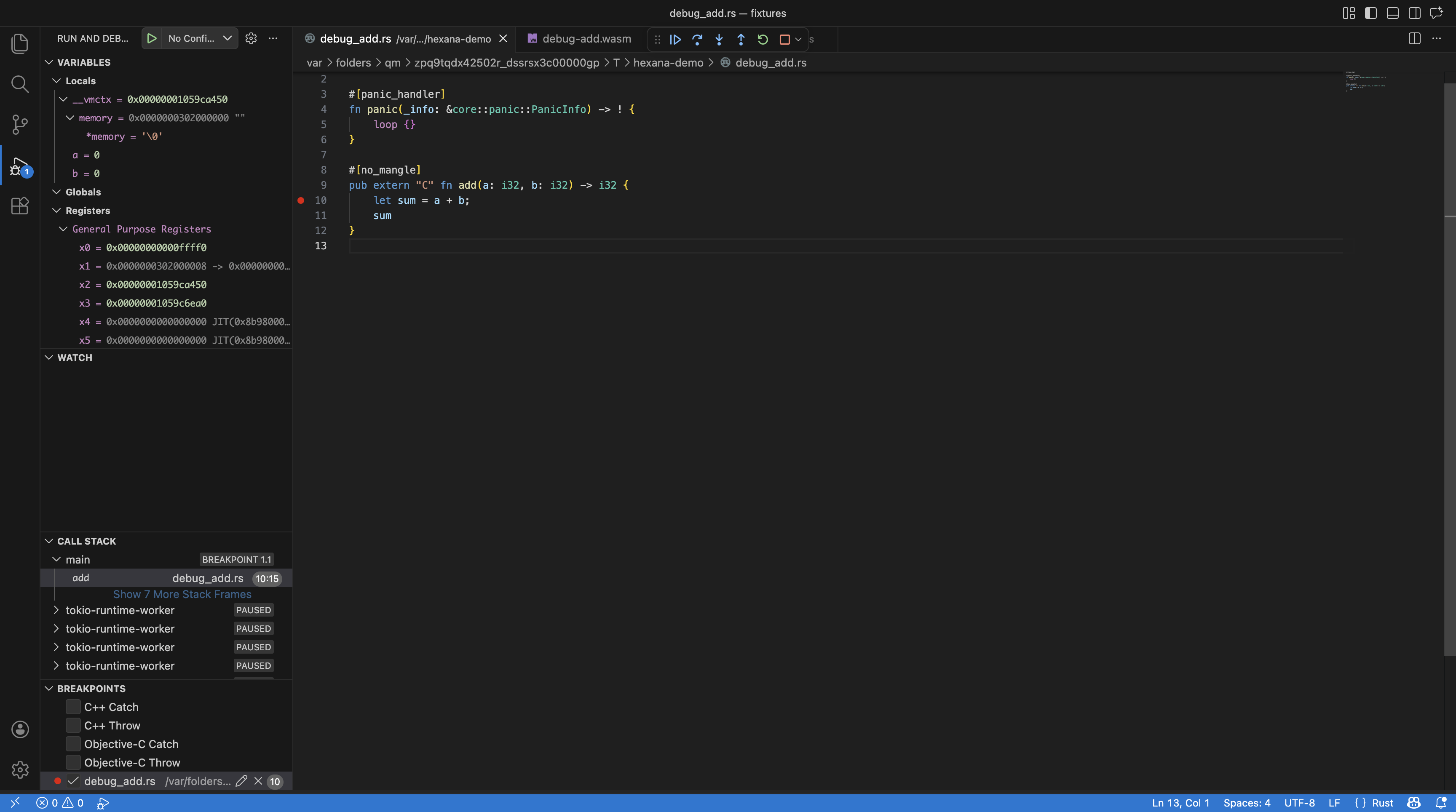
Supported debug runtimes:
- wasmtime — via LLDB (requires lldb-dap / LLVM 22.1+)
- WAMR — via LLDB remote debugging
- Node.js — via Chrome DevTools Protocol
- Chrome — via Chrome DevTools Protocol
WASM Component Model
- Automatic component dependency resolution by scanning workspace directories for matching
.wasm files, including transitive dependencies.
- Navigate nested modules inside a component binary by opening them in separate editor tabs.
- Save as for nested WASM modules and JAR/ZIP entries — save content to a separate file.
MCP Server
A bundled Model Context Protocol server that exposes Hexana's binary analysis capabilities to AI coding assistants. The server is downloaded on demand and registered automatically in VS Code.
- Requires Java 21 or later (configure via
hexana.mcp.javaHome if not on PATH).
- Commands:
Hexana MCP: Update Server, Hexana MCP: Reinstall Server, Hexana MCP: Show Server Status.
Requirements
- VS Code 1.102 or later.
- wasmtime (optional) — needed for running and debugging Wasm modules.
- wasm-tools or wac (optional) — used for component composition when running component model binaries with unresolved imports.
- Java 21 or later (optional) — needed for the Hexana MCP server. The server is downloaded on demand; set
hexana.mcp.javaHome if Java is not available through JAVA_HOME or PATH.
- LLVM 22.1+ (optional) — needed for WASM debugging with wasmtime or WAMR (provides
lldb-dap).
Links
License
See LICENSE.
This extension collects telemetry data, which is used to help understand how to improve the product. Please refer to JetBrains Privacy Notice for more information about data collection and use.
You can opt out of telemetry by setting the hexana.enableStatistics setting to false.

