Skip to content
| Marketplace
Sign in
Visual Studio Code>Themes>Warm Orange ThemeNew to Visual Studio Code? Get it now.
Warm Orange Theme

Warm Orange Theme

JerryJ

|
17 installs
| (0) | Free
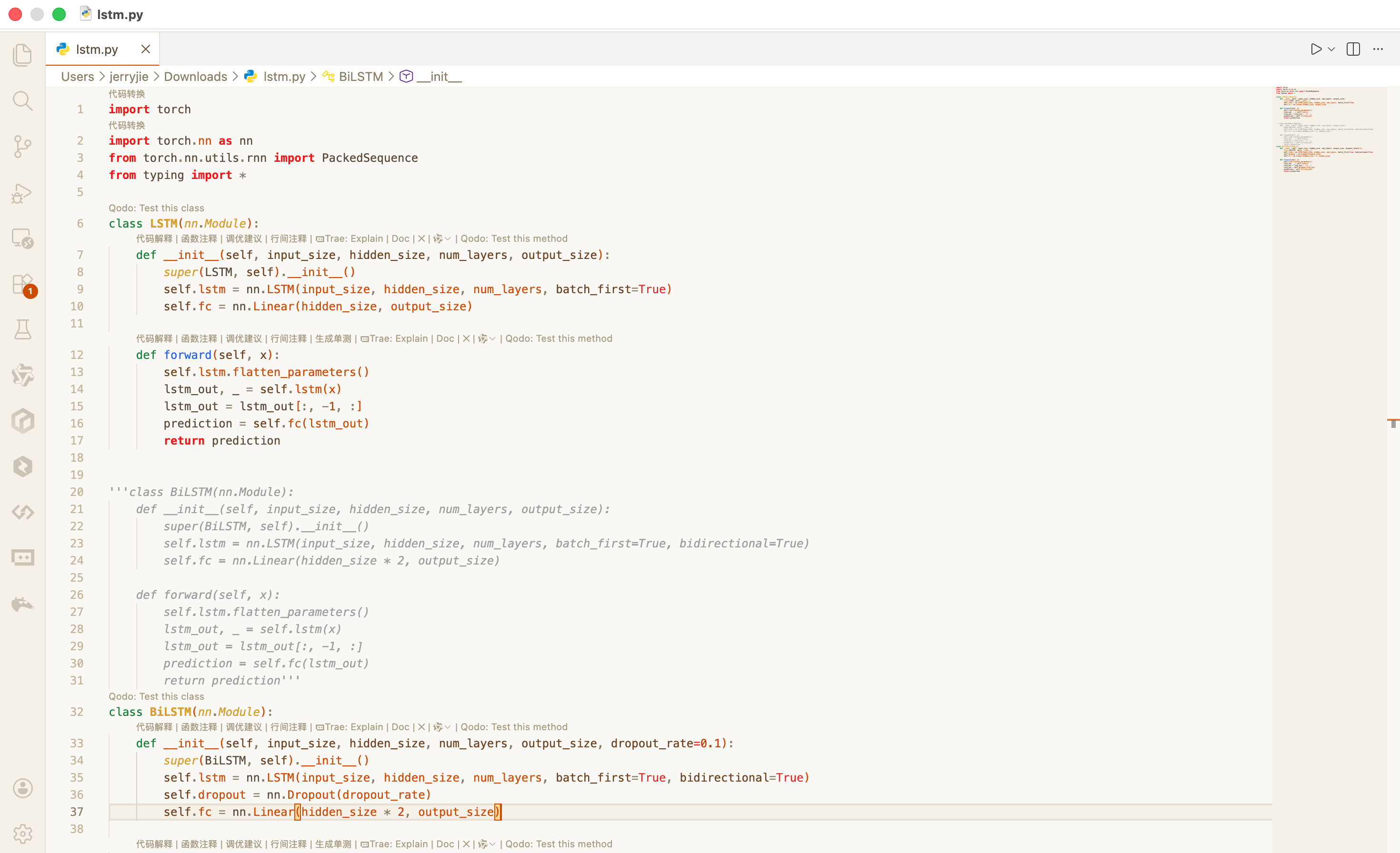
一个温暖柔和的橙色主题,适合长时间编码使用
Installation
Launch VS Code Quick Open (Ctrl+P), paste the following command, and press enter.
Copied to clipboard
More Info

Warm Orange Theme / 温暖橙色主题

Language / 语言: English | 中文


English

A warm and cozy orange theme designed for long coding sessions, making your development environment more comfortable and inviting.

Theme Preview

Features

  • Warm Color Palette: Soft amber orange paired with beige backgrounds
  • Eye-Friendly Design: Low-saturation color scheme reduces eye strain
  • Complete Coverage: Covers all IDE interface elements
  • Semantic Highlighting: Intelligent code syntax highlighting

Color Palette

Color Value
Primary Orange #c94c00
Editor Background #faf8f3
Text #5c4a3a

Feedback

If you encounter any issues or have suggestions, please submit an issue:

GitHub: https://github.com/xyjie37/WarmOrange/issues

License

MIT License


↑ Back to Top / 返回顶部 | 中文


中文

一个温暖柔和的橙色主题,专为长时间编码设计,让你的开发环境更加舒适温馨。

主题预览

主题特点

  • 温暖配色:柔和的琥珀橙搭配米白色背景
  • 护眼设计:低饱和度配色,减少眼睛疲劳
  • 完整覆盖:涵盖IDE所有界面元素
  • 语义高亮:智能的代码语法高亮

配色方案

颜色 值
主橙色 #c94c00
编辑器背景 #faf8f3
文字 #5c4a3a

问题反馈

如果发现问题或有改进建议,请提交 Issue:

GitHub: https://github.com/xyjie37/WarmOrange/issues

许可证

MIT License


↑ Back to Top / 返回顶部 | English

  • Contact us
  • Jobs
  • Privacy
  • Manage cookies
  • Terms of use
  • Trademarks
© 2026 Microsoft