JAI: Diff Editor (lite-diff)
100% AI Code · Human Reviewed


Working with AI assistants like Claude, Cursor, or ChatGPT? Tired of manually applying code patches?
This extension bridges unified diff format and your IDE. Apply AI-generated patches with preview, selective hunk application, automatic backups, and drift detection.
Two ways to work:
- Manual — Paste a lite-diff patch into the editor panel, preview in VS Code diff viewer, apply with one click
- AI-assisted (MCP) — Your AI agent reads code, generates patches, previews, and applies — all through MCP tools, no copy-paste needed
Based on the lite-diff specification.
Features
- In-file edits — Replace, delete, insert with familiar unified diff syntax
- Insert at file start/end — Use
@@ BOF and @@ EOF for file start/end
- Boundary blocks — Delete ranges between two marker lines using
...
- Global options — Ignore whitespace, blank lines, apply to all matches
- Preview mode — See exact changes in VS Code diff viewer before applying
- Multi-file support — Process multiple files in a single patch
- Automatic backups — Every change creates a backup in
.ldiff/ directory
- MCP Server — Integrate with Claude and Cursor IDE for AI-assisted patching
Tutorial Videos

Overview Demo
|
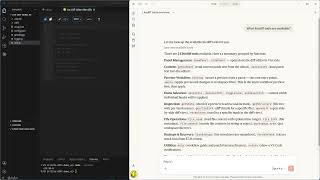
Claude Desktop — Chat
|
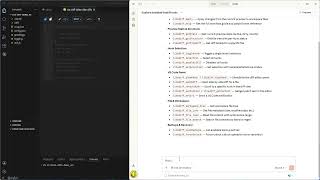
Claude Desktop — Code
|
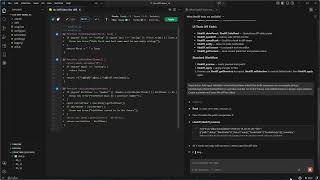
Claude Code (VS Code)
|
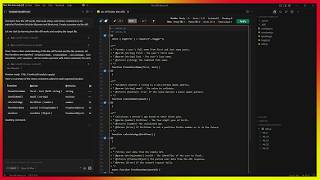
Cursor IDE
|
|
Quick Start
- Open Command Palette (
Ctrl/Cmd+Shift+P)
- Run
JAI: Diff Editor (lite-diff)
- Paste your lite-diff patch
- Review changes in diff viewer, then apply
Syntax Guide
Basic Edit
--- file.txt
+++ file.txt
@@
 context line (unchanged)
-old line
+new line
Insert at File Start
--- file.txt
+++ file.txt
@@ BOF
+first line
+second line
Insert at File End
--- file.txt
+++ file.txt
@@ EOF
+last line
Note: After @@ BOF and @@ EOF only + lines are allowed. Context ( ) or deletion (-) lines will cause error E411.
Delete Range (Boundary Block)
--- file.txt
+++ file.txt
@@
-start boundary
...
-end boundary
+replacement
Deletes everything from "start boundary" to "end boundary" inclusive, then inserts replacement.
Rules for boundary blocks:
... cannot appear at the start or end of the block- Two
... in a row without - line between them are forbidden
- Each boundary must have
- lines on both sides
Global Options
Add at the beginning of your patch, before any diff block:
--ignore-space-at-eol
--ignore-blank-lines

--- file.txt
+++ file.txt
@@
 context line
-old line
+new line
| Option |
Description |
--ignore-space-at-eol |
Ignore trailing whitespace at end of lines |
--ignore-space-change |
Ignore changes in whitespace quantity (but not presence) |
--ignore-all-space |
Ignore all whitespace differences |
--ignore-blank-lines |
Ignore blank lines when matching context |
--ignore-comments |
Ignore comment differences when matching |
--apply-all-matches |
Apply hunk to all occurrences (single hunk only) |
Important Rules
- All structural elements must begin at the first position (no indentation):
---, +++, @@, -, +, (context), ..., #, --
- No blank lines allowed inside hunk body (from
@@ to the next @@ or end of diff block)
- Comments start with
# at the first position on a separate line
- Preview creates directories
.ldiff/<TIMESTAMP>/original/ and .ldiff/<TIMESTAMP>/preview/
Configuration
| Setting |
Default |
Description |
diffEditor.verboseLogging |
false |
Enable verbose logging for debugging |
diffEditor.backupLimit |
5 |
Max backup packages to keep (0 = only active) |
Telemetry
This extension collects minimal anonymous telemetry (feature usage counts, no personal data) to help prioritize development. Telemetry respects the VS Code telemetry.telemetryLevel setting — set it to "off" to disable. See PRIVACY.md for full details.
Contributing
Found a bug or have a feature request? Please open an issue on GitHub.
For other inquiries: JeenyJAI@gmail.com
Support us
Enjoying this? Support us ☕
License
This extension is proprietary software. See LICENSE for details.
The lite-diff specification is licensed under CC BY 4.0. This license applies to the specification only and does not grant any rights to this extension's source code or binaries — you're free to create your own implementations of the spec.
🚀 Created with Claude Opus 4.6 · Early contributions by ChatGPT 5 Pro

