SysML v2 VS Code Extension
A Visual Studio Code extension for SysML v2.0 with syntax highlighting, formatting, validation, navigation, and interactive diagram visualization.





Demo

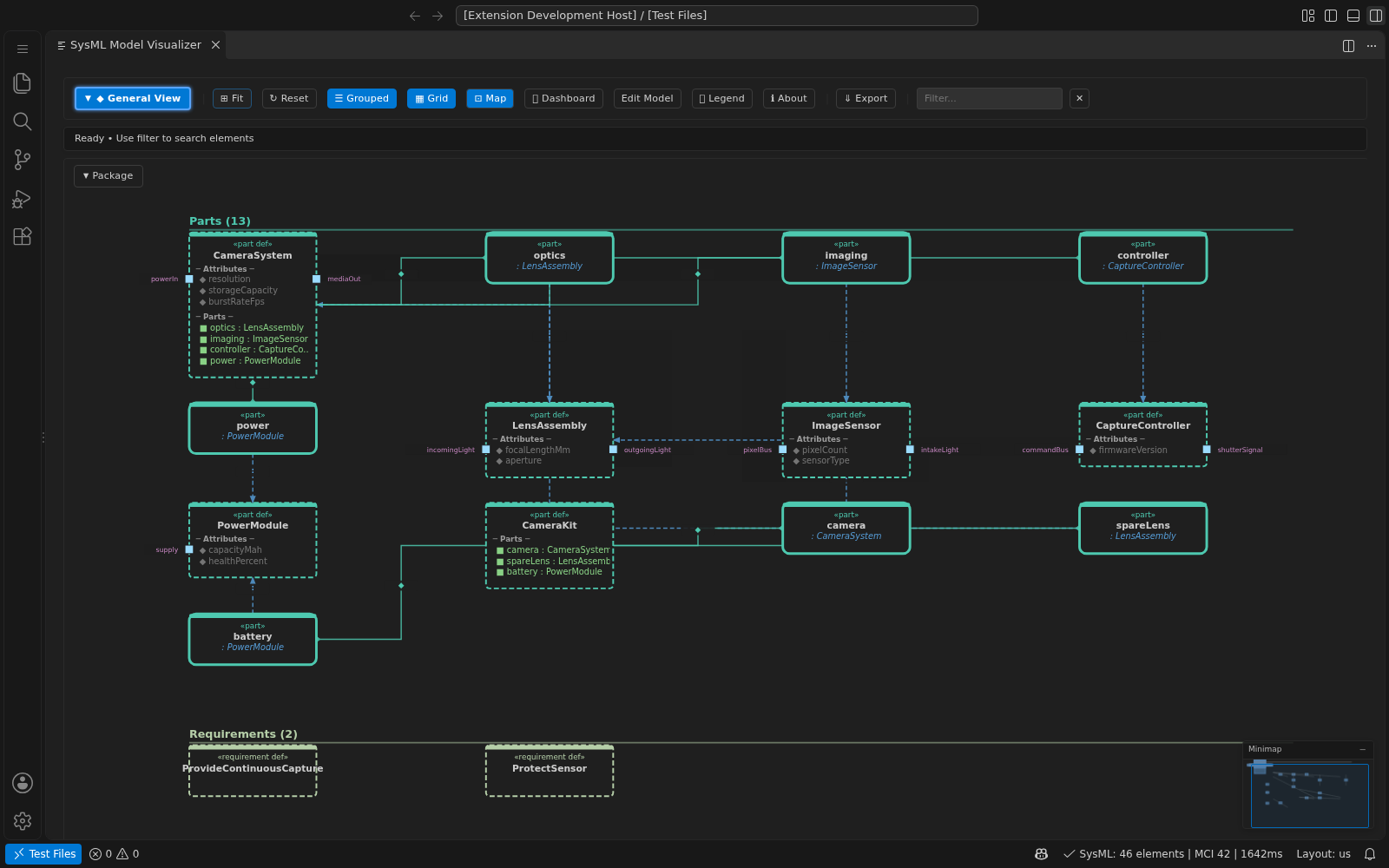
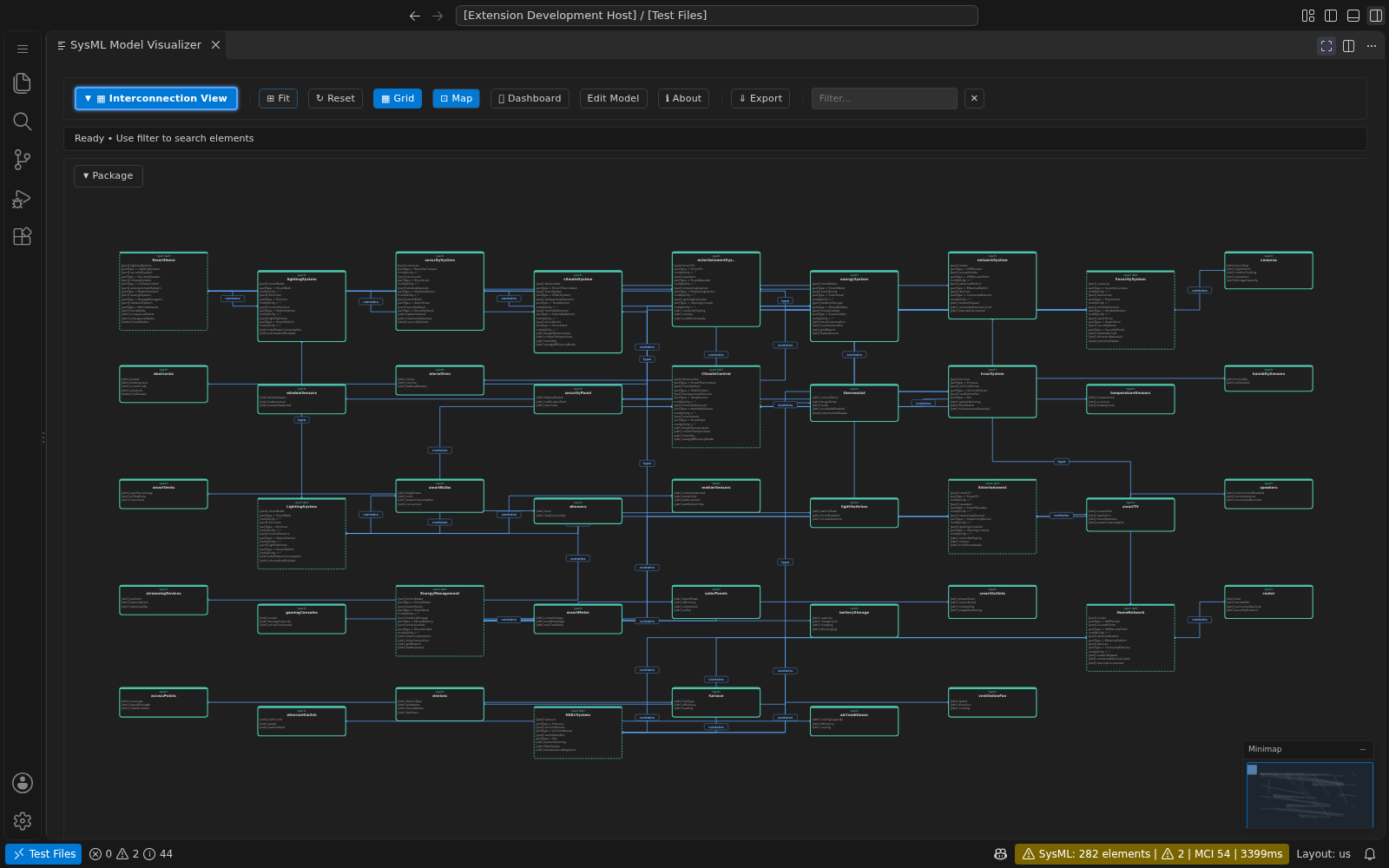
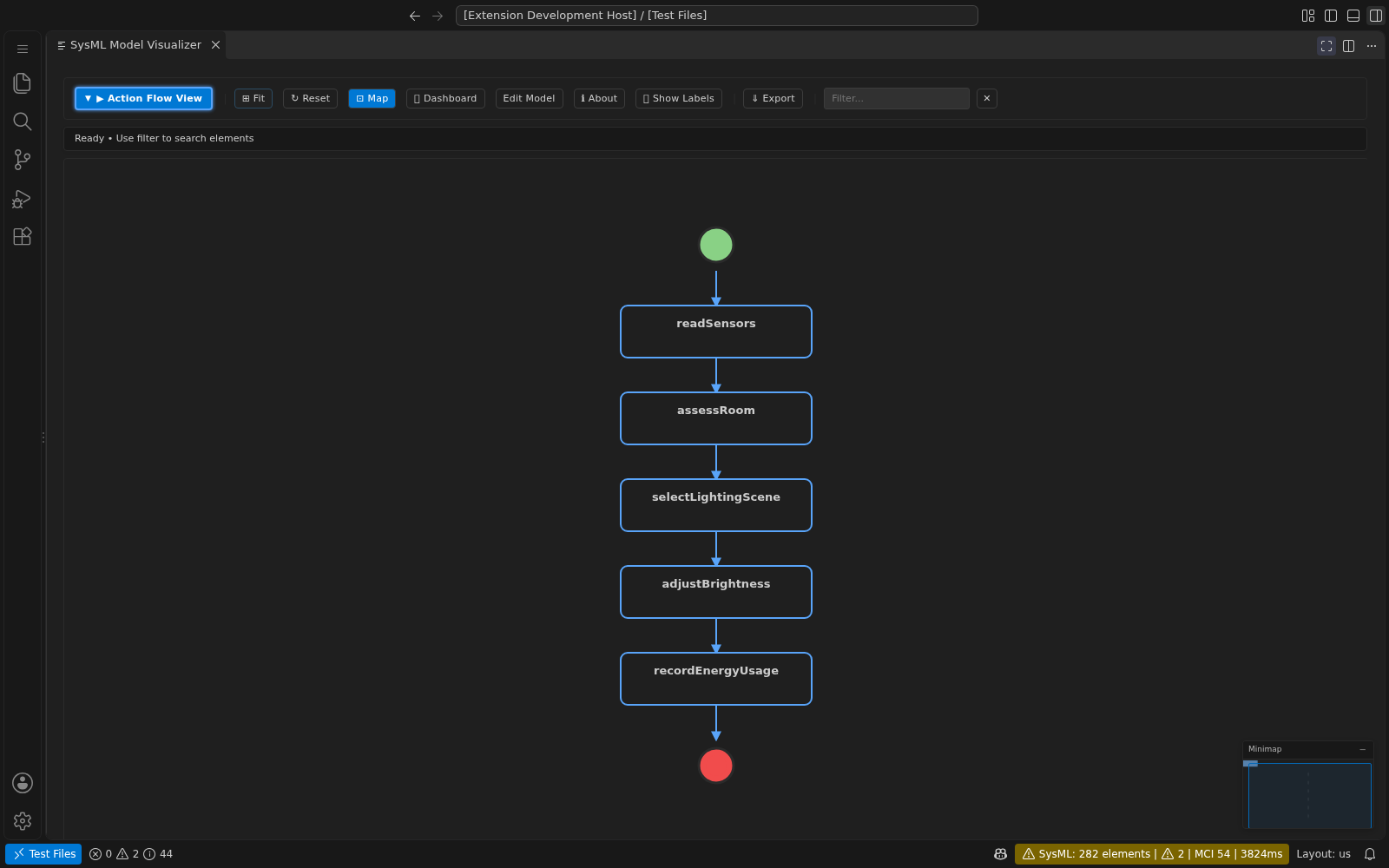
Open a SysML file, click Show Model Visualizer in the editor toolbar, then choose a diagram from the visualizer's view menu.
Features
Language Support (LSP)
All language features are provided by the sysml-v2-lsp language server.
| Feature |
Description |
| Syntax Highlighting |
Full support for SysML v2.0 keywords, operators, and constructs via TextMate grammar and semantic tokens |
| Standard Library |
Built-in OMG standard library (Kernel, Domain, Systems libraries) |
| Completions |
Context-aware auto-complete with trigger characters (., :, space) |
| Hover |
Type information and documentation on hover |
| Formatting |
Smart indentation and code formatting (document and range) |
| Validation |
Real-time syntax and semantic checking with VS Code Problems panel integration |
| Navigation |
Go to Definition (including standard library imports), Find References, Document Symbols, Workspace Symbols, Breadcrumbs |
| Rename |
Rename symbols with linked editing support across references |
| Code Actions |
Quick fixes for common issues |
| Code Lens |
Reference counts shown above definitions |
| Folding |
Collapsible regions for blocks and nested structures |
| Selection Ranges |
Smart expand/shrink selection |
| Signature Help |
Parameter hints for action/calc invocations |
| Document Links |
Clickable import paths that navigate to the target |
| Type Hierarchy |
View supertypes and subtypes of definitions |
| Call Hierarchy |
Trace incoming and outgoing action/state invocations |
| Inlay Hints |
Inline type annotations next to identifiers (opt-in, off by default) |
| Snippets |
29 code snippets for rapid scaffolding (partdef, part, package, attrdef, portdef, actiondef, statedef, reqdef, enumdef, connect, flow, import, and more) |
| Feature |
Description |
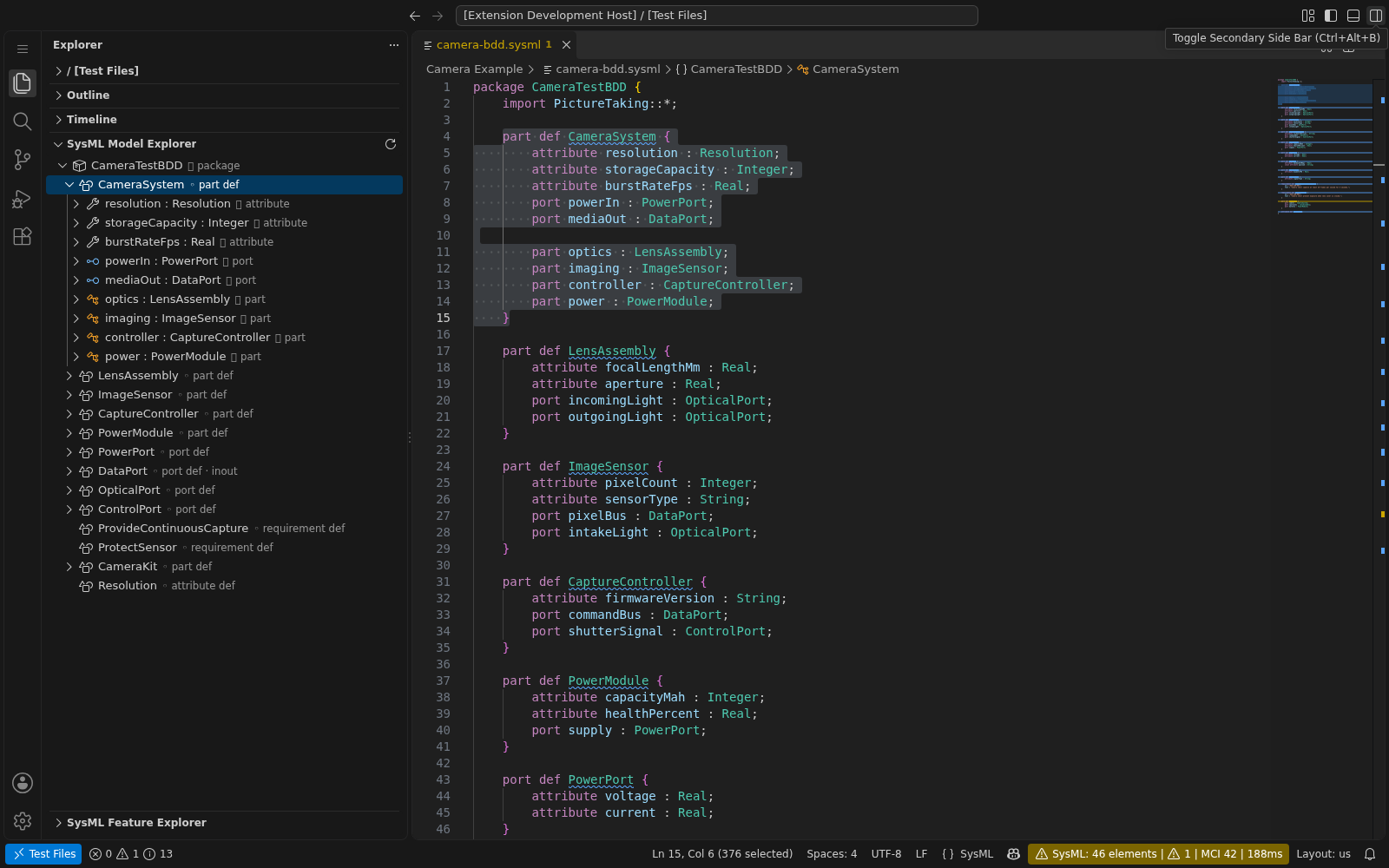
| Model Explorer |
Tree view showing packages and elements across your workspace, with two modes: By File and Semantic Model |
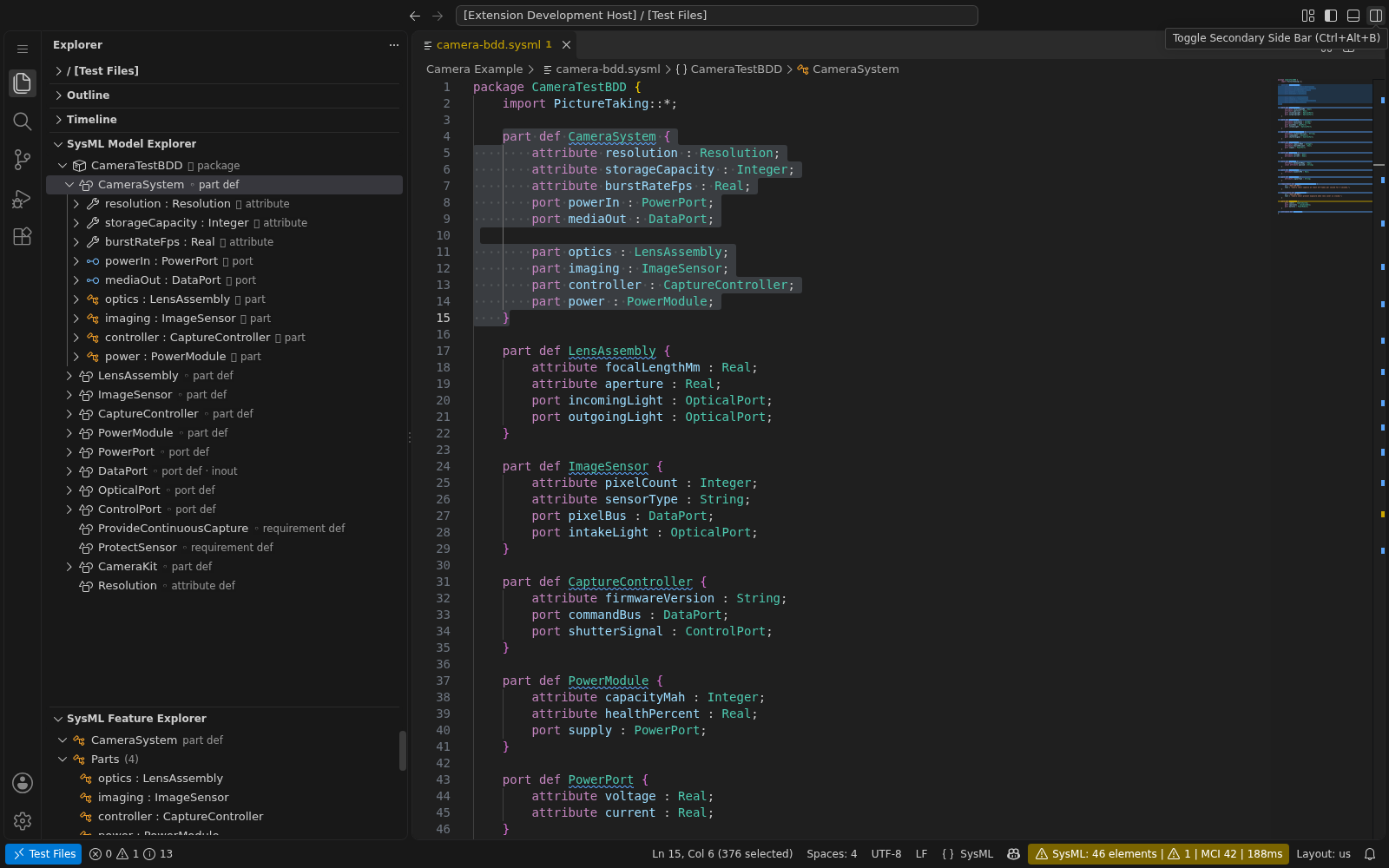
| Feature Explorer |
Master-detail tree view showing resolved type information, specialization chains, feature groups (parts, ports, attributes), multiplicity, direction, and modifiers for the selected definition |
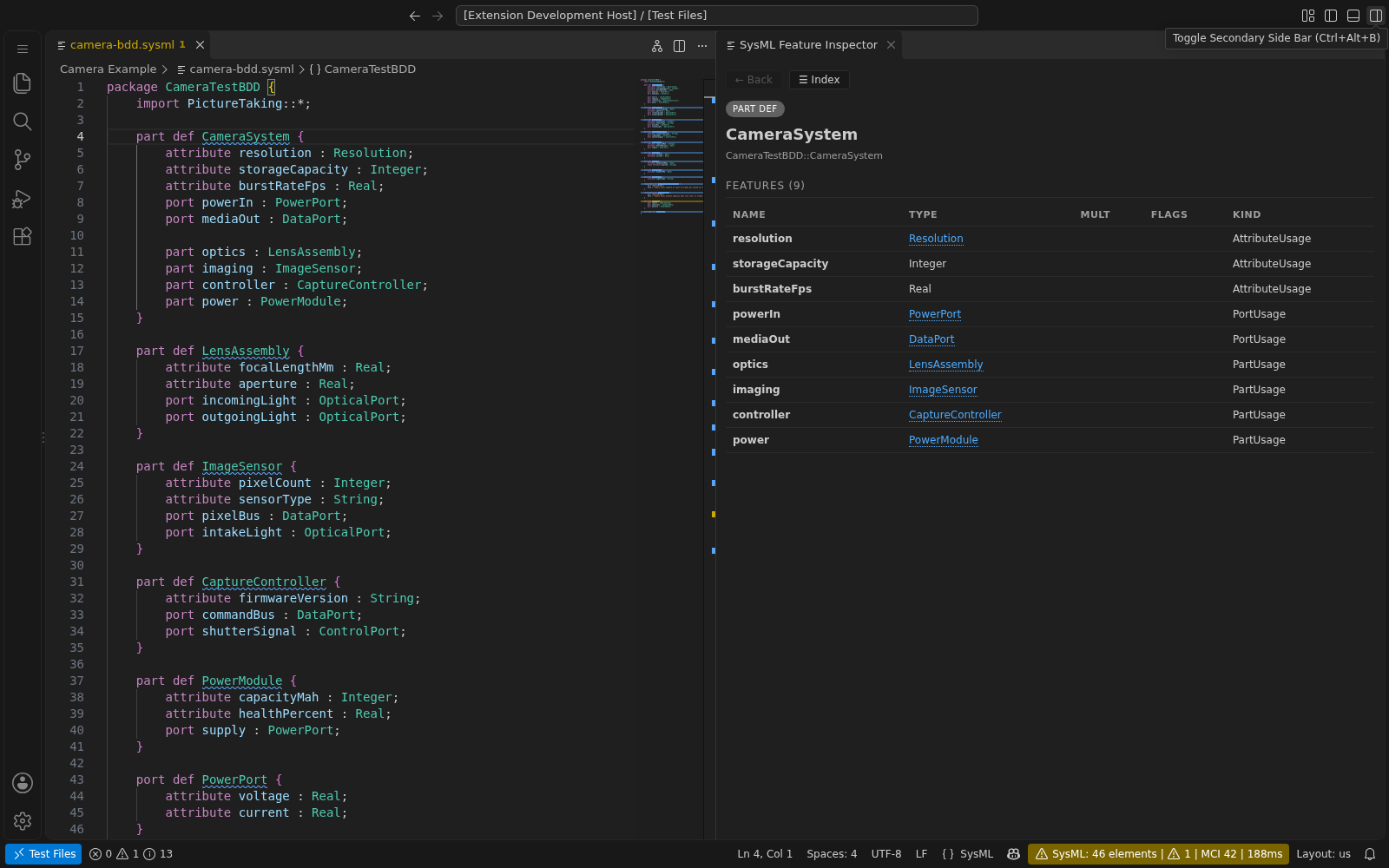
| Feature Inspector |
Interactive sidebar panel showing detailed type information, specialization breadcrumbs, feature tables with direction/multiplicity/modifier badges, clickable type drill-down, and navigation history |
| Interactive Diagrams |
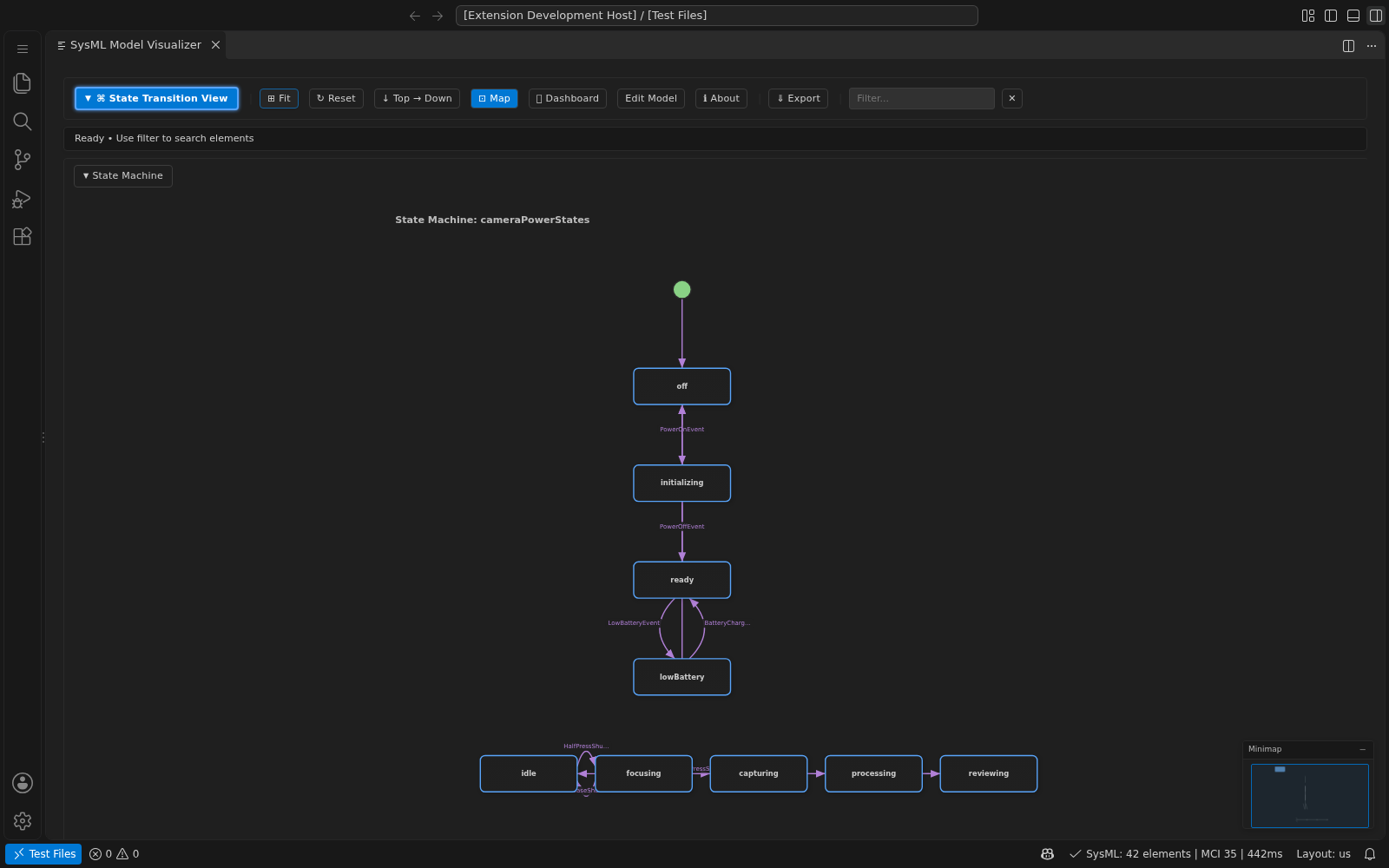
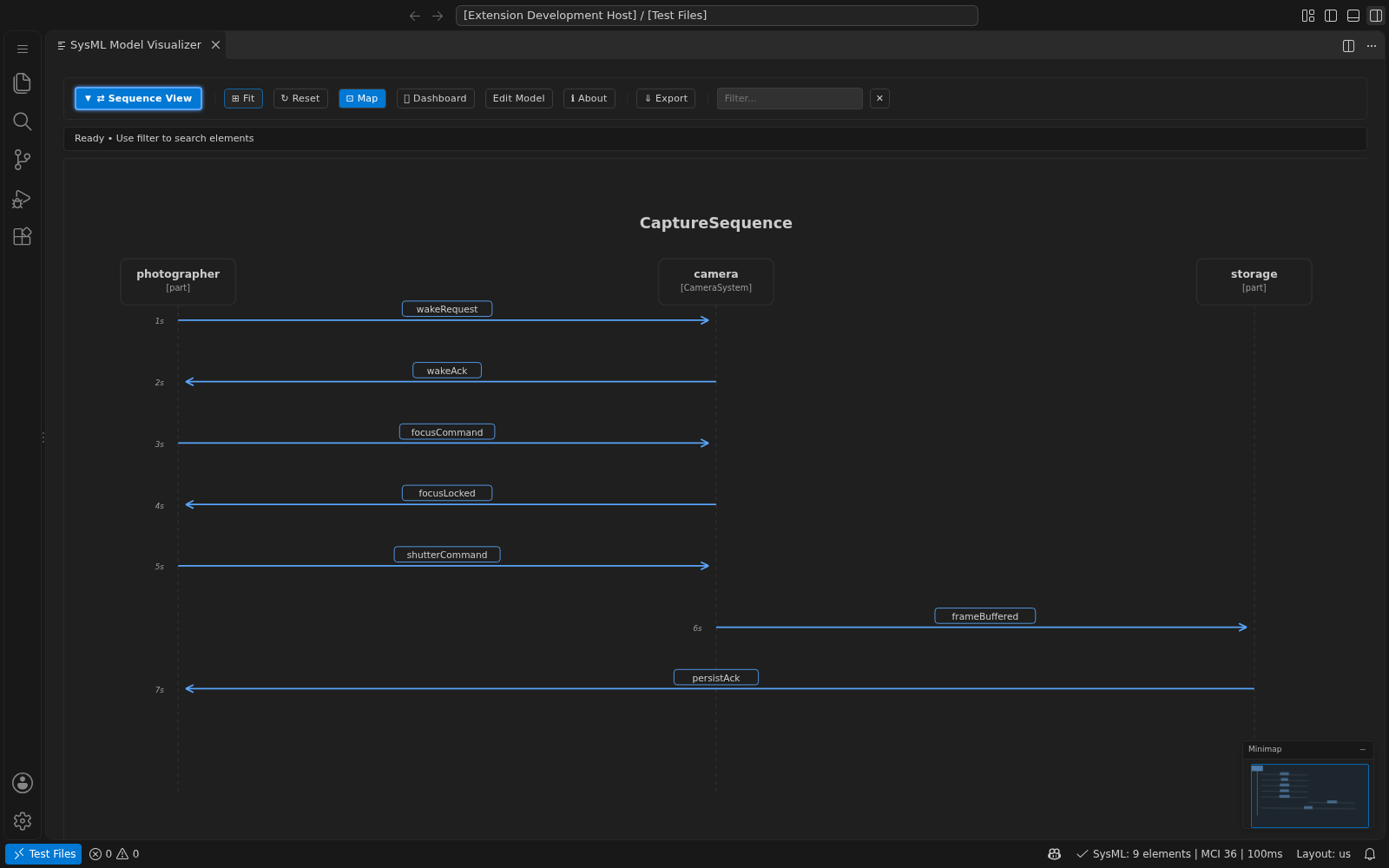
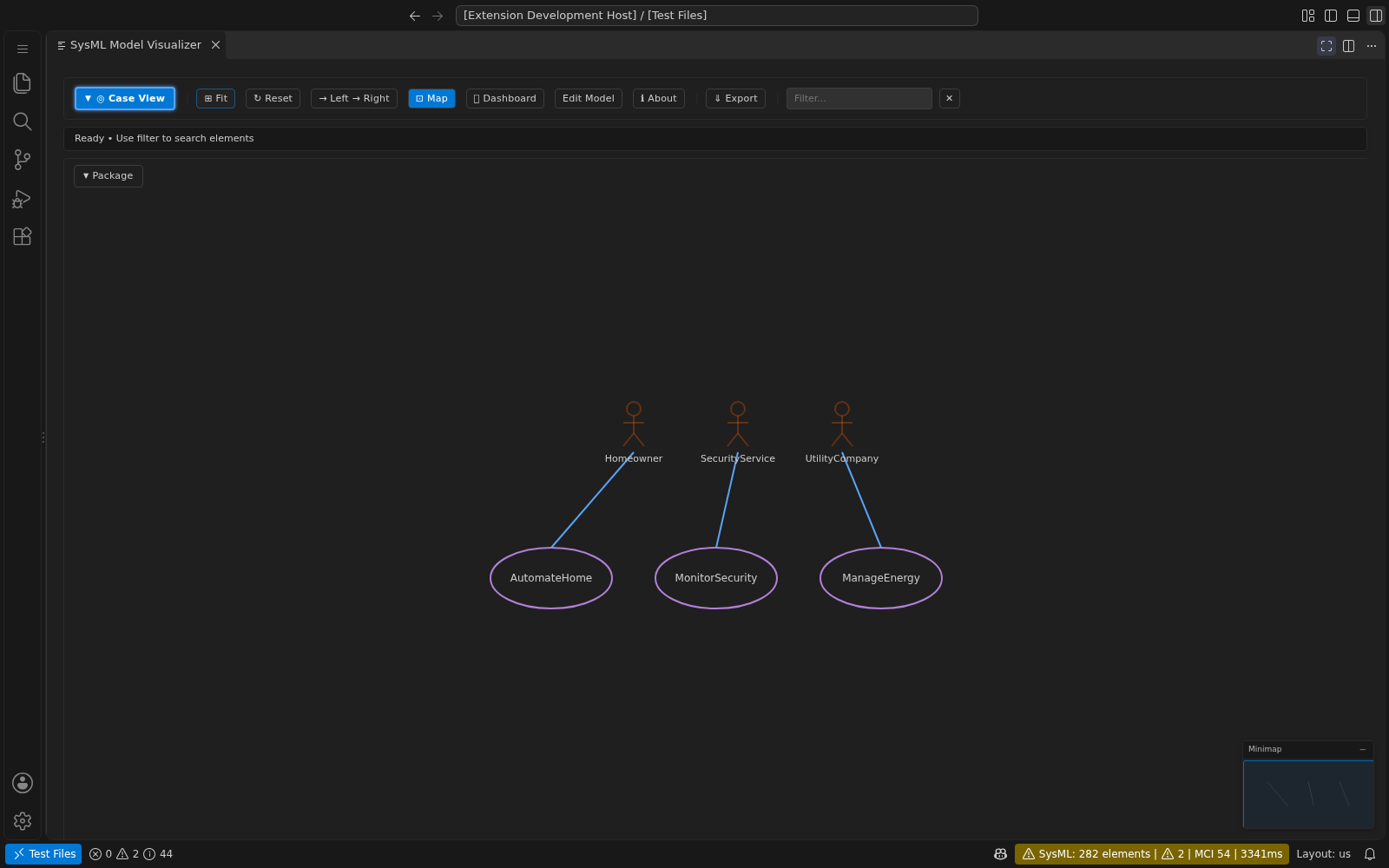
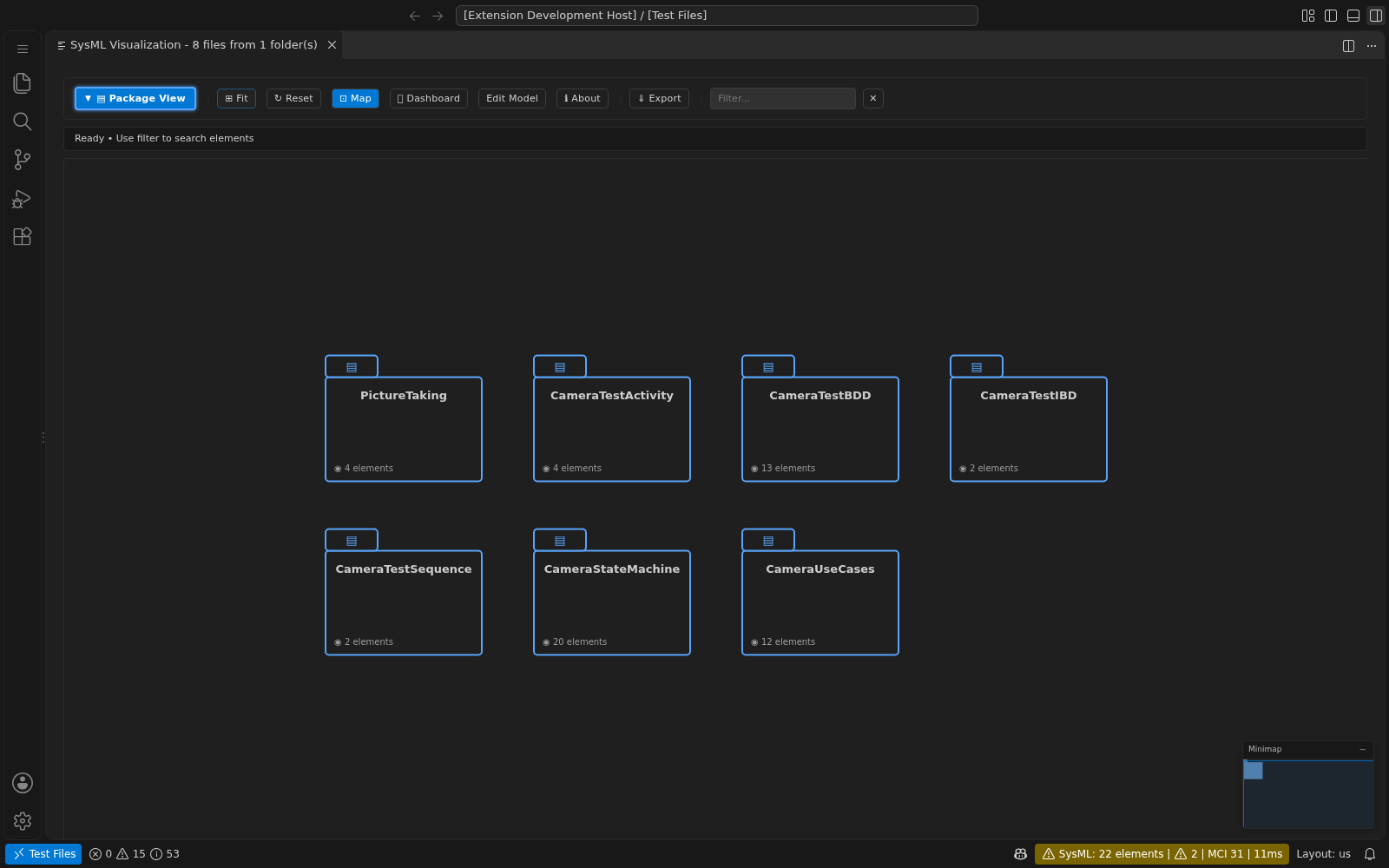
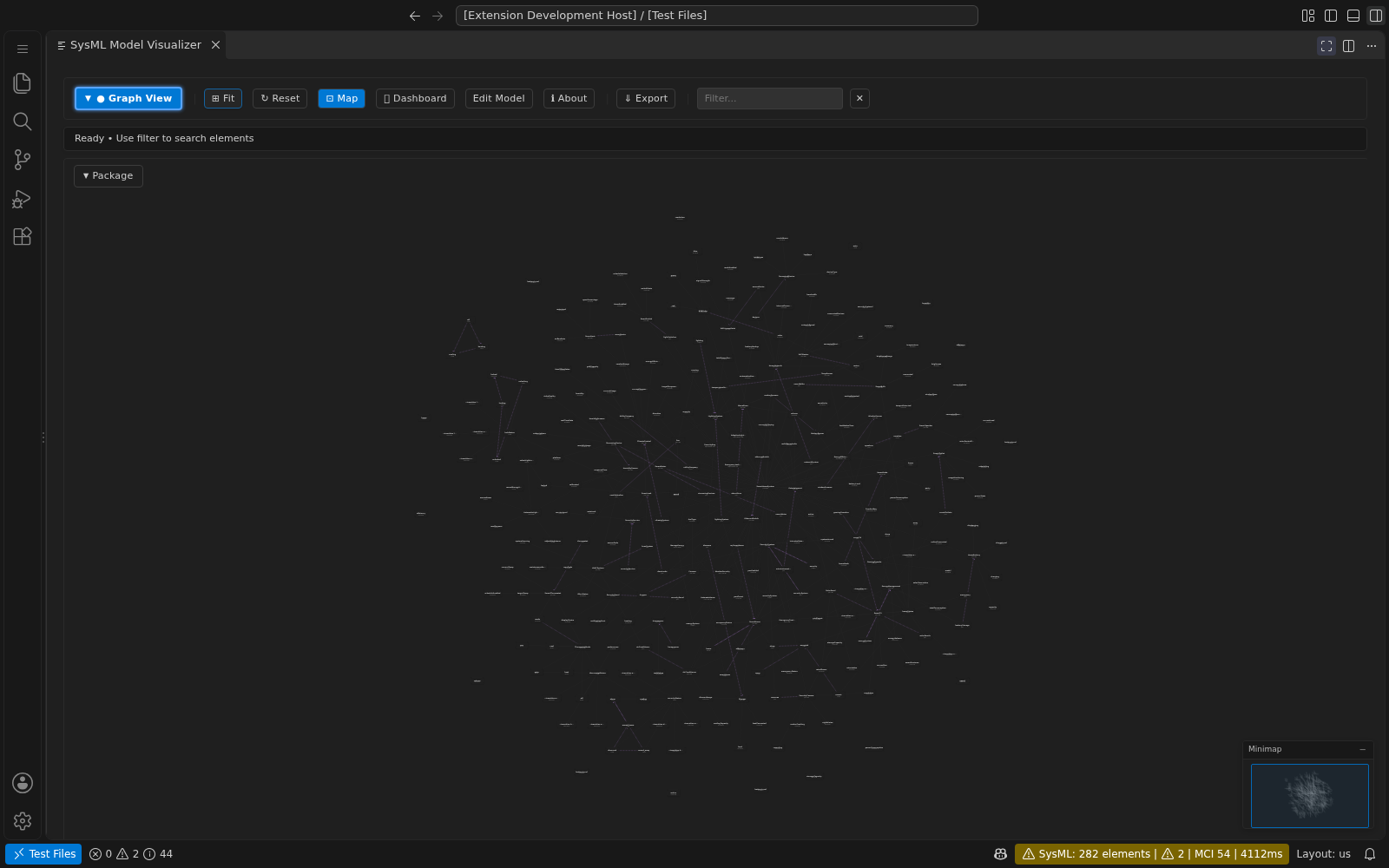
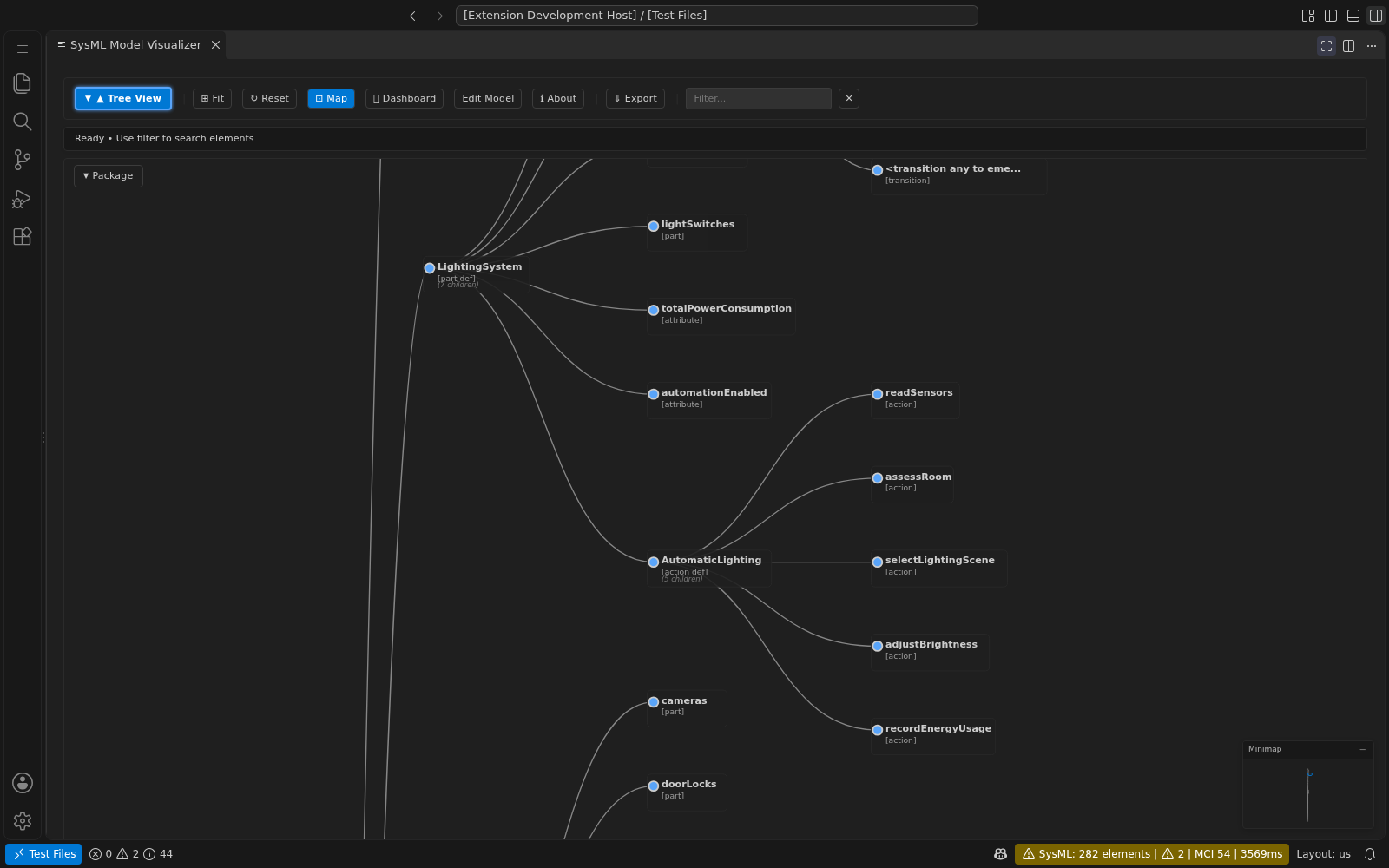
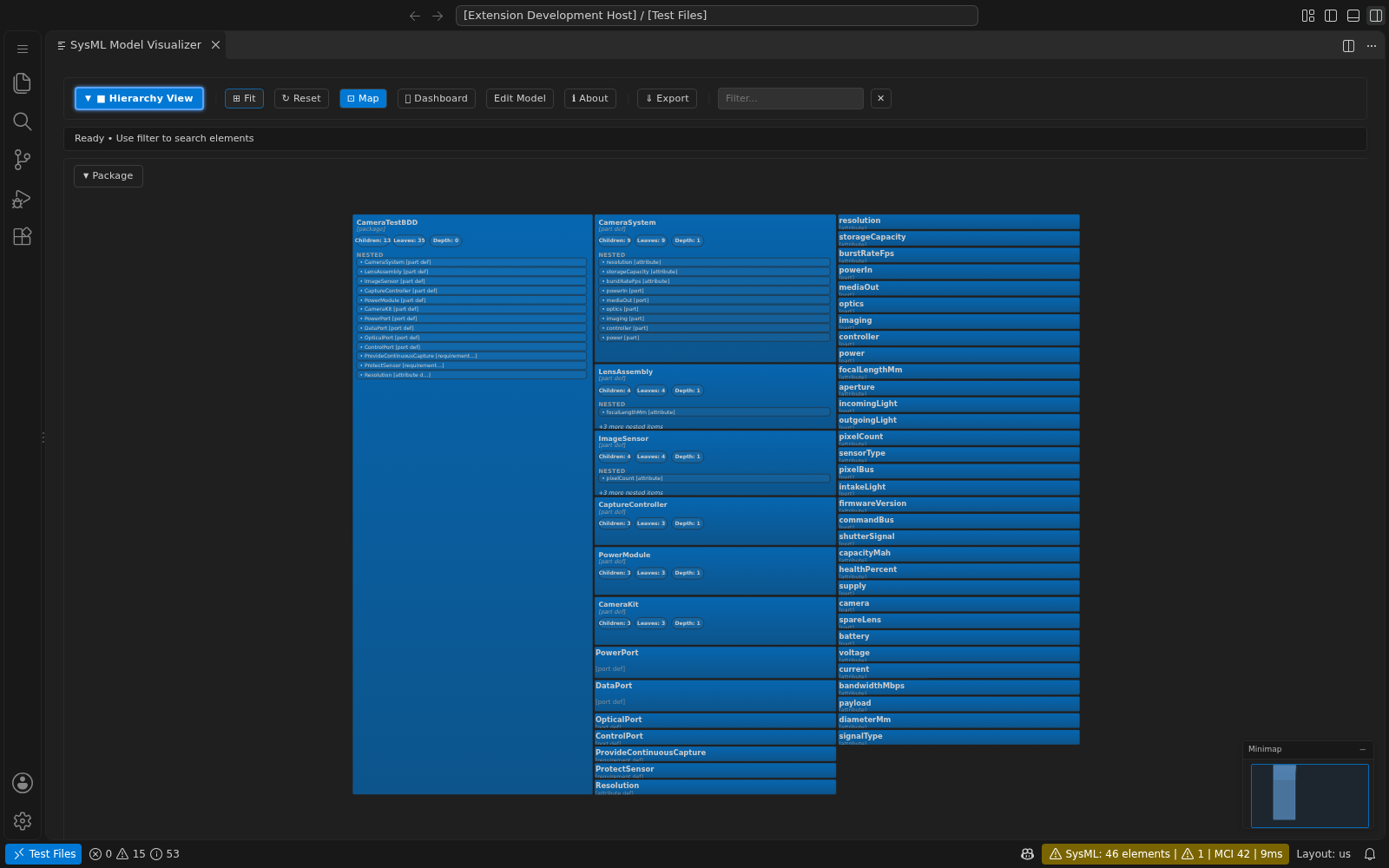
10 diagram views: General, Interconnection, Action Flow, State Transition, Sequence, Case, Package, Graph, Tree, and Hierarchy — with search, pan, zoom, and PNG/SVG export |
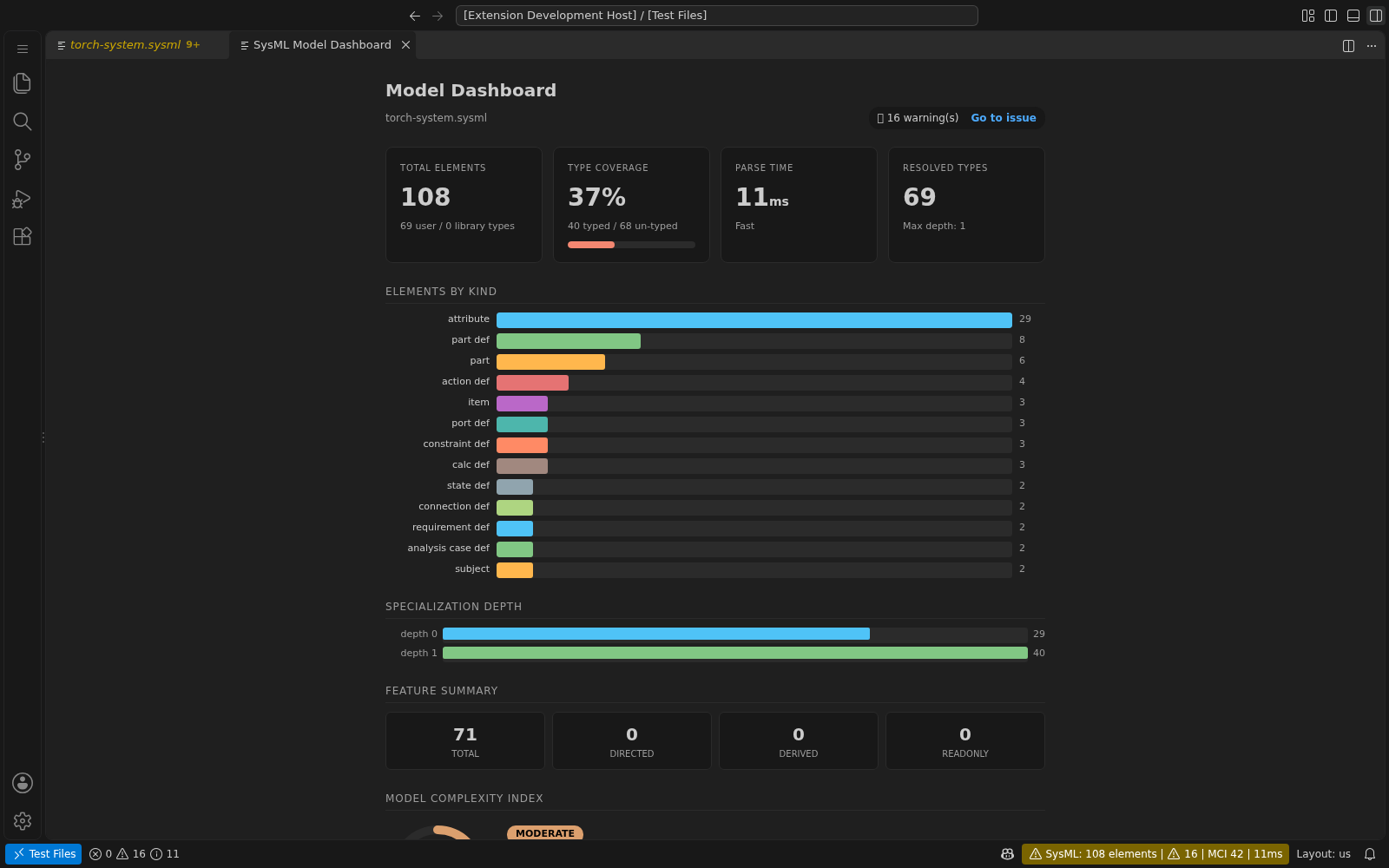
| Model Dashboard |
Webview panel displaying model-wide statistics, element counts, build timing metrics, and Model Complexity Index (MCI) |
| Model Workbench |
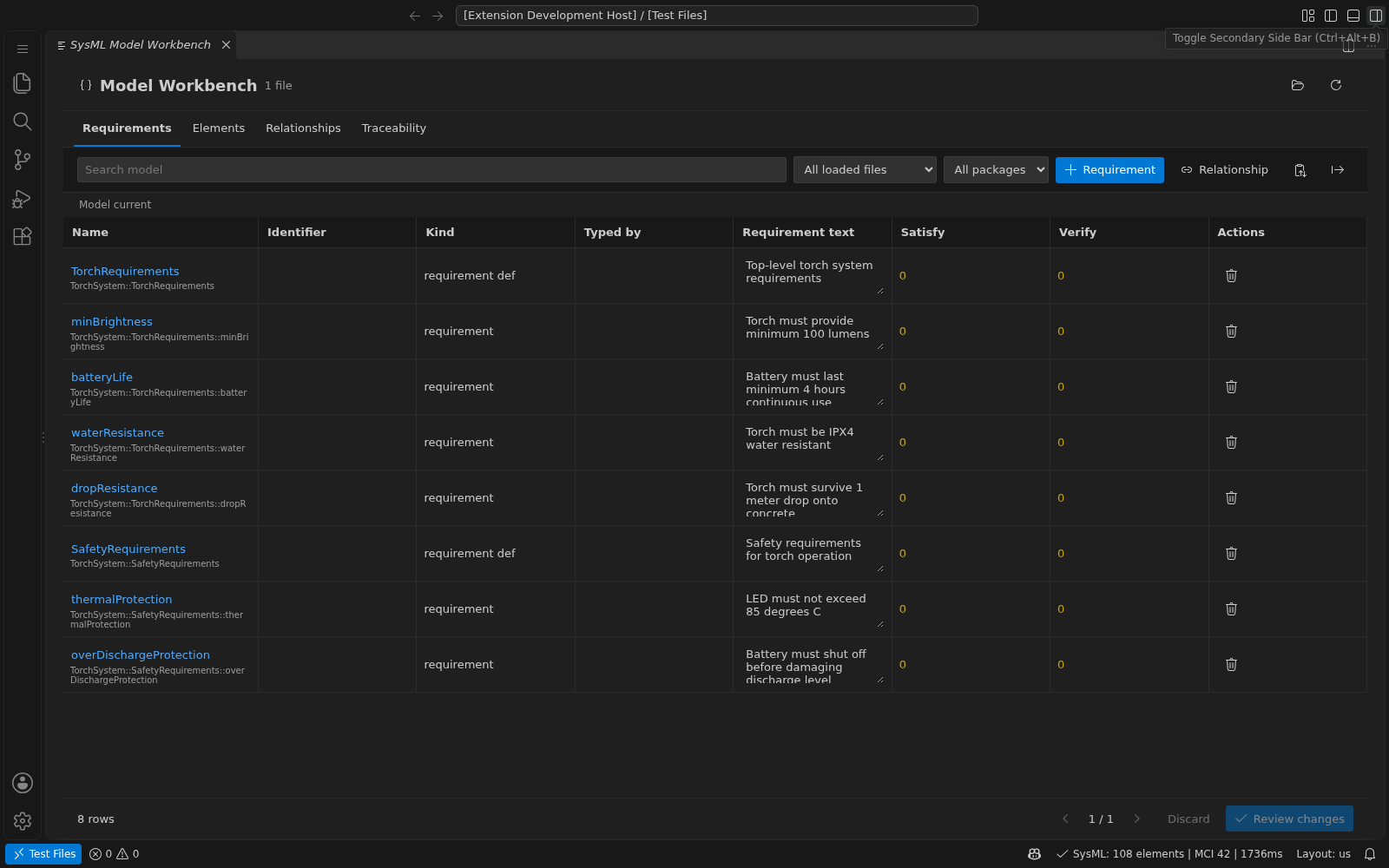
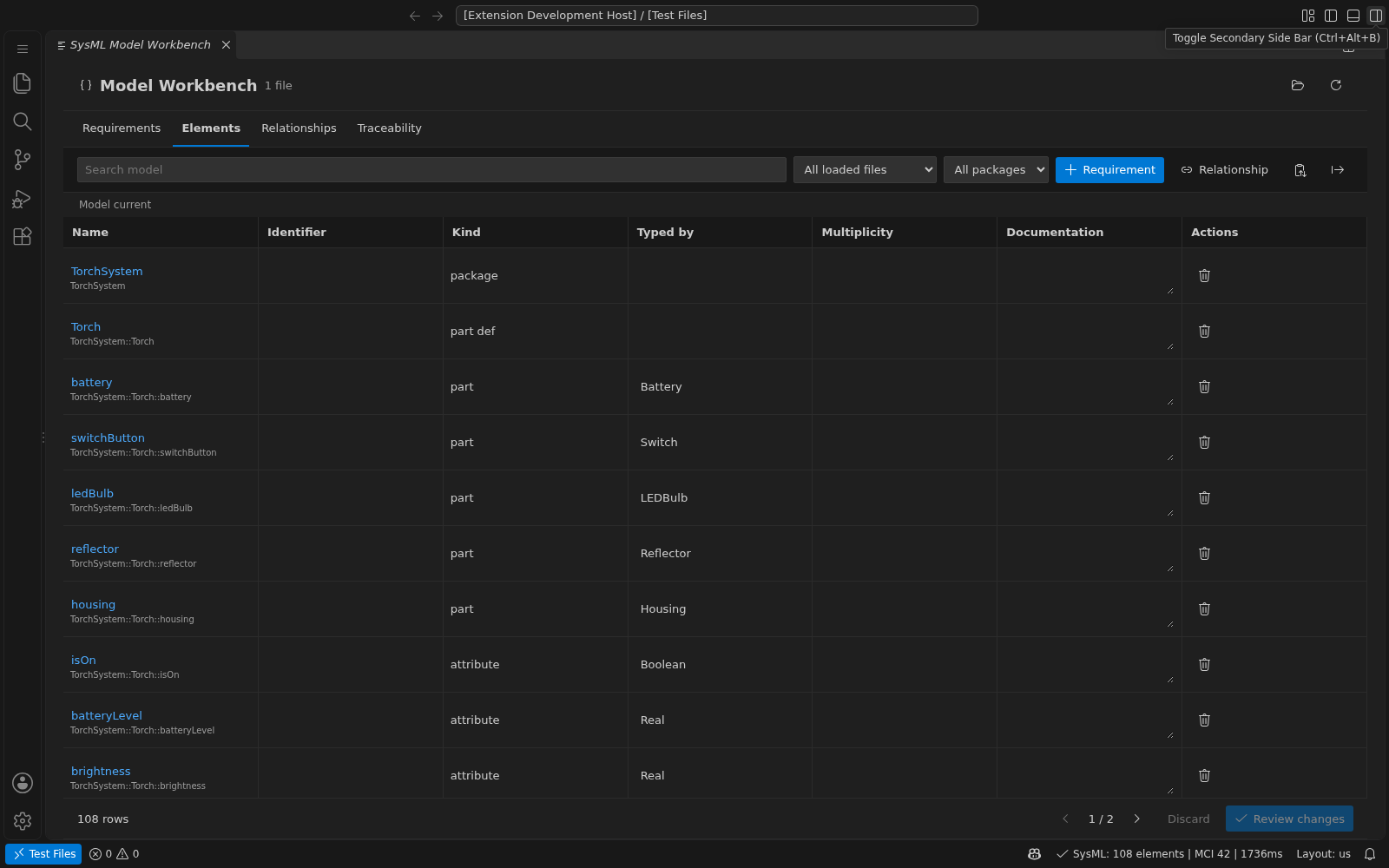
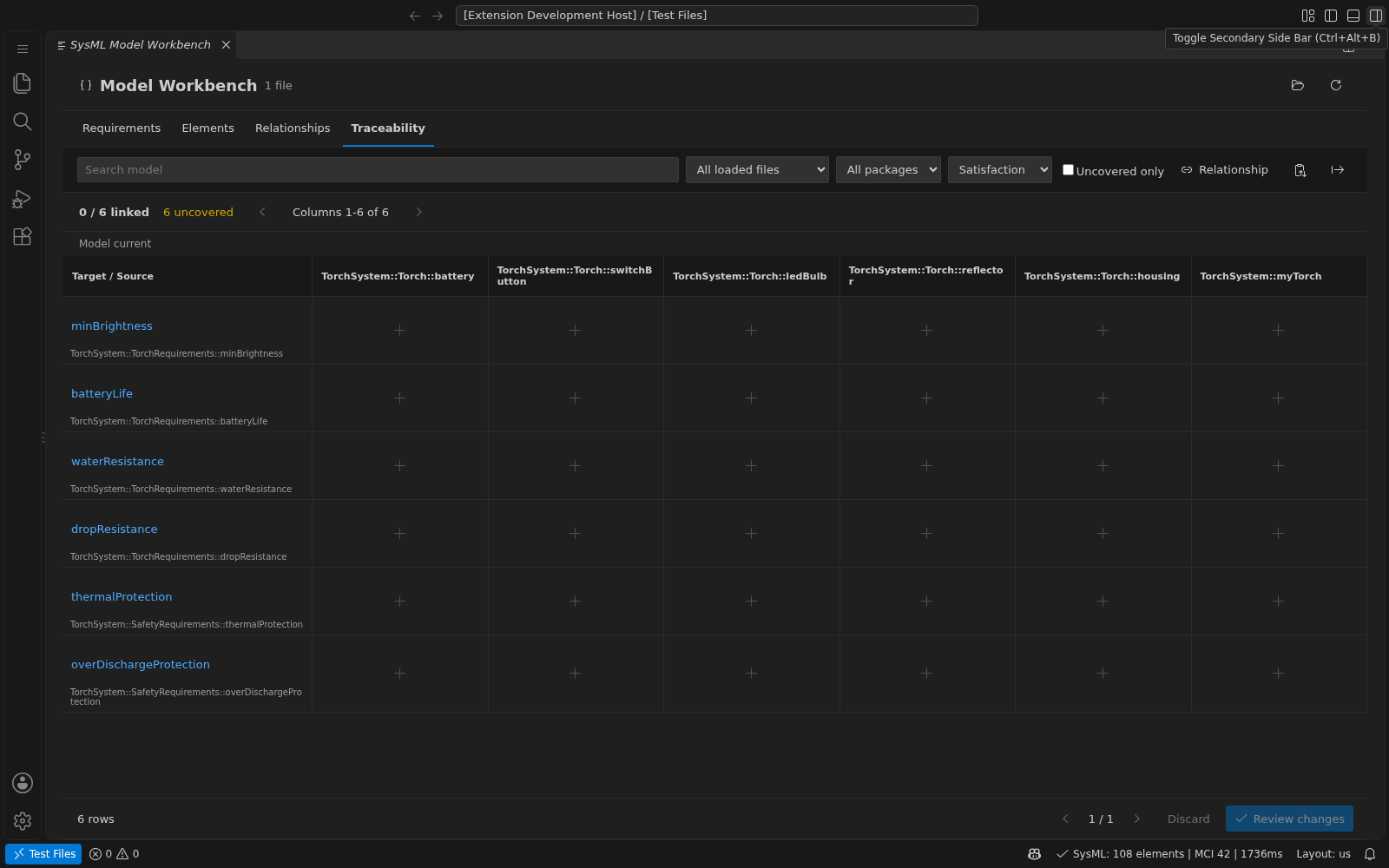
Requirement and element tables, guided editing and deletion, spreadsheet paste, relationship editing, and traceability matrices with source previews |
| Model Complexity Index |
Status bar indicator (0–100 score) with hotspot detection for complex elements, documentation coverage, and coupling analysis |
| Animated Parse Progress |
Status bar animation showing parse stages (assembling, building, linking) with real-time progress feedback |
| Diagnostic-Reactive Status Bar |
Live error/warning counts with colour-coded icons; click to open the Problems panel |
| LSP Server Health |
Status bar tooltip showing uptime, memory usage, and cache statistics |
| MCP Server |
Built-in Model Context Protocol server for Copilot agent mode integration, enabling AI-assisted SysML modelling |
Workspace Support
Opening a folder or multi-root workspace automatically pre-parses .sysml and .kerml files in the background, without opening model editors. This enables:
- Cross-file navigation — Go to Definition, Find References, and Rename work across all files in the workspace
- Workspace-wide Model Explorer — The tree view aggregates packages and elements from every file, with two modes:
- By File — elements grouped under their source file
- Semantic Model — a unified view merging all packages into a single model tree
- Background pre-parsing — automatic for folders and saved workspaces via
sysml.workspace.preloadOnOpen (default: always)
- Directory exclusions —
sysml.scan.skipDirectories uses exact directory names. Its defaults skip dependency, build, test, and temporary directories; a custom list replaces these defaults.
Set sysml.workspace.preloadOnOpen to workspaceOnly for saved workspaces only, or never for lazy parsing when files are opened. Restart the language server after changing preload or scan settings.
Screenshots
Click an image to open it at full resolution.
Diagram Views
General
 |
Interconnection
 |
Action Flow
 |
State Transition
 |
Sequence
 |
Case
 |
Package
 |
Graph
 |
Tree
 |
Hierarchy
 |
Installation
Install from the VS Code Marketplace or the Open VSX Registry (for VS Code-compatible editors such as VSCodium, AWS Kiro, and other Eclipse Theia-based IDEs):
- Open the Extensions panel (Ctrl+Shift+X)
- Search for "SysML v2"
- Click Install
Or install manually from .vsix: Extensions → ⋯ → Install from VSIX
Usage
Create .sysml or .kerml files — the extension activates automatically and provides full language support for both:
package MySystem {
    part def Vehicle {
        attribute mass : Real;
    }
    part car : Vehicle;
}
Diagrams in Markdown
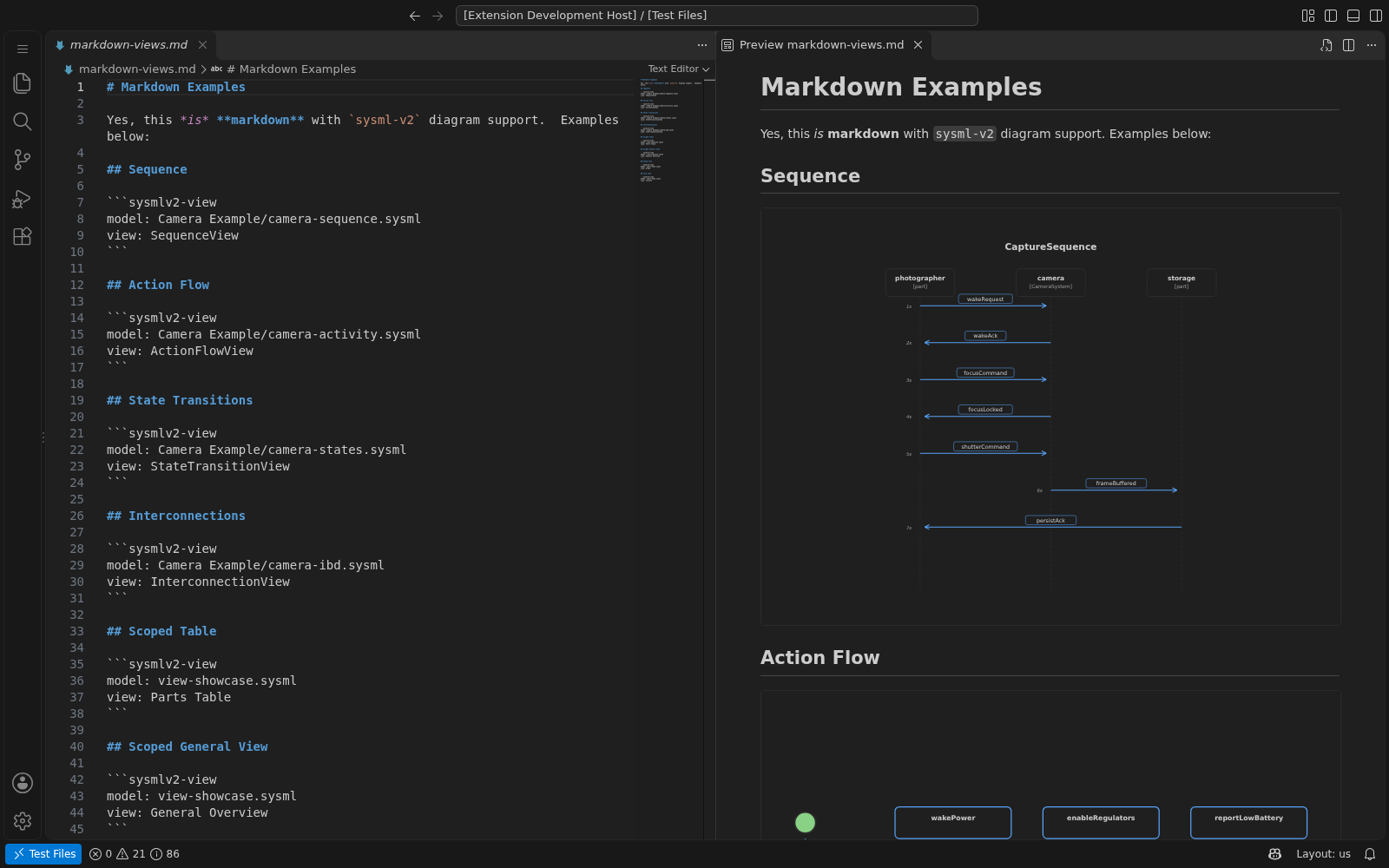
Use sysmlv2-view fences in VS Code's built-in Markdown preview. Model paths are relative to the saved Markdown document and must stay inside a workspace folder.
```sysmlv2-view
model: ../samples/Camera Example/camera-sequence.sysml
view: SequenceView
```
model is required. view is optional and is either the name of a view usage in the model, including its expose targets and filters (qualify ambiguous names with Package::View), or a standard view definition from the SysML v2 specification: GeneralView, InterconnectionView, ActionFlowView, StateTransitionView, SequenceView, BrowserView, and GridView. A model view takes precedence over a type name. The Visualizer's extra diagrams are also available: CaseView, PackageView, graph, hierarchy, and textual, along with renderer aliases such as usecase, tree, and table. GeometryView is not currently supported by the renderer. Without view, the General View is used.
For GitHub or PDF workflows, run SysML: Export Markdown Diagrams to SVG from the Markdown editor to save markdown content with SVG images instead.
Try the sample document.
Commands (Ctrl+Shift+P)
| Command |
Description |
SysML: Show Model Visualizer |
Open interactive diagram for the current file |
SysML: Show Model Explorer |
Open the tree view showing packages and elements |
SysML: Validate SysML Model |
Run validation on the current file |
SysML: Format SysML Document |
Format the current SysML file |
SysML: Export Visualization (PNG/SVG) |
Export the current diagram as PNG or SVG |
SysML: Export Markdown Diagrams to SVG |
Save a portable Markdown copy with adjacent SVG diagrams |
SysML: Change Visualizer View |
Switch between diagram views (General, IBD, Activity, etc.) |
SysML: Refresh Visualization |
Re-render the current diagram |
SysML: Jump to Definition |
Navigate to the definition of the symbol under cursor |
SysML: Show Type Hierarchy |
View supertypes and subtypes of the current definition |
SysML: Show Call Hierarchy |
Trace incoming and outgoing action/state invocations |
SysML: Show Feature Inspector |
Inspect attributes, types, and relationships of an element |
SysML: Inspect Model Metrics |
View model statistics, build timing, and complexity index |
SysML: Edit Model |
Edit requirements, relationships, tables, and traceability matrices |
SysML: Analyze Model Relationships |
Analyze impact, requirements, connectors, and implementation traces |
SysML: Visualize Model |
Visualize the selected model files or folder |
SysML: Visualize Model (Choose View) |
Visualize the selected model with a chosen diagram view |
SysML: Clear Parse Cache |
Flush server caches and re-parse the active file |
SysML: Refresh Model Tree |
Refresh the Model Explorer tree view |
SysML: Toggle View: By File / Semantic Model |
Switch Model Explorer between file and semantic views |
SysML: Restart Language Server |
Restart the SysML LSP server |
Right-click files or folders in the Explorer:
Visualize Model to aggregate and visualize all .sysml files in that folder.
Visualize Model (Choose View) to pick a specific view/diagram type.
Show Feature Inspector to inspect the element at the cursor.
Inspect Model Metrics for statistics and complexity analysis.
Analyze Model Relationships to load its models in Architecture Explorer.
Edit Model to edit a model's requirements, relationships, and traceability.
Right-click a package node in the SysML Model Explorer:
- Visualize Package to open an isolated diagram for that package.
Architecture Explorer
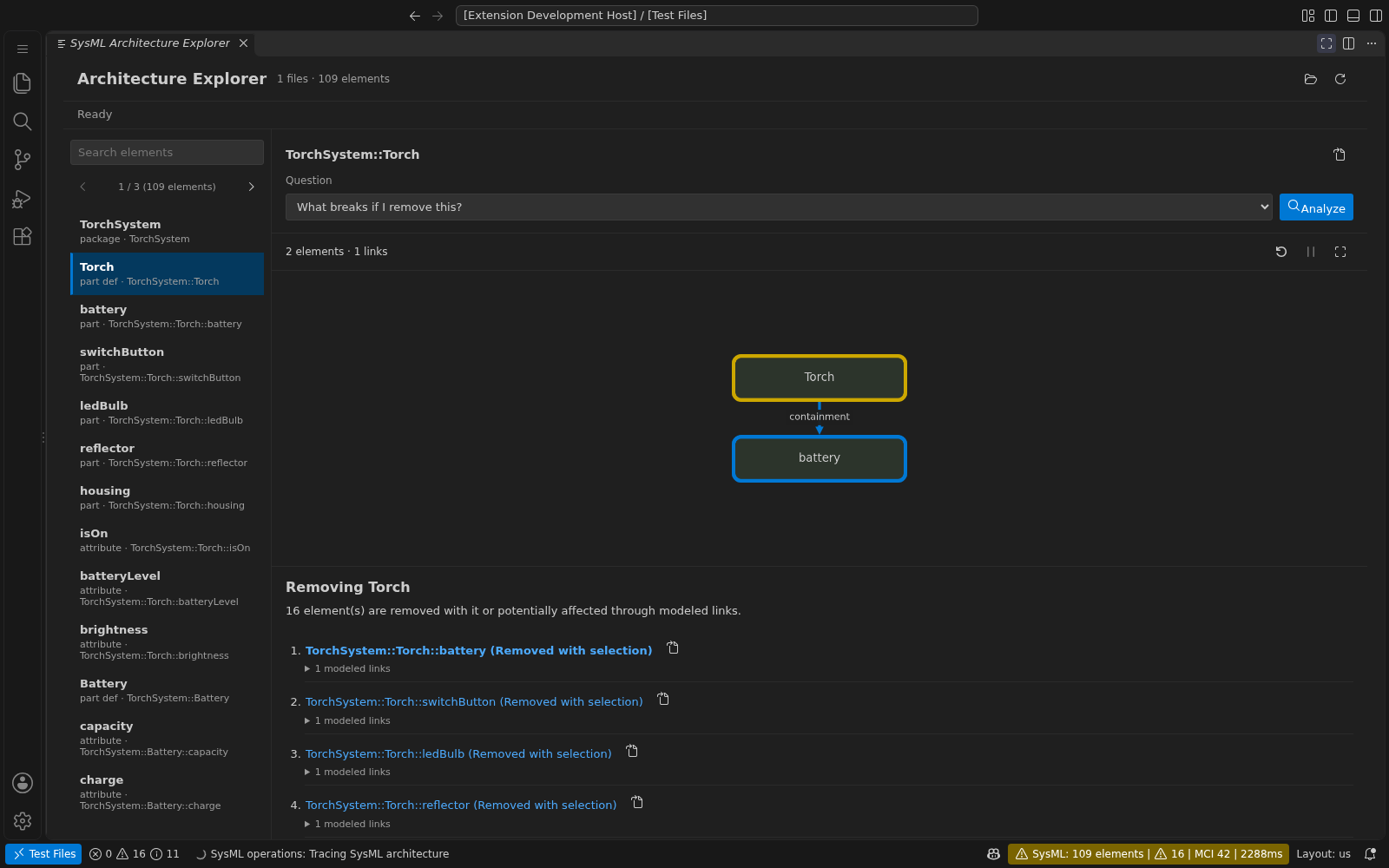
Select an element in a SysML editor and run SysML: Analyze Model Relationships,
or use its editor or Model Explorer context menu. In the visualizer, select an element and choose Explore Architecture. This feature runs fully locally, without AI credentials or cloud calls.
| Question |
Evidence returned |
| What breaks if I remove this? |
Contained declarations and potentially affected elements, with modeled relationship paths. |
| Show every requirement impacted by this element |
Reachable requirements and their trace paths. |
| Why does this connector exist? |
Authored documentation and declared endpoints; missing rationale is reported explicitly. |
| Show the shortest trace to implementation |
Fewest-link path from the selected need or requirement to a chosen implementation. |
Select a finding to animate its trace. Expand its evidence to open the source. Use Load model files for cross-file queries; source edits refresh models and clear old answers. Search and findings are paginated without truncation, and the canvas shows one trace at a time.
Results use explicit relationships in loaded files, not every workspace reference, inherited behavior, or physical failure predictions. Traces can follow links in either direction, but not package containment. Unresolved links and missing rationale are reported, not guessed.
Try samples/architecture-explorer.sysml.
Model Workbench
Open a SysML file and run SysML: Edit Model. It is also available from the editor context menu, a package's Model Explorer context menu, or Edit Model in the visualizer.
| View |
Supported workflow |
| Requirements |
Edit identifiers, requirement text, and a single usage type; create definitions or typed usages; inspect satisfaction and verification counts. |
| Elements |
Edit identifiers, documentation, single typing, and multiplicity on supported simple declarations. |
| Relationships |
Create, retarget, or delete explicit satisfy, verify, and dependency links. |
| Traceability |
Inspect requirement coverage or dependency links; toggle cells through an edit preview; filter uncovered targets; export CSV. |
Use Load model files for cross-file relationships and requirement types. File, package, and search filters narrow the tables; matrix filters narrow target rows while source columns include all loaded files. Coverage reflects resolved links in those loaded files, not the entire workspace or inherited semantics.
Edits are staged until Review changes and Apply changes. A batch is applied as one VS Code workspace edit, leaving documents unsaved. Use the source editor's normal Undo/Redo and Save commands. Changes elsewhere invalidate stale previews; pending table changes must be reviewed or discarded before other editing operations. Editing requires a trusted workspace and writable destination files.
Spreadsheet Paste
Bulk paste accepts comma-separated CSV or tab-separated spreadsheet text with a header row, including quoted commas and multiline cells. Choose an operation and, for new requirements, a destination file/package.
| Operation |
Accepted column headers |
| Create requirements |
name, identifier, documentation, typeName, definition |
| Create relationships |
kind, source, target |
| Update existing elements |
qualifiedName, identifier, documentation, typeName, multiplicity |
For creation, name is required; omitted fields default to empty, and definition is true or false (default false). A typeName must identify a requirement definition in a loaded file. Relationship kinds are satisfy, verify, and dependency; endpoints and update rows use unique loaded qualified names. Omit an update column to leave it unchanged; an empty cell clears that field. Batches are limited to 500 rows and 1 MB and rejected without partial edits when validation fails.
name,identifier,documentation,typeName,definition
minimumRange,REQ-001,"Travel at least 100 km, fully charged.",Mobility::RangeSpecification,false
CSV export includes the complete filtered view, not just the current page, and neutralizes spreadsheet formula prefixes. Element exports can be pasted using Update existing elements; matrix exports are for reporting, not reimport.
Editing Boundaries
The workbench preserves source as the authority. It edits simple named declarations and leading doc comments, not arbitrary expressions, specializations, or every SysML/KerML construct. Advanced declarations remain available for source navigation. Names are not editable: workspace-wide reference-safe rename is not part of this feature.
Use a row's trash action to remove a requirement, element, or explicit relationship. Review the source preview and confirm Delete; no source changes occur until confirmation. Removing a container also removes its nested declarations and relationships. Known satisfaction, verification, or dependency links outside the deleted declaration must be removed first, including links to its children. Other references, such as type usages or references in unloaded files, are not checked automatically; review diagnostics after deletion. Deletion uses the same version-checked, undoable workspace edit as other changes.
Satisfaction links originate from part usages and target requirement usages. Verification links originate from verification cases and are written inside a simple objective; advanced objective forms remain source-only. Named, multi-target, quoted-endpoint, or otherwise complex existing relationships may be shown as source-only and cannot be changed through matrix cells. Normal LSP diagnostics continue after applying edits; preview validation is not a full semantic proof of the model.
Settings
Resource Controls
Set a timeout or source-loading budget for model operations. Loading has no default size or file-count cap.
| Setting |
Default |
Applies To |
sysml.operations.timeoutSeconds |
120 |
Operation timeout in seconds; 0 disables it |
sysml.modelLoading.budgetMiB |
0 |
Optional aggregate source-loading budget per operation; 0 means unlimited |
These settings apply to model tools and Markdown loading, starting with the next operation. The budget measures UTF-8 source bytes, not language-server memory. Limit errors name the setting to adjust; results are never silently truncated.
- Progress: operations lasting over 500 ms share a cancellable notification.
SysML: Cancel Active Operations also cancels background loads.
- Reuse: switching views or closing files reuses the workspace model. Edits, file or
workspace changes, relevant settings, and Refresh Model Tree invalidate it.
- Safety: previews, spreadsheet batches, exports, and nesting retain internal guards.
Path validation remains enforced.
Cancellation and timeouts do not stop the language server or interrupt synchronous work or committed writes. Cancelled Markdown exports may leave SVGs already written, but no final Markdown copy.
| Setting |
Default |
Description |
sysml.validation.enabled |
true |
Enable SysML model validation |
sysml.validation.disabledCodes |
[] |
Suppress individual diagnostic codes, e.g. ["missing-doc"]; applies immediately to open documents |
sysml.format.indentSize |
4 |
Number of spaces for indentation |
sysml.visualization.defaultView |
"sysml" |
Default view when opening the visualizer (sysml, tree, elk, bdd, package, ibd, graph, hierarchy, sequence, activity, state, usecase) |
sysml.export.defaultScale |
2 |
Default scale factor for PNG exports (1x–4x) |
sysml.library.path |
"" |
Path to SysML v2 standard library directory |
sysml.maxNumberOfProblems |
100 |
Maximum number of problems reported per file |
sysml.inlayHints.enabled |
false |
Enable inlay hints (inline type annotations). May interfere with renaming — disable if you experience editing issues |
sysml.workspace.preloadOnOpen |
"always" |
Control workspace pre-parsing: always, workspaceOnly, never. Restart the language server after changing this setting. |
sysml.scan.skipDirectories |
Server defaults |
Exact directory names to exclude from automatic discovery and pre-parsing. Custom lists replace the defaults; [] disables exclusions. |
sysmlLanguageServer.trace.server |
"off" |
Traces communication between VS Code and the language server (off, messages, verbose) |
Diagnostic Suppression
Set sysml.validation.disabledCodes to the codes you want to suppress. For example:
{
  "sysml.validation.disabledCodes": ["missing-doc", "naming-convention"]
}
All currently supported codes are listed below and offered in VS Code Settings:
| Code |
Diagnostic |
ambiguous-namespace-name |
Declarations with an ambiguous name in the same namespace |
circular-specialization |
A cycle in specialization relationships |
duplicate-definition |
A duplicate definition |
empty-enum |
An enumeration with no values |
incompatible-port-types |
Connected ports with incompatible types |
invalid-constraint-body |
An invalid constraint body |
invalid-multiplicity |
Invalid multiplicity bounds |
invalid-redefinition-multiplicity |
A redefinition with incompatible multiplicity |
missing-doc |
Missing documentation |
naming-convention |
A name that does not follow the recommended convention |
unresolved-constraint-reference |
A constraint reference that cannot be resolved |
unresolved-type |
A type reference that cannot be resolved |
unsatisfied-requirement |
A requirement with no satisfaction relationship |
unused-definition |
A definition that is not used |
unverified-requirement |
A requirement with no verification relationship |
view-no-scope |
A view with no scope |
Codes are case-sensitive. Changes apply to open documents immediately; [] restores all diagnostics. Syntax errors and keyword-typo errors currently have no diagnostic code and cannot be suppressed with this setting.
Development
npm install && npm run compile && npm test
Run make debug to open the local extension in its dedicated samples workspace. In VS Code, select Run Extension and press F5 to compile, launch the same workspace, and attach the Node debugger on 127.0.0.1:6008. Development launches do not disable installed extensions.
On WSL, the launcher locates the Windows desktop code wrapper because the remote terminal's code command ignores extension-development arguments. Windows VS Code must be on the Windows PATH. Close any older Extension Development Host windows once before using this setup: VS Code otherwise reloads their old workspace. Stop the existing debug session before launching another one on port 6008.
Note for when packaged as a VSIX, the extension registers its MCP server from the extension install path at activation time. A workspace .vscode/mcp.json is only a local development override (for example, to pin Copilot chat to a specific local server build).
Running in the browser (vscode.dev)
The extension also runs as a web extension in browser-based VS Code such as
vscode.dev and github.dev. In the
web build the language server runs as a Web Worker (via
vscode-languageclient/browser) with the SysML standard library bundled in, so
there is no Node.js dependency. The desktop build is unchanged and still runs
the server as a Node module over IPC.
make web        # build the web bundle and serve it locally like vscode.dev
make test-web   # run the web integration tests in a headless browser host
make web serves on port 3000 by default (override with WEB_PORT, e.g.
make web WEB_PORT=3111) and opens the samples/ folder as the workspace.
Under the hood these wrap @vscode/test-web
and the npm run build:web / npm run test:web scripts. The MCP server is
desktop-only and is automatically skipped in the web host.
Privacy and Telemetry
Configured release packages can send optional telemetry following VS Code's telemetry permissions and the independent sysml.telemetry.enabled User setting (default true). Usage events include random installation/session IDs for feature-frequency and journey analytics, not model content, accounts or machine IDs. Disabling usage deletes the local installation ID. See Privacy and the complete event catalog. SysML: Report Issue previews an editable report before any content is sent to GitHub.
Release packaging injects the public ingestion destination from the GitHub Actions
repository variable SYSML_TELEMETRY_CONNECTION_STRING; an absent or invalid value fails release packaging. Local builds without it remain disconnected. See the telemetry infrastructure runbook.
License
MIT