Agent Skills for VS Code
Browse, search, and install 2,513+ official and first-party skills from companies like Anthropic, Microsoft, OpenAI, Vercel, Firebase, Stripe, and 20+ more — plus 91,000+ community skills from Vercel skills.sh — all from inside VS Code. Every install runs through a 9-stage security pipeline before any files touch your library.
Why this exists
AI agent skills are scattered across multiple marketplaces and GitHub repos with no unified way to search, compare, or vet them. This extension gives you a single pane of glass across all sources, with trust badges, quality filters, and security scanning built in.
Features
Guided Get Started panel
On first launch, Agent Skills opens a guided setup panel with starter packs, bridge health, library status, and workspace-aware recommendations. Open it any time with Agent Skills: Get Started.
The panel detects common project signals such as Node/TypeScript, Python, Docker, Terraform, GitHub Actions, and dbt, then recommends relevant catalog searches and trusted starter skills.
Bundled starter skill library
Agent Skills includes fourteen first-party skill markdown files and three reference documents in this repository, so users have useful content available immediately. Bundled skills cover security review, dependency audit, migration planning, test strategy, test failure triage, PR descriptions, release notes, Terraform plan review, CI failure triage, Docker hardening, API documentation, repo onboarding, skill authoring, and general code review.
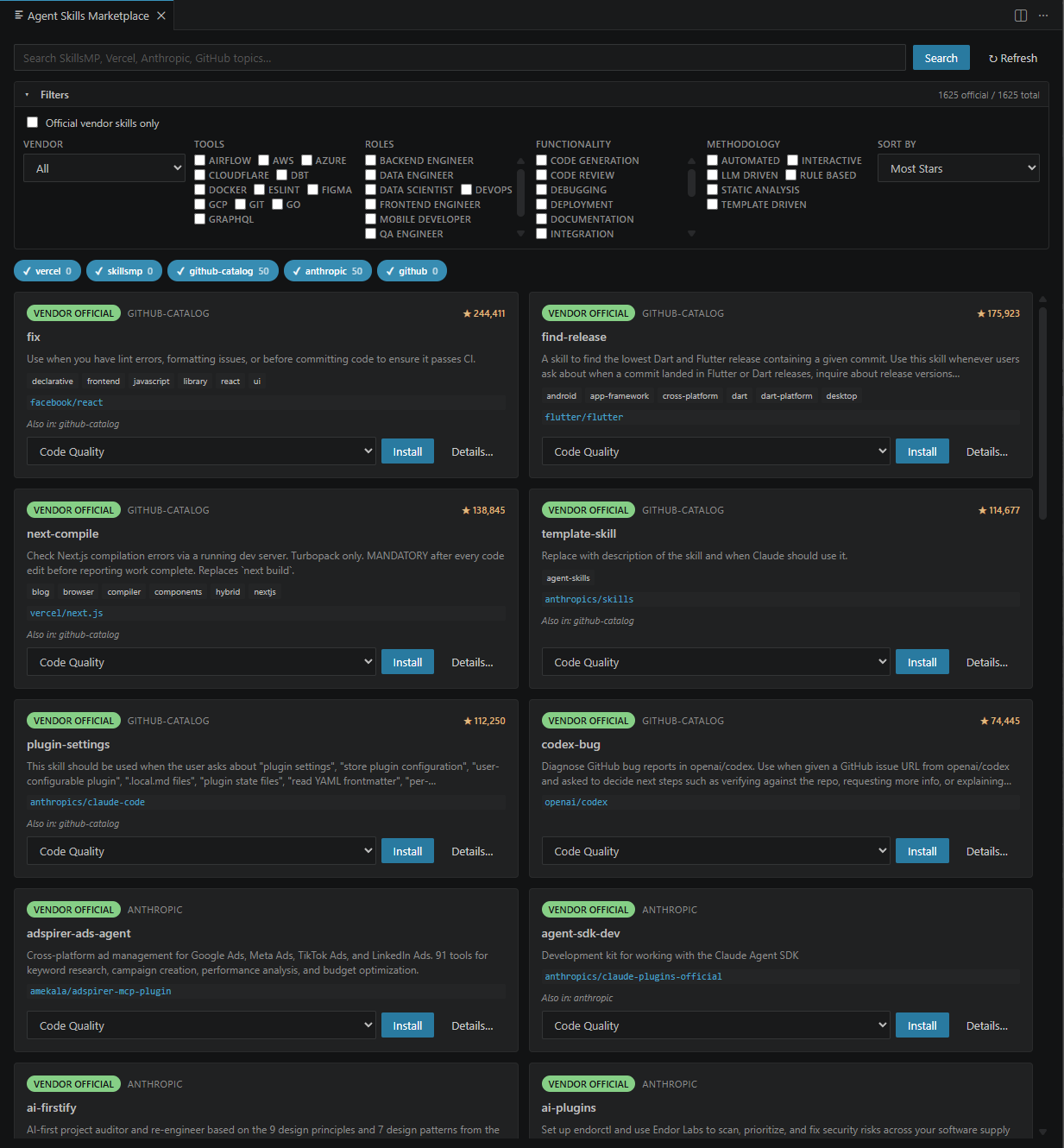
Marketplace with 2,513+ pre-loaded official and first-party skills
On first launch, the marketplace is pre-populated with skills from 28 official vendors including Anthropic, Microsoft, OpenAI, Vercel, Firebase, Stripe, Cloudflare, Supabase, and more. No configuration needed — browse immediately.
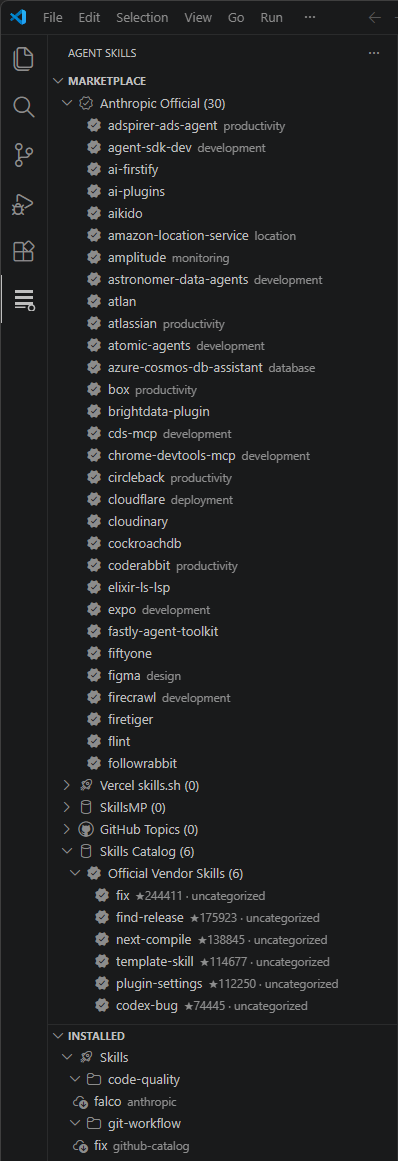
Multi-source search
Search across 5 sources in parallel: the pre-built catalog, Vercel skills.sh (91K+ skills), Anthropic's official marketplace, GitHub topic search, and SkillsMP. Results are deduplicated by repo URL and ranked by trust tier.
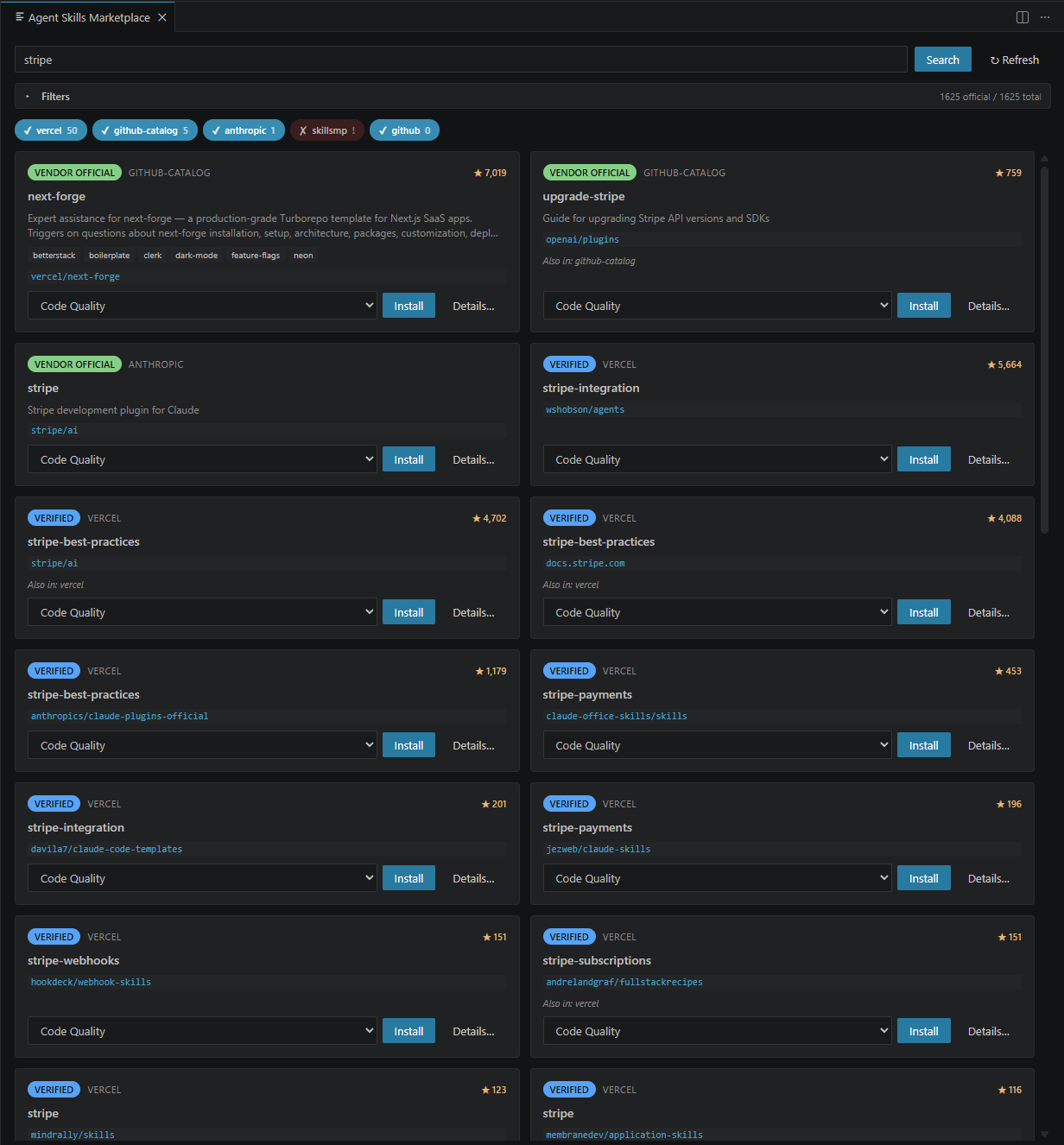
Rich filters and sorting
Filter by tool (Docker, Terraform, React, dbt, etc.), role (backend engineer, DevOps, data scientist, etc.), functionality (code review, deployment, testing, etc.), methodology, and vendor. Sort by stars, recency, name, or trust score. Toggle "Official vendor skills only" for curated results.
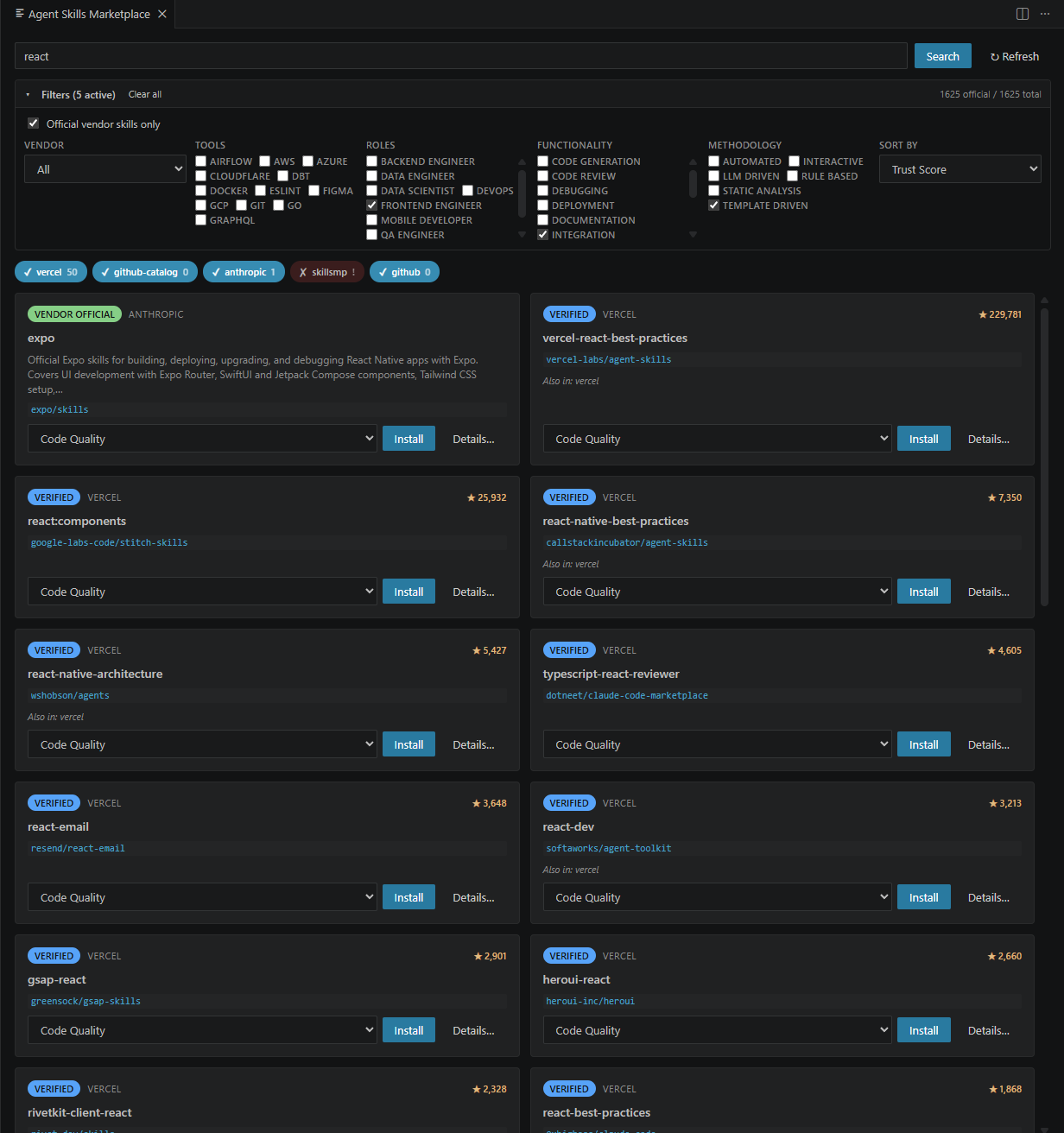
Quality badges and trust tiers
Every skill carries quality badges computed from GitHub metadata:
- Official Company — published by the vendor that builds the technology
- Popular — 1,000+ GitHub stars
- Open Source — permissive license (MIT, Apache, BSD)
- Recently Updated — pushed within the last 7 days
- Low Stars / Stale / No License — caution signals for informed decisions
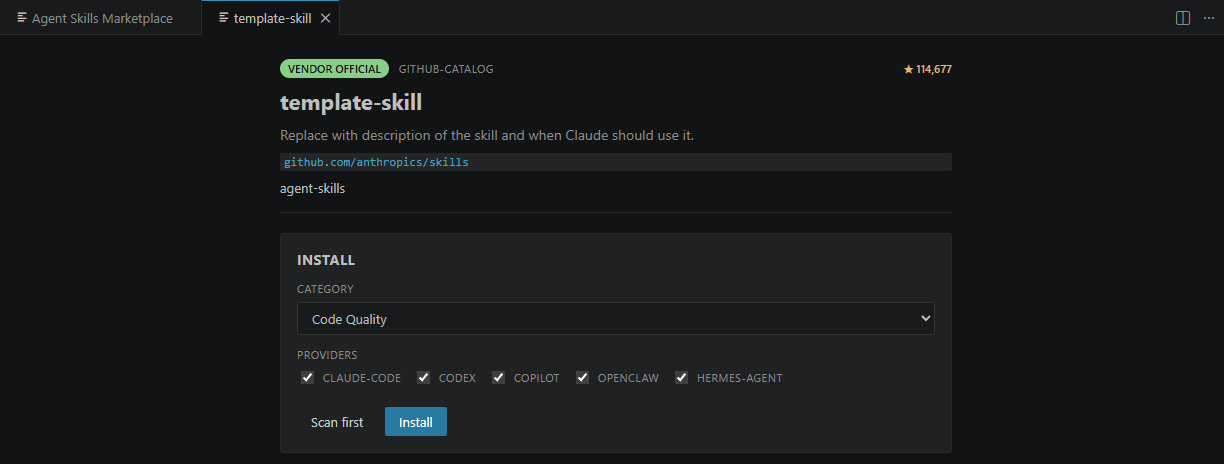
Skill detail panel
Click any skill to inspect its metadata, description, repo link, and provider support before installing. Scan first, or install directly.
Security scanning
Every install passes through a 9-stage pipeline:
- Resolve — parse source identifier
- Fetch — sparse git checkout
- Security scan — 50+ pattern rules (injection, exfiltration, privilege escalation, obfuscated code)
- Provenance — verify GitHub stars, license, push date
- Transform — normalize frontmatter
- Categorize — auto-place into subcategories
- Install — place files, register in manifest
- Link providers — generate Claude Code, Codex, Copilot stubs
- Record — update Skillfile for reproducibility
Post-install: run Agent Skills: Scan All Installed Skills to audit your entire library at any time.
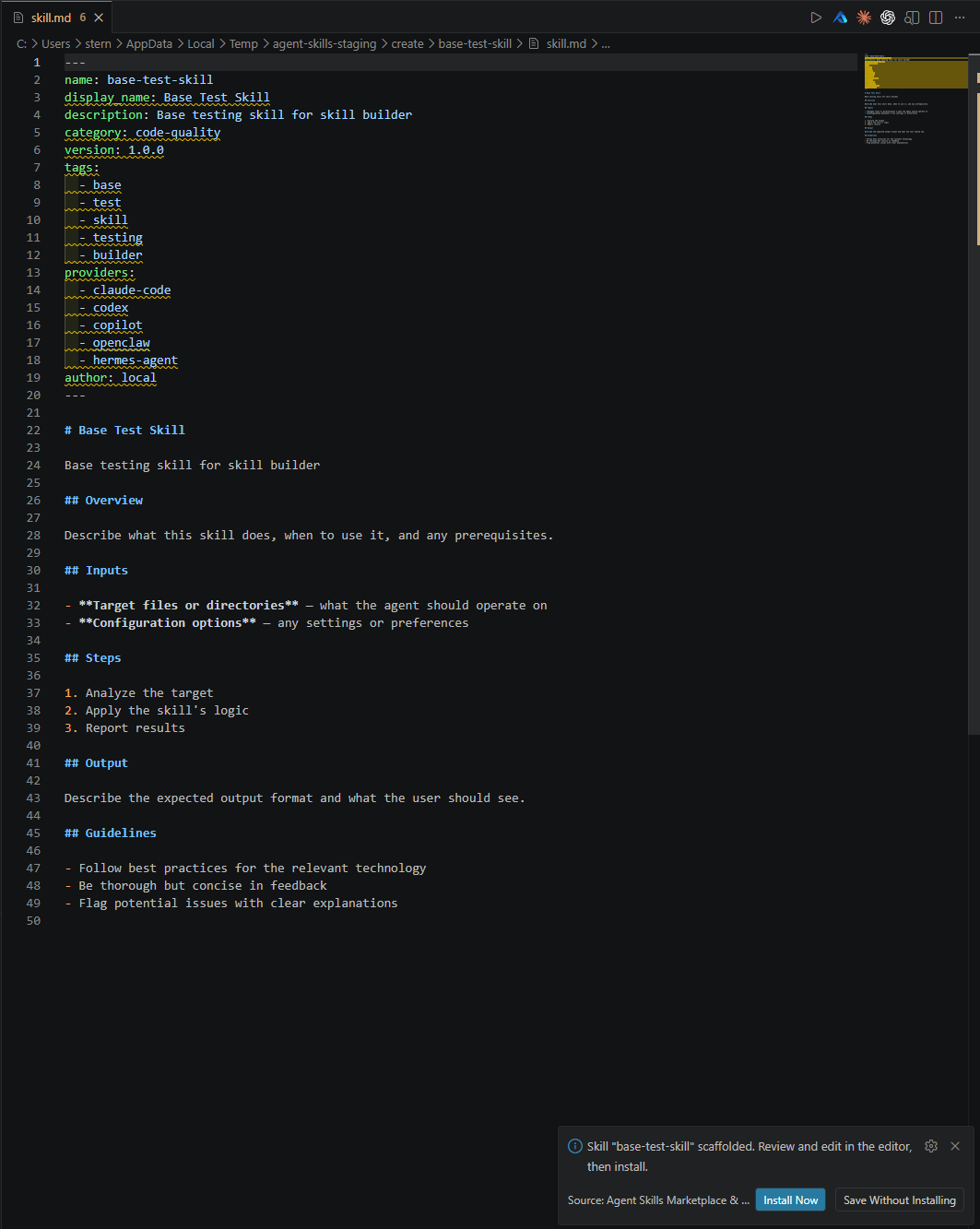
Skill Builder
Create new skills without writing YAML frontmatter from scratch. Three creation modes:
- From template — pick from 9 built-in templates (code review, test generator, deployment, integration, documentation, security audit, migration, linter, generic)
- From description — describe what the skill should do in natural language, and the LLM generates the full skill body
- From docs — paste CLI
--help output or API docs, and the LLM extracts actionable instructions
All three flows open the generated skill.md in the editor for review before installing.
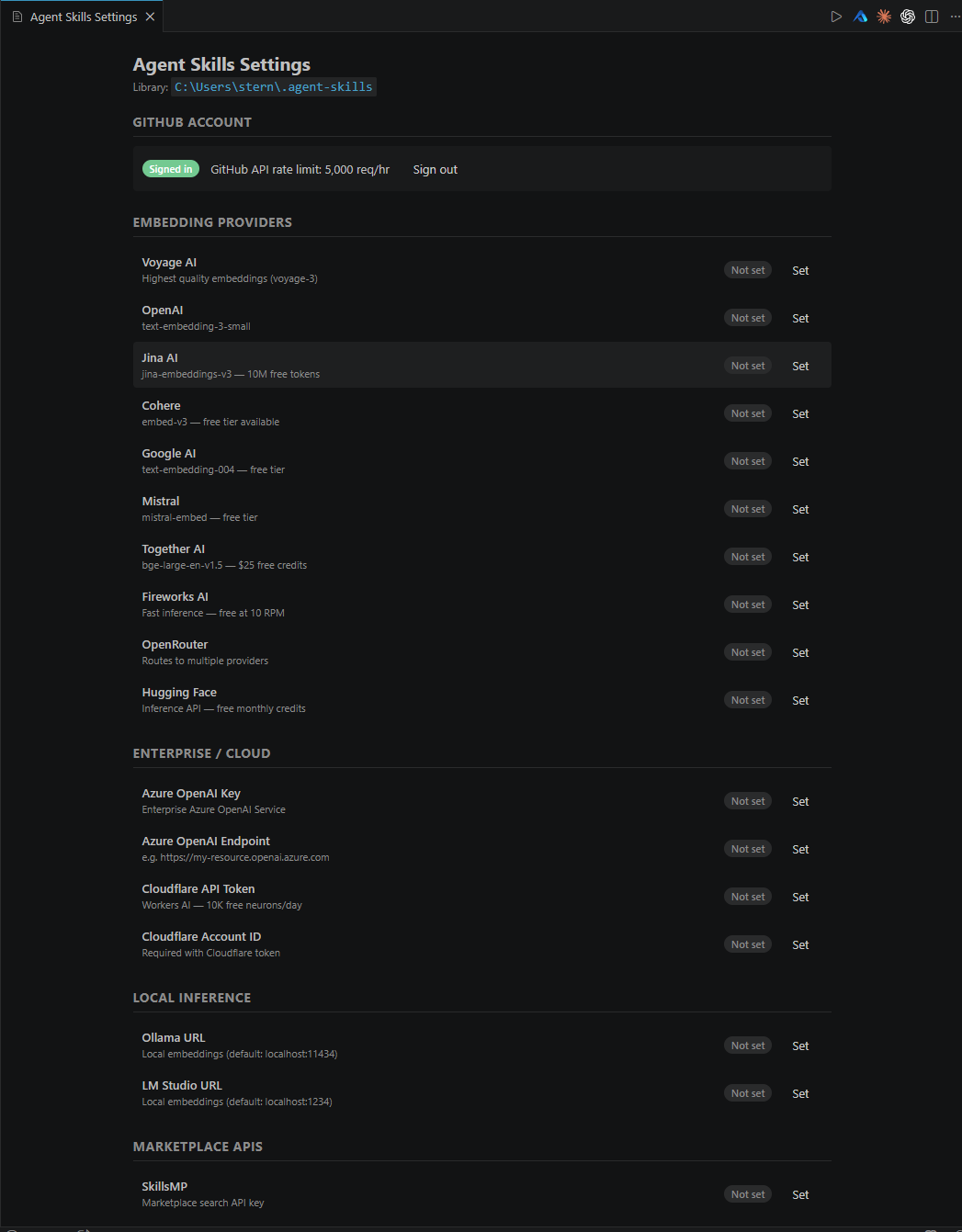
Settings panel
Graphical settings panel for managing all accounts, API keys, and embedding providers. One-click GitHub OAuth, inline set/update/clear with status badges.
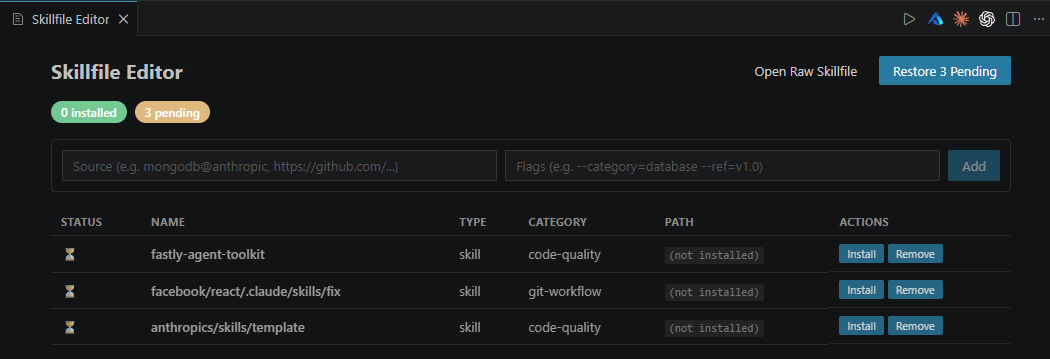
Skillfile editor
Visual manager for your Skillfile entries. See installation status at a glance, add/remove entries, and restore pending skills with one click.
Insights & Skill Doctor
Open Agent Skills: Insights & Skill Doctor to inspect local-only metadata about your skill library:
- Skill Doctor flags missing skill files, short descriptions, sparse tags, missing provider metadata, duplicate names, local-only skills, large files, and older installs that should be rechecked
- Usage insights summarize local marketplace searches, semantic-find searches, recommendation opens, and installs
- Per-skill metadata rows show tags, provider coverage, issue counts, category, source marketplace, and install path
Insights are stored locally in VS Code global storage. They are not sent to any service.
Update manager
Open Agent Skills: Check for Updates to review upstream update status in a graphical panel. The update manager shows safe updates, local modifications, conflicts, failed checks, and local-only skills, then lets you apply all safe updates inside VS Code.
Semantic search (RAG-powered)
Type a natural-language description and find the best matching installed skill in milliseconds. The retrieval engine supports 16 embedding backends — from cloud APIs to a bundled local model that works offline.
If you have GitHub Copilot, the extension can also use your existing AI subscription as a search backend with zero setup.
One-click GitHub sign-in
Click "Sign in with GitHub" to increase the API rate limit from 60 to 5,000 requests/hour. No PAT generation needed — uses VS Code's built-in OAuth. If you're already signed in via Copilot, the token is picked up automatically.
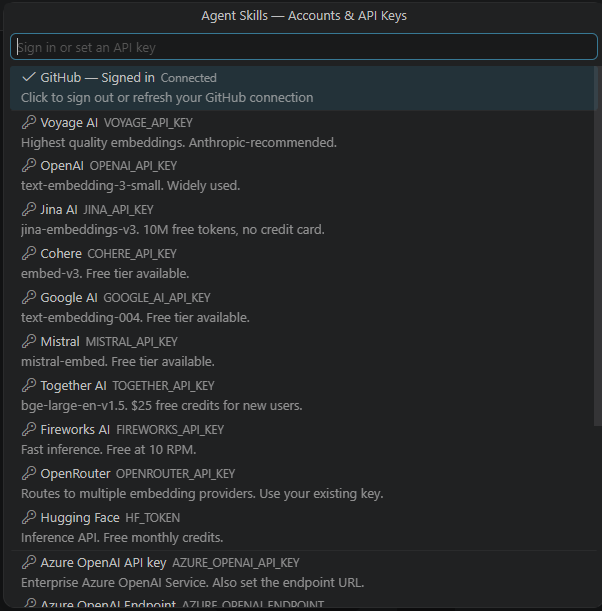
16 embedding providers
Set any of these via Agent Skills: Set API Keys to upgrade semantic search quality:
| Provider |
Free tier? |
| Voyage AI |
No |
| OpenAI |
No |
| Jina AI |
Yes (10M tokens) |
| Cohere |
Yes |
| Google AI |
Yes |
| Mistral |
Yes |
| Together AI |
Yes ($25 credit) |
| Fireworks AI |
Yes (10 RPM) |
| OpenRouter |
Some models |
| Hugging Face |
Yes |
| Azure OpenAI |
No |
| Cloudflare Workers AI |
Yes (10K/day) |
| Ollama (local) |
Free |
| LM Studio (local) |
Free |
| Bundled MiniLM (default) |
Free, offline |
| VS Code LLM (Copilot, etc.) |
Uses existing sub |
MCP server
The companion @agent-skills/mcp-server exposes a find_skill tool so any MCP-capable agent (Claude Code, Codex, Cursor, Cline, Gemini CLI) can search your skill library. See the MCP server docs.
Quick start
- Install the extension from the VS Code Marketplace
- Click the Agent Skills icon in the Activity Bar — official vendor skills are already loaded
- Search for a tool, framework, or task in the marketplace
- Click any result to inspect → scan → install
- Your AI extensions (Claude Code, Codex, Gemini CLI, Cline, Cursor, Windsurf) are automatically configured — no manual setup needed
Setup & configuration
What's automatic (zero config)
The extension configures everything on first activation:
- 2,513 official and first-party skills pre-loaded and browsable immediately
- Claude Code → MCP server in
~/.claude.json + skill instructions in ~/.claude/CLAUDE.md
- Codex CLI → MCP server in
~/.codex/config.toml
- Gemini CLI → MCP server in
~/.gemini/mcp.json
- Cline → MCP server in Cline's
cline_mcp_settings.json
- Cursor → Global rules at
~/.cursor/rules/agent-skills.mdc
- Windsurf → Global rules at
~/.windsurf/rules/agent-skills.md
- GitHub Copilot → OAuth token auto-synced for higher API rate limits
After installing or updating, reload VS Code once (Ctrl+Shift+P → "Reload Window") so the agent bridges activate.
Optional enhancements
| Enhancement |
How |
Why |
| GitHub sign-in |
Agent Skills: Settings → "Sign in with GitHub" |
Increases API rate limit from 60 to 5,000 req/hr |
| Embedding API key |
Agent Skills: Settings → set any provider |
Upgrades semantic search quality (free tiers: Jina, Cohere, Google, Mistral) |
| RAG runtime |
Click "Build index" when prompted |
Enables vector-based semantic search over installed skills |
| SkillsMP API key |
Agent Skills: Settings → set SkillsMP key |
Unlocks SkillsMP marketplace search (if you have a key) |
Commands
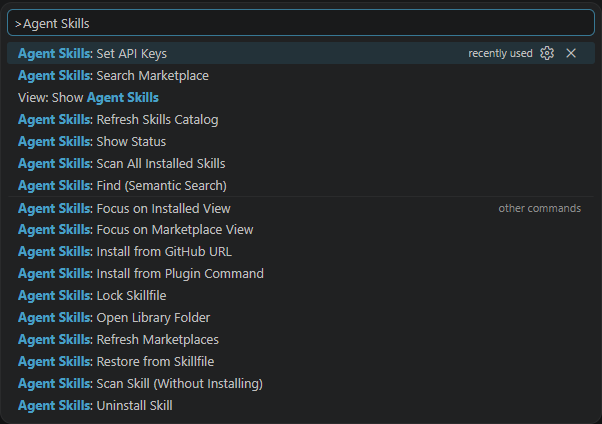
| Command |
Action |
Agent Skills: Get Started |
Open onboarding, starter packs, bridge health, and workspace recommendations |
Agent Skills: Search Marketplace |
Open the marketplace search panel |
Agent Skills: Find (Semantic Search) |
RAG-powered search over installed skills |
Agent Skills: Insights & Skill Doctor |
Open local usage insights and library health analysis |
Agent Skills: Install from GitHub URL |
Install from a direct repo URL |
Agent Skills: Install from Plugin Command |
Paste a name@marketplace plugin identifier |
Agent Skills: Scan Skill (Without Installing) |
Run the security pipeline only |
Agent Skills: Scan All Installed Skills |
Audit your entire installed skill library |
Agent Skills: Restore from Skillfile |
Install every entry in the Skillfile |
Agent Skills: Lock Skillfile |
Generate Skillfile.lock |
Agent Skills: Show Status |
Show installed/pending/failed entries |
Agent Skills: Uninstall Skill |
Remove an installed skill |
Agent Skills: Refresh Skills Catalog |
Update the local skills catalog |
Agent Skills: Open Library Folder |
Reveal ~/.agent-skills/ in Explorer |
Agent Skills: Refresh Marketplaces |
Re-fetch cached marketplace results |
Agent Skills: Set API Keys |
Manage credentials (legacy QuickPick) |
Agent Skills: Settings |
Open graphical settings panel |
Agent Skills: Edit Skillfile |
Open visual Skillfile editor |
Agent Skills: Check for Updates |
Open the graphical update manager for installed skills |
Agent Skills: Create Skill (from template) |
Scaffold a skill from a built-in template |
Agent Skills: Create Skill (from description) |
Generate a skill using AI from a description |
Agent Skills: Create Skill (from docs) |
Extract a skill from pasted documentation |
Settings
| Setting |
Default |
Description |
agentSkills.libraryRoot |
"" |
Override the library root. Empty = ~/.agent-skills/ |
agentSkills.enabledMarketplaces |
All five |
Which marketplace adapters to query |
agentSkills.backgroundRefresh |
true |
Refresh results once when VS Code starts |
agentSkills.backgroundRefreshTtlMinutes |
60 |
How long cached results stay fresh |
CLI companion
The @agent-skills/cli package ships a npx agent-skills binary that wraps the same library. Both read and write the same ~/.agent-skills/skills.json manifest — mix and match freely.
License
MIT

